
1. Introduzione
Thank you for choosing the PRIXTON Cinema Mini Projector. This compact and versatile projector is designed to provide an immersive viewing experience for movies, games, and presentations. Its multiple connectivity options and portable design make it ideal for various environments. Please read this manual carefully before using the projector to ensure proper operation and to maximize its lifespan.
2. Informazioni sulla sicurezza
- Alimentazione elettrica: Utilizzare solo l'adattatore di alimentazione specificato. Assicurarsi che il volumetage è compatibile con la tua regione.
- Ventilazione: Non ostruire le aperture di ventilazione. Lasciare spazio sufficiente attorno al proiettore per un corretto flusso d'aria ed evitare il surriscaldamento.
- Sicurezza degli occhi: Non guardare direttamente nell'obiettivo del proiettore quando lamp è acceso. La luce intensa può causare danni agli occhi.
- Acqua e umidità: Tenere il proiettore lontano da acqua, pioggia e umidità eccessiva. Non utilizzare con le mani bagnate.
- Pulizia: Scollegare l'alimentazione prima di pulire. Utilizzare un panno morbido e asciutto. Evitare detergenti liquidi.
- Posizionamento: Posizionare il proiettore su una superficie stabile e piana. Evitare di esporlo alla luce diretta del sole o vicino a fonti di calore.
- Bambini: Tenere il proiettore e i suoi accessori fuori dalla portata dei bambini.
3. Contenuto della confezione
Si prega di verificare che tutti gli articoli siano presenti nel pacco:
- Mini proiettore PRIXTON Cinema
- Telecomando
- Adattatore di alimentazione
- Manuale d'uso
4. Prodotto finitoview
Familiarize yourself with the various parts of your PRIXTON Cinema Mini Projector.
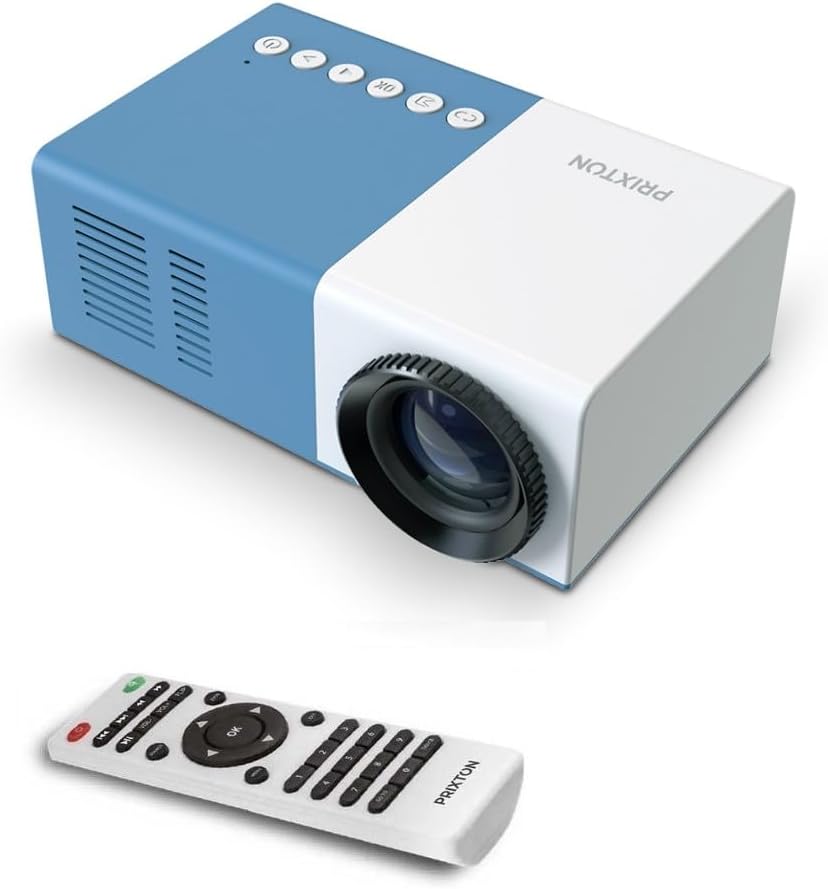
Figura 4.1: Anteriore e superiore View of the PRIXTON Cinema Mini Projector with its remote control. The projector is blue and white, showing the lens, control buttons, and the included remote.
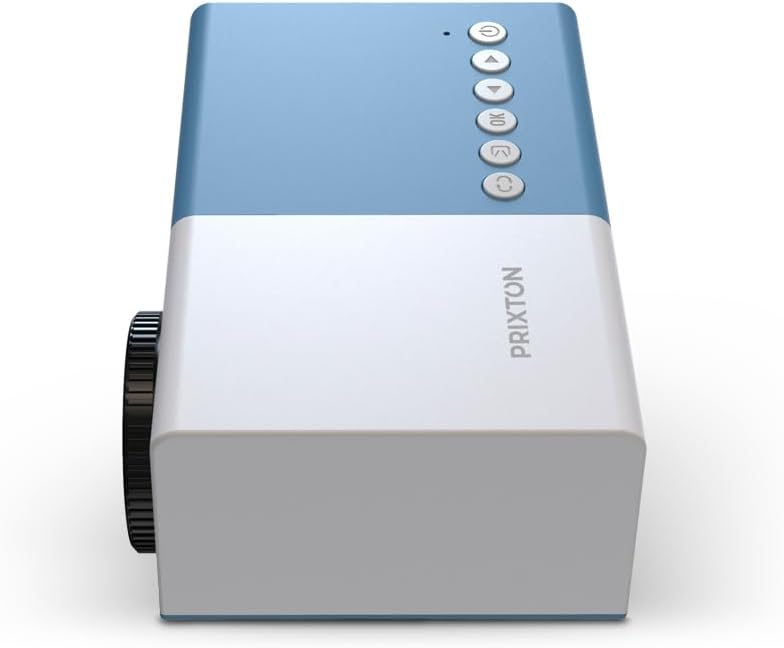
Figura 4.2: Superiore view of the projector, highlighting the control buttons (Power, Menu, OK, Navigation) and the focus wheel on the side.
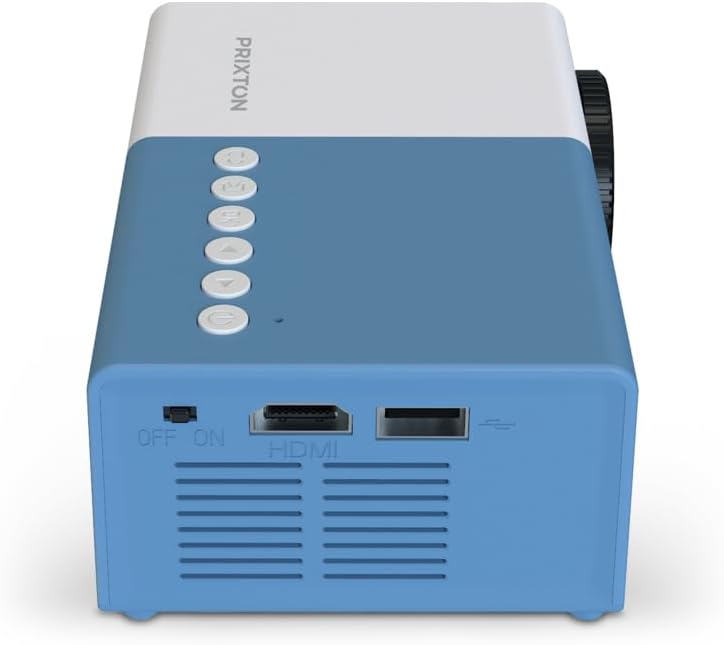
Figura 4.3: Posteriore view of the projector, showing the power switch, HDMI port, USB port, and ventilation grilles.

Figura 4.4: Lato view of the projector, displaying the MicroSD card slot, AV In port, and additional ventilation.
Componenti:
- Lente: Proietta l'immagine sullo schermo.
- Ruota di messa a fuoco: Regola la nitidezza dell'immagine.
- Pulsanti di controllo: Power, Menu, OK, and navigation buttons for on-device control.
- Interruttore di alimentazione: Accende o spegne il proiettore.
- Porta HDMI: Connects to devices like laptops, streaming sticks, and game consoles.
- Porta USB: Per la riproduzione di contenuti multimediali da unità USB.
- Slot MicroSD: Per la riproduzione multimediale da schede MicroSD.
- Ingresso AV: Connects to older devices using an AV cable.
- Altoparlante integrato: Fornisce uscita audio.
5. Impostazione
5.1 Collegamento di alimentazione
- Collegare l'adattatore di alimentazione alla porta di ingresso dell'alimentazione del proiettore.
- Collegare l'adattatore di corrente a una presa a muro.
- Flip the power switch on the projector to the 'ON' position. The power indicator light should illuminate.
5.2 Posizionamento e proiezione
Place the projector on a stable surface, ensuring the lens is facing the projection surface (wall or screen).

Figura 5.1: Illustration of projection distance and screen size. The projector can project images between 24 and 60 inches, with a maximum distance of 2 meters from the surface.
- For optimal image quality, ensure the room is dark.
- The projector can display images from 24 inches to 60 inches.
- The optimal projection distance is up to 2 meters (approximately 6.5 feet). Adjust the distance to achieve your desired screen size.
6. Operativo
6.1 Accensione/spegnimento
- Per accendere: After connecting power, press the Power button on the projector or the remote control.
- Per spegnere: Press the Power button again. Confirm shutdown if prompted.
6.2 Regolazione della messa a fuoco
After powering on, the image may appear blurry. Use the focus wheel located on the side of the projector to sharpen the image until it is clear.
6.3 Selezione della sorgente
To select an input source (HDMI, USB, MicroSD, AV):
- Press the 'Source' or 'Input' button on the remote control or the projector.
- Use the navigation buttons to highlight your desired input source.
- Premere 'OK' per confermare la selezione.
7. Connettività
The PRIXTON Cinema Mini Projector offers multiple ways to connect your devices.
7.1 Collegamento HDMI
Connect devices such as laptops, streaming sticks (e.g., Chromecast, Fire TV Stick), game consoles, or Blu-ray players using an HDMI cable.
- Connect one end of the HDMI cable to your device and the other end to the HDMI port on the projector.
- Select 'HDMI' as the input source (refer to Section 6.3).
7.2 Riproduzione USB e MicroSD
The projector supports direct media playback from USB drives and MicroSD cards.
- Insert your USB drive into the USB port or your MicroSD card into the MicroSD slot.
- Select 'USB' or 'MicroSD' as the input source.
- Navigare attraverso il files using the remote control and select the media you wish to play.
7.3 AV In Connection
For older devices that use composite video and stereo audio (RCA), connect them via the AV In port.
- Connect the AV cable from your device to the AV In port on the projector.
- Select 'AV' as the input source.
8. Uscita audio
The projector features an integrated stereo speaker, providing audio for your content. Volume can be adjusted using the remote control.

Figura 8.1: The PRIXTON Cinema Mini Projector in use, projecting content in a living room environment, demonstrating its portability and ease of setup for home entertainment.
9. Manutenzione
9.1 Pulizia della lente
Use a soft, lint-free cloth specifically designed for optical lenses. Do not use abrasive cleaners or excessive force, as this can scratch the lens.
9.2 Pulizia del corpo del proiettore
Wipe the exterior of the projector with a soft, dry cloth. Avoid using chemical cleaners that may damage the finish.
9.3 Ventilazione
Regularly check that the ventilation grilles are free from dust and debris to ensure proper heat dissipation and prevent overheating.
9.4 Conservazione
When not in use, store the projector in a cool, dry place, away from direct sunlight and extreme temperatures. If possible, use the original packaging or a protective case.
10. Risoluzione Dei Problemi
Se riscontri problemi con il proiettore, fai riferimento ai seguenti problemi comuni e alle relative soluzioni.
| Problema | Possibile causa | Soluzione |
|---|---|---|
| Nessuna immagine sullo schermo | No power; Incorrect input source; Cable not connected. | Check power connection and switch; Select correct input source; Ensure HDMI/AV/USB cable is securely connected. |
| L'immagine è sfocata | Messa a fuoco non regolata; proiettore troppo vicino/lontano. | Regolare la rotella di messa a fuoco; Regolare la distanza di proiezione. |
| Nessun suono | Volume too low; Muted; Source device audio issue. | Increase volume; Unmute projector; Check audio settings on source device. |
| Il telecomando non funziona | Batteries low/dead; Obstruction; Remote not aimed at sensor. | Replace batteries; Remove obstructions; Aim remote directly at the projector's IR sensor. |
| Il proiettore si surriscalda e si spegne | Ventilazione bloccata; uso prolungato. | Ensure vents are clear; Allow projector to cool down; Operate in a well-ventilated area. |
11. Specifiche
Technical specifications for the PRIXTON Cinema Mini Projector.
| Caratteristica | Specificazione |
|---|---|
| Marca | Prezzo |
| Numero di modello | Cinema Mini |
| Colore | Blu |
| Tecnologia di proiezione | GUIDATO |
| Risoluzione nativa | QVGA 320 x 240 |
| Risoluzione supportata | Up to Full HD (1920 x 1080) |
| Luminosità | 900 lumen (15 lumen ANSI) |
| Dimensioni della proiezione | 24" - 60" |
| Distanza di proiezione | Fino a 2 metri |
| Connettività | HDMI, USB, MicroSD, AV In |
| Uscita audio | Altoparlante stereo integrato |
| Caratteristiche speciali | Leggero, portatile |
| Componenti inclusi | Telecomando |
12. Garanzia e supporto
For warranty information, please refer to the documentation provided at the time of purchase or contact your retailer. Information regarding spare parts availability and software updates is not available in this manual. For further assistance or technical support, please visit the official PRIXTON websito o contattare il loro servizio clienti.