
1. Prodotto finitoview
The imuto 14001 is a compact and versatile portable power station designed to provide reliable power for various electronic devices. It features multiple output ports, including USB-C, USB-A, and an AC outlet, making it suitable for charging laptops, smartphones, tablets, and other small appliances. Its lightweight and portable design ensures power is available wherever you need it.

The imuto 14001 Portable Power Station is designed for portability, fitting comfortably in one hand. Its integrated display shows battery status and output.
2. Contenuto della confezione
Si prega di controllare la confezione per verificare la presenza dei seguenti elementi:
- imuto 14001 Portable Power Station
- Manuale d'uso
- Cavo di ricarica (da USB-C a USB-C)
Note: The AC adapter is sold separately.
3. Caratteristiche del prodotto e porte
The imuto 14001 is equipped with various ports and features for versatile power delivery:

This diagram illustrates the various output ports available on the imuto 14001, including DC, USB-C, USB-A, and AC outlets, designed to meet diverse charging needs. Note: AC adapter is sold separately.
- USB-C1 (Input/Output): PD 100W for fast charging compatible devices or recharging the power station.
- USB-A1/A2 (Output): 5V 4.8A for standard USB device charging.
- USB-C2 (Output): PD 20W for charging compatible devices.
- Uscita CA: 200W (110V/60Hz) for small appliances.
- DC2/3 Output: 12V 10A for DC-powered devices.
- Ingresso DC1: 12V 24A for recharging the power station.
- Display a LED: Mostra la percentuale della batteriatage, ingresso/uscita wattage, e stato operativo.
- Luce LED: Luce integrata per l'illuminazione.
- Pulsante di accensione: Per accendere/spegnere l'unità e attivare uscite specifiche.
4. Configurazione e ricarica
4.1 Addebito iniziale
Before first use, fully charge the imuto 14001. Connect the provided USB-C to USB-C cable to the USB-C1 port and to a compatible PD 100W wall charger (sold separately). The LED display will show the charging progress.
4.2 Ricarica della centrale elettrica
The power station can be recharged via:
- Porta USB-C1: Use a PD compatible charger (up to 100W).
- DC1 Input Port: Use a 12V 24A DC adapter.
During charging, the display will indicate the input wattage e percentuale della batteriatage. Charging time varies depending on the input power source.
5. Istruzioni per l'uso
5.1 Accensione/Spegnimento
Press and hold the Power button for 3 seconds to turn the power station on or off. The LED display will illuminate when the unit is on.
5.2 Using USB Outputs (USB-C, USB-A)
Connect your device to the desired USB-C or USB-A port. The power station will automatically detect and begin charging. The display will show the output wattage.
5.3 Utilizzo dell'uscita CA
To use the AC outlet, ensure the power station is on. Press the AC button (if available, or the main power button if it controls all outputs) to activate the AC output. Plug your appliance into the AC outlet. The display will show the AC output wattage.
The imuto 14001 can power various devices, including laptops, cameras, and drones:
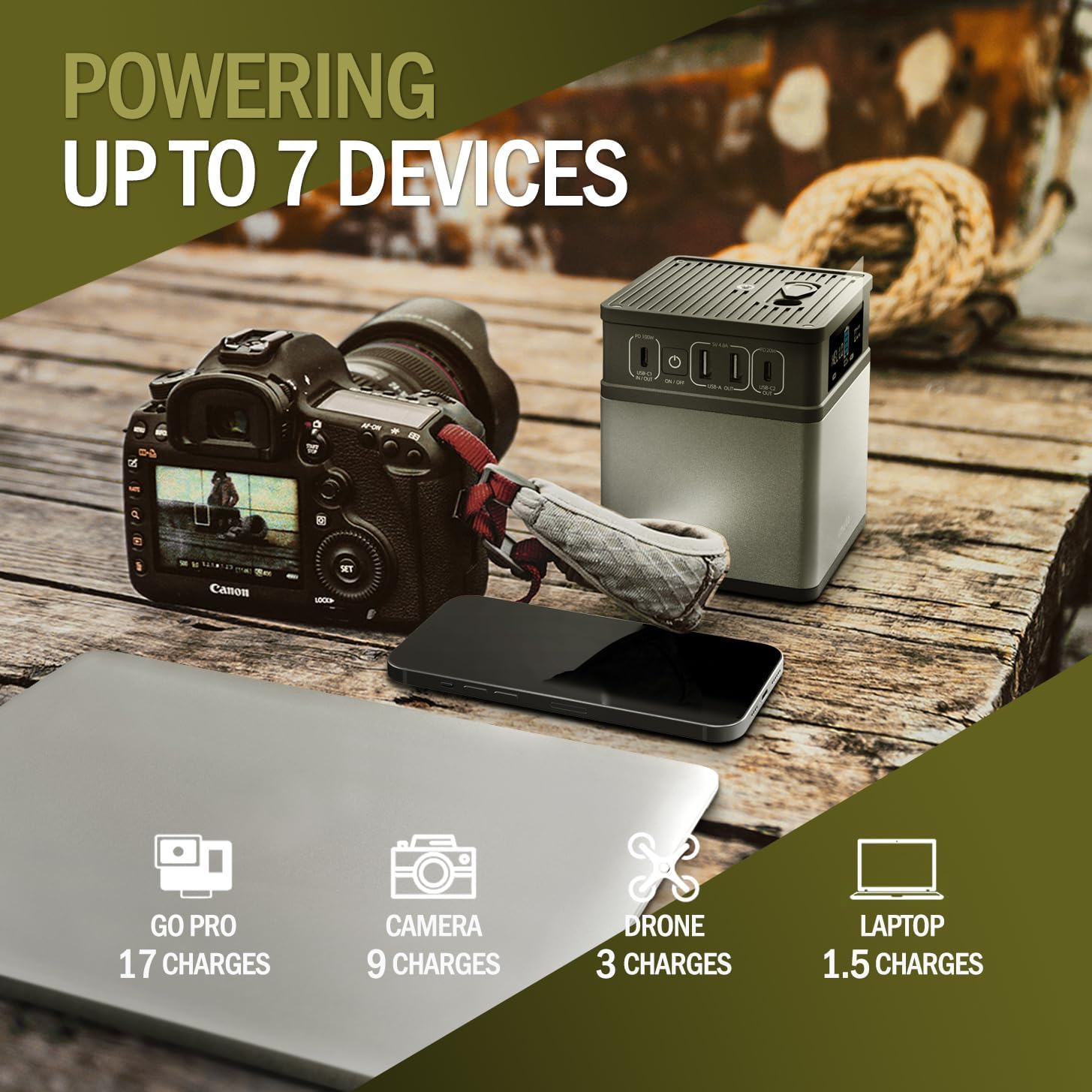
The power station can charge multiple devices, including a GoPro (17 charges), camera (9 charges), drone (3 charges), and laptop (1.5 charges).
5.4 Utilizzo della luce LED
Press the dedicated LED light button (if available, or a short press of the power button) to turn the LED light on or off. Some models may have multiple brightness settings or an SOS mode.

The imuto 14001 can serve as a home backup power source, capable of powering essential devices like a lamp (12W for 10H), Wi-Fi router (10W for 11H), and charging a phone (3950mAh for 8 charges).
6. Manutenzione e conservazione
6.1 Pulizia
Pulire l'esterno con un panno morbido e asciutto. Non utilizzare detergenti abrasivi né immergere l'unità in acqua.
6.2 Conservazione
Store the power station in a cool, dry place away from direct sunlight and extreme temperatures. For long-term storage, it is recommended to charge the unit to approximately 50-80% every 3-6 months to maintain battery health.
7. Informazioni sulla sicurezza
The imuto 14001 is designed with multiple safety features:
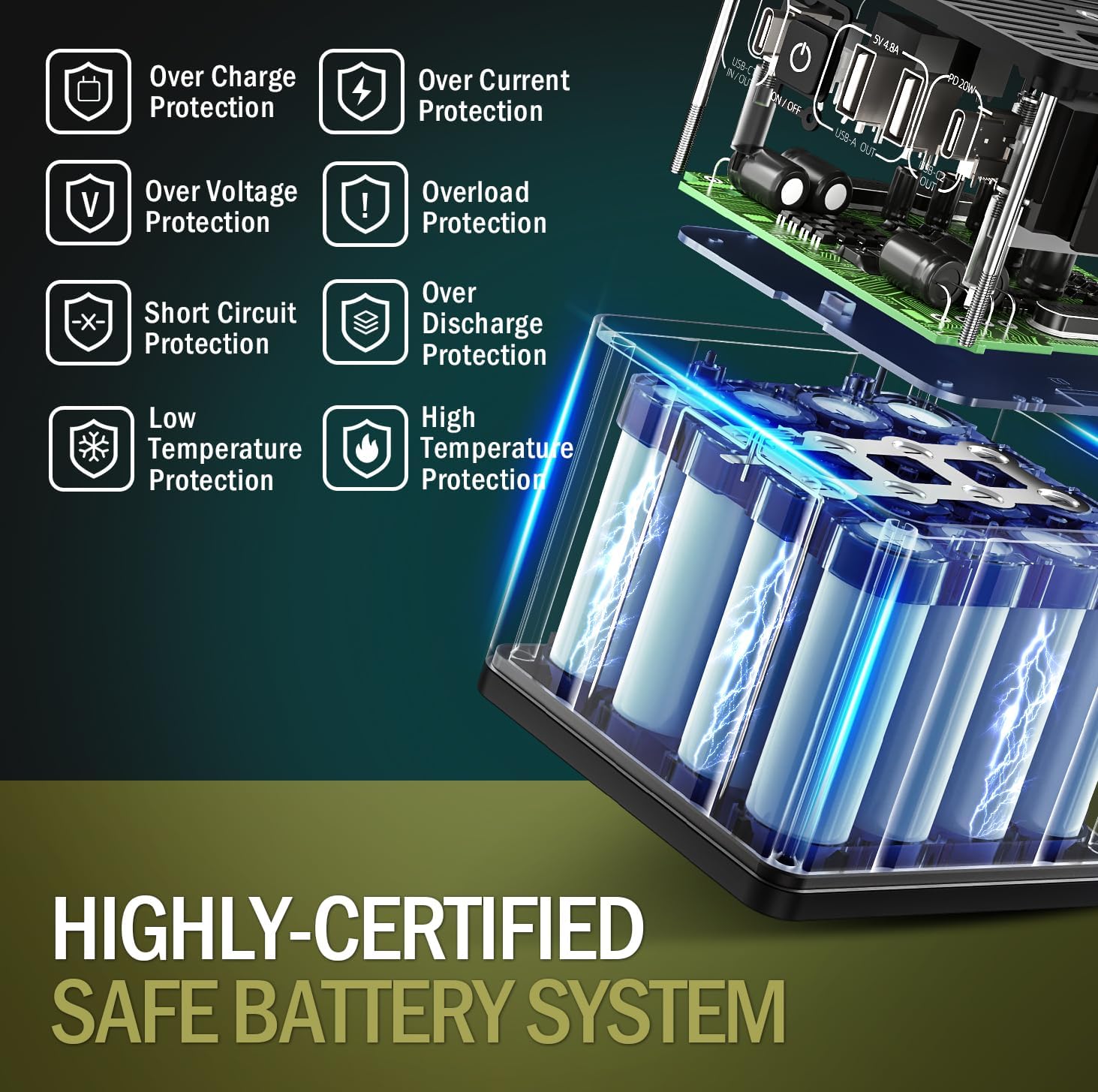
The imuto 14001 incorporates a highly-certified safe battery system with multiple protection features, including over-charge, over-current, over-voltage, overload, short circuit, low temperature, and high temperature protection.
- Protezione da sovraccarico: Previene danni alla batteria dovuti a cariche eccessive.
- Protezione da sovracorrente: Protezioni contro flussi di corrente eccessivi.
- oltre il volumetage Protezione: Protegge contro il voltage picchi.
- Protezione da sovraccarico: Impedisce che i danni assorbano troppa energia.
- Protezione da cortocircuito: Si spegne automaticamente in caso di cortocircuito.
- Protezione a bassa temperatura: Garantisce un funzionamento sicuro in condizioni di freddo.
- Protezione dalle alte temperature: Previene il surriscaldamento.
Always use the product in a well-ventilated area. Do not disassemble, puncture, or expose the unit to fire or water. Keep out of reach of children.
8. Risoluzione Dei Problemi
8.1 L'unità non si accende
- Assicurarsi che la batteria sia carica. Collegare il dispositivo a una fonte di alimentazione e lasciarlo caricare per almeno 30 minuti.
- Tieni premuto il pulsante di accensione per 3-5 secondi.
8.2 Dispositivi non in carica
- Check if the power station is turned on.
- Verify that the correct output port is activated (e.g., AC output button pressed for AC devices).
- Ensure the charging cables are securely connected to both the power station and your device.
- Check if your device's power requirements exceed the power station's output capacity.
8.3 Ricarica lenta
- Ensure you are using a compatible fast-charging cable and adapter for your device and the power station.
- Some devices may limit charging speed when the power station's battery is low.
9. Specifiche
| Caratteristica | Dettaglio |
|---|---|
| Numero di modello | 14001 |
| Dimensioni | 9.98 x 9.98 x 12.07 cm (3.93 x 3.93 x 4.76 pollici) |
| Peso | 1.2 kg (2.64 libbre) |
| Tipo di batteria | Ioni di litio (12 celle) |
| Ingresso/uscita USB-C1 | PD 100 W max |
| Uscita USB-A1/A2 | 5V 4.8A Max |
| Uscita USB-C2 | PD 20 W max |
| Uscita CA | 200W (60 Hz) |
| Uscita DC2/3 | 12V 10A |
| Ingresso DC1 | 12V 24A |
| Caratteristiche speciali | LED Light, Digital Display |
| Dispositivi compatibili | Tablets, Laptops, Smartphones, Drones, Cameras |
10. Garanzia e supporto
imuto products come with a standard warranty. For detailed warranty information, product support, or technical assistance, please refer to the warranty card included with your purchase or visit the official imuto websito. Quando contatti l'assistenza, tieni a portata di mano il numero del modello (14001) e la data di acquisto.