
1. Introduzione
Thank you for choosing the Kaidi TWS Smart Touch Wireless Earbuds KD-771. These earbuds feature Bluetooth V5.1 for stable connectivity, Smart Touch controls for easy operation, and an IPX4 splash-resistant design, making them suitable for various activities. This manual provides detailed instructions to help you get the most out of your new earbuds.
Contenuto della confezione:
- 1 Pair of Kaidi KD-771 Wireless Earbuds
- 1 Custodia di ricarica
- 1 USB Charging Cable (Type-C, typically)
- 1 Manuale d'uso
2. Impostazione
2.1 Ricarica degli auricolari e della custodia di ricarica
Prima del primo utilizzo, caricare completamente gli auricolari e la custodia di ricarica. La custodia di ricarica funge da power bank portatile per gli auricolari.
- Ricarica degli auricolari: Place the earbuds into their respective slots in the charging case. Ensure the charging contacts align. The indicator lights on the earbuds will show their charging status.
- Ricarica della custodia: Connect the USB charging cable to the charging port on the case and the other end to a USB power adapter (not included) or a computer USB port. The charging case indicator will illuminate to show charging status. A full charge for the case and earbuds typically takes approximately 4 hours.
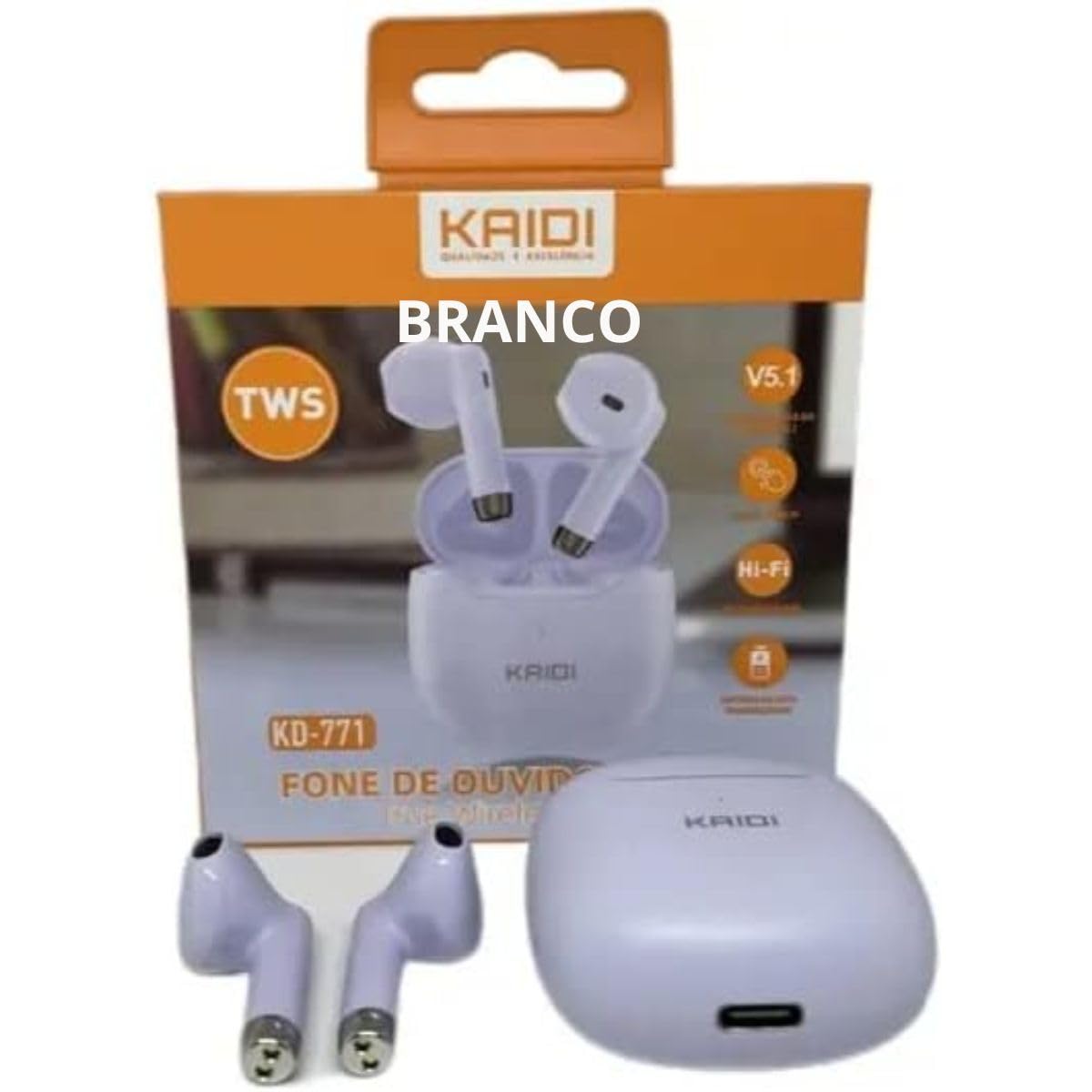
Image: Kaidi KD-771 Earbuds in their charging case. The earbuds are white and sit securely in the case, which is also white. This image illustrates the product's appearance and how the earbuds are stored.
2.2 Associazione con il dispositivo
Follow these steps to pair your Kaidi KD-771 earbuds with your smartphone or other Bluetooth-enabled device:
- Accensione: Open the charging case. The earbuds will automatically power on and enter pairing mode. You will hear an audible prompt, and the indicator lights on the earbuds will flash (typically blue and red alternately).
- Attiva Bluetooth: Sul tuo dispositivo, vai alle impostazioni Bluetooth e assicurati che il Bluetooth sia attivato.
- Seleziona gli auricolari: In the list of available Bluetooth devices, look for "KD-771" or a similar name and select it to connect.
- Conferma: Once connected, you will hear a confirmation sound from the earbuds, and the indicator lights will stop flashing or flash slowly.
Nota: Se il Bluetooth è abilitato sul dispositivo, gli auricolari si riconnetteranno automaticamente all'ultimo dispositivo associato quando vengono estratti dalla custodia.
3. Istruzioni per l'uso
The Kaidi KD-771 earbuds feature Smart Touch controls for convenient operation.
3.1 Accensione/spegnimento
- Accensione: Open the charging case, or long-press the touch area on both earbuds for approximately 3 seconds.
- Spegni: Place the earbuds back into the charging case and close the lid, or long-press the touch area on both earbuds for approximately 5 seconds.
3.2 Riproduzione di musica
- Riproduci/Pausa: Tap the touch area on either the left or right earbud once.
- Traccia successiva: Tocca due volte l'area touch sull'auricolare destro.
- Traccia precedente: Tocca due volte l'area touch sull'auricolare sinistro.
3.3 Gestione delle chiamate
- Rispondi/Termina chiamata: Durante una chiamata in arrivo o una chiamata attiva, toccare una volta l'area touch di uno degli auricolari.
- Rifiuta chiamata: Long-press the touch area on either earbud for approximately 2 seconds during an incoming call.
3.4 Assistente vocale
- Attiva l'assistente vocale: Tocca tre volte l'area touch di uno degli auricolari.
3.5 Controllo del volume
- Aumenta volume: Long-press the touch area on the right earbud.
- Diminuisci volume: Long-press the touch area on the left earbud.
4. Manutenzione
4.1 Pulizia
- Per pulire gli auricolari e la custodia di ricarica, utilizzare un panno morbido, asciutto e privo di lanugine.
- Non utilizzare detergenti abrasivi, solventi o spray aerosol.
- Per garantire una ricarica corretta, pulire delicatamente i contatti di ricarica sia sugli auricolari che sulla custodia con un batuffolo di cotone asciutto.
4.2 Conservazione
- Quando non li usi, riponi gli auricolari nella custodia di ricarica per proteggerli e mantenerli carichi.
- Conservare il dispositivo in un luogo fresco e asciutto, lontano da temperature estreme e dalla luce solare diretta.
4.3 Resistenza all'acqua (IPX4)
The Kaidi KD-771 earbuds are rated IPX4, meaning they are splash-resistant. This protects them from splashing water from any direction. They are suitable for light rain or sweaty workouts.
- Non immergere gli auricolari in acqua.
- Evitare di esporli a getti d'acqua ad alta pressione.
- Assicurarsi che gli auricolari siano asciutti prima di riporli nella custodia di ricarica per evitare di danneggiare i contatti di ricarica.
5. Risoluzione Dei Problemi
5.1 Gli auricolari non si accoppiano
- Assicurati che entrambi gli auricolari siano carichi.
- Disattiva il Bluetooth sul tuo dispositivo e riattivalo.
- Delete "KD-771" from your device's Bluetooth list and try pairing again.
- If only one earbud connects, try resetting the earbuds (refer to the full reset instructions if available in a separate guide, or try placing them back in the case and taking them out again).
5.2 Nessun suono o volume basso
- Controlla il livello del volume sia sul dispositivo che sugli auricolari.
- Assicurati che gli auricolari siano collegati correttamente al tuo dispositivo.
- Pulisci eventuali detriti dalla rete dell'altoparlante dell'auricolare.
5.3 Problemi di addebito
- Assicurarsi che il cavo di ricarica sia collegato saldamente sia alla custodia sia alla fonte di alimentazione.
- Verify that the power source is working.
- Pulisci i contatti di ricarica sugli auricolari e all'interno della custodia.
6. Specifiche
| Caratteristica | Specificazione |
|---|---|
| Numero di modello | Modello KD-771 |
| Versione Bluetooth | V5.1 |
| Durata della batteria (auricolari) | Approx. 4 hours (talk time/music playback) |
| Tempo di ricarica | Circa 4 ore (per la carica completa della custodia e degli auricolari) |
| Resistenza all'acqua | IPX4 (resistente agli schizzi) |
| Impedenza | 32 Ohm |
| Gamma di frequenza | 2.400 - 2.485 GHz |
| Tipo di driver audio | Driver con armatura bilanciata |
| Metodo di controllo | Tocco |
| Componenti inclusi | Auricolari, custodia di ricarica |
| Certificazione ANATEL | Numero di telefono: 18583-21-14467 |
7. Garanzia e supporto
7.1 Informazioni sulla garanzia
This Kaidi KD-771 product is covered by a Garanzia di 3 mesi from the date of purchase against manufacturing defects. Please retain your proof of purchase for warranty claims.
La garanzia non copre i danni causati da:
- Uso o manipolazione impropri.
- Riparazioni o modifiche non autorizzate.
- Accidental damage, drops, or extreme temperatures.
- Water damage beyond the IPX4 rating (e.g., submersion).
7.2 Supporto
For further assistance, troubleshooting, or warranty inquiries, please contact the retailer or the manufacturer (KAIDI) directly. Refer to your purchase documentation for specific contact details.