
Lavaudio DS220
Manuale utente del ricevitore Bluetooth HiFi Lavaudio DS220
Model: DS220 | Brand: Lavaudio
1. Introduzione
This manual provides detailed instructions for the setup, operation, and maintenance of your Lavaudio DS220 HiFi Bluetooth Receiver. Please read this manual thoroughly before using the device to ensure proper functionality and to maximize your audio experience. The DS220 is designed to seamlessly integrate high-resolution Bluetooth audio into your existing home stereo system.
2. Informazioni sulla sicurezza
- Non esporre il dispositivo all'acqua o a umidità eccessiva.
- Evitare di posizionare il dispositivo vicino a fonti di calore o alla luce diretta del sole.
- Utilizzare solo l'alimentatore e i cavi forniti.
- Non tentare di smontare o riparare il dispositivo da soli. Per qualsiasi intervento di assistenza, rivolgersi a personale qualificato.
- Assicurare una ventilazione adeguata attorno al dispositivo durante il funzionamento.
3. Contenuto della confezione
Verifica che tutti gli articoli elencati di seguito siano inclusi nel tuo pacchetto:
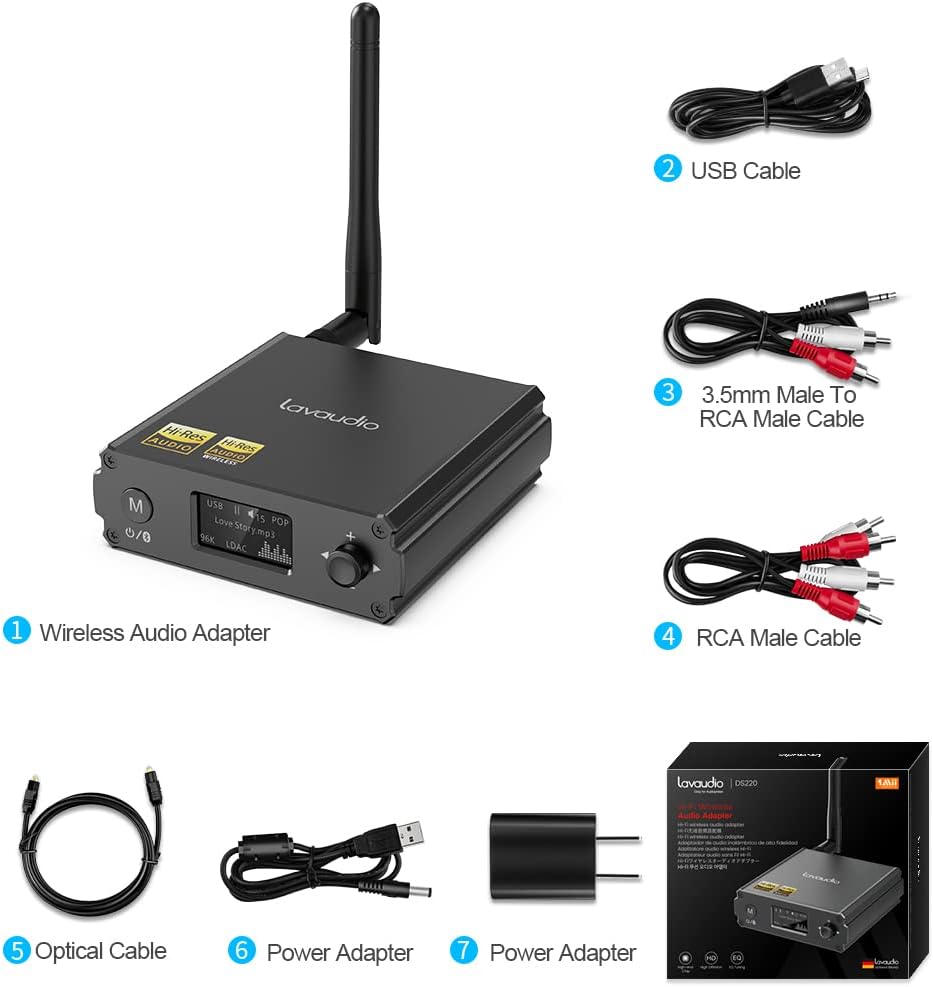
Image: Contents of the Lavaudio DS220 package, including the receiver, cables, and power adapter.
- Lavaudio DS220 HiFi Bluetooth Receiver x 1
- Cavo di ricarica USB x 1
- 3.5mm Female to 2RCA Splitter Cable x 1
- Cavo audio stereo da 2RCA a 2RCA x 1
- Cavo audio ottico x 1
- Adattatore di alimentazione x 1
- Manuale utente x 1
4. Prodotto finitoview
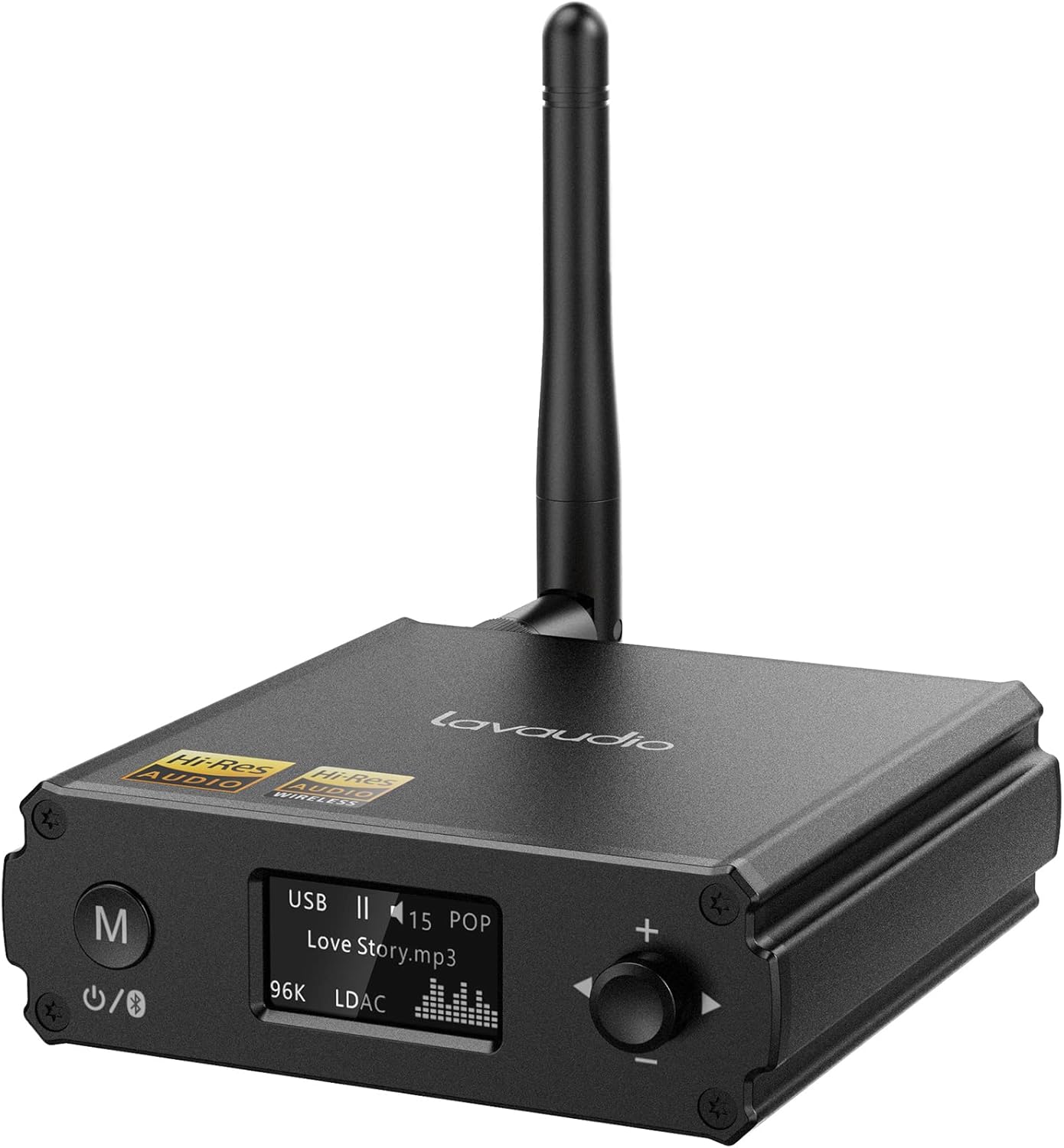
Immagine: Frontale view of the Lavaudio DS220 HiFi Bluetooth Receiver with its antenna.
4.1 Comandi e display del pannello frontale

Image: Close-up of the DS220's OLED display and control buttons.
- Pulsante M: Press and hold for 2 seconds to enter pairing mode. Press and hold for 4 seconds to power off. Press and hold for 10 seconds to perform a factory reset.
- Display OLED: Shows current mode (USB, Bluetooth), track information, volume level, and EQ mode.
- Rotary Knob (+/-): Adjusts volume. Press to cycle through EQ modes.
4.2 Porte del pannello posteriore

Immagine: Posteriore view of the DS220 showing its various output and input ports.
- CC 5V: Porta di ingresso alimentazione.
- DECIDERE DI USCIRE: Uscita audio digitale ottica.
- R-RCA OUT-L: Analog RCA stereo audio output.
- INGRESSO USB: USB Type-C input for connecting to a computer or other audio source.
5. Impostazione
5.1 Accensione iniziale
Connect the provided power adapter to the DC 5V port on the DS220 and plug it into a power outlet. The device will automatically power on and enter pairing mode for first-time use.
5.2 Collegamento al sistema audio
The DS220 offers flexible output options to connect to your ampdiffusori acustici o amplificati:
- Utilizzo di cavi RCA: Connect the 2RCA to 2RCA stereo audio cable from the R-RCA OUT-L ports on the DS220 to the corresponding RCA input ports (e.g., AUX IN) on your amplificatore o altoparlanti amplificati.
- Using Optical Cable: Connect the optical audio cable from the OPT OUT port on the DS220 to the optical input port on your amplificatore o DAC.
Assicurati che amplifier or audio system is set to the correct input mode (e.g., AUX, Optical) corresponding to your connection.
6. Istruzioni per l'uso

Image: Step-by-step visual guide for connecting, pairing, playing, and adjusting EQ.
6.1 Bluetooth IN Mode

Image: Detailed guide for Bluetooth IN mode setup.
- Accensione: Ensure the DS220 is powered on. For first-time use, it will automatically enter pairing mode, indicated by a quickly flashing Bluetooth icon on the OLED display.
- Enter Pairing Mode (if not first-time use): If the device is already connected or in standby, press and hold the 'M' button for 2 seconds until the Bluetooth icon flashes rapidly.
- Abbinamento: On your smartphone, tablet, or other Bluetooth audio source, enable Bluetooth and search for available devices. Select "DS220" from the list to connect.
- Riproduci musica: Once connected, the Bluetooth icon will stop flashing and remain solid. You can now play audio from your connected device through the DS220.
6.2 USB IN Mode

Image: Diagram illustrating USB IN mode setup.
To use the DS220 as a USB DAC:
- Connect the provided USB cable from your computer/laptop or other audio source device to the USB IN port on the DS220.
- Connect the DS220's RCA or Optical output to your amplificatore o altoparlanti amplificati.
- The DS220 will automatically switch to USB audio mode. You can now play audio from your computer through the DS220.
6.3 EQ Mode and Volume Control
- Modalità equalizzatore: Press the rotary knob to cycle through various EQ modes such as Rock, Pop, Jazz, etc. The selected EQ mode will be displayed on the OLED screen. You can also adjust Bass and Treble settings within the EQ menu.
- Controllo del volume: Ruotare la manopola in senso orario per aumentare il volume e in senso antiorario per diminuirlo.
7. Audio Quality and Codecs
The Lavaudio DS220 supports various high-definition audio codecs to ensure optimal sound quality:

Image: Comparison of audio bitrates for various codecs supported by the DS220.
- LDAC: Supports up to 24bit/96 kHz sampling rate with a bitrate of 990 kbps, offering high-resolution wireless audio.
- aptX-HD: Supports up to 24bit/48 kHz sampling rate with a bitrate of 576 kbps, providing high-definition audio over Bluetooth.
- AAC: Supports up to 16bit/96 kHz sampling rate with a bitrate of 264 kbps.
- SBC: Supports up to 16bit/48 kHz sampling rate with a bitrate of 328 kbps, a standard Bluetooth audio codec.

Image: The DS220 integrated into a home stereo setup for high-definition audio.
The DS220 features a Qualcomm 5125 Bluetooth chip and an ESS ES9018K2M DAC chip for superior audio processing.
8. Risoluzione Dei Problemi
Fare riferimento ai seguenti problemi comuni e alle relative soluzioni:
- Q1: How to enter pairing mode?
- A: For first-time use, the Lavaudio DS220 automatically enters pairing mode after power-on. To manually enter pairing mode, press and hold the 'M' button for 2 seconds until the Bluetooth icon on the display flashes rapidly.
- Q2: What does it mean when the Bluetooth icon slowly flashes?
- A: A slowly flashing Bluetooth icon indicates that the DS220 is in standby mode.
- Q3: Why do I have a sound problem when connecting DS220 by optical output?
- A: If your device does not support a 96K sample rate, try switching LDAC off. This often resolves sound issues. To do this, find DS220 in your phone's Bluetooth list, click to open the drop-down list, and switch LDAC to off. Ensure you use a power adapter for power supply to eliminate ground loop noise.
9. Specifiche
| Marca | Lavaudi |
| Numero di modello | DS220 |
| Tecnologia di connettività | Bluetooth |
| Tipo di controllore | Controllo dei pulsanti |
| Dispositivi compatibili | Personal Computer, Smartphone |
| Modalità di uscita audio | Stereo |
| Configurazione del canale audio surround | 2.0 |
| Potenza di uscita | 5 Watt |
| Numero di canali | 2 |
| Peso dell'articolo | 12.6 once |
| Dimensioni del pacco | 5.63 x 4.92 x 2.4 pollici |
10. Manutenzione
To ensure the longevity and optimal performance of your Lavaudio DS220, follow these maintenance guidelines:
- Pulizia: Utilizzare un panno morbido e asciutto per pulire l'esterno del dispositivo. Non utilizzare detergenti liquidi o spray.
- Magazzinaggio: Quando non viene utilizzato per lunghi periodi, conservare il dispositivo in un luogo fresco e asciutto, lontano dalla luce solare diretta e da temperature estreme.
- Gestione: Maneggiare il dispositivo con cura. Evitare di farlo cadere o di sottoporlo a forti urti.
11. Garanzia e supporto
For warranty information and technical support, please refer to the official Lavaudio webo contattare il servizio clienti. Conservare la ricevuta d'acquisto come prova d'acquisto per eventuali reclami in garanzia.
Nota: in base ai dati forniti, non erano disponibili video ufficiali del prodotto da incorporare.
Ask a question about this manual
Ask about setup, troubleshooting, compatibility, parts, safety, or missing instructions. Manuals+ will review the question and use this page’s manual context to help answer it.