
1. Introduzione
This manual provides detailed instructions for the safe and efficient use of your MECHEN HIFI MP3 Player M30. Please read this manual thoroughly before operating the device and retain it for future reference.
The MECHEN M30 is a dedicated HIFI lossless audio player designed for high-fidelity sound reproduction. It features advanced DSD decoding technology and supports a wide range of audio formats. Please note that this device does not support Bluetooth, FM radio, recording, video playback, e-books, photos, or alarm functions.

Figure 1: MECHEN M30 HIFI MP3 Player Overview
2. Caratteristiche del prodotto
- Audio ad alta fedeltà: Equipped with a high-quality DSP chip and advanced DSD decoding technology for immersive, low-distortion sound.
- Archiviazione espandibile: Comes with a 64GB microSD card and supports expansion up to 256GB, allowing for extensive music libraries.
- Durable Design & Intuitive Controls: Constructed from a high-quality zinc alloy for durability. Features a unique scroll control wheel and simple physical buttons for easy navigation and operation.
- Connettività versatile: Includes a 3.5mm headphone jack and a line-out port, enabling connection to wired headphones, AUX speakers, and car audio systems.
- Batteria a lunga durata: Built-in 1500mAh battery provides approximately 30 hours of music playback on a 2.5-hour full charge.
- Supporto per grandi formati: Compatible with numerous audio formats including MP3, WMA, WAV/PCM, APE, FLAC, AAC, OGG, DSF, AIFF, ALAC, IMA/MS-ADPCM, DFF, and DSD 128. (Note: AAC files play in mono.)

Figure 2: High-Quality DSD and DAC Chips
3. Impostazione
3.1. Contenuto della confezione
Verificare che tutti gli articoli siano presenti nel pacco:
- MECHEN HIFI MP3 Player M30
- Scheda di memoria MicroSD da 64 GB
- Cavo USB
- Manuale dell'utente (questo documento)

Figura 3: Componenti inclusi
3.2. Carica del dispositivo
- Collegare il cavo USB in dotazione alla porta di ricarica del lettore.
- Collegare l'altra estremità del cavo USB a un adattatore di alimentazione USB (non incluso) o alla porta USB di un computer.
- L'indicatore della batteria sullo schermo mostrerà lo stato di carica. Una carica completa richiede circa 2.5 ore.
3.3. Inserimento della scheda MicroSD
- Individuare lo slot per la scheda microSD sul lato del lettore.
- Gently insert the provided 64GB microSD card (or another compatible card up to 256GB) into the slot until it clicks into place.
- To remove, push the card inward until it clicks, then release, and it will eject.
3.4. Trasferimento di musica Files
- Collega il lettore al computer utilizzando il cavo USB.
- The player will appear as a removable disk (or prompt you to select 'Mass Storage' mode).
- Trascina e rilascia l'audio desiderato files into the appropriate folders on the microSD card. Organizing files into folders (e.g., by Artist, Album) is recommended for easier navigation.
- Safely eject the player from your computer before disconnecting the USB cable.
4. Istruzioni per l'uso
4.1. Accensione/spegnimento
- Accensione: Tenere premuto il pulsante di accensione finché lo schermo non si illumina.
- Spegni: Tenere premuto il pulsante di accensione finché il dispositivo non si spegne.
4.2. Navigazione e menu
- Rotella di scorrimento: Rotate the scroll wheel to navigate through menus and lists.
- Pulsante MENU: Press to enter the main menu or confirm a selection.
- Tasto indietro: Press to return to the previous screen or cancel an action.
- Pulsanti di controllo della riproduzione: Use the dedicated buttons for Play/Pause, Next Track, Previous Track.
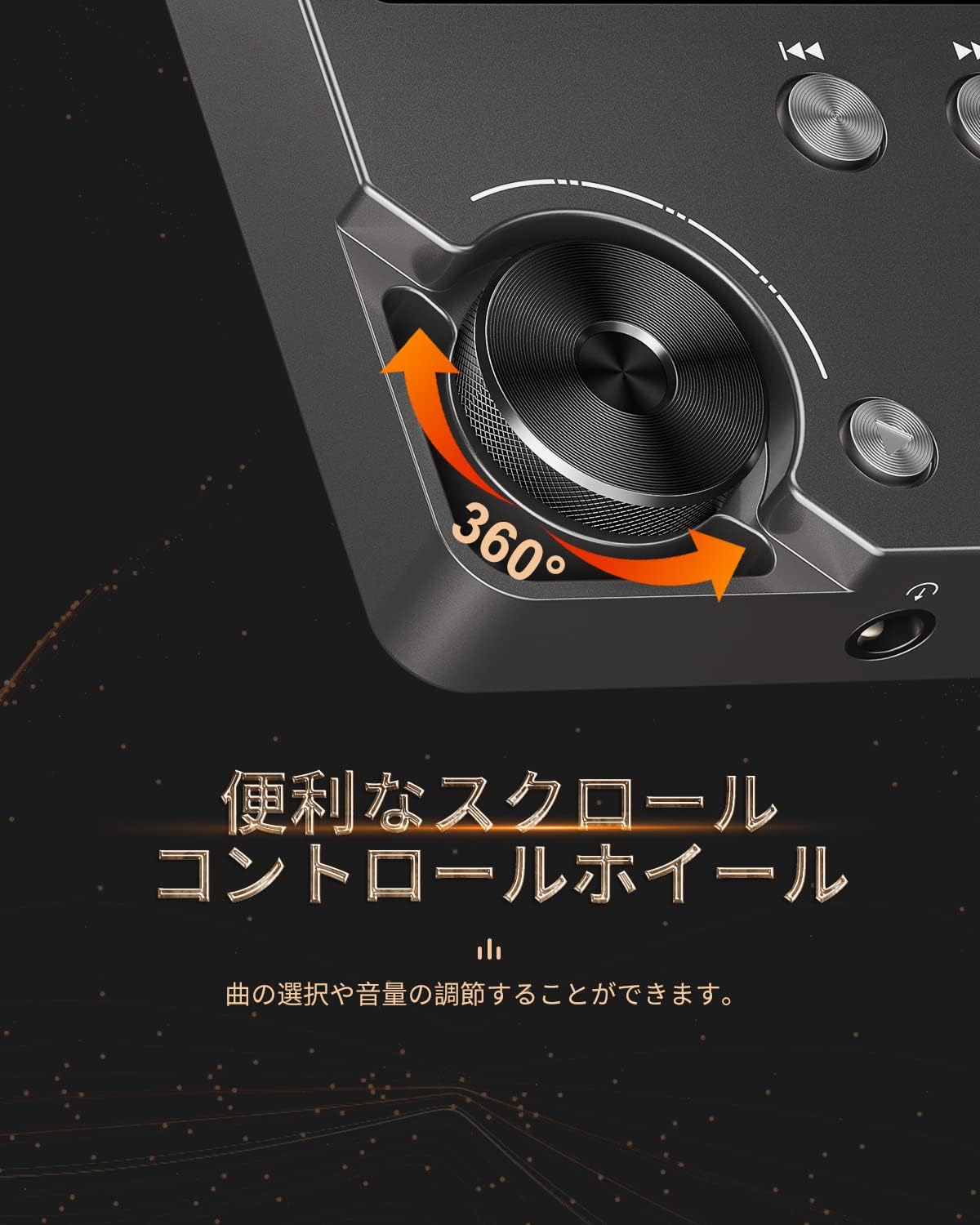
Figure 4: Scroll Control Wheel
4.3. Riproduzione di musica
- Dal menu principale vai alla sezione "Musica".
- Browse your music by folder, artist, album, or all songs.
- Select a track and press the MENU button to start playback.
- Utilizzare il pulsante Riproduci/Pausa per controllare la riproduzione.
- Press Next Track or Previous Track buttons to skip songs. Hold these buttons for fast forward or rewind.
4.4. Controllo del volume
Rotate the scroll wheel during music playback to adjust the volume level. It is recommended to set the initial maximum volume to a low level to prevent sudden loud sounds.
4.5. Impostazioni dell'equalizzatore
The player features an equalizer with various presets (e.g., Rock, Pop, Jazz, Classical, Soft, Techno) and a custom setting. Access the equalizer settings from the playback screen or system settings to adjust the sound profile in base alle tue preferenze.

Figure 5: Equalizer Function
4.6. Repeat and Shuffle Modes
During playback, access the options menu to select repeat modes (e.g., repeat one, repeat all) or enable shuffle playback for a randomized song order.
4.7. Connessione a dispositivi esterni
The MECHEN M30 can connect to various audio output devices:
- Cuffie cablate: Plug your 3.5mm headphones into the headphone jack.
- External Speakers/Car Audio: Use an AUX cable (not included) to connect the player's line-out port to your speakers or car's AUX input.

Figure 6: Connecting to Various Devices
5. Manutenzione
5.1. Pulizia
Pulisci il dispositivo con un panno morbido e asciutto. Non utilizzare detergenti liquidi o materiali abrasivi, poiché potrebbero danneggiare la finitura o i componenti interni.
5.2. Cura della batteria
Per prolungare la durata della batteria, evitare di scaricarla completamente frequentemente. Caricare il dispositivo regolarmente, anche se non utilizzato per periodi prolungati. Conservare il dispositivo in un luogo fresco e asciutto.

Figura 7: Informazioni sulla batteria
5.3. Conservazione
When storing the player for a long time, ensure it is fully charged and then power it off completely. Recharge it every few months to prevent deep discharge.
6. Risoluzione Dei Problemi
- Il dispositivo non si accende: Ensure the battery is charged. Connect the player to a power source using the USB cable and try again. If the issue persists, perform a reset by pressing the reset button (if available) or holding the power button for an extended period.
- Nessun suono: Check the volume level. Ensure headphones or external speakers are properly connected. Test with different headphones or speakers if possible.
- Musica filenon riconosciuto: Verificare che la musica files are in a supported format (refer to Specifications). Ensure the microSD card is properly inserted and the files are not corrupted. Re-transfer the filese necessario.
- Screen is unresponsive or erratic: Try restarting the device. If the problem continues, ensure the device is not exposed to extreme temperatures or moisture.
- Album art or metadata not displayed: Ensure that the metadata (ID3 tags) for your music files are correctly embedded. While the player supports folder-based navigation, correct tags enhance the browsing experience.
- Playback stops unexpectedly: Ensure the battery is sufficiently charged. If connected to a car audio system via USB, playback might pause when the engine is turned off or on due to changes in the USB host communication.
7. Specifiche
| Caratteristica | Descrizione |
|---|---|
| Nome del modello | Numero di modello: M30 |
| Marca | MECHEN |
| Display | LCD da 2 pollici |
| Archiviazione della memoria | 64GB MicroSD card included (expandable up to 256GB) |
| Connettività | AUX (3.5mm headphone jack, Line Out) |
| Capacità della batteria | 1500 mAh |
| Durata della batteria | Approx. 30 hours playback |
| Tempo di ricarica | Circa 2.5 ore |
| Dimensioni del prodotto (P x L x A) | Dimensioni: 1.6 x 5.6 x 8.8 cm |
| Peso del prodotto | 176 grammi |
| Formati audio supportati | MP3 (8-48KHz, 16bits), WMA (8-192KHz, 16/24bits), WAV/PCM (8-192KHz, 8/16/24/32bits), APE (8-192KHz, 16/24bits), FLAC (8-192KHz, 16/24bits), AAC (8-96KHz, 16bits - mono playback), OGG (8-48KHz, 10-500bits), DSF (2822.4KHz, 1bit), AIFF (8-192KHz, 8/16/24/32bits), ALAC (8-192KHz, 16/24bits), IMA/MS-ADPCM (8-48KHz, 8/16bits), DFF (3072KHz, 1bit), DSD 128 (5.6MHz) |
| Caratteristiche speciali | Equalizer, Shuffle Play, Hi-Res Audio, Repeat Play, Auto Power-Off |
| Paese di origine | Cina |
| Codice UPC | 607469642453 |

Figura 8: Formati audio supportati
8. Garanzia e supporto
8.1. Garanzia del produttore
The MECHEN HIFI MP3 Player M30 comes with a one-year manufacturer's warranty from the date of purchase. This warranty covers defects in materials and workmanship under normal use. It does not cover damage caused by misuse, accidents, unauthorized modifications, or normal wear and tear.
8.2. Assistenza clienti
For technical assistance, warranty claims, or any questions regarding your MECHEN M30 player, please contact your retailer or the MECHEN customer support team. Refer to the contact information provided with your purchase documentation or visit the official MECHEN websito per i dettagli del supporto.