1. Prodotto finitoview
The ABLEWE USB 3.0 to Dual HDMI Adapter allows you to connect up to two external monitors to your computer via a single USB 3.0 port. This adapter supports 2K video output at 60Hz, enabling extended or mirrored display configurations for enhanced productivity.

Image 1.1: The ABLEWE USB 3.0 to Dual HDMI Adapter, featuring a USB 3.0 connector on one end and two HDMI output ports on the other, housed in a gray metallic casing.
2. Contenuto della confezione
- 1 x ABLEWE USB 3.0 to Dual HDMI Adapter
- 1 x Manuale utente (questo documento)
3. Requisiti di sistema
- Sistema operativo: Windows 11/10/8.1/8/7, Mac OS, Chrome OS. Note: Not compatible with Linux or Vista.
- Porta USB: Available USB 3.0 port (USB 2.0 may result in reduced performance).
- Display: Monitors, HDTVs, or projectors with HDMI input.

Image 3.1: Diagram illustrating the wide compatibility of the adapter with various operating systems (Windows 7, 8, 10/11, Mac OS) and target devices (HDTV, Monitor, Projector), as well as source devices (Laptop, Desktop).
4. Istruzioni per l'installazione
4.1 Installazione del driver
Before connecting the adapter, it is necessary to install the DisplayLink driver on your computer. This driver ensures proper functionality and performance.
- Scarica il driver: Visita il sito ufficiale DisplayLink website or the ABLEWE support page to download the latest driver compatible with your operating system.
- Installa il driver: Follow the on-screen instructions to complete the driver installation. You may be prompted to restart your computer.

Image 4.1: An illustration of a DisplayLink chip, emphasizing the core technology used within the adapter for display management.
4.2 Collegamento dell'adattatore
- Ensure the DisplayLink driver is installed and your computer has restarted if required.
- Connect the USB 3.0 connector of the ABLEWE adapter to an available USB 3.0 port on your computer.
- Connect your HDMI monitors to the HDMI output ports on the ABLEWE adapter using standard HDMI cables.
- Power on your external monitors.
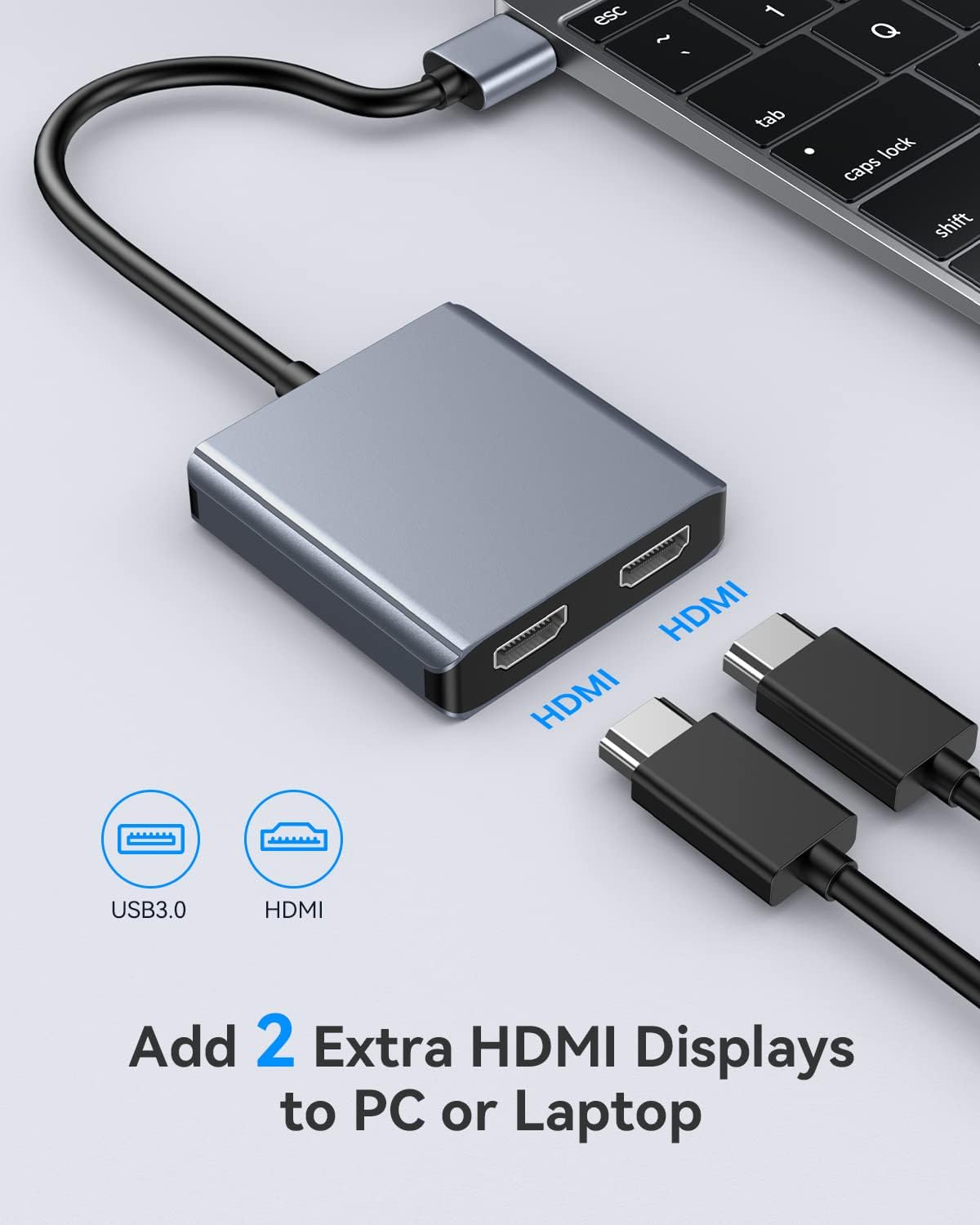
Image 4.2: A visual guide showing the ABLEWE adapter connected to a laptop via USB 3.0, with two HDMI cables ready to connect to external displays.
5. Istruzioni per l'uso
5.1 Modalità di visualizzazione
The adapter supports two primary display modes: Mirror Mode and Extend Mode.
- Modalità specchio (modalità duplicata): All connected displays (including your computer's primary display) show the same content.
- Modalità estesa: Each connected display shows different content, expanding your desktop workspace.
5.2 Configuring Displays (Windows/Chrome OS)
For Windows and Chrome OS, you can configure your displays to operate in Mirror Mode or Extend Mode, supporting up to three independent displays (your laptop screen + two external monitors).

Image 5.1: A diagram illustrating the three display modes for Windows/Chrome OS: Mirror Mode (all screens show 'A'), Extend Mode I (laptop 'A', two external 'B'), and Extend Mode II (laptop 'A', one external 'B', second external 'C').
5.3 Configuring Displays (Mac OS)
For Mac OS, the adapter supports Mirror Mode and Extend Mode. However, due to Mac OS limitations, the two additional screens connected via the adapter will display the same content in Extend Mode (i.e., you cannot have three independent displays: laptop + external 1 + external 2 showing different content).

Image 5.2: A diagram showing the two display modes for Mac OS: Duplicate Mode (all screens show 'A') and Extend Mode (laptop 'A', both external screens show 'B'). It notes that Mac OS does not support extended mode with three distinct displays (A, B, C).
5.4 Supporto per la risoluzione
The adapter supports a maximum resolution of 2K (2048x1152) at 60Hz for each connected HDMI display.

Image 5.3: An image depicting a laptop connected to an external monitor via the adapter, displaying high-resolution 2K content (2048x1152@60Hz).
6. Manutenzione
To ensure the longevity and optimal performance of your ABLEWE USB 3.0 to Dual HDMI Adapter, follow these guidelines:
- Pulizia: Use a soft, dry cloth to clean the adapter. Avoid liquid cleaners.
- Magazzinaggio: Conservare l'adattatore in un luogo fresco e asciutto, lontano dalla luce solare diretta e da temperature estreme.
- Gestione della temperatura: The adapter is designed to operate efficiently and maintain a cool temperature during use.
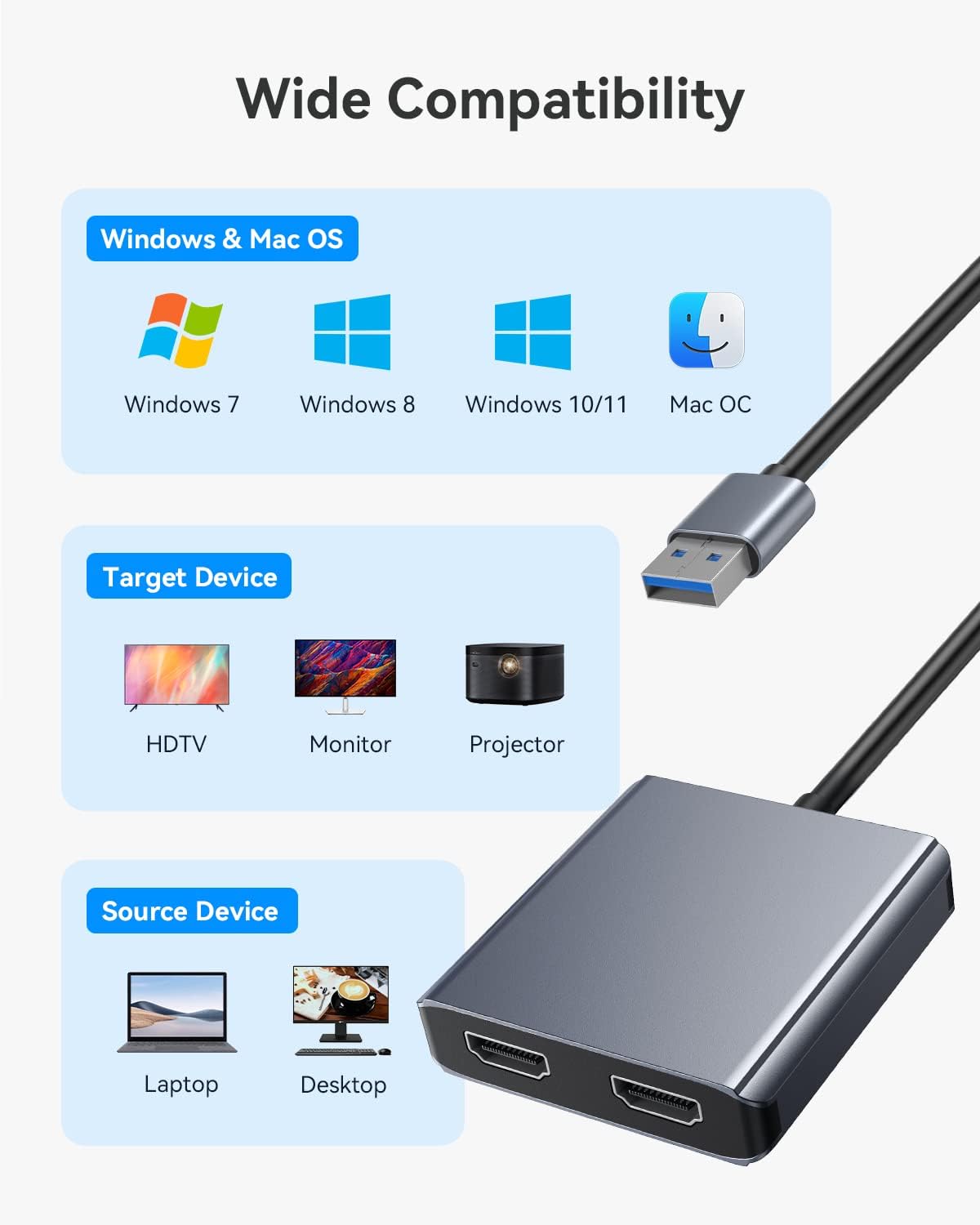
Image 6.1: An illustration showing the adapter dissipating heat, with a thermometer indicating an operating temperature of 26°C, highlighting its efficient thermal design.
7. Risoluzione Dei Problemi
- Nessuna visualizzazione/sfarfallio:
- Assicurarsi che il driver DisplayLink sia installato e aggiornato correttamente.
- Verificare che tutti i cavi (USB e HDMI) siano collegati saldamente.
- Try connecting the adapter to a different USB 3.0 port on your computer.
- Eseguire delle prove con diversi cavi HDMI e monitor per escludere che si tratti di periferiche difettose.
- Riavviare il computer dopo aver collegato l'adattatore.
- Risoluzione errata:
- Check your computer's display settings to ensure the correct resolution (up to 2048x1152@60Hz) is selected for each monitor.
- Ensure your monitors support the desired resolution.
- Mac OS Extend Mode Limitation:
- As noted in Section 5.3, Mac OS will mirror content across the two external displays when in Extend Mode. This is a system limitation, not a fault of the adapter.
- Problemi con i driver:
- If you encounter issues with drivers, uninstall any existing DisplayLink drivers, restart your computer, and then perform a clean installation of the latest driver from the official DisplayLink websito.
8. Specifiche
| Caratteristica | Specificazione |
|---|---|
| Numero di modello | USB 3.0 to Dual HDMI |
| Marca | ABLEWE |
| Tipo di connettore | HDMI, USB tipo A |
| Dispositivi compatibili | Desktop, Laptop, Monitor, Projector |
| Sistema operativo supportato | Windows 11/10/8.1/8/7, Mac OS, Chrome OS |
| Risoluzione massima | 2048x1152 @ 60Hz (per HDMI port) |
| Dimensioni | 12.5 x 8.1 x 1.9 cm (Confezione) |
| Peso | 70 grammi (confezione) |

Image 8.1: A visual representation of the adapter's dimensions, showing its compact size with measurements of 13.5cm (total length including cable), 6.5cm (adapter width), and 6cm (adapter length).
9. Garanzia e supporto
The ABLEWE USB 3.0 to Dual HDMI Adapter comes with a Garanzia di 12 mesi. Additionally, ABLEWE provides supporto tecnico a vita per questo prodotto.
If you require assistance, encounter any issues, or have questions regarding the product, please do not hesitate to contact ABLEWE customer support. Our team is committed to helping you resolve any problems within 24 hours.
For support, please refer to the contact information provided with your purchase or visit the official ABLEWE websito.