
FEANS A6
FEANS A6 True Wireless Earbuds User Manual
Modello: A6
1. Introduzione
Thank you for choosing FEANS A6 True Wireless Earbuds. These earbuds are designed to provide a superior audio experience with advanced features such as Bluetooth 5.3 connectivity, environmental noise cancellation, and intuitive touch controls. They are also sweat and water-resistant, making them ideal for various activities. This manual will guide you through the setup, operation, and maintenance of your new earbuds.
2. Cosa c'è nella scatola

Il pacchetto include:
- FEANS A6 True Wireless Earbuds (Left and Right)
- Custodia di ricarica
- Diverse misure di gommini auricolari (S, M, L)
- Cavo di ricarica di tipo C.
- Manuale dell'utente (questo documento)
3. Prodotto finitoview

Figure 3.1: FEANS A6 Earbuds and Charging Case with Digital Display
The FEANS A6 earbuds feature a compact design with a digital display charging case. The case shows the battery percentage of the case itself and individual battery levels for the left and right earbuds. The earbuds are ergonomically designed for a comfortable and secure fit.

Figura 3.2: Design ergonomico in-ear
The earbuds come with three sizes of soft silicone eartips (S, M, L) to ensure a perfect fit and long-lasting comfort for various ear shapes. This ergonomic design helps in securing the earbuds during activities and optimizing sound delivery.

Figure 3.3: Premium Hi-Fi Sound Quality Components
Equipped with 13mm dual drivers and a three-layer composite titanium-plated diaphragm, these earbuds deliver real audio layering, deep bass, and clear treble for a high-fidelity stereo sound experience.
4. Impostazione
4.1 Carica iniziale
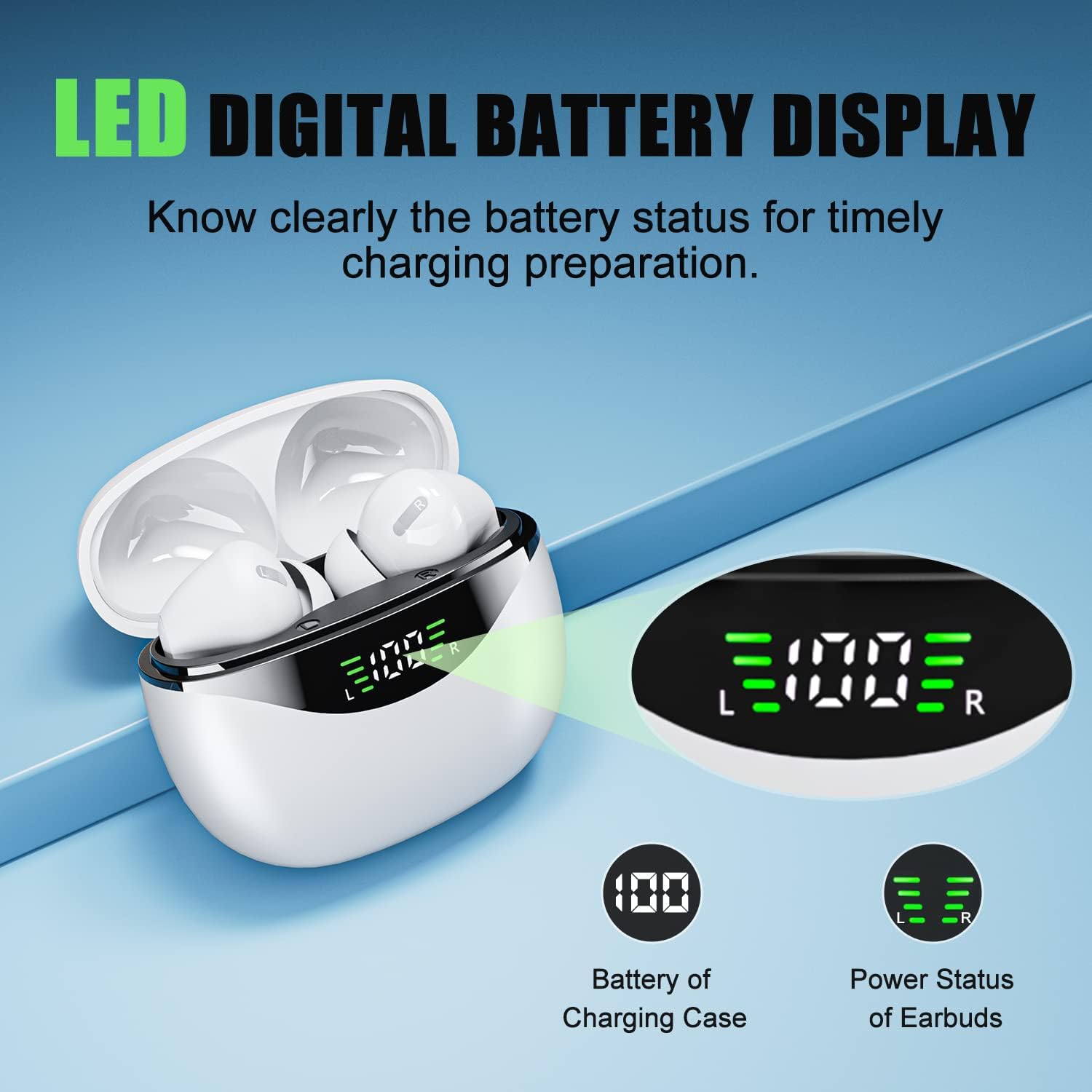
Figure 4.1: LED Digital Battery Display
Before first use, fully charge the earbuds and the charging case. Connect the provided Type-C charging cable to the charging port on the case and a power source. The LED digital display on the case will show the current battery percentage. A full charge takes approximately 1.5 hours for the case.

Figura 4.2: Porta di ricarica di tipo C
The Type-C charging port ensures fast and safe charging. The digital display allows you to monitor the charging status of both the case and the individual earbuds.
4.2 Associazione con il dispositivo (associazione in un unico passaggio)

Figura 4.3: Processo di associazione in un unico passaggio
The FEANS A6 earbuds feature one-step pairing for convenience.
- Assicurati che il Bluetooth del tuo dispositivo sia attivato.
- Apri la custodia di ricarica ed estrai entrambi gli auricolari. Entreranno automaticamente in modalità di associazione.
- On your device, search for Bluetooth devices and select "A6" from the list.
- Once connected, the earbuds are ready for use. They will automatically reconnect to your last paired device when taken out of the case.
The advanced Bluetooth 5.3 chip ensures a faster and more stable connection with most Android, iOS, and Windows devices.
Video 4.1: Quick One-step Connection Demonstration
This video demonstrates the quick and easy one-step connection process for the FEANS A6 earbuds, showing how they automatically pair with a smartphone once removed from the charging case.
5. Istruzioni per l'uso
5.1 Comandi touch

Figure 5.1: One-Button Touch Control Guide
The FEANS A6 earbuds feature intuitive touch controls for easy management of music and calls:
- Single Tap (X1):
- Riproduci/Pausa musica
- Rispondi/riaggancia la chiamata
- Double Tap (X2):
- Voice Assistant (Press earbud for 2 seconds)
- Reject Call (Press earbud for 2 seconds)
- Traccia precedente (auricolare sinistro)
- Traccia successiva (auricolare destro)
- Long Press (Over 3 seconds):
- Volume+ (Right Earbud)
- Volume- (Left Earbud)
Video 5.1: Music Playback and Call Management
This video demonstrates how to use the single tap feature to play/pause music and answer/hang up calls, showcasing the ease of use for daily activities.
5.2 Mono & Twin Modes
The earbuds support both mono and twin modes. In mono mode, you can use either the left or right earbud independently, which is useful for saving battery or being aware of your surroundings. In twin mode, both earbuds work together to provide an immersive stereo music experience.
5.3 Cancellazione del rumore ambientale (ENC)
The FEANS A6 headphones feature Environmental Noise Cancellation (ENC) technology. This advanced call noise reduction technology helps to cancel up to 90% of background noise in noisy environments such as streets, buses, shops, hospitals, or airports, ensuring clear calls.
Video 5.2: Clear Call and Stable Connection
This video highlights the clear call quality and stable connection provided by the earbuds, even in busy environments, thanks to the ENC technology.
6. Manutenzione
6.1 Pulizia
Regular cleaning helps maintain sound quality and hygiene. Use a soft, dry, lint-free cloth to wipe the earbuds and charging case. Do not use abrasive cleaners or submerge the devices in water.
6.2 Conservazione
Quando non li usi, riponi gli auricolari nella loro custodia di ricarica per proteggerli e mantenerli carichi. Conservali in un luogo fresco e asciutto, lontano da temperature estreme e dalla luce solare diretta.
6.3 Water & Sweat Proof
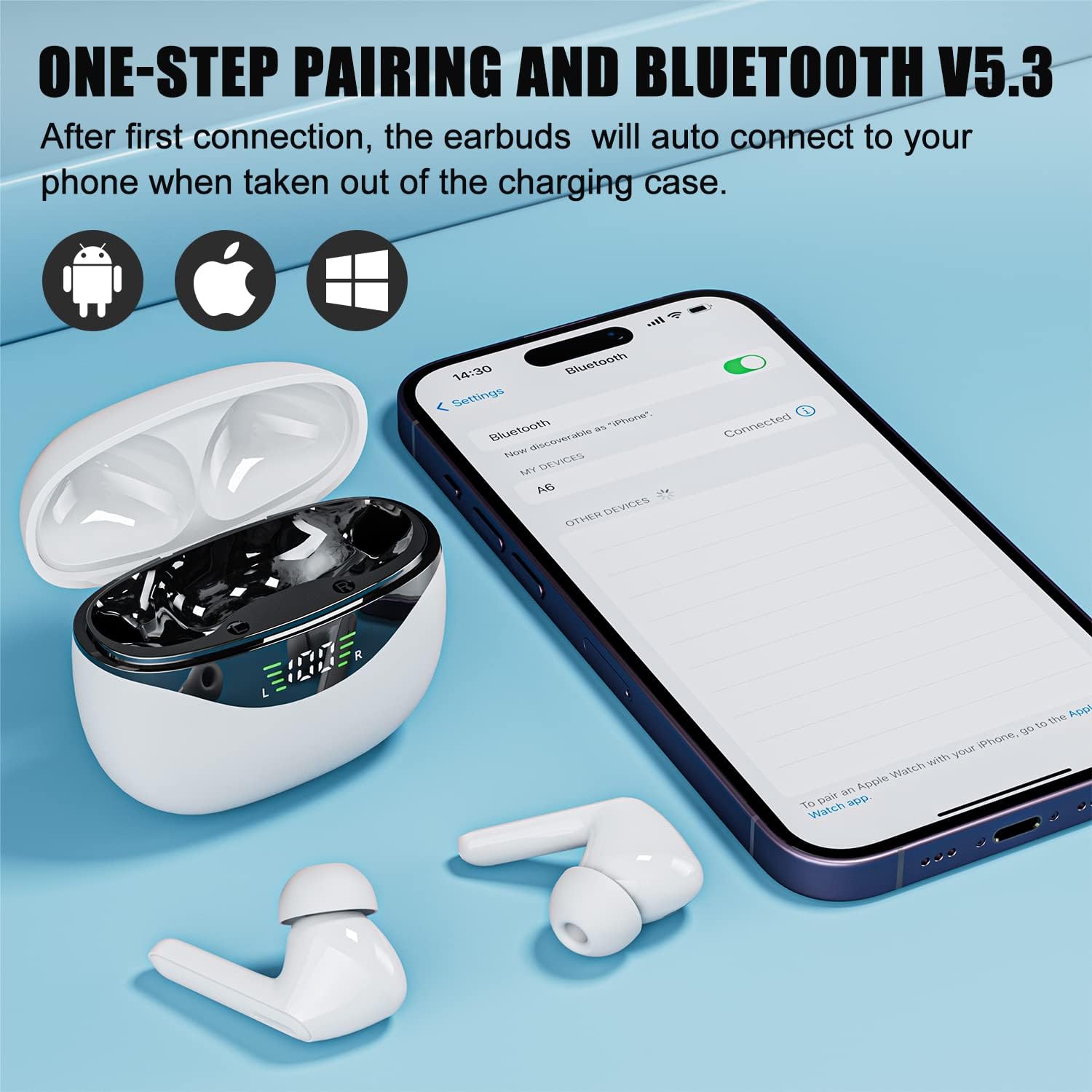
Figura 6.1: Grado di impermeabilità IPX5
The earbuds are IPX5 water and sweat proof, meaning they are protected from splashing water from any direction. This makes them suitable for intense workouts and light rain. However, they are not designed for swimming or submersion in water.
Video 6.1: Sweat-resistant and Waterproof Features
This video demonstrates the sweat-resistant and waterproof capabilities of the earbuds, showing their durability during physical activities like running.
7. Risoluzione Dei Problemi
| Problema | Possibile causa | Soluzione |
|---|---|---|
| Gli auricolari non si associano/connettono. | Bluetooth off, earbuds out of charge, too far from device, interference. | Ensure Bluetooth is on. Charge earbuds. Move closer to device. Restart device and earbuds. Forget "A6" in Bluetooth settings and re-pair. |
| Funziona solo un auricolare. | One earbud out of charge, not properly paired in twin mode. | Place both earbuds back in the case, close the lid, then open and take them out together. Ensure both are charged. |
| Volume basso o scarsa qualità del suono. | Earbuds dirty, wrong ear tip size, low battery, device volume low. | Clean earbuds and ear tips. Try different size ear tips. Charge earbuds. Increase device volume. |
| La custodia di ricarica non si carica. | Faulty cable/adapter, charging port dirty. | Prova un cavo Type-C e un adattatore di alimentazione diversi. Pulisci delicatamente la porta di ricarica. |
8. Specifiche
- Nome modello: Wireless Earbuds (A6)
- Marca: FEANI
- Tecnologia di connettività: Senza fili (Bluetooth 5.3)
- Gamma Bluetooth: 10 metri
- Driver audio: 13mm Dynamic Speaker Drivers
- Risposta in frequenza: 20 Hz - 20,000 Hz
- Impedenza: 32 Ohm
- Controllo del rumore: Cancellazione del rumore ambientale (ENC) per le chiamate
- Tipo di controllo: Controllo touch
- Livello di resistenza all'acqua: IPX5 (Sweat-resistant and splash-proof)
- Durata della batteria degli auricolari: Approximately 5 hours on a single charge
- Tempo di riproduzione totale (con custodia di ricarica): Fino a 60 ore
- Tempo di ricarica (custodia): Circa 1.5 ore (tipo C)
- Materiale: Acrilonitrile Butadiene Stirene (ABS)
- Peso dell'articolo: 105 grammi (totale)
- Dispositivi compatibili: Bluetooth-enabled devices (Android, iOS, Windows)
9. Garanzia e supporto
FEANS products come with a standard manufacturer's warranty. For detailed warranty information, product support, or technical assistance, please refer to the contact information provided on the product packaging or visit the official FEANS websito. Conservare la prova d'acquisto per eventuali reclami in garanzia.
Ask a question about this manual
Ask about setup, troubleshooting, compatibility, parts, safety, or missing instructions. Manuals+ will review the question and use this page’s manual context to help answer it.