
1. Prodotto finitoview
The VANTRUE E2 Dual Dash Cam is designed to provide comprehensive front and rear vehicle recording with advanced features for enhanced safety and convenience. This manual provides instructions for proper installation, operation, and maintenance of your device.

Figure 1: VANTRUE E2 Dual Dash Cam Main Unit
2. Contenuto della confezione
Verifica che tutti gli articoli elencati di seguito siano inclusi nel pacco. Se alcuni articoli risultano mancanti o danneggiati, contatta l'assistenza clienti.

Figura 2: Componenti inclusi
- VANTRUE E2 Main Dash Cam Unit
- Telecamera posteriore
- Magnetic GPS Mount
- Controllo remoto senza fili
- Caricabatterie per auto
- Rear Camera Cable (Standard 6m)
- Cavo USB di tipo C (1 m)
- Strumento di installazione
- Nastro adesivo 3M
- Pellicola elettrostatica
- Guida rapida
3. Configurazione e installazione
Follow these steps to properly install your VANTRUE E2 Dual Dash Cam.
3.1 Montaggio della Dash Cam
The compact design and magnetic mount allow for flexible installation on the front windshield, dashboard, or rear window.

Figure 3: Mounting Options (Front Glass, Dashboard, Rear Window)

Figura 4: Schema di installazione semplice
- Clean the desired mounting area on your windshield or dashboard.
- Attach the electrostatic film to the windshield first, then attach the magnetic mount to the film.
- Secure the main dash cam unit to the magnetic mount.
- Connect the rear camera to the main unit using the provided rear camera cable.
- Route the cables neatly using the installation tool to hide them along the vehicle's interior trim.
- Connect the car charger to your vehicle's cigarette lighter socket and the dash cam.
3.2 Inserimento e formattazione della scheda SD
Insert a high-speed Micro SD card (Class 10 or higher, up to 1TB, sold separately) into the dash cam. It is crucial to format the SD card within the dash cam before its first use and periodically thereafter to ensure optimal performance and prevent recording errors.
4. Istruzioni per l'uso
The VANTRUE E2 offers various operating modes and control methods.
4.1 Accensione/spegnimento
La dash cam si accenderà automaticamente e inizierà a registrare all'accensione del veicolo. Si spegnerà automaticamente allo spegnimento del veicolo.
4.2 Modalità di registrazione
The E2 records simultaneously from both front and rear cameras at 1944P (2.7K) resolution, utilizing STARVIS IMX335 sensors for clear footage.

Figure 5: Front and Rear 2.7K Recording
4.3 Visione notturna e WDR
Equipped with STARVIS night vision and WDR technology, the E2 captures clear images in low-light conditions and balances exposure in high-contrast environments.
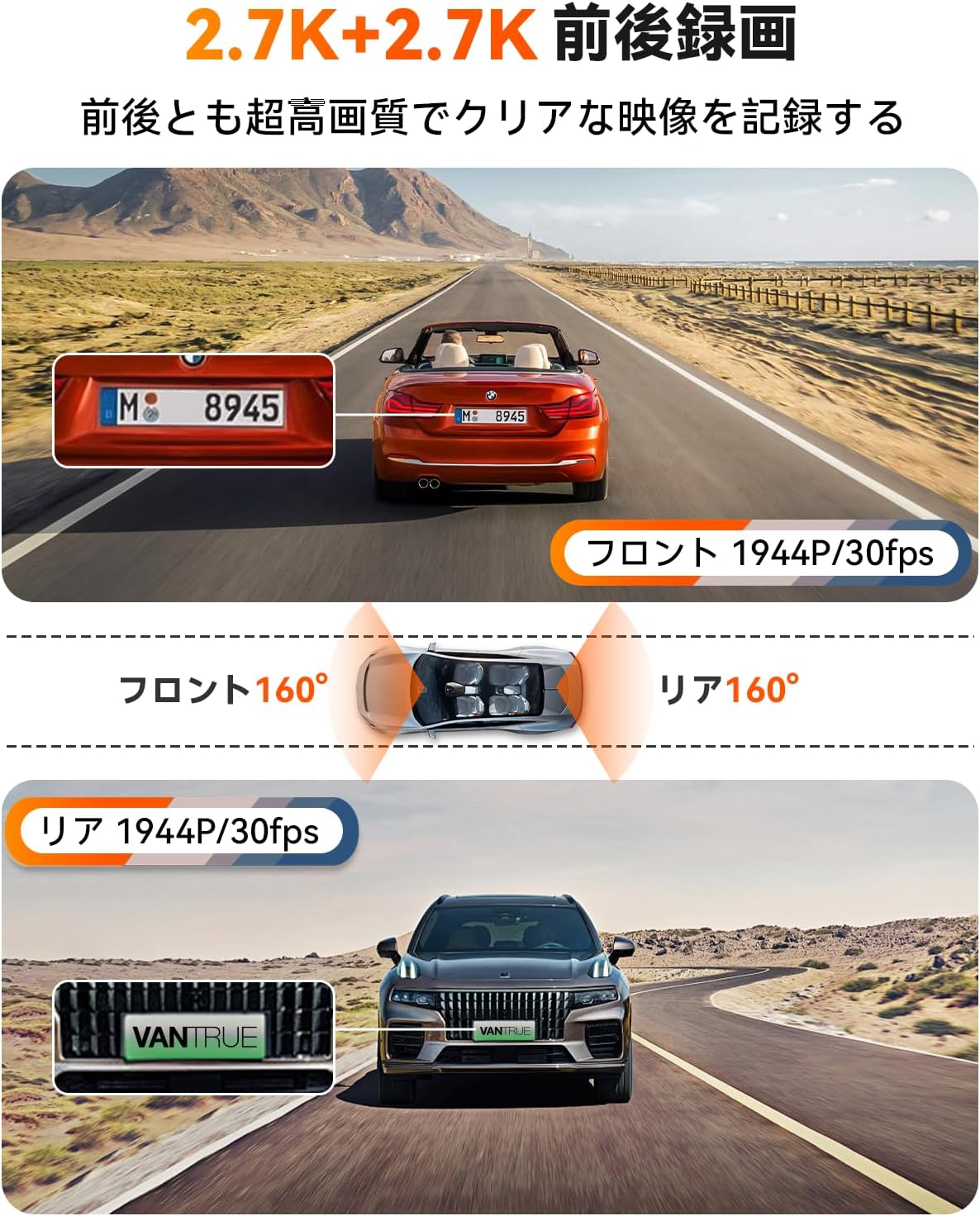
Figure 6: Enhanced Night Vision and WDR

Figure 7: WDR in Action
4.4 Funzionalità GPS
The built-in GPS module records your vehicle's speed, location (latitude and longitude), and driving route, embedding this data into the video files. Queste informazioni possono essere viewed using the dedicated VANTRUE app or desktop vieweh.
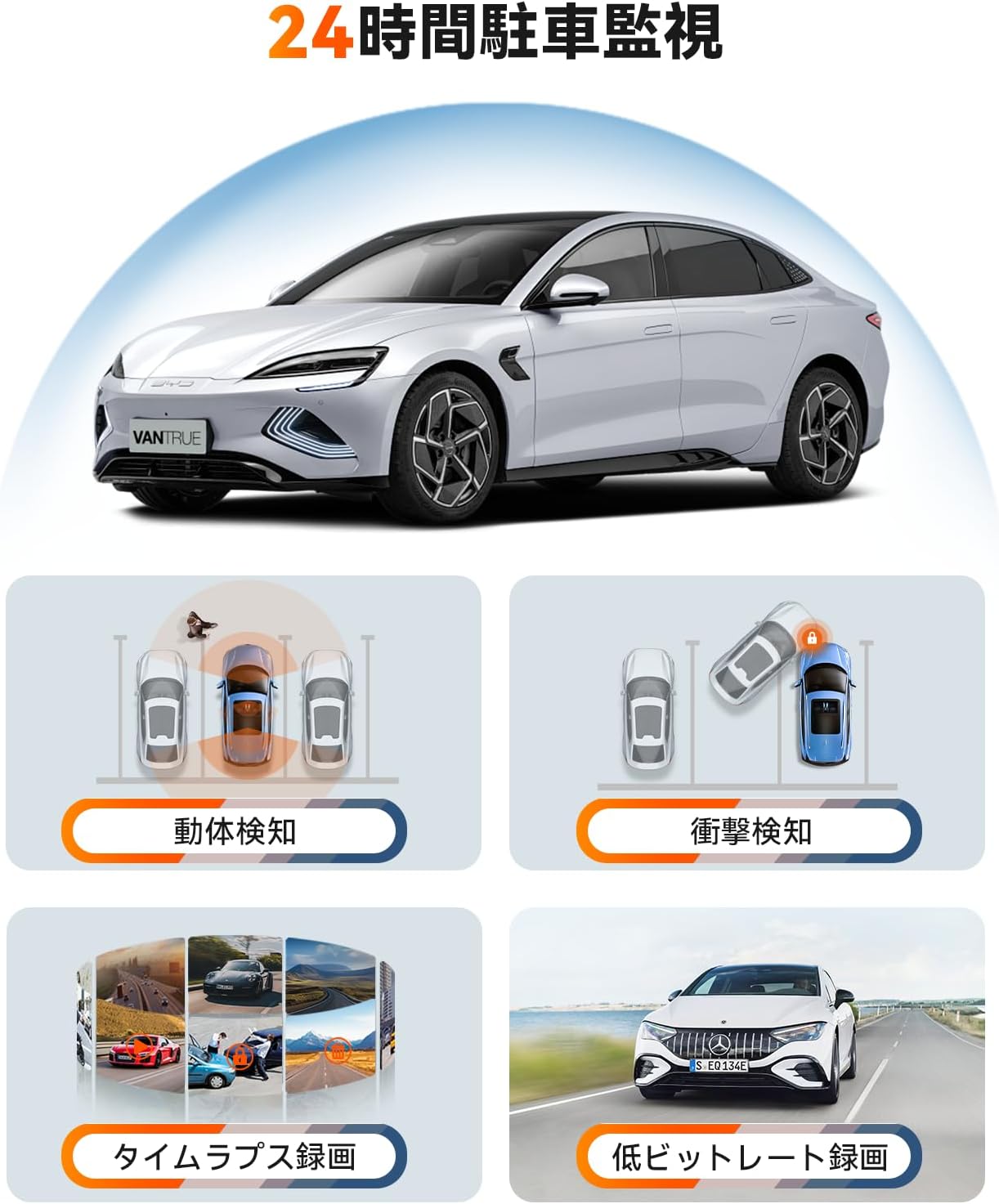
Figura 8: Tracciamento GPS
4.5 Controllo vocale
Control your dash cam hands-free using simple voice commands. This allows you to perform actions like taking photos, locking videos, or toggling audio recording without diverting your attention from the road.
Video 1: Demonstration of Voice Commands for VANTRUE E2.

Figura 9: Funzionalità di controllo vocale
4.6 telecomando senza fili
The included wireless remote allows for quick actions such as capturing photos or locking important video segments with a single press.

Figura 10: Funzioni del telecomando
4.7 5.8GHz WiFi and App Control
Connect your smartphone to the dash cam via high-speed 5.8GHz WiFi using the VANTRUE app. This enables live streaming, video playback, downloading, editing, and sharing of recorded footage, as well as adjusting device settings.

Figura 11: Interfaccia di controllo dell'app WiFi
Video 2: Oltreview of VANTRUE E2 features including wide-angle, resolution, night vision, GPS, G-sensor, remote, 5GHz WiFi, parking modes, and CPL filter.
4.8 Modalità di sorveglianza del parcheggio
The E2 offers four distinct parking surveillance modes to protect your vehicle when parked. Note: A separately sold direct-wire power cable (ASIN: B094882TJC) is required to enable these functions.

Figure 12: 24-Hour Parking Surveillance
- Rilevamento del movimento: Records 15 seconds before and 30 seconds after motion is detected, saving the footage to a normal folder.
- Impact Detection (Low Power Consumption): Automatically starts recording when an impact is detected while the vehicle is parked (power off).
- Low Bitrate Recording (Space Saving): Records at 1080P@15FPS or 720P@15FPS, optimizing storage space.
- Time-Lapse Recording (Space Saving): Captures images at a low frame rate and stitches them into a time-lapse video, condensing long periods into short, viewclip abili.
5. Manutenzione
Una manutenzione regolare garantisce la longevità e le prestazioni ottimali della tua dash cam.
5.1 Cura della scheda SD
To prevent data corruption and ensure continuous recording, format your Micro SD card within the dash cam at least once a month. Use a high-quality, reputable brand of Micro SD card (Class 10 or higher).
5.2 Pulizia del dispositivo
Use a soft, dry cloth to clean the dash cam's lens and screen. Avoid using abrasive cleaners or solvents that could damage the device.
6. Risoluzione Dei Problemi
If you encounter issues with your VANTRUE E2, refer to the following common solutions:
- La Dash Cam non si accende: Check the power connection to the car charger and ensure the vehicle's ignition is on. Verify the car charger is functioning correctly.
- Errori di registrazione: Format the SD card within the dash cam. Ensure you are using a compatible high-speed SD card. Replace the SD card if errors persist.
- Scarsa qualità video: Clean the camera lenses. Ensure the protective film has been removed from the lenses. Check that the resolution settings are appropriate.
- Problemi di connessione WiFi: Ensure the dash cam's WiFi is enabled. Restart both the dash cam and your smartphone. Reinstall the VANTRUE app if necessary.
- Modalità parcheggio non funzionante: Confirm that the optional direct-wire power cable (ASIN: B094882TJC) is correctly installed and connected.
Per ulteriore assistenza, contattare l'assistenza clienti VANTRUE.
7. Specifiche
Detailed technical specifications for the VANTRUE E2 Dual Dash Cam.
| Caratteristica | Specificazione |
|---|---|
| Marca | VANTRUE |
| Numero di modello | Element 2 (E2) |
| Risoluzione video | Front: 1944P (2.7K), Rear: 1944P (2.7K) |
| Campo di View | 160 gradi (anteriore e posteriore) |
| Apertura | F1.8 |
| Tipo di visualizzazione | LCD |
| Dimensioni dello schermo | 2.45 pollici |
| Connettività | Wi-Fi a 5.8 GHz |
| GPS | Modulo GPS integrato |
| Sensore G | SÌ |
| Modalità di parcheggio | Motion Detection, Impact Detection, Low Bitrate, Time-Lapse |
| Metodi di controllo | App, Push Button, Voice, Wireless Remote |
| Magazzinaggio | Micro SD card (up to 1TB, sold separately) |
| Dimensioni (P x L x A) | Dimensioni: 2.9 x 7.4 x 4.4 cm |
| Peso | 0.88 kg |
| Paese di origine | Cina |
8. Garanzia e supporto
The VANTRUE E2 Dual Dash Cam comes with a standard 12-month warranty. You can extend this warranty to 18 months by registering your product on the official VANTRUE websito entro 6 mesi dall'acquisto.
For any questions, concerns, or technical support, please contact VANTRUE customer service through Amazon or visit our official websito.