
1. Introduzione e oltreview
This manual provides essential information for the installation, operation, maintenance, and troubleshooting of your XFX Speedster SWFT309 Radeon RX 6700 Gaming Graphics Card. Designed with AMD RDNA 2 architecture, this graphics card delivers robust performance for gaming and demanding applications.
Key features of your graphics card include:
- Chipset: Scheda grafica AMD RX 6700
- Memoria: 10 GB GDDR6
- Raffreddamento: XFX SWFT 309 Triple Fan design for optimized thermal performance
- Boost Clock: Up To 2425MHz
- Interfaccia di uscita video: Porta Display, HDMI

Figura 1: Fronte view of the XFX Speedster SWFT309 Radeon RX 6700 Graphics Card, showcasing il suo sistema di raffreddamento a tripla ventola.
2. Configurazione e installazione
Before beginning installation, ensure your computer is powered off and unplugged from the wall outlet. It is recommended to work in a static-free environment to prevent damage to components.
2.1 Installazione fisica
- Prepara il tuo sistema: Power down your computer and disconnect all cables. Open your computer case.
- Individuare lo slot PCIe: Identify an available PCI-Express x16 slot on your motherboard. Remove any expansion slot covers that may be blocking it.
- Inserisci la scheda grafica: Carefully align the graphics card with the PCIe slot and press down firmly until it is securely seated. You should hear a click from the retention clip.
- Proteggi la Carta: Utilizzare delle viti per fissare la scheda grafica al case del computer, in corrispondenza della staffa dello slot di espansione.
- Collegare i cavi di alimentazione: Connect the required 8-pin power connectors from your power supply to the graphics card. This model typically requires two 8-pin power connectors.
- Chiudi caso: Una volta installata correttamente e alimentata la scheda, chiudere il case del computer.

Figura 2: Posteriore view of the graphics card, showing the backplate and power connector area.
2.2 Installazione del driver
No driver disc is included with this product. You must connect to the internet to download the latest drivers to receive all the latest optimizations and bug fixes. Please visit one of the following websites to download the latest driver package and software:
After installing the physical card, power on your computer. Windows should detect new hardware. Install the drivers downloaded from the official XFX or AMD websito. Seguire le istruzioni visualizzate sullo schermo per completare l'installazione del driver.
3. Istruzioni per l'uso
Once the graphics card is installed and drivers are updated, connect your display(s) to the appropriate ports on the card (DisplayPort or HDMI). Power on your monitor and computer. The system should boot normally, utilizing the new graphics card.
3.1 Software Optimization
For optimal performance and to access advanced features, install the AMD Adrenalin software. This utility allows you to:
- Monitor GPU performance and temperatures.
- Adjust graphics settings for individual games.
- Overclock the GPU (for experienced users).
- Manage display settings, including multi-monitor configurations.
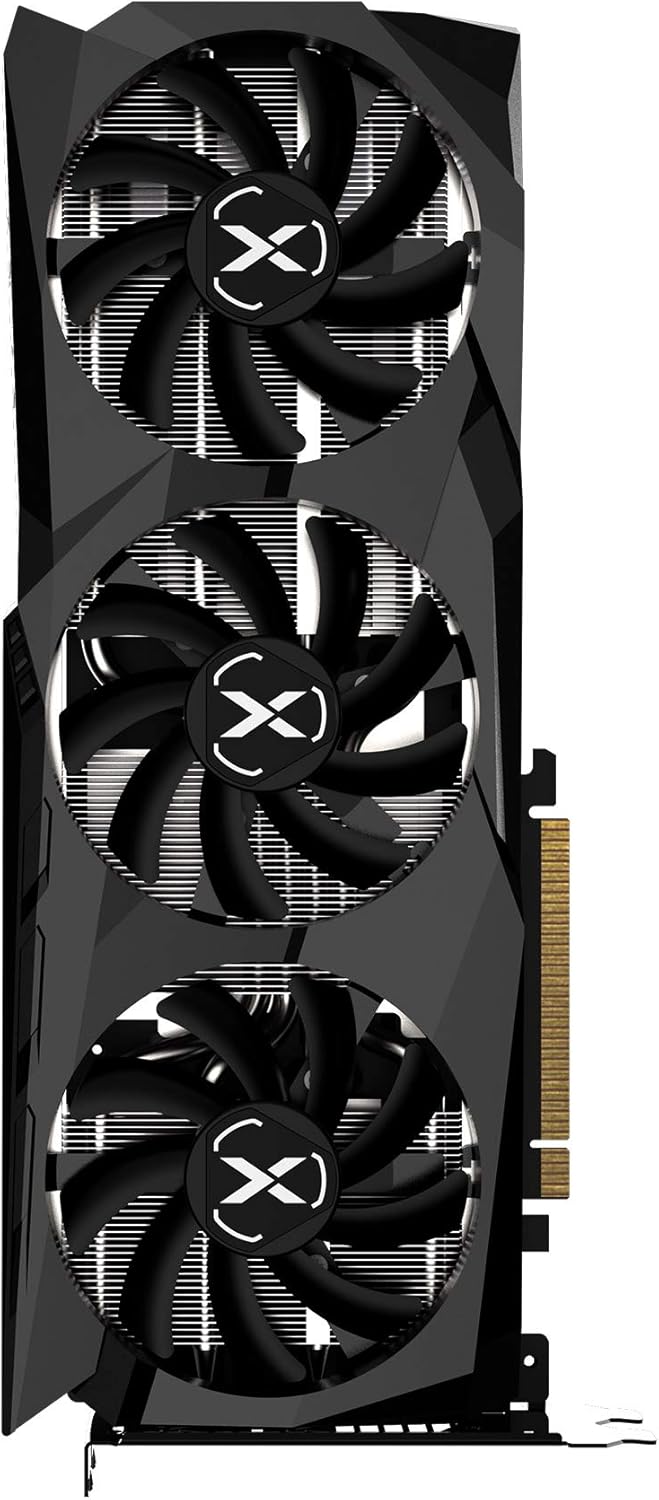
Figura 3: in alto view of the graphics card, highlighting the XFX branding and fan design.
4. Manutenzione
Una corretta manutenzione garantisce la longevità e le prestazioni ottimali della scheda grafica.
- Rimozione della polvere: Pulire regolarmente le ventole e il dissipatore di calore dalla polvere utilizzando aria compressa. Assicurarsi che il computer sia spento e scollegato prima di pulirlo.
- Flusso d'aria: Maintain good airflow within your computer case. Ensure case fans are functioning correctly and are not obstructed. The XFX SWFT 309's triple fan design is optimized for efficient cooling.
- Aggiornamenti driver: Mantieni aggiornati i driver grafici per beneficiare di miglioramenti delle prestazioni e correzioni di bug.
5. Risoluzione Dei Problemi
Se riscontri problemi con la scheda grafica, fai riferimento ai seguenti passaggi comuni per la risoluzione dei problemi:
5.1 Nessuna visualizzazione / Schermo nero
- Controllare le connessioni: Ensure all power cables (including the 8-pin PCIe power connectors) are firmly seated. Verify that the display cable is securely connected to both the graphics card and the monitor.
- Ingresso monitor: Confirm your monitor is set to the correct input source (HDMI, DisplayPort).
- Carta di riposizionamento: Power off your PC, unplug it, and reseat the graphics card in its PCIe slot.
- Test with Another Display/Cable: If possible, test with a different monitor or display cable to rule out external issues.
5.2 Performance Issues / Low FPS
- Aggiorna driver: Ensure you have the latest AMD Radeon drivers installed.
- Controllare le temperature: Use AMD Adrenalin software to monitor GPU temperatures. Overheating can lead to performance throttling. Ensure proper case airflow.
- Alimentazione elettrica: Verify your power supply unit (PSU) meets the recommended wattage per il tuo sistema, inclusa la scheda grafica.
- Impostazioni di gioco: Adjust in-game graphics settings. Lowering demanding settings can improve frame rates.
5.3 Coil Whine
Some users may experience a high-pitched buzzing sound, known as coil whine, under heavy load. This is generally not indicative of a fault and does not affect performance or longevity. It is often related to the power delivery components and can vary between individual units.
6. Specifiche
| Caratteristica | Specificazione |
|---|---|
| Coprocessore grafico | Scheda grafica AMD RX 6700 |
| Marca | Effetti speciali |
| Dimensione RAM grafica | 10 GB |
| Interfaccia di uscita video | Porta Display, HDMI |
| Produttore di processori grafici | Effetti speciali |
| Tipo di RAM grafica | Memoria GDDR6 |
| Dispositivi compatibili | Scrivania |
| Risoluzione massima dello schermo | 3840x2160 |
| Interfaccia della scheda grafica | PCI-Express x16 |
| Numero di fan | 3 |
| Dimensioni dell'articolo (L x P) | 11.97"L x 4.84"W |
| Peso dell'articolo | 1.25 chilogrammi |
| Nome del modello | Scheda grafica Radeon RX 6700 |
| Codice UPC | 840191500572 |
7. Garanzia e supporto
Your XFX Speedster SWFT309 Radeon RX 6700 Graphics Card comes with a Garanzia del produttore di 3 anno. For warranty claims or technical support, please visit the official XFX support websito o contattare il loro servizio clienti.
For further assistance, you can visit the XFX support page: http://xfxforce.com/support