
Introduzione
Thank you for choosing the Yenkee YMS 5030 Wireless Ergonomic Vertical Mouse. This manual provides detailed instructions for setting up, operating, and maintaining your new mouse. Designed for comfort and precision, this vertical mouse helps promote a natural wrist posture, reducing strain during extended use.
Per garantire il corretto funzionamento e la longevità del prodotto, leggere attentamente il presente manuale prima di utilizzarlo.
Contenuto della confezione
Verificare che tutti gli articoli siano presenti nel pacco:
- 1 x Yenkee 1000/1600 DPI Wireless Ergonomic Vertical Mouse
- 1 x ricevitore nano USB
- 1 x Manuale utente (questo documento)
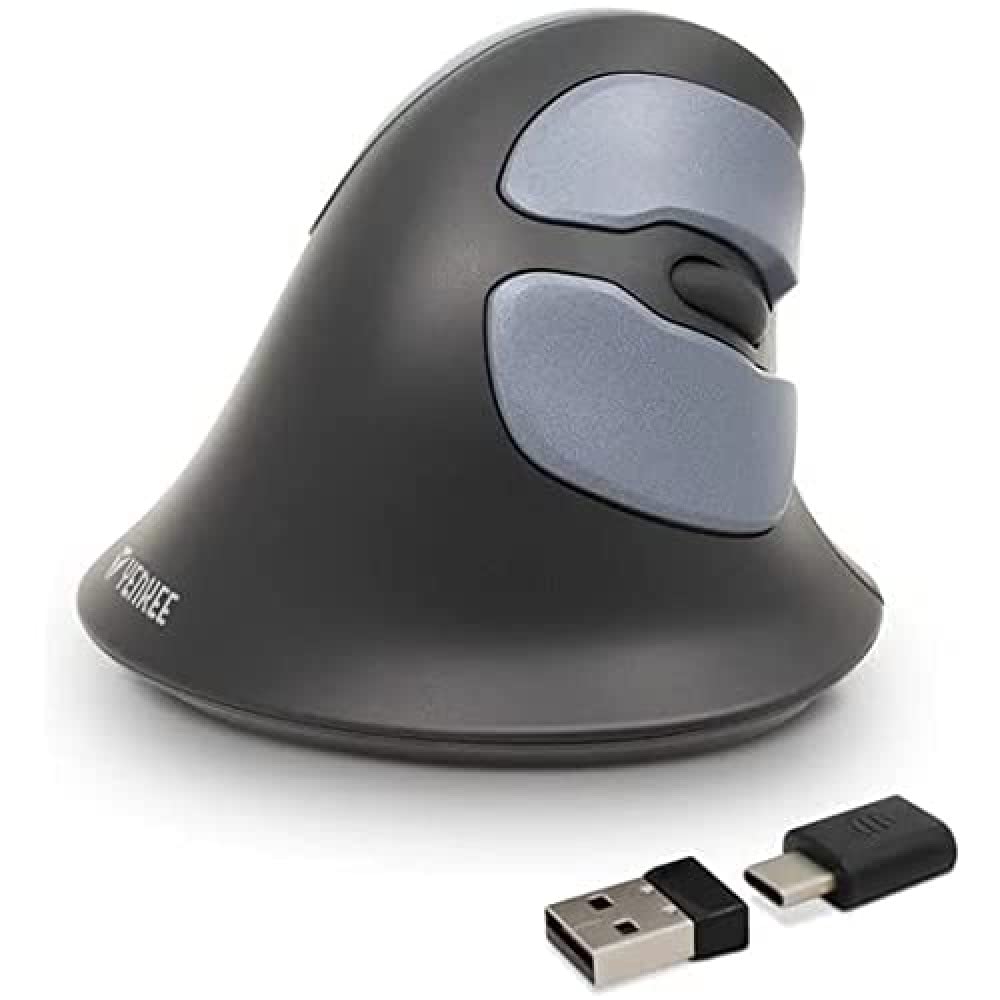
Image: Yenkee YMS 5030 Wireless Ergonomic Vertical Mouse with its USB nano receiver. The mouse is black, featuring a vertical design with multiple buttons.
Impostare
- Installa le batterie:
Locate the battery compartment on the underside of the mouse. Open the cover and insert the required batteries (not included), ensuring correct polarity (+/-). Close the battery compartment cover securely.
Immagine: Lato inferiore view of the Yenkee YMS 5030 mouse, highlighting the battery compartment and the on/off switch.
- Collegare il ricevitore USB Nano:
Plug the USB nano receiver into an available USB port on your computer. Your operating system should automatically detect and install the necessary drivers. This process may take a few moments.
- Accendere il mouse:
Slide the ON/OFF switch, located on the underside of the mouse, to the "ON" position. The mouse should now be active and ready for use.
Istruzioni per l'uso
The Yenkee YMS 5030 mouse features 6 buttons and adjustable DPI settings for precise control.
- Pulsante sinistro del mouse: Funzione standard di clic primario.
- Pulsante destro del mouse: Funzione di clic secondario standard.
- Rotella di scorrimento: Scorrere verso l'alto o verso il basso i documenti e web pagine. Può anche essere premuto per la funzionalità del clic centrale.
- Pulsanti Avanti/Indietro: Situati lateralmente, questi pulsanti consentono una navigazione rapida in web browser o file esploratori.
- Pulsante di regolazione DPI: Located near the scroll wheel, press this button to cycle between DPI settings (1000 DPI and 1600 DPI). Adjust the sensitivity to suit your preference and task.
Immagine: dall'alto verso il basso view of the Yenkee YMS 5030 mouse, indicating the positions of the left/right click, scroll wheel, forward/backward, and DPI adjustment buttons.
Design ergonomico
The vertical design of the YMS 5030 mouse positions your hand in a natural handshake posture, which can help alleviate wrist strain and discomfort often associated with traditional horizontal mice. This design is particularly beneficial for users seeking to reduce the risk of repetitive strain injuries like Carpal Tunnel Syndrome.
Manutenzione
- Pulizia: Utilizzare un panno morbido e asciutto per pulire la superficie del mouse. Per lo sporco ostinato, leggermente dampLavare il panno con acqua. Evitare l'uso di prodotti chimici aggressivi o detergenti abrasivi.
- Sostituzione della batteria: When the mouse performance degrades or it stops responding, it's time to replace the batteries. Follow the "Install Batteries" steps in the Setup section. Dispose of old batteries responsibly according to local regulations.
- Magazzinaggio: When not in use for extended periods, turn off the mouse using the ON/OFF switch to conserve battery life. Store the mouse and receiver in a dry, cool place.
Risoluzione dei problemi
| Problema | Possibile causa | Soluzione |
|---|---|---|
| Il mouse non risponde. |
|
|
| Il movimento del cursore è irregolare o saltellante. |
|
|
| L'impostazione DPI non cambia. | DPI button not pressed correctly or mouse not powered on. | Ensure the mouse is on and press the DPI button firmly. Observe if cursor speed changes. |
Specifiche
| Caratteristica | Dettaglio |
|---|---|
| Marca | Yenkee |
| Numero di modello | YMS5030 |
| Colore | Nero |
| Tecnologia di connettività | Senza fili (Wi-Fi) |
| Tecnologia di rilevamento del movimento | Ottico |
| Impostazioni DPI | 1000 DPI / 1600 DPI |
| Numero di pulsanti | 6 |
| Distanza di lavoro | Fino a 10 metri |
| Fonte di alimentazione | Alimentato a batteria (batterie non incluse) |
| Piattaforma hardware | PC |
| Compatibilità del sistema operativo | Windows 7, Windows 8, Windows Vista, Windows XP |
| Dimensioni del prodotto | Dimensioni: 14.1 x 7.8 x 23 cm |
| Peso dell'articolo | 125 grammi |
Garanzia e supporto
Yenkee products are manufactured to high-quality standards. For information regarding warranty terms and conditions, please refer to the warranty card included with your purchase or visit the official Yenkee website. For technical support or service inquiries, please contact your local retailer or the Yenkee customer support team.