
1. Importanti istruzioni di sicurezza
Please read these instructions carefully before using your GBC ShredMaster XP418+ shredder. Keep this manual for future reference.
- Tenere i bambini e gli animali domestici lontano dal distruggidocumenti.
- Keep loose clothing, hair, and jewelry away from the shredder opening.
- Non inserire dita o altre parti del corpo nell'apertura del distruggidocumenti.
- Scollegare il distruggidocumenti prima di spostarlo, pulirlo o svuotare il contenitore dei rifiuti.
- Non utilizzare prodotti aerosol vicino al trituratore.
- Do not shred adhesive labels or materials that are not specified for shredding.
- Assicurarsi che il distruggidocumenti sia posizionato su una superficie stabile e piana.
- Non utilizzare il distruggidocumenti se il cavo di alimentazione è danneggiato.
2. Prodotto finitoview
The GBC ShredMaster XP418+ is a heavy-duty cross-cut office shredder designed for secure destruction of confidential documents, credit cards, CDs, and DVDs. It features Active Sensing Anti-Jam Technology and a large 45-liter pull-out bin for efficient operation.
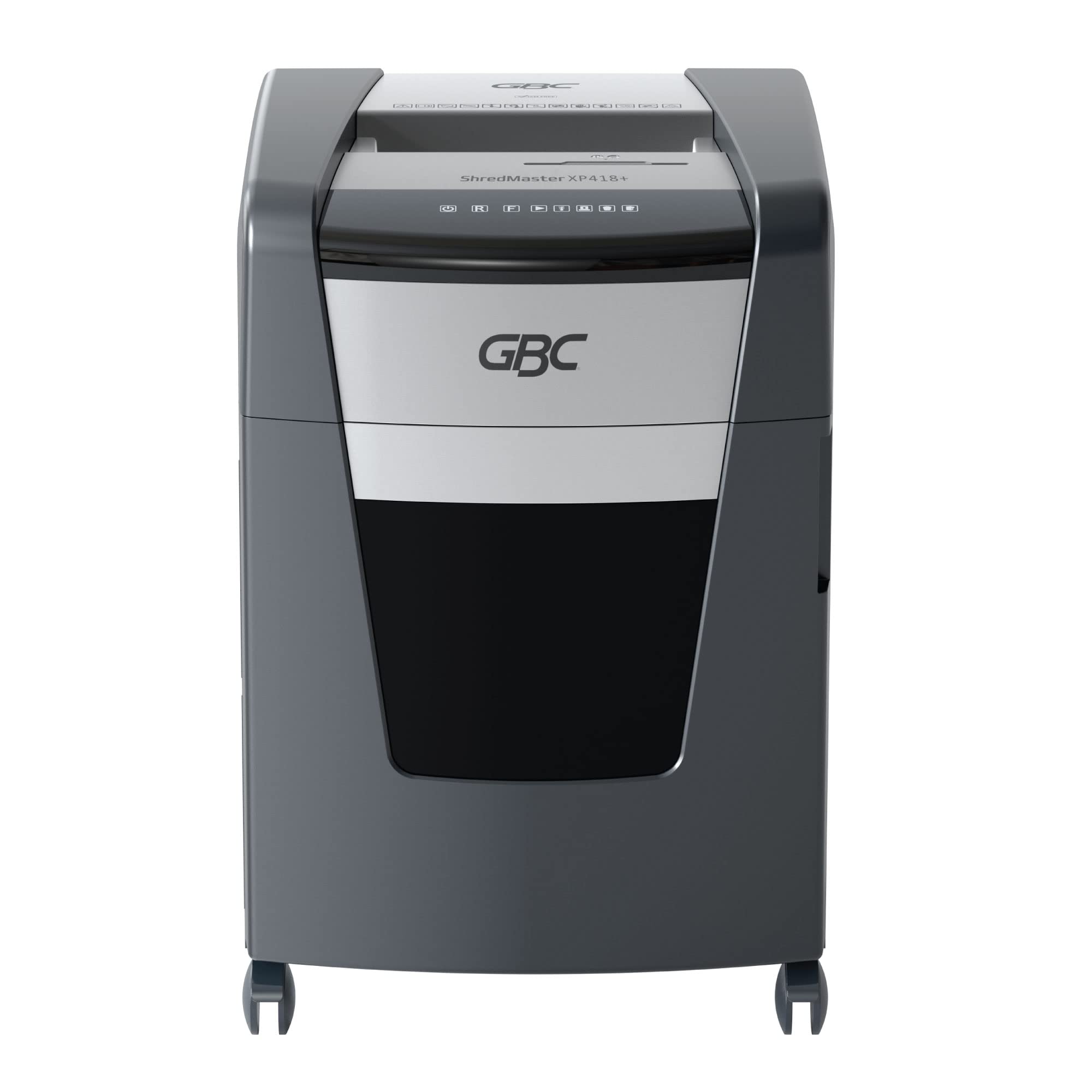
Figura 2.1: Fronte view of the GBC ShredMaster XP418+ office shredder, showcasing its sleek black and silver design with casters for mobility.
Caratteristiche principali:
- Triturazione trasversale: Shreds paper into 4 x 35 mm particles (P-4 security level).
- Alta capacità: Shreds up to 18 sheets of 80 gsm paper at once.
- Jam Free Technology: Active sensing technology prevents paper jams by measuring sheet count in real-time.
- Multi-Media Shredding: Safely shreds staples, paper clips, credit cards, CDs, and DVDs through a separate feed slot.
- Grande capacità del contenitore: 45-liter pull-out waste bin for less frequent emptying.
- Funzionamento silenzioso: Operates at an ultra-quiet 55 dBA noise level.
- Tempo di esecuzione continuo: Designed for moderate to heavy use with extended run times.
3. Impostazione
Follow these steps to set up your shredder for first use:
- Disimballare il distruggidocumenti: Estrarre con cautela il distruggidocumenti dall'imballaggio. Conservare l'imballaggio per un eventuale trasporto o stoccaggio futuro.
- Posizionare il distruggidocumenti: Place the shredder on a flat, stable surface near a power outlet. Ensure there is adequate space around the unit for ventilation and bin access.
- Check the Waste Bin: Ensure the 45-liter pull-out waste bin is correctly inserted and closed. The shredder will not operate if the bin is not properly seated.
- Connetti alimentazione: Collegare il cavo di alimentazione a una presa elettrica standard.
- Accensione: Locate the power switch, usually on the back or side of the unit, and turn it to the 'ON' position. The control panel lights should illuminate.

Figure 3.1: The GBC ShredMaster XP418+ with its 45-liter pull-out waste bin open, demonstrating easy access for emptying shredded materials.
4. Funzionamento
Your GBC ShredMaster XP418+ is designed for user-friendly operation. Familiarize yourself with the control panel and feed slots.

Figura 4.1: primo piano view of the GBC ShredMaster XP418+ control panel, showing the power, reverse, forward, and jam indicator lights.
4.1 Triturazione della carta
- Ensure the shredder is powered on and in auto mode (usually indicated by a green light).
- Insert up to 18 sheets of 80 gsm paper into the main paper feed slot. The Active Sensing Anti-Jam Technology will detect the sheet count.
- The shredder will automatically start shredding. If too many sheets are inserted, a red LED will illuminate, and the shredder will not operate until some sheets are removed.
- Once shredding is complete, the shredder will return to standby mode.
4.2 Shredding Credit Cards, CDs, and DVDs
- Locate the separate feed slot for credit cards and optical media.
- Insert one credit card, CD, or DVD at a time into the designated slot.
- Il distruggidocumenti distruggerà automaticamente l'oggetto.
- Note: These items are shredded into separate compartments within the waste bin for easier disposal and recycling.
4.3 Tecnologia anti-inceppamento
The GBC ShredMaster XP418+ features Active Sensing Anti-Jam Technology. This system continuously monitors the number of sheets being fed. If the load exceeds the maximum capacity, the shredder will not start, and a red indicator light will signal an overload. Remove excess paper until the indicator light clears, then proceed with shredding.
Video 4.1: An official GBC video demonstrating the Active Sensing Anti-Jam Technology in action, showing how the shredder detects and prevents overloads. (Note: Video URL is a placeholder as no specific video URL was provided in the input JSON, only a timestamp.)
5. Manutenzione
Una manutenzione regolare garantisce prestazioni ottimali e prolunga la durata del tuo distruggidocumenti.
5.1 Svuotamento del cestino dei rifiuti
- When the waste bin is full, the shredder will stop operating, and a 'bin full' indicator light may illuminate.
- Scollegare il distruggidocumenti dalla presa di corrente.
- Estrarre il contenitore dei rifiuti dalla parte anteriore del distruggidocumenti.
- Empty the shredded material into a suitable recycling container.
- Riposizionare il contenitore dei rifiuti nel distruggidocumenti finché non scatta in posizione.
- Ricollegare il distruggidocumenti.
5.2 Oiling the Shredder Blades
To maintain shredding performance and prevent wear, oil the shredder blades regularly, especially after emptying the bin 2-3 times or if performance decreases.
- Use only GBC shredder oil or a vegetable-based shredder oil. Do not use aerosol lubricants.
- Applicare un sottile strato di olio sulla fessura di inserimento della carta.
- Far girare il trituratore in retromarcia per 10 secondi per distribuire l'olio.
- Per eliminare l'olio in eccesso, tagliare a pezzetti alcuni fogli di carta.
6. Risoluzione Dei Problemi
Consulta questa sezione per trovare soluzioni ai problemi più comuni che potresti riscontrare.
| Problema | Possibile causa | Soluzione |
|---|---|---|
| Il distruggidocumenti non si avvia. | No power, waste bin not closed, shredder overheated, safety switch engaged. | Check power connection. Ensure bin is fully inserted. Allow shredder to cool down. Check for obstructions. |
| Inceppamento della carta. | Too much paper inserted, paper folded or crumpled. | Press the reverse button to clear the jam. If unsuccessful, unplug, remove paper manually, then re-oil blades. |
| Shredder runs continuously. | Sensore ostruito. | Unplug the shredder and clean the paper entry sensor with a soft cloth. |
| Reduced shredding performance. | Blades need oiling, waste bin full. | Oil the shredder blades. Empty the waste bin. |
7. Specifiche
Detailed technical specifications for the GBC ShredMaster XP418+ shredder.
| Caratteristica | Specificazione |
|---|---|
| Numero di modello | G2021418X |
| Tipo di brandello | Taglio trasversale |
| Dimensione del brandello | 4 x 35 millimetri |
| Security Level (DIN 66399) | P-4 |
| Sheet Capacity (80 gsm) | 18 fogli |
| Capacità del cestino dei rifiuti | 45 litri |
| brandelli | Carta, punti metallici, graffette, carte di credito, CD/DVD |
| Livello di rumore | 55 dB(A) |
| Caratteristiche speciali | Jam Proof (Active Sensing), Quiet Operation |
| Peso dell'articolo | 29 kg |
| Dimensioni articolo (LxPxA) | Dimensioni: 47.9 x 44.5 x 67.5 cm |
8. Garanzia e supporto
Your GBC ShredMaster XP418+ comes with a comprehensive warranty and dedicated support.
8.1 Informazioni sulla garanzia
Questo prodotto è coperto da a 2-year machine warranty from the date of purchase. Please retain your proof of purchase for warranty claims. The warranty covers defects in materials and workmanship under normal use. It does not cover damage caused by misuse, neglect, unauthorized repairs, or normal wear and tear.
8.2 Assistenza clienti
For technical assistance, troubleshooting not covered in this manual, or warranty service, please contact GBC customer support. Refer to the contact information provided with your product or visit the official GBC websito per la tua regione.