
Formovie M146FCN
Manuale utente del proiettore Formovie V10 4K
Model: M146FCN
Introduzione
Thank you for choosing the Formovie V10 4K Projector. This smart mini home theater projector delivers stunning 4K UHD visuals and immersive audio, designed to enhance your entertainment experience. This manual provides essential information for setting up, operating, maintaining, and troubleshooting your projector to ensure optimal performance and longevity.
Cosa c'è nella scatola
Si prega di controllare il contenuto del pacco per assicurarsi che siano presenti tutti gli articoli:
- Formovie V10 4K Projector
- Telecomando
- Cavo di alimentazione
- Adattatore di alimentazione
- Manuale d'uso
- Scheda di garanzia

Image: The retail box of the Formovie V10 4K Projector, showing the product packaging.
Prodotto finitoview
Familiarize yourself with the main components of your Formovie V10 projector.

Immagine: Frontale view of the Formovie V10 4K Projector, highlighting the lens and 4K UHD branding.
- Lente di proiezione: Emette l'immagine sullo schermo.
- Sensori: For auto-focus, keystone correction, and human detection.
- Griglia dell'altoparlante: Integrated 2x7.5W full-range speakers and 15W independent subwoofer for immersive audio.
- Porte di ingresso/uscita: (Located on the rear/side, refer to specific diagrams in the physical manual for exact placement)
- HDMI (for connecting external devices like gaming consoles, laptops)
- USB 3.0 (for connecting USB drives)
- 3.5mm Audio Out (for external audio systems)
- Ethernet (for wired network connection)
- Potenza in ingresso
Impostare
- Posizionamento: Place the projector on a stable, flat surface or mount it according to your preference. Ensure there are no obstructions in front of the lens. For optimal viewing, posizionare il proiettore perpendicolarmente alla superficie di proiezione.
- Collegamento elettrico: Connect the power adaptor to the projector's power input port, then plug the power cord into a wall outlet.
- Accensione iniziale: Premere il pulsante di accensione sul proiettore o sul telecomando per accendere il dispositivo.
- Messa a fuoco e correzione trapezoidale: The projector features automatic focus and keystone correction. Allow a few moments for the system to adjust the image clarity and shape. Manual adjustments can typically be made via the settings menu if needed.
- Connessione di rete:
- Wifi: Navigate to the network settings, select your Wi-Fi network, and enter the password.
- Collegamento Ethernet: Connect an Ethernet cable from your router to the projector's Ethernet port.
Istruzioni per l'uso
Collegamento dei dispositivi
- Dispositivi HDMI: Connect your laptop, gaming console, or Blu-ray player to the HDMI port using an HDMI cable. The projector will automatically detect the input or you can select it from the input source menu.
- Dispositivi USB: Insert a USB drive into the USB 3.0 port to access media filedirettamente.
- Bluetooth: Pair Bluetooth devices like speakers or headphones via the Bluetooth settings menu. The projector supports Bluetooth 5.
- Clonazione schermo: The projector supports various screen mirroring protocols.

Image: Display showing support for Huawei Cast+, Miracast, and Mac Airplay for screen mirroring.
Navigazione di base
Use the provided remote control to navigate the Android interface. The remote typically includes directional buttons, an OK/Enter button, Back, Home, and Volume controls.
Caratteristiche principali
- Incredibile luminosità: Enjoy excellent image performance in any lighting condition with 2500 ANSI Lumens of brightness.
- Stunning 4K Clarity: Experience breathtaking visuals with 4K resolution (3840 x 2160 pixels) and 8.3 million individual pixels for exceptional clarity.

Image: A graphic emphasizing "TRUE 4K Resolution" for the projector's display capabilities.
- Advanced Color Performance: Features 10-bit color depth, 118% DCI P3 color gamut, and 1024 bits color scale for vibrant and accurate colors.

Image: A graphic detailing the projector's color performance with "10 Bit Color Depth", "118% DCI P3", and "1024 bits Color Scale".
- Built for Gaming: Elevate your gaming with a 240Hz refresh rate and low 12ms latency, ensuring smooth and responsive gameplay.
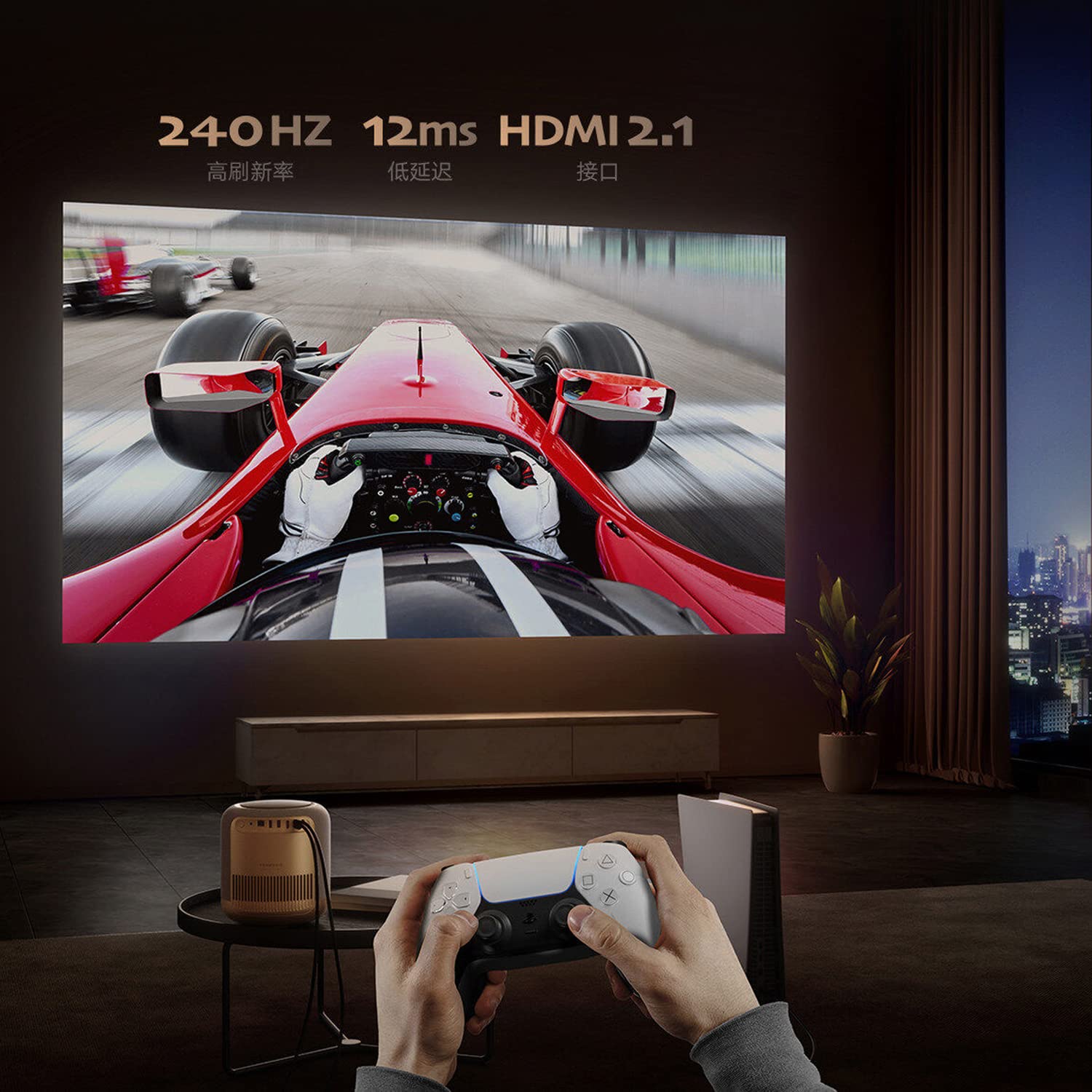
Image: A person playing a racing game projected by the Formovie V10, with text highlighting "240Hz", "12ms", and "HDMI 2.1".
- Esperienza audio coinvolgente: Enhance your experience with 2x7.5W full-range speakers and a powerful 15W independent subwoofer for rich, dynamic sound.
- Protezione degli occhi: Features ToF human detection to automatically adjust brightness and prevent eye injury when someone approaches the light source.

Image: A screen prompt in Chinese warning not to look directly at the light source, demonstrating the ToF human detection feature.
- Utilizzo versatile: Perfect for movies, gaming, and streaming, this projector offers a comprehensive entertainment solution for any setting.
Specifiche
| Caratteristica | Dettaglio |
|---|---|
| Marca | Forme |
| Nome del modello | FORMOVIE V10 |
| Numero di modello | M146FCN |
| Tecnologia di visualizzazione | Risoluzione 4K Ultra HD |
| Risoluzione | 3840 x 2160 pixel |
| Luminosità dell'immagine | 2500 ANSI Lumen |
| Rapporto di contrasto dell'immagine | 10000:1 |
| Proporzioni | 16:9 |
| Frequenza di aggiornamento | Frequenza 240 Hz |
| Livello di rumore | 28 dB |
| Audio | 2x7.5W full-range speakers, 15W independent subwoofer |
| Tecnologia di connettività | Bluetooth 5, Wi-Fi, USB 3.0, Ethernet, HDMI |
| Interfaccia Hardware | HDMI, LANC, 3.5mm Audio, USB 3.0, Bluetooth 5 |
| Dispositivi compatibili | Laptop, Gaming Console, Tablet, Smartphone, Speaker |
| Dimensioni del prodotto | Dimensioni: 20 x 20 x 21 cm |
| Peso dell'articolo | 3.8 kg |
| Tipo di montaggio | Supporto da tavolo |
| Paese di origine | Cina |
Manutenzione
- Pulizia della lente: Utilizzare un panno morbido e privo di lanugine, specificamente progettato per lenti ottiche. Non utilizzare detergenti abrasivi o panni che potrebbero graffiare le lenti.
- Pulizia del corpo del proiettore: Pulire l'esterno con un panno morbido e asciutto. Per macchie ostinate, un panno leggermenteamp È possibile utilizzare un panno, seguito da un panno asciutto. Evitare l'uso di detergenti aggressivi o solventi.
- Ventilazione: Ensure the projector's ventilation openings are not blocked to prevent overheating. Do not place the projector on soft surfaces like carpets or blankets that could obstruct airflow.
- Magazzinaggio: Quando non viene utilizzato per lunghi periodi, conservare il proiettore in un luogo fresco e asciutto, lontano dalla luce solare diretta e da temperature estreme.
Risoluzione dei problemi
| Problema | Possibile causa/soluzione |
|---|---|
| Nessun potere |
|
| Nessuna immagine / Schermo vuoto |
|
| Immagine sfocata |
|
| Nessun suono |
|
| Il telecomando non funziona |
|
Garanzia e supporto
The Formovie V10 4K Projector comes with a Garanzia di 1 anno forniti dal produttore a partire dalla data di acquisto. Si prega di conservare la prova d'acquisto per eventuali reclami in garanzia.
For technical support, service, or warranty inquiries, please contact the authorized distributor or the manufacturer directly. The importer for this product is Aytexcel Private Limited.
Informazioni di contatto dell'importatore:
Aytexcel Private Limited
12 Highland, Pali Hill, Bandra, Mumbai 400050
E-mail: hello@aytexel.com
Contatto: +91.9820022205
For more information, you may also visit the official Formovie store on Amazon: Formovie India Direct Store.
Ask a question about this manual
Ask about setup, troubleshooting, compatibility, parts, safety, or missing instructions. Manuals+ will review the question and use this page’s manual context to help answer it.