
1. Introduzione
The Volcora Wireless 1D/2D Barcode Scanner is a versatile tool designed for efficient data collection in various environments such as retail, logistics, and inventory management. It supports scanning both 1D and 2D barcodes, including QR codes, and offers multiple connectivity options for seamless integration with your existing systems.
This manual provides detailed instructions on how to set up, operate, and maintain your barcode scanner, along with troubleshooting tips and product specifications.
2. Contenuto della confezione
Si prega di verificare che tutti gli articoli elencati di seguito siano inclusi nel pacchetto:
- 1 Barcode Scanner + Stand
- 1 Adattatore wireless USB
- Cavo USB 1
- 1 Manuale d'uso

Image: The package contents, showing the barcode scanner, its stand, a USB wireless adapter, a USB charging cable, and the instruction manual.
3. Impostazione
3.1 Caricamento dello scanner
Before initial use, fully charge the scanner. Connect the provided USB cable to the scanner's charging port and to a power source (e.g., computer USB port or USB wall adapter). A full charge takes approximately 4 hours. The scanner can operate for up to 24 hours of continuous use or remain on standby for up to 30 days.
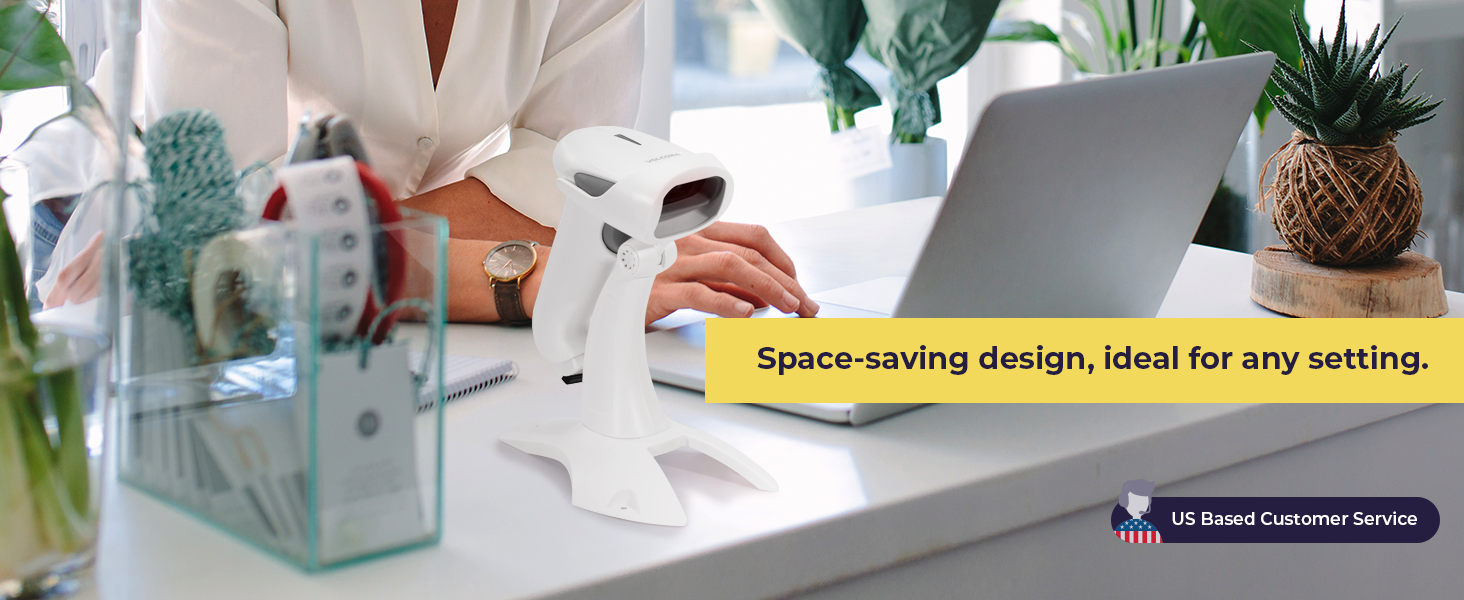
Image: The barcode scanner showing its USB charging port and details about its extended battery life.
3.2 Collegamento dello scanner
The Volcora barcode scanner offers three connection types: Bluetooth, 2.4GHz Wireless, and USB Wired.
- Connessione Bluetooth: Accendi lo scanner. Abilita il Bluetooth sul tuo dispositivo host (smartphone, tablet, PC). Cercare available devices and select the Volcora scanner to pair. The transmission distance is up to 49 feet (15 meters) in a barrier-free environment.
- Connessione wireless a 2.4 GHz: Insert the USB Wireless Adapter into an available USB port on your computer. Turn on the scanner. The scanner will automatically connect to the adapter. The transmission distance is up to 328 feet (100 meters) in a barrier-free environment.
- Connessione cablata USB: Connect the scanner directly to your computer using the provided USB cable. The scanner will function as a wired device and also charge simultaneously.

Image: Visual representation of the scanner's 3-in-1 connection types: Bluetooth, 2.4GHz wireless, and USB wired, connecting to a laptop and a smartphone.
4. Funzionamento
4.1 Modalità di scansione
Lo scanner supporta due modalità operative principali:
- Modalità di caricamento istantaneo: In this mode, scanned barcodes are transmitted to the connected device in real-time. This is ideal for immediate data entry.
- Modalità di archiviazione: When out of range or not connected, the scanner can store up to 50,000 barcodes in its 16 MB internal memory. Data can be bulk-uploaded to the host device later when a connection is established.

Image: The scanner in its stand, illustrating hands-free scanning and detailing the Instant Upload and Storage modes for data collection.
4.2 Capacità di decodifica
The scanner is capable of accurately decoding a wide range of 1D and 2D barcodes, even those that are damaged, blurred, dislocated, or scratched. It features omnidirectional scanning for ease of use.
- Codici a barre 1D supportati: UPC-A, ISBN, Code 128, and more.
- Codici a barre 2D supportati: QR Code, Data Matrix, PDF417, Aztec, Maxicode, and more.

Image: An illustration highlighting the scanner's ability to decode various 1D and 2D barcode types, including those that are damaged, blurred, or scratched.
4.3 Language and Customization Settings
The scanner supports up to 24 languages, including English, Spanish, German, Italian, and Japanese. It also allows for customization of settings such as uppercase/lowercase output, adding prefixes or suffixes, hiding characters, and adjusting volume and scanning speed. Refer to the detailed programming guide (usually found in the full user manual or manufacturer's website) for specific barcode configurations to change these settings.
5. Manutenzione
5.1 Pulizia
Per garantire prestazioni ottimali, mantenere pulita la finestra di scansione dello scanner. Utilizzare un panno morbido e privo di lanugine, leggermente dampcon acqua o una soluzione detergente delicata. Evitare materiali abrasivi o sostanze chimiche aggressive che potrebbero graffiare la finestra.
5.2 Conservazione
Store the scanner in a cool, dry place away from direct sunlight and extreme temperatures. When not in use, it is recommended to place the scanner on its stand to prevent accidental damage.
5.3 Cura della batteria
To prolong battery life, avoid fully discharging the scanner frequently. If storing for an extended period, charge the battery to about 50% and recharge every few months.
6. Risoluzione Dei Problemi
6.1 Lo scanner non si connette
- Assicurarsi che lo scanner sia acceso e completamente carico.
- For Bluetooth, ensure Bluetooth is enabled on your device and the scanner is in pairing mode.
- For 2.4GHz wireless, ensure the USB adapter is securely plugged in and recognized by your computer.
- Per la connessione USB cablata, provare una porta USB o un cavo diverso.
6.2 Slow Scanning or Inaccurate Reads
- Pulire la finestra ottica dello scanner come descritto nella sezione Manutenzione.
- Ensure the barcode is clear, well-lit, and within the scanner's optimal reading distance.
- Check for any obstructions between the scanner and the barcode.
- If using wireless, ensure you are within the effective transmission range.
6.3 Not Compatible with Square POS
Please note that this scanner may not be compatible with Square Point of Sale (POS) systems. Compatibility can vary with different POS software and hardware configurations. It is recommended to verify compatibility with your specific POS system before purchase or contact Volcora customer support for assistance.
7. Specifiche
| Caratteristica | Dettaglio |
|---|---|
| Numero di modello | B0BFC29Z3F |
| Tecnologia di connettività | Bluetooth, 2.4GHz Wireless, USB Cable |
| Dispositivi compatibili | Desktop, Laptop, Tablet, Smartphone (iOS, Android, Linux, Windows, MacOS) |
| Fonte di alimentazione | Alimentato a batteria, elettrico con cavo |
| Tipo di batteria | 1 batteria agli ioni di litio (inclusa) |
| Tempo di ricarica | Circa 4 ore |
| Tempo di funzionamento | Fino a 24 ore (uso continuo) |
| Tempo di standby | Fino a 30 giorni |
| Memoria interna | 16 MB (up to 50,000 barcodes) |
| Distanza di trasmissione Bluetooth | Up to 49 ft (15 M) in barrier-free environment |
| 2.4GHz Wireless Transmission Distance | Up to 328 ft (100 M) in barrier-free environment |
| Codici a barre supportati | 1D (e.g., UPC-A, ISBN, Code 128), 2D (e.g., QR Code, Data Matrix, PDF417) |
| Dimensioni dell'articolo (P x L x A) | 16"D x 4"W x 16"H (Note: This dimension seems to be for a cash drawer, not the scanner itself. Please refer to product packaging for accurate scanner dimensions.) |
| Codice UPC | 810041567338 |
8. Garanzia e supporto
8.1 Garanzia a vita
All Volcora products are backed by a limited lifetime warranty. This warranty covers defects in materials and workmanship under normal use. Please retain your proof of purchase for warranty claims.
8.2 Assistenza clienti
Volcora provides U.S.-based customer support. If you encounter any issues with your barcode scanner or require assistance with integration, please contact our support team. Contact information can be found on the Volcora official websito o sulla confezione del prodotto.