
1. Introduzione
This manual provides instructions for the safe and efficient operation of your MEDION P64145 Stereo System. Please read this manual thoroughly before using the device and keep it for future reference. The MEDION P64145 is a compact audio system featuring DAB+ and PLL FM radio, a CD/MP3 player, Bluetooth connectivity, and USB playback.
2. Informazioni sulla sicurezza
Per evitare danni al dispositivo o lesioni personali, osservare le seguenti precauzioni di sicurezza:
- Non esporre il dispositivo a pioggia o umidità.
- Non ostruire le aperture di ventilazione.
- Assicurarsi che il cavo di alimentazione non venga schiacciato o calpestato.
- Utilizzare solo accessori/componenti specificati dal produttore.
- Scollegare il dispositivo durante i temporali o quando non viene utilizzato per lunghi periodi.
- Affidare tutti gli interventi di assistenza a personale qualificato.
3. Contenuto della confezione
Verificare che tutti gli articoli siano presenti nella confezione:
- MEDION P64145 AiO Audio System (MD44125)
- Telecomando (con batteria)
- Cavo di alimentazione
- Manuale d'uso
- Scheda di garanzia
4. Dispositivo suview
Pannello frontale
The front panel features the LCD display, CD tray, control buttons, and volume knob.

Immagine: Frontale view of the MEDION P64145 stereo system, highlighting the central display, CD slot, and various control buttons.
Pannello posteriore e connessioni
The rear panel includes the power input, antenna connection, and auxiliary ports.

Immagine: Posteriore view of the MEDION P64145 stereo system, illustrating its dimensions (120mm height, 377mm width, 220mm depth) and available connection ports including Line In, USB, AUX-In (3.5 mm), and Headphone Jack.
5. Impostazione
5.1 Collegamento di alimentazione
- Collegare il cavo di alimentazione alla presa AC IN sul retro dell'unità.
- Plug the other end of the power cable into a wall outlet (100-240V ~ 50/60 Hz).
5.2 Collegamento dell'antenna
For optimal radio reception, ensure the antenna is fully extended and positioned correctly.
5.3 Accensione iniziale
Press the Power button on the unit or remote control to turn on the system. The LCD display will illuminate.
6. Istruzioni per l'uso
6.1 Funzionamento di base
- Accensione/spegnimento: Premere il tasto ENERGIA pulsante.
- Controllo del volume: Ruotare il VOLUME manopola o utilizzare il VOL+/- pulsanti sul telecomando.
- Selezione della fonte: Premere il tasto FONTE button to switch between DAB+, FM, CD, Bluetooth, USB, and AUX modes.
6.2 Radio Operation (DAB+/PLL FM)
The system supports both digital DAB+ radio and analog PLL FM radio.

Image: The MEDION P64145 stereo system with 'DAB+' shown on its display, signifying its capability for digital radio reception with high sound quality.
- Selezionare DAB+ or FM modalità utilizzando il FONTE pulsante.
- Scansione automatica: In DAB+ mode, the system will automatically scan for available stations upon first use. For FM, press and hold the SCANSIONE pulsante.
- Sintonizzazione manuale: Utilizzare il ACCORDA+/- pulsanti per regolare manualmente la frequenza.
- Stazioni preimpostate: Save up to 30 stations by pressing and holding a preset number button (1-30) after tuning to a station. Recall saved stations by pressing the corresponding preset number.
Lettore CD/MP3 6.3

Image: A hand inserting a compact disc into the front-loading CD player of the MEDION P64145 stereo system, demonstrating its CD/MP3 playback capability.
- Selezionare CD modalità.
- Insert a CD (audio CD or MP3 CD) into the CD slot. The disc will load automatically.
- Utilizzo RIPRODUCI/PAUSA, FERMARE, SALTA+/- pulsanti per il controllo della riproduzione.
6.4 Streaming Bluetooth
Riproduci musica in streaming wireless dal tuo smartphone o tablet.

Image: A smartphone screen showing a music playback interface, positioned next to the MEDION P64145 stereo system. A Bluetooth symbol is visible, illustrating the wireless music streaming feature from a mobile device to the stereo system.
- Selezionare Bluetooth mode. The display will show "Pairing" or similar.
- On your mobile device, enable Bluetooth and search for "MEDION P64145" (or similar device name).
- Select the device to pair. Once connected, you can play music from your device through the stereo system.
- The effective range for Bluetooth streaming is up to 10 meters, depending on environmental conditions.
6.5 Riproduzione USB
- Inserire una chiavetta USB contenente MP3 files nella porta USB.
- Selezionare USB modalità. Il sistema rileverà automaticamente e inizierà a riprodurre MP3 files.
- Utilizzare i controlli di riproduzione per navigare tra le tracce.
6.6 Ingresso AUX
- Connect an external audio device (e.g., MP3 player) to the 3.5mm AUX IN port using an audio cable (not included).
- Selezionare AUSILIARIO modalità.
- Controlla la riproduzione dal tuo dispositivo esterno.
6.7 Impostazioni audio
Adjust the audio output to your preference.
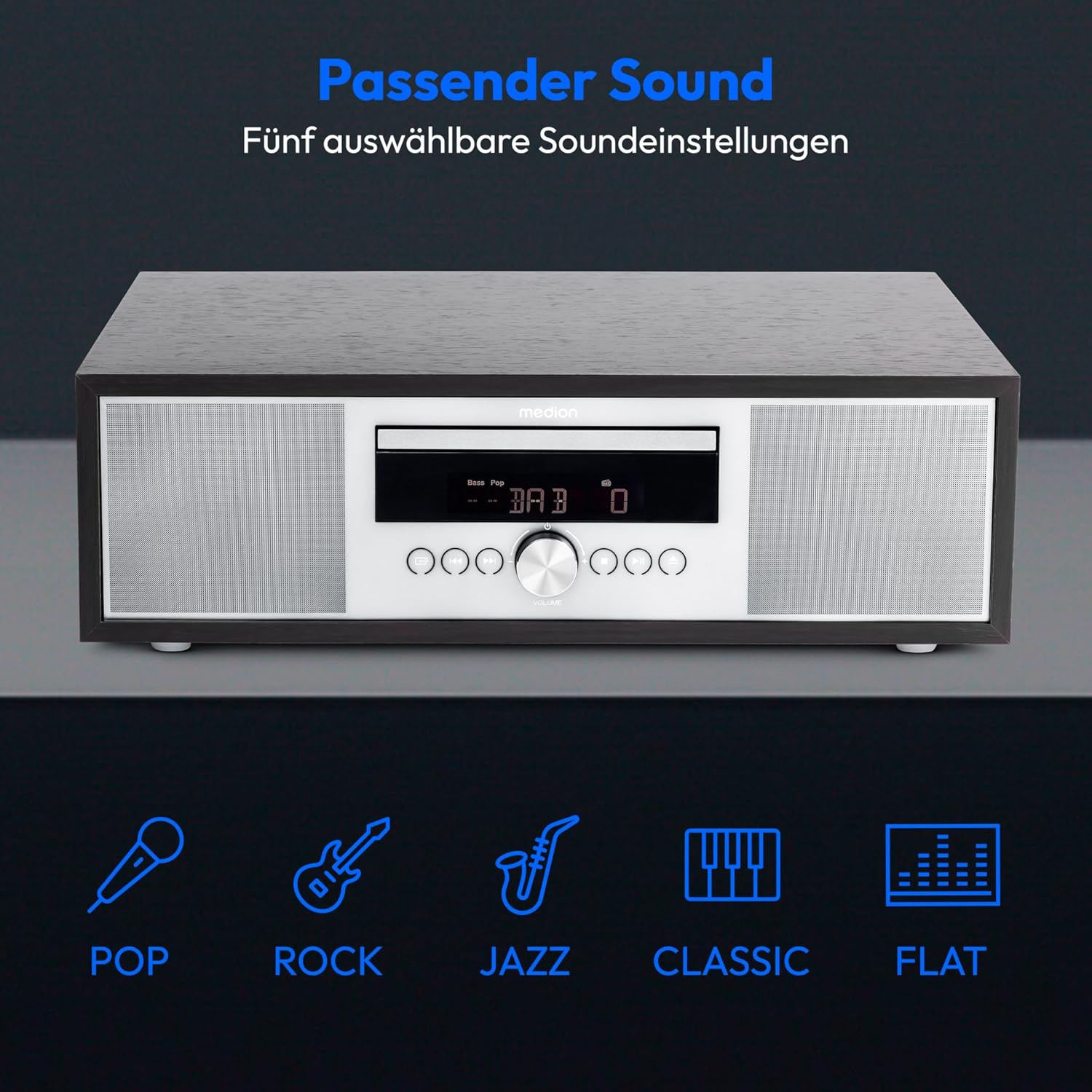
Image: The MEDION P64145 stereo system accompanied by graphical icons for five distinct sound equalization presets: Pop, Rock, Jazz, Classic, and Flat, indicating customizable audio profiles.
- Preimpostazioni dell'equalizzatore: Utilizzare il EQ button on the remote to cycle through preset sound modes: Pop, Rock, Jazz, Classic, and Flat.
- Regolazione bassi/acuti: Utilizza l'apposito BASSI+/- E ALTI +/- buttons on the remote control to fine-tune the sound.
6.8 Sveglia e timer di spegnimento
- Funzione di allarme: Set an alarm to wake up to radio, CD, USB, or a standard alarm sound. Refer to the detailed instructions in the full manual for setting specific alarm times and sources.
- Funzione snooze: Quando suona la sveglia, premere il tasto POSTICIPARE pulsante per silenziarlo temporaneamente.
- Funzione di sonno automatico: Set a timer for the system to automatically turn off after a specified period. Use the SONNO pulsante sul telecomando.
7. Manutenzione
7.1 Pulizia dell'unità
Pulire l'unità con un panno morbido e asciutto. Non utilizzare detergenti abrasivi o solventi.
7.2 Cura del lettore CD
Handle CDs by their edges. Clean dirty CDs with a soft, lint-free cloth, wiping from the center outwards. Do not use scratched or warped discs.
8. Risoluzione Dei Problemi
If you encounter issues, consult the following table before contacting support:
| Problema | Possibile causa | Soluzione |
|---|---|---|
| Nessun potere | Cavo di alimentazione non collegato; presa non attiva. | Controllare il collegamento del cavo di alimentazione; provare una presa diversa. |
| Nessun suono | Volume troppo basso; sorgente selezionata non corretta; cuffie collegate. | Increase volume; select correct source; disconnect headphones. |
| Scarsa ricezione radio | Antenna not extended or positioned poorly. | Adjust antenna position; try automatic scan again. |
| Il CD non viene riprodotto | CD inserted incorrectly; disc scratched or dirty; unsupported format. | Reinsert CD correctly; clean or replace disc; ensure it's an audio CD or MP3 CD. |
| Associazione Bluetooth non riuscita | Device too far; Bluetooth not enabled on mobile device; system not in pairing mode. | Avvicinare il dispositivo; abilitare il Bluetooth; assicurarsi che il sistema sia in modalità di associazione Bluetooth. |
9. Specifiche
| Caratteristica | Specificazione |
|---|---|
| Numero di modello | P64145 (MD44125) |
| Marca | MEDION |
| Colore | Nero-Argento |
| Tecnologia di connettività | Bluetooth, USB |
| Caratteristiche speciali | Bluetooth, DAB+, USB, AUX Input, CD Player, Alarm Function, Sleep Timer |
| Dimensioni del prodotto (L x P x A) | Dimensioni: 22 cm x 37.7 cm x 12 cm |
| Peso dell'articolo | 3.2 chilogrammi |
| Tecnologia sintonizzatore | DAB Più |
| Bande radio supportate | DAB+/PLL-UKW |
| Fonte di alimentazione | Corded Electric (100-240V ~ 50/60 Hz) |
| Potenza massima in uscita dell'altoparlante | 2 x 15 Watt RMS |
| Tipo di visualizzazione | LCD |
| Modalità di uscita audio | Stereo |
| Dispositivi compatibili | Smartphone, Tablet, Lettore MP3 |
| Materiale | Stainless Steel (front panel) |
10. Informazioni sulla garanzia
Your MEDION P64145 Stereo System comes with a 2-year limited warranty. Please retain your proof of purchase for warranty claims. For detailed terms and conditions, refer to the included warranty card or visit the official MEDION websito.
11. Supporto
For further assistance, technical support, or service inquiries, please visit the official MEDION support website or contact their customer service. Contact details can typically be found on the warranty card or the manufacturer's websito.
MEDION ufficiale Websito: www.medion.com