
1. Introduzione
This manual provides essential information for the safe and efficient operation of the Cuifati AT1-4000X Single-Phase AC 220V/4KW Variable Frequency Drive (VFD). This VFD is designed to control the speed of three-phase AC motors, offering high torque at low speeds, high precision, and a wide speed regulating range. It is suitable for various industrial applications including spindle motors, drill presses, CNC machines, HVAC systems, lathes, milling machines, pumps, conveyors, fans, cooling systems, and compressors.
The AT1-4000X VFD incorporates optimized PWM control technology and electromagnetic compatibility to ensure low noise and minimal electromagnetic interference. It also features multiple protection mechanisms against overcurrent, overvoltage, surriscaldamento, sovraccarico, sottocaricotage, and intelligent power module faults.

Figura 1: Fronte view of the Cuifati AT1-4000X VFD, showing the control panel and safety label.
2. Precauzioni di sicurezza
Il mancato rispetto di queste istruzioni può provocare morte, lesioni gravi o gravi perdite di proprietà.
- Disconnessione dell'alimentazione: Always ensure the power supply is completely disconnected before performing any wiring or maintenance.
- Cablaggio di uscita: Never connect the U, V, W output terminals to an AC power supply. This will cause severe damage to the inverter.
- Ambiente di installazione: Do not install the inverter on flammable materials. This poses a significant fire hazard. Avoid using the device in environments with explosive gases due to the risk of explosion.
- Messa a terra: Il terminale di terra dell'inverter deve essere collegato a terra in modo corretto e sicuro.
- Installazione professionale: Wiring and internal maintenance should only be performed by qualified professionals. The converter contains high voltage internally; unauthorized opening of the shell is strictly prohibited.
3. Configurazione e installazione
3.1 Disimballaggio
Carefully unpack the VFD and inspect it for any signs of damage during transit. Ensure all components listed in the package contents are present.
3.2 Montaggio
Mount the VFD in a clean, dry, and well-ventilated area, away from direct sunlight, excessive dust, corrosive gases, and flammable materials. Ensure adequate space around the unit for proper heat dissipation.
3.3 Cablaggio
Refer to the wiring diagram and terminal functions below for correct electrical connections. Ensure all connections are secure and comply with local electrical codes.
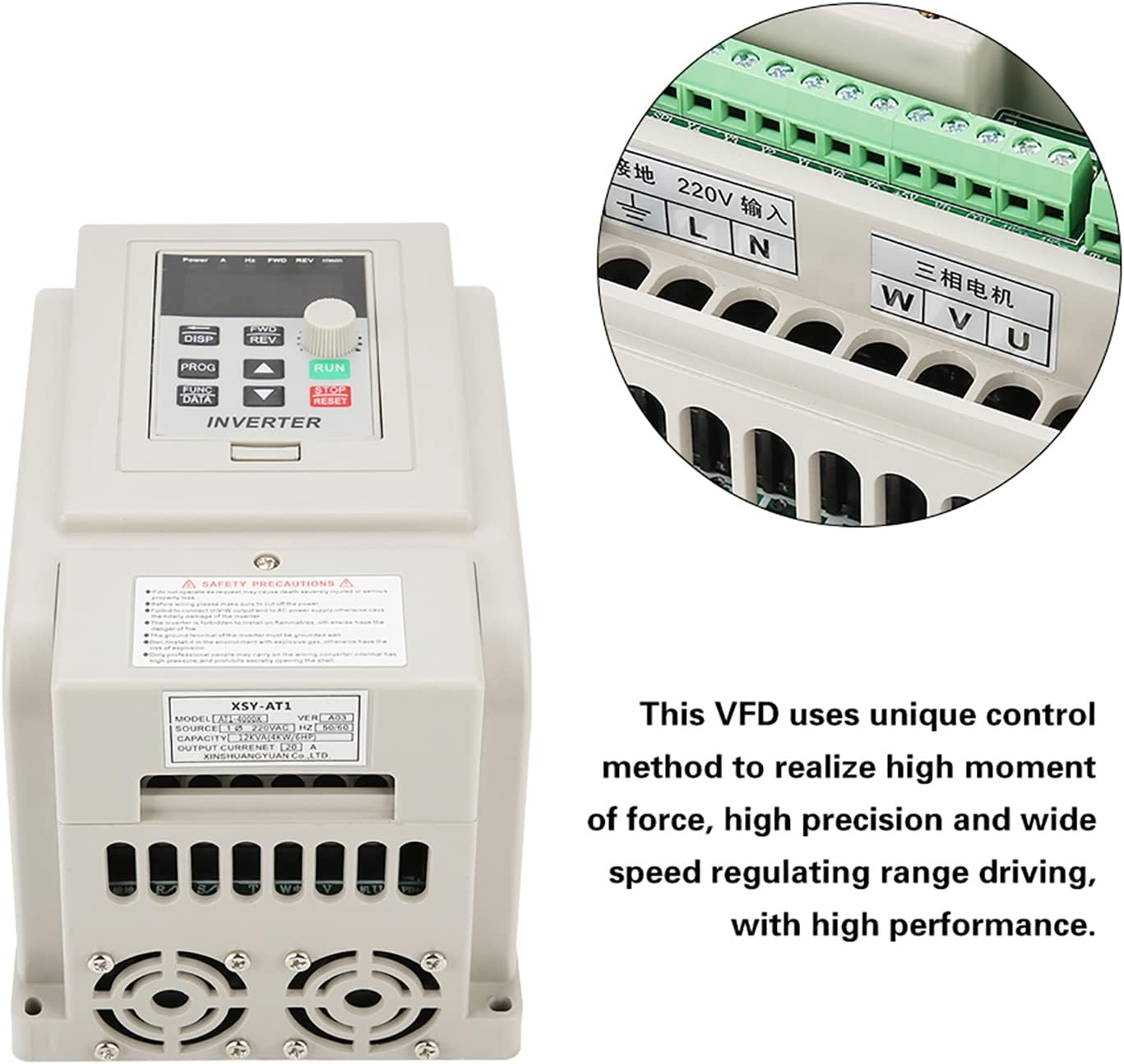
Figure 2: VFD unit with an inset detail of the wiring terminals.
| terminale | Funzione | Descrizione |
|---|---|---|
| L, N | AC 220V Single-Phase Input | Connect to the main single-phase AC 220V power supply. |
| U, V, W | Three-Phase AC Motor Output | Connect to the three-phase AC motor. |
| Terra | Terra | Collegare a una messa a terra affidabile. |
4. Istruzioni per l'uso
4.1 Pannello di controllo Sopraview
The VFD features an intuitive control panel for easy operation. Familiarize yourself with the buttons and display indicators:

Figure 3: Detailed diagram of the VFD's control panel, labeling buttons, display, and indicator lights.
- 5-digit LED Display: Mostra i parametri operativi correnti come frequenza, volumetage, current, and speed.
- Pulsante DISP: Cycles through different display parameters.
- Pulsante PROG: Entra/esce dalla modalità di programmazione.
- Pulsante FUNC/DATA: Used to select functions or confirm data entry in programming mode.
- Pulsante AVANTI/INDIETRO: Toggles motor rotation direction (Forward/Reverse).
- Pulsanti Su/Giù (▲ / ▼): Regola i valori dei parametri o naviga nei menu.
- Pulsante RUN: Avvia il motore.
- Pulsante STOP/RESET: Arresta il motore o ripristina le condizioni di guasto.
4.2 Spie luminose
- AVANTI: Illuminates when the motor is rotating clockwise.
- REV: Illuminates when the motor is rotating counter-clockwise.
- giri/min: Illuminates when the display shows motor speed (revolutions per minute).
- H: Illuminates when the display shows output frequency.
- V: Illuminates when the display shows output voltage.
- A: Illuminates when the display shows output current.
4.3 Funzionamento di base
- Accensione: Dopo aver verificato che tutti i cavi siano corretti e sicuri, alimentare il VFD. Il display si illuminerà.
- Imposta frequenza: Use the Up/Down buttons to adjust the desired output frequency. This directly controls the motor speed.
- Avviamento del motore: Premere il tasto CORRERE button to start the motor. The FWD or REV indicator will light up depending on the direction.
- Cambia direzione: Mentre il motore è in funzione, premere il AV/REV button to change the rotation direction.
- Arresto motore: Premere il tasto ARRESTO/RIPRISTINO pulsante per arrestare il motore.
- View Parametri: Premere il tasto DISP button to cycle through various operating parameters on the LED display.
5. Manutenzione
Una manutenzione regolare garantisce la longevità e le prestazioni ottimali del vostro VFD.
- Pulizia: Pulire periodicamente l'esterno del VFD con un panno morbido e asciutto. Non utilizzare detergenti liquidi o solventi. Assicurarsi che le aperture di ventilazione siano libere da polvere e detriti.
- Ispezione: Controllare regolarmente i collegamenti elettrici per verificarne la tenuta e l'eventuale presenza di segni di usura o danni. Verificare la presenza di rumori o odori insoliti durante il funzionamento.
- Ambiente: Maintain the VFD in a clean, dry, and well-ventilated environment within its specified operating temperature range.
- Ventole di raffreddamento: Ensure the cooling fans are operating correctly and are not obstructed. The internal heat sink (Figure 4) is critical for thermal management.

Figura 4: Interno view of the VFD's heat sink and cooling fans, crucial for thermal management.
6. Risoluzione Dei Problemi
Questa sezione fornisce soluzioni ai problemi più comuni che potresti riscontrare con il VFD.
| Problema | Possibile causa | Soluzione |
|---|---|---|
| Il VFD non si accende | Nessuna alimentazione; cablaggio errato; guasto interno. | Check power input (L, N terminals). Verify wiring. If problem persists, contact support. |
| Il motore non si avvia | Incorrect motor wiring; VFD in fault state; frequency set to 0. | Check U, V, W motor connections. Press STOP/RESET to clear faults. Increase frequency setting. |
| Il motore gira nella direzione sbagliata | Incorrect FWD/REV setting; motor phase sequence. | Press FWD/REV button. If still incorrect, swap any two of the U, V, W motor output wires. |
| Guasto da sovracorrente/sovraccarico | Motor overloaded; acceleration time too short; short circuit. | Reduce motor load. Increase acceleration time parameter. Check motor and wiring for short circuits. |
| Sovravoltage/Sottovoltage colpa | Ingresso voltage outside specified range; deceleration time too short. | Verificare il volume immessotage (220V +/- 15%). Increase deceleration time parameter. |
Per problemi non elencati qui o se le soluzioni non risolvono il problema, contattare l'assistenza clienti.
7. Specifiche
Detailed technical specifications for the Cuifati AT1-4000X VFD:
| Parametro | Valore |
|---|---|
| Modello | Modello AT1-4000X |
| Volume nominaletage | AC 220V (Single-Phase) |
| Ingresso volumetage Gamma | 220V AC (+/- 15%) |
| Volume di uscitatage | 220V AC (Three-Phase) |
| Potenza motore adattata | 4 kW |
| Metodo di controllo | V/F Open Loop Control |
| Volume di uscitatage Metodo di regolamentazione | Controllo PWM |
| Corrente nominale | 20 A |
| Frequenza di ingresso | Frequenza 50/60 Hz |
| Frequenza di uscita | 0 - 400 Hz |
| Fase di ingresso | 1 Fase |
| Fase di uscita | 3 fasi |
| Dimensioni del pacco | Dimensioni: 22 x 21 x 17 cm |
| Peso | 1.58 kg |
| Usi consigliati | Industriale |
| Componenti inclusi | 1 x Variable Frequency Drive |
Note: Due to product updates, new and old versions of this product may be shipped randomly. Both versions maintain the same core functionality and specifications.
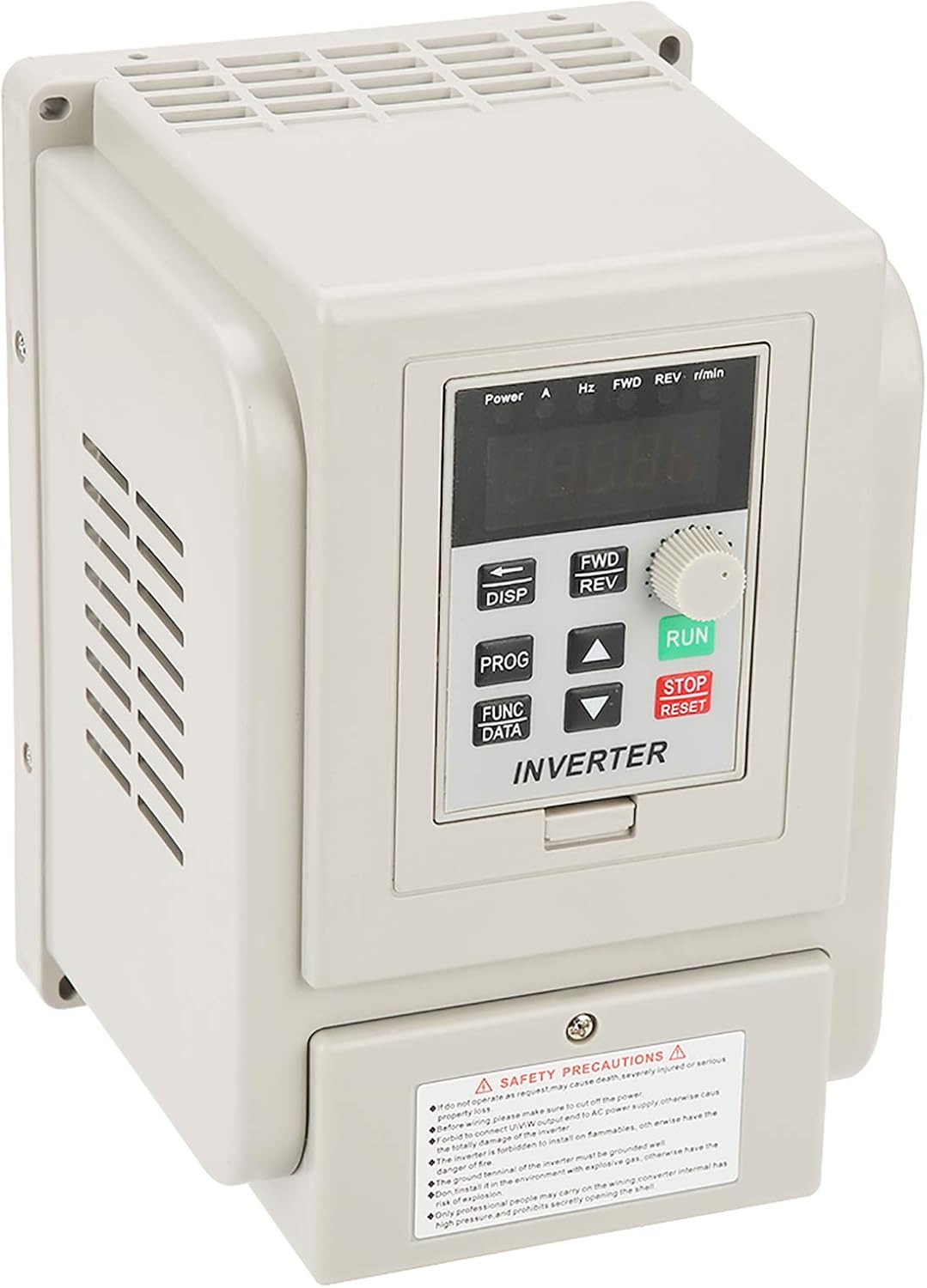
Figure 5: Comparison of new and old models of the Cuifati AT1-4000X VFD.
8. Garanzia e supporto
For any issues with the product, please contact the manufacturer or your point of purchase for assistance. Information regarding specific warranty periods and support contact details may be provided with your purchase documentation.
The manufacturer can be contacted at any time for product-related concerns, as indicated in the product features.