
1. Introduzione
This manual provides detailed instructions for the setup, operation, maintenance, and troubleshooting of your VISSPL V30 4K Supported WiFi Bluetooth Projector. Please read this manual thoroughly before using the product to ensure optimal performance and longevity.
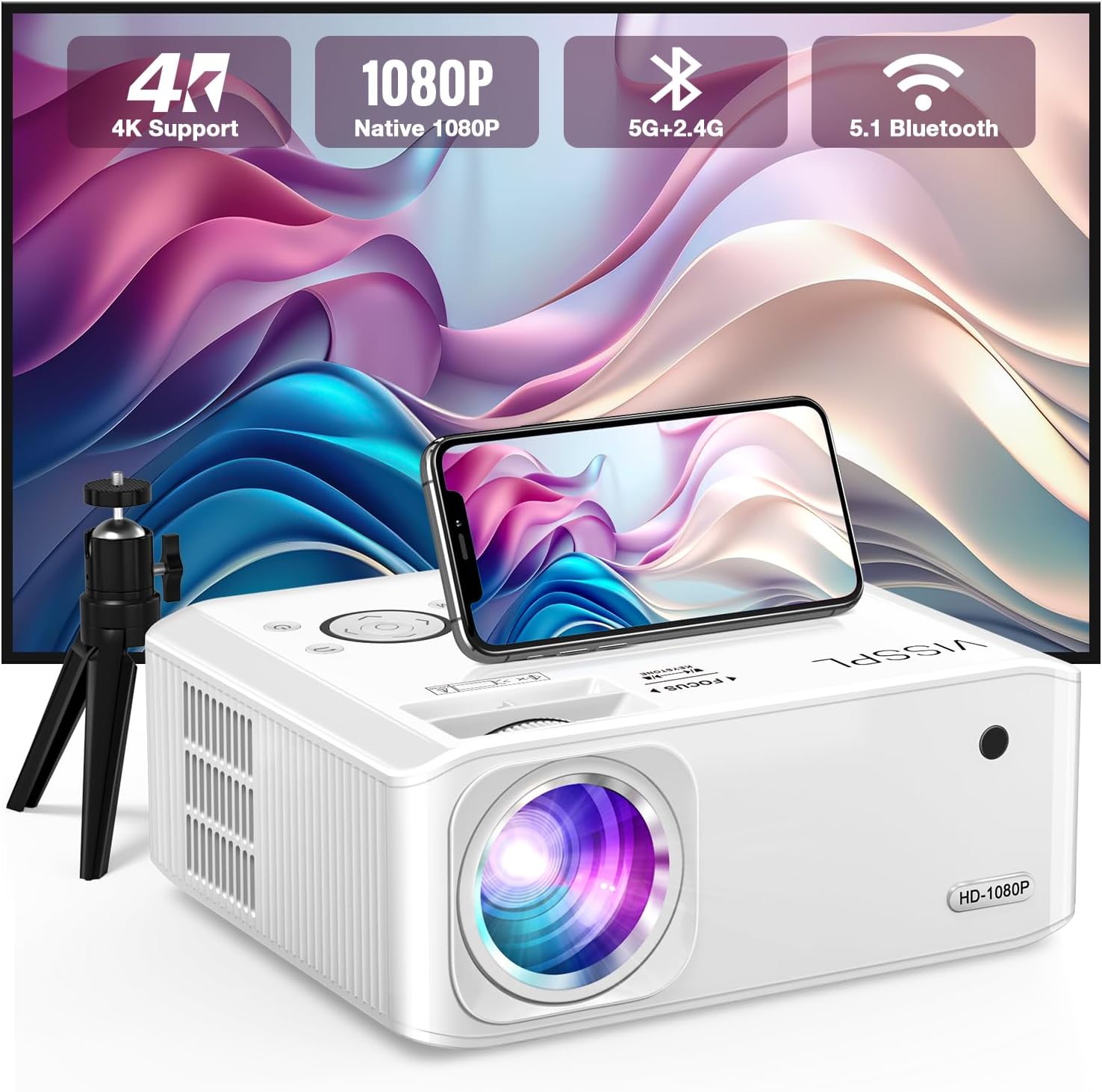
Figure 1: VISSPL V30 Projector Overview

Figure 2: Key Features of VISSPL V30 Projector
2. Contenuto della confezione
Verifica che tutti gli articoli elencati di seguito siano inclusi nel tuo pacchetto:
- VISSPL V30 Native 1080P Projector
- Schermo del proiettore da 100 pollici
- Projector Tripod
- Telecomando
- Cavo di alimentazione
- Cavo HDMI
- cavo AV
- Copriobiettivo per proiettore
- Manuale dell'utente (questo documento)
3. Impostazione
3.1 Posizionamento fisico
Position the projector on a stable, flat surface or mount it using a compatible ceiling mount. Ensure adequate ventilation around the projector. The projection distance and screen size can be adjusted to fit your environment, supporting screen sizes from 40 to 400 inches.

Figure 3: Adjustable Projection Sizes
3.2 Collegamento di alimentazione
- Collegare il cavo di alimentazione alla porta di ingresso alimentazione del proiettore.
- Collegare l'altra estremità del cavo di alimentazione a una presa elettrica standard.
3.3 Accensione iniziale
Premere il pulsante di accensione sul proiettore o sul telecomando per accendere il dispositivo. La spia luminosa si illuminerà.
4. Istruzioni per l'uso
4.1 Regolazione della messa a fuoco e della distorsione trapezoidale
Adjust the focus ring on the projector lens until the image is clear. For image shape correction, use the digital ±50° 6D/4P keystone correction feature. This allows for precise adjustments from all four corners, vertically, horizontally, and rotationally, ensuring a square image regardless of projector placement. A one-click reset function is available for convenience.

Figure 4: Digital Keystone Correction and Zoom
The zoom function allows you to adjust the image size from 100% to 50% without physically moving the projector.
4.2 Connettività
The VISSPL V30 projector offers multiple connectivity options:
- HDMI: Connect to laptops, gaming consoles (PS5, Switch), TV sticks, and other HDMI-enabled devices.
- USB: Two USB ports are available for media playback from USB drives or for connecting to PCs/laptops for presentations.
- AV: For older devices using composite video.
- Uscita audio: Connect external audio systems.

Figura 5: Compatibilità multi-dispositivo
4.3 Connettività wireless (WiFi e Bluetooth)
4.3.1 Mirroring dello schermo WiFi
The projector supports 5G+2.4G WiFi for seamless screen mirroring from Android, iOS, and Windows devices. Follow the on-screen instructions to connect your device.

Figure 6: WiFi Screen Mirroring Setup
Note: Due to HDCP copyright issues, direct playback of content from services like Netflix, Disney, or Hulu via screen mirroring is prohibited. For these services, use a TV Stick (not included) connected to the projector's HDMI port.
4.3.2 Audio Bluetooth
The integrated Bluetooth 5.1 chip allows for wireless connection to external Bluetooth speakers or headphones. This enhances the audio experience beyond the built-in stereo speaker.
- Assicurati che il tuo dispositivo audio Bluetooth sia in modalità di associazione.
- Navigate to the Bluetooth settings on the projector and select your device to pair.

Figura 7: Connessione audio Bluetooth
4.4 Media Playback and Presentations
The projector supports playback of various media formats via USB. It can also display office documents such as PPT presentations directly from a USB drive or when connected to a laptop.
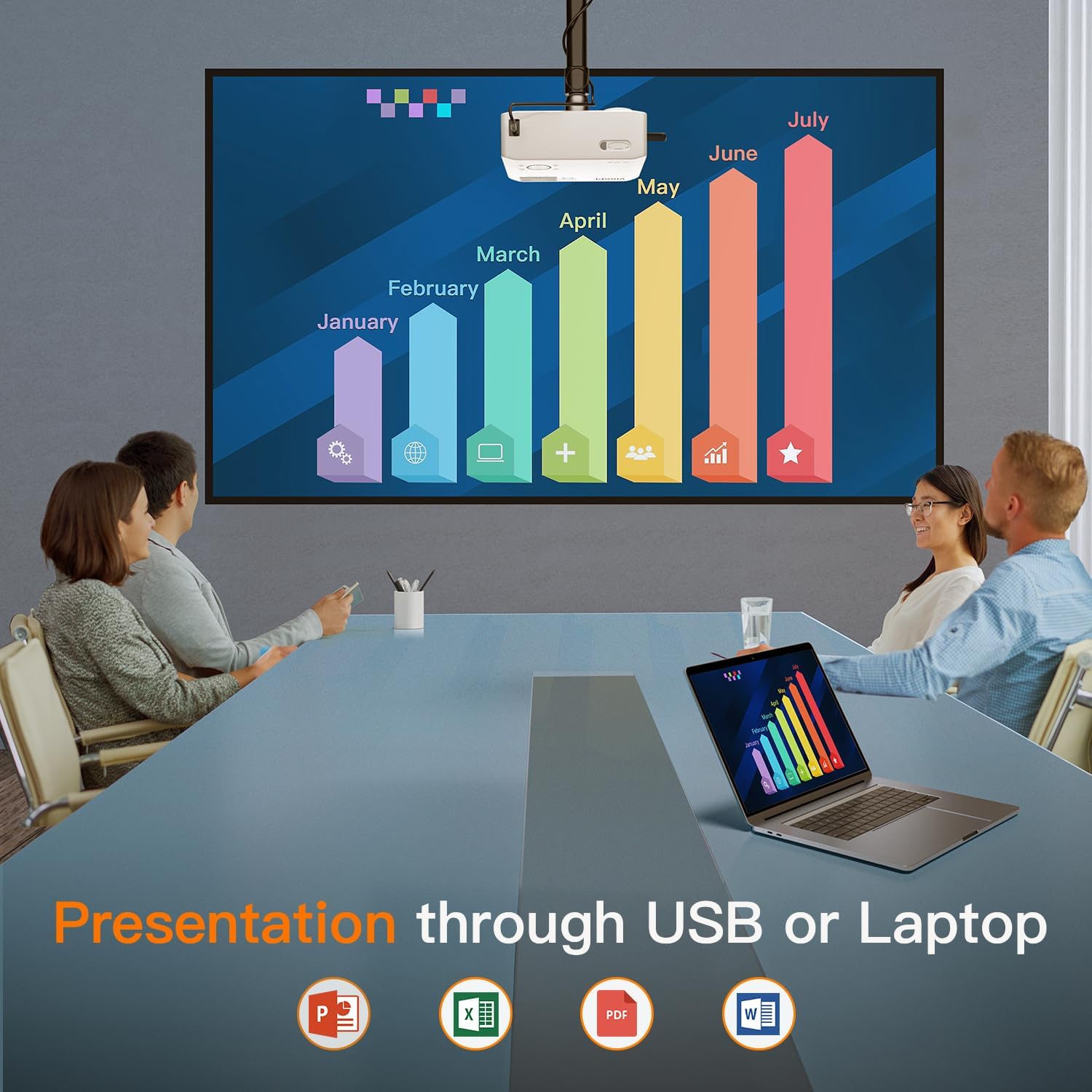
Figure 8: Business Presentation Capability
5. Manutenzione
5.1 Pulizia
- Lente: Utilizzare un panno morbido e privo di lanugine, specificamente progettato per lenti ottiche. Evitare materiali abrasivi o sostanze chimiche aggressive.
- Esterno: Pulire l'esterno del proiettore con un panno morbido e asciutto. Non utilizzare detergenti liquidi direttamente sul dispositivo.
- Ventilazione: Ensure the ventilation ports are clear of dust and obstructions to prevent overheating. The projector features a fully sealed optical core to minimize internal dust accumulation.
5.2 Conservazione
When not in use for extended periods, store the projector in a cool, dry, dust-free environment. Use the provided lens cover to protect the lens.
6. Risoluzione Dei Problemi
If you encounter issues with your VISSPL V30 projector, refer to the following common problems and solutions:
- Nessuna immagine:
- Assicurarsi che il cavo di alimentazione sia collegato saldamente e che il proiettore sia acceso.
- Verificare che la sorgente di ingresso sia selezionata correttamente (HDMI, USB, ecc.).
- Check cable connections (HDMI, AV) for looseness or damage.
- Regola la messa a fuoco e la correzione trapezoidale.
- Nessun suono:
- Aumentare il volume sia sul proiettore sia sul dispositivo sorgente collegato.
- If using Bluetooth, ensure the external speaker/headphone is paired and connected.
- Se si utilizzano altoparlanti esterni cablati, controllare i collegamenti dei cavi audio.
- WiFi/Screen Mirroring Issues:
- Ensure both the projector and your device are connected to the same WiFi network.
- Riavviare sia il proiettore che il dispositivo.
- Remember that streaming services like Netflix, Disney, and Hulu may not work directly via screen mirroring due to HDCP copyright protection. Use a TV Stick for these services.
- Immagine distorta o sfocata:
- Regolare la ghiera di messa a fuoco sull'obiettivo.
- Use the digital keystone correction to square the image.
- Assicurarsi che il proiettore sia posizionato su una superficie stabile e non vibri.
For further assistance, please contact VISSPL customer support.
7. Specifiche
| Caratteristica | Dettaglio |
|---|---|
| Marca | VISSPL |
| Numero di modello | V30 |
| Risoluzione dello schermo | 1920 x 1080 (1080P nativo, 4K supportato) |
| Luminosità | 15000L |
| Rapporto di contrasto | 15000:1 |
| Tecnologia di connettività | Bluetooth 5.1, HDMI, USB (x2), AV, Wi-Fi (5G+2.4G Hz) |
| Correzione Keystone | Digital ±50° 6D/4P |
| Funzione di zoom | Dal 100% al 50% |
| Dimensioni della proiezione | 40" - 400" |
| Tipo di altoparlante | Built-In Hi-Fi Stereo Speaker |
| Dimensioni del prodotto | 8.8 x 7.1 x 3.6 pollici |
| Peso dell'articolo | 2.97 libbre |
| Colore | Bianco perla |
| Motore ottico | Fully Sealed Optical Core |
8. Garanzia e supporto
VISSPL provides comprehensive support for your V30 projector:
- Garanzia: 2-year product replacement warranty.
- Supporto tecnico: Supporto tecnico a vita.
- Assistenza clienti: 24/7 service and 100% satisfaction guarantee.
For any inquiries or assistance, please contact VISSPL customer support through the retailer where you purchased the product or visit the official VISSPL websito per le informazioni di contatto.