
Introduzione
This manual provides comprehensive instructions for the ENDORFY Omnis Pudding Onyx White Red mechanical keyboard (Model EY5A036). This full-size keyboard features Kailh Red mechanical switches, durable PBT Pudding keycaps, and customizable ARGB backlighting. It is designed for various applications, including gaming, creative work, and general office use, offering a responsive and comfortable typing experience. Key features include a reinforced chassis, a detachable magnetic wrist rest, and a metal volume wheel for convenient audio control.
Contenuto della confezione
- ENDORFY Omnis Pudding Onyx White Red Mechanical Keyboard
- Cavo USB-A staccabile
- Poggiapolsi magnetico
- Manuale dell'utente (questo documento)
Impostare
1. Collegamento della tastiera
Connect the detachable USB-A cable to the USB-C port on the keyboard and then to an available USB-A port on your computer. The keyboard is plug-and-play and should be recognized automatically by your operating system.
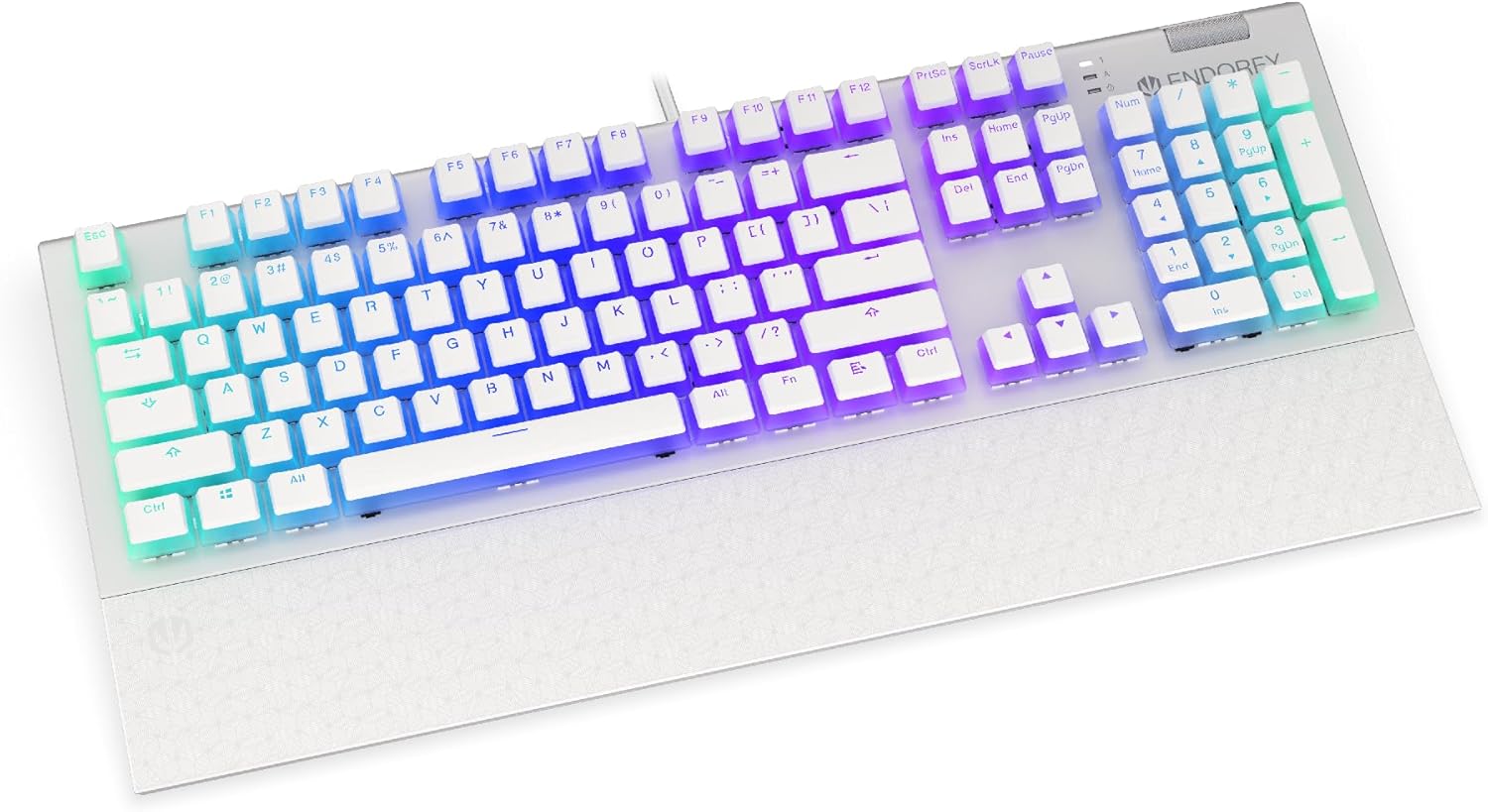
Immagine: Frontale view of the ENDORFY Omnis Pudding Onyx White Red mechanical keyboard, showcasing its full layout and connected cable.
2. Fissaggio del poggiapolsi
Align the magnetic wrist rest with the front edge of the keyboard. The magnets will automatically secure it in place, providing ergonomic support during use.

Immagine: Angolata view of the ENDORFY Omnis Pudding Onyx White Red mechanical keyboard with the magnetic wrist rest attached, highlighting the seamless integration.
3. Installazione del software (facoltativa)
For advanced customization of lighting effects, key assignments, and macros, download the official ENDORFY software from the manufacturer's websito. Seguire le istruzioni sullo schermo per l'installazione.
Istruzioni per l'uso
Funzioni di base della tastiera
The keyboard features a standard full-size layout with a dedicated numpad, function keys (F1-F12), and navigation keys. All keys operate as standard input devices for your computer.
Volume Wheel Operation
The metal volume wheel located on the top right of the keyboard allows for quick audio adjustments:
- Ruota verso l'alto: Aumentare il volume.
- Ruota verso il basso: Diminuire il volume.
- Premere: Disattiva/Riattiva l'audio.
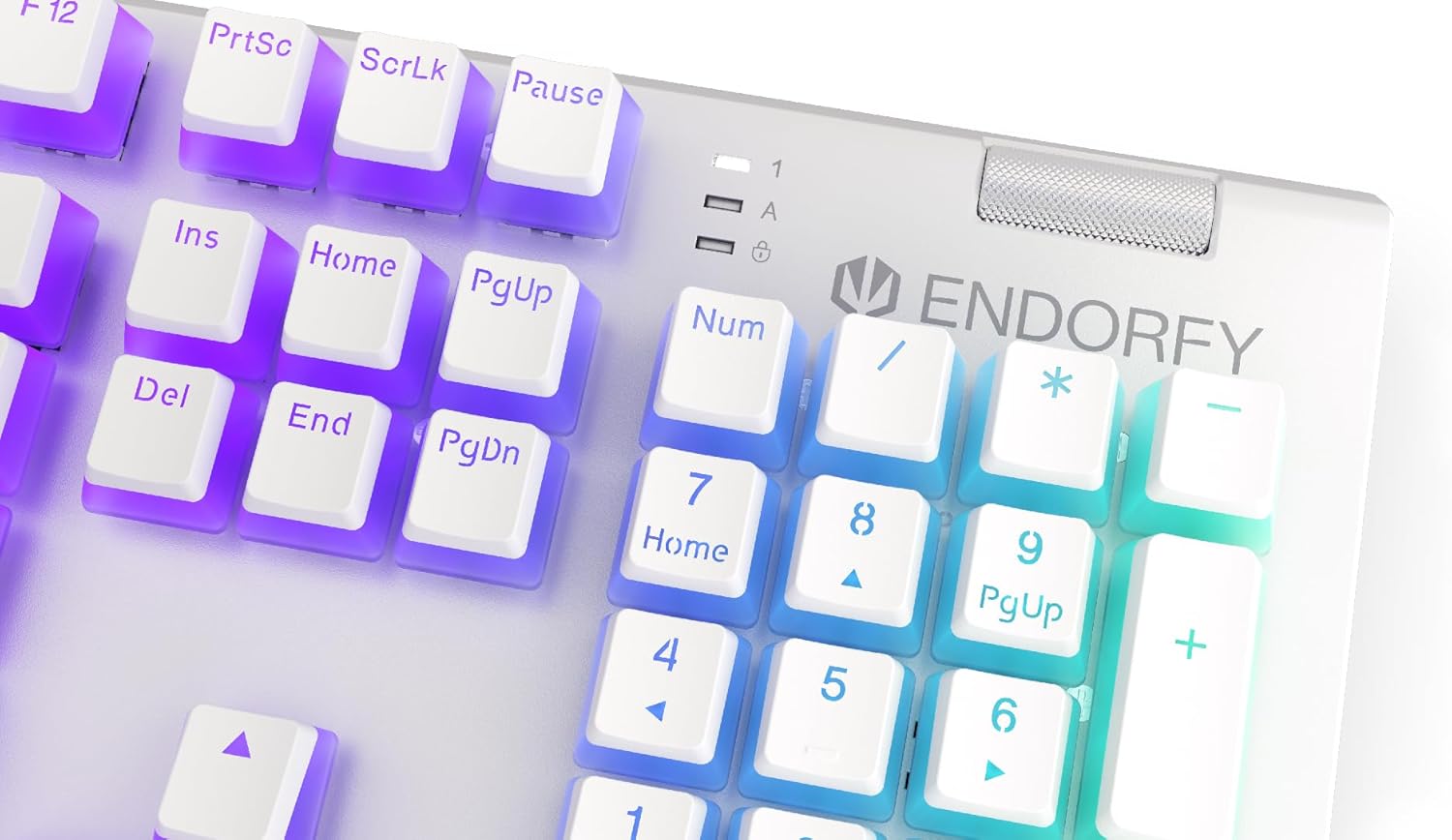
Immagine: Primo piano view of the keyboard's numpad and the prominent metal volume wheel, indicating its position for easy access.
Controllo della retroilluminazione RGB
The keyboard features customizable ARGB backlighting. Lighting effects and brightness can be adjusted using the dedicated ENDORFY software. Some basic lighting modes and brightness levels may also be accessible via keyboard shortcuts (e.g., Fn + arrow keys or specific function keys), though advanced customization is recommended through the software.

Image: The ENDORFY Omnis Pudding Onyx White Red mechanical keyboard illuminated with vibrant RGB backlighting, showcasing the Pudding keycaps.
Rollover N-chiave (NKRO)
The keyboard supports N-Key Rollover, which means every key press is registered independently, regardless of how many other keys are being pressed simultaneously. This feature is particularly beneficial for fast typists and gamers, preventing ghosting or missed inputs.
Funzionalità software
The ENDORFY software allows users to:
- Customize ARGB lighting effects and colors.
- Riassegnare i singoli tasti.
- Create and assign macros for complex command sequences.
- Gestisci più professionistifileper diverse applicazioni o giochi.
Manutenzione
Pulizia della tastiera
Per mantenere prestazioni e aspetto ottimali:
- Scollegare la tastiera dal computer prima di pulirla.
- Utilizzare un panno morbido e privo di lanugine leggermente dampPulire i tasti e il telaio con acqua o una soluzione detergente delicata.
- Per rimuovere polvere e detriti tra i tasti, utilizzare aria compressa.
- Evitare l'uso di prodotti chimici aggressivi o materiali abrasivi.
Rimozione e sostituzione dei tasti
The PBT Pudding keycaps can be removed for thorough cleaning or replacement. Use a keycap puller (not included) to gently lift keycaps straight up. When replacing, align the keycap with the switch stem and press down firmly until it clicks into place.

Immagine: Primo piano view of the Kailh Red mechanical switches, visible when keycaps are removed, illustrating the switch mechanism.
Risoluzione dei problemi
- La tastiera non risponde:
Ensure the USB cable is securely connected to both the keyboard and the computer. Try connecting the keyboard to a different USB port or a different computer to rule out port or system issues. Restart your computer. - Retroilluminazione non funzionante o errata:
Check the brightness settings via the ENDORFY software or any onboard shortcuts. Ensure the software is up to date. If specific keys have incorrect lighting, reset the lighting profile nel software. - Chiavi non registrate:
Clean under the affected keycaps to remove any debris that might be obstructing the switch. If the issue persists, it may indicate a hardware fault; refer to the Warranty and Support section. - Wrist Rest Not Attaching Securely:
Ensure there is no debris between the keyboard and the wrist rest that might interfere with the magnetic connection.
Specifiche
| Caratteristica | Dettaglio |
|---|---|
| Marca | ENDORFIA |
| Numero di modello | EY5A036 |
| Colore | Bianco |
| Interruttori a chiave | Kailh Red Mechanical |
| keycaps | PBT Pudding |
| Disposizione | Full-size (US Layout) |
| Retroilluminazione | ARGB (Configurable RGB) |
| Connettività | USB-A (Detachable Cable) |
| Poggiapolsi | Magnetic, Detachable |
| Controllo del volume | Metal Volume Wheel |
| Rollover N-chiave | SÌ |
| Sistemi operativi compatibili | Linux, Mac OS X 10.12 Sierra, Windows 7, Windows 8, Windows 10 |
| Uso consigliato | Giochi, Multimedia |
| Materiale | Polibutilentereftalato (PBT) |
Garanzia e supporto
ENDORFY products are covered by a manufacturer's warranty. For detailed warranty terms, technical support, or service inquiries, please refer to the official ENDORFY webo contattare il rivenditore locale. Conservare la prova d'acquisto per eventuali reclami in garanzia.