
Introduzione
This manual provides essential information for the safe and efficient operation of your Saba SA40S77A11 40-inch Full HD Smart Android TV. Please read these instructions carefully before using the product and retain them for future reference. This television combines Full HD resolution with the Android 11 operating system, offering integrated smart features like Chromecast and Airplay, along with versatile connectivity options.
Informazioni importanti sulla sicurezza
Osservare sempre le seguenti precauzioni di sicurezza per evitare scosse elettriche, incendi o danni al televisore.
- Non esporre il televisore alla pioggia o all'umidità.
- Non aprire la TV casing; affidare ogni intervento di manutenzione a personale qualificato.
- Assicurare una ventilazione adeguata attorno al televisore. Non ostruire le aperture di ventilazione.
- Posizionare il televisore su una superficie stabile e piana per evitare che cada.
- Proteggere il cavo di alimentazione per evitare che venga calpestato o schiacciato.
- Scollegare il televisore durante i temporali o quando non viene utilizzato per lunghi periodi.
- Tenere piccoli oggetti e liquidi lontani dal televisore per evitare che entrino nell'unità.
Contenuto della confezione
Verificare che tutti gli articoli siano presenti nella scatola:
- Saba SA40S77A11 40-inch Full HD Smart Android TV
- Telecomando (con 2 batterie AAA da 1.5 V)
- Cavo adattatore mini AV
- Cavo di alimentazione
- TV Stand (if not pre-assembled)
- Manuale dell'utente (questo documento)
Impostare
1. Fissaggio del supporto (facoltativo)
If your TV stand is not pre-assembled, carefully attach it to the bottom of the television using the provided screws. Ensure the TV is placed face down on a soft, clean surface to prevent screen damage during this process.

Immagine: Frontale view of the Saba SA40S77A11 TV with its silver stand attached, ready for placement.
Alternatively, the TV can be wall-mounted using a compatible VESA mount (sold separately). Refer to the wall mount's instructions for installation.
2. Collegamento di periferiche
Collega i tuoi dispositivi esterni alle porte appropriate sul retro o sul lato del televisore.
- HDMI: For Blu-ray players, game consoles, set-top boxes, etc.
- USB: For USB drives to play media or connect compatible accessories.
- Antenna/cavo: Connect an antenna or cable TV signal for DVB-T2/S2/C reception.
- Collegamento Ethernet: Per una connessione Internet cablata.
- MiniAV: Per i dispositivi analogici più vecchi utilizzare il cavo adattatore in dotazione.

Immagine: Lato view of the Saba SA40S77A11 TV, illustrating the various input and output ports for connecting external devices.
3. Accensione e configurazione iniziale
After connecting all necessary cables, plug the power cord into an electrical outlet. Press the power button on the remote control or on the TV itself.
The first time you turn on the TV, a setup wizard will guide you through initial configurations:
- Selezione della lingua: Scegli la tua lingua preferita.
- Connessione di rete: Connect to your Wi-Fi network or use an Ethernet cable for internet access.
- Account Google: Accedi con il tuo account Google per accedere al Google Play Store e ad altre funzionalità di Android TV.
- Scansione canali: Scan for available digital TV channels (DVB-T2/S2/C).
Istruzioni per l'uso
1. Controllo remoto finitoview
The remote control allows you to navigate the TV's interface and control various functions. Common buttons include:
- Energia: Accende o spegne la TV.
- Ingresso: Seleziona la sorgente di ingresso (HDMI, AV, TV).
- Navigazione (Su/Giù/Sinistra/Destra) e OK: Per la navigazione e la selezione del menu.
- Volume (+/-): Regola il livello del volume.
- Canale (P+/P-): Cambia canale TV.
- Casa: Ritorna alla schermata iniziale di Android TV.
- Indietro: Ritorna alla schermata o al menu precedente.
- Assistente Google: Attiva il controllo vocale.
2. Smart Android TV Features
Your Saba TV runs on Android 11, providing access to a wide range of smart features.

Image: The Saba SA40S77A11 TV screen showing the Android TV home interface with various streaming app icons and content recommendations.
- Google Play Store: Download and install your favorite streaming apps, games, and utilities.
- Chromecast integrato: Cast content (videos, photos, music) from your compatible smartphone, tablet, or computer directly to the TV.
- Trasmissione in onda: Stream content from Apple devices to your TV.
- Controllo vocale: Use the Google Assistant button on your remote to search for content, control smart home devices, and get information using voice commands.
3. Selezione della sorgente di ingresso
Press the "Input" button on your remote control to cycle through available input sources (e.g., HDMI 1, HDMI 2, AV, TV Tuner). Select the desired source for your connected device.
Manutenzione
1. Pulizia della TV
- Scollegare sempre la TV prima di pulirla.
- Utilizzare un panno morbido e asciutto per pulire lo schermo e il telaio.
- Per i segni ostinati sullo schermo, strofinare leggermenteampImmergere il panno in acqua o in un detergente specifico per schermi. Non spruzzare mai liquidi direttamente sullo schermo.
- Evitare l'uso di detergenti abrasivi, cere o solventi.
2. Aggiornamenti software
Your Android TV may receive software updates periodically to improve performance and add new features. Ensure your TV is connected to the internet to receive these updates. You can usually check for updates in the TV's settings menu under "About" or "System Update."
Risoluzione dei problemi
Se riscontri problemi con il tuo televisore, fai riferimento ai seguenti problemi comuni e alle relative soluzioni:
| Problema | Possibile soluzione |
|---|---|
| Nessun potere | Controlla che il cavo di alimentazione sia collegato saldamente al televisore e alla presa a muro. Prova una presa diversa. Assicurati che le batterie del telecomando non siano scariche. |
| Nessuna immagine, ma l'audio è presente | Ensure the correct input source is selected. Check cable connections (HDMI, AV). Try restarting the TV. |
| Nessun suono, ma l'immagine è presente | Check the volume level and ensure the TV is not muted. Verify audio settings in the TV menu. Check external audio device connections if applicable. |
| Messaggio "Nessun segnale" | Verify the antenna/cable connection. Ensure the correct input source is selected. Perform a channel scan if using the TV tuner. |
| Impossibile connettersi al Wi-Fi | Assicurati che il router Wi-Fi sia acceso e funzionante. Reinserisci la password Wi-Fi. Prova a riavviare sia la TV che il router. |
| Il telecomando non funziona | Sostituisci le batterie. Assicurati che non ci siano ostacoli tra il telecomando e il sensore IR del televisore. |
Specifiche
Below are the technical specifications for the Saba SA40S77A11 TV:
| Caratteristica | Dettaglio |
|---|---|
| Marca | Saba |
| Numero di modello | SA40S77A11 |
| Dimensioni dello schermo | 40 pollici (100.3 cm di diagonale) |
| Tecnologia di visualizzazione | GUIDATO |
| Risoluzione | 1920 x 1080 (Full HD) |
| Sistema operativo | Androide 11 |
| Frequenza di aggiornamento | Frequenza 60 Hz |
| Connettività | Wi-Fi, Ethernet, Bluetooth, HDMI, USB |
| Caratteristiche speciali | Flat screen, Chromecast, Airplay |
| Porte USB totali | 1 |
| Componenti inclusi | Mini AV adapter cable, Remote control with 2x AAA 1.5V batteries |
| Dimensioni del prodotto (PxLxA) | Dimensioni: 22.9 x 89.8 x 56.8 cm |
| Classe di efficienza energetica (SDR) | G |
| Consumo energetico (SDR) | 47.0 W / 1000 ore |
| Consumo energetico (stand-by) | 0.4 L |
| Minimum Software Updates Guaranteed Until | Informazioni non disponibili |
| Minimum Spare Parts Availability | Informazioni non disponibili |

Image: EU Energy Label for the Saba SA40S77A11 TV, showing energy efficiency class G and power consumption of 47 kWh/1000h.
Per maggiori dettagli, visita il Banca dati EPREL.
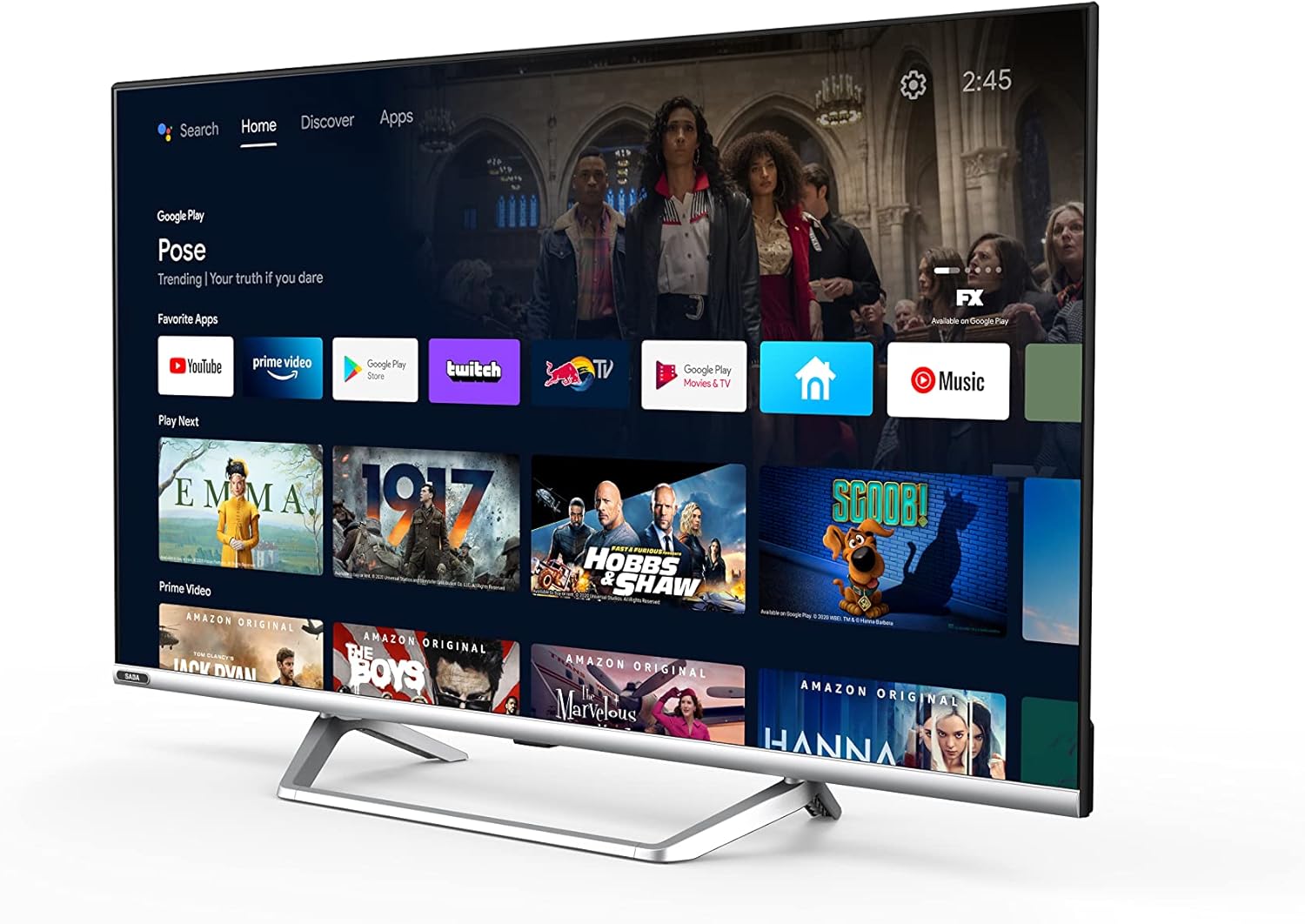
Image: Official product information sheet for the Saba SA40S77A11 TV, detailing various technical parameters and energy consumption data.
Garanzia e supporto
The manufacturer provides a minimum general warranty period of 2 anni for this product. For specific warranty terms and conditions, please refer to the warranty card included with your product or contact the retailer where the TV was purchased.
For technical support, troubleshooting beyond this manual, or inquiries regarding spare parts and software updates, please contact Saba customer service or your local dealer. Information regarding the guaranteed availability of spare parts and software updates is not explicitly provided in the product specifications.