
Xiaomi BHR6032GL
Xiaomi Mi USB-A to Type-C Cable 6A 1m Instruction Manual
Modello: BHR6032GL
Introduzione
This manual provides essential instructions for the safe and efficient use of your Xiaomi Mi USB-A to Type-C Cable (Model BHR6032GL). This durable cable is designed for high-speed charging and data transfer between compatible devices. Please read this manual thoroughly before use.
Prodotto finitoview
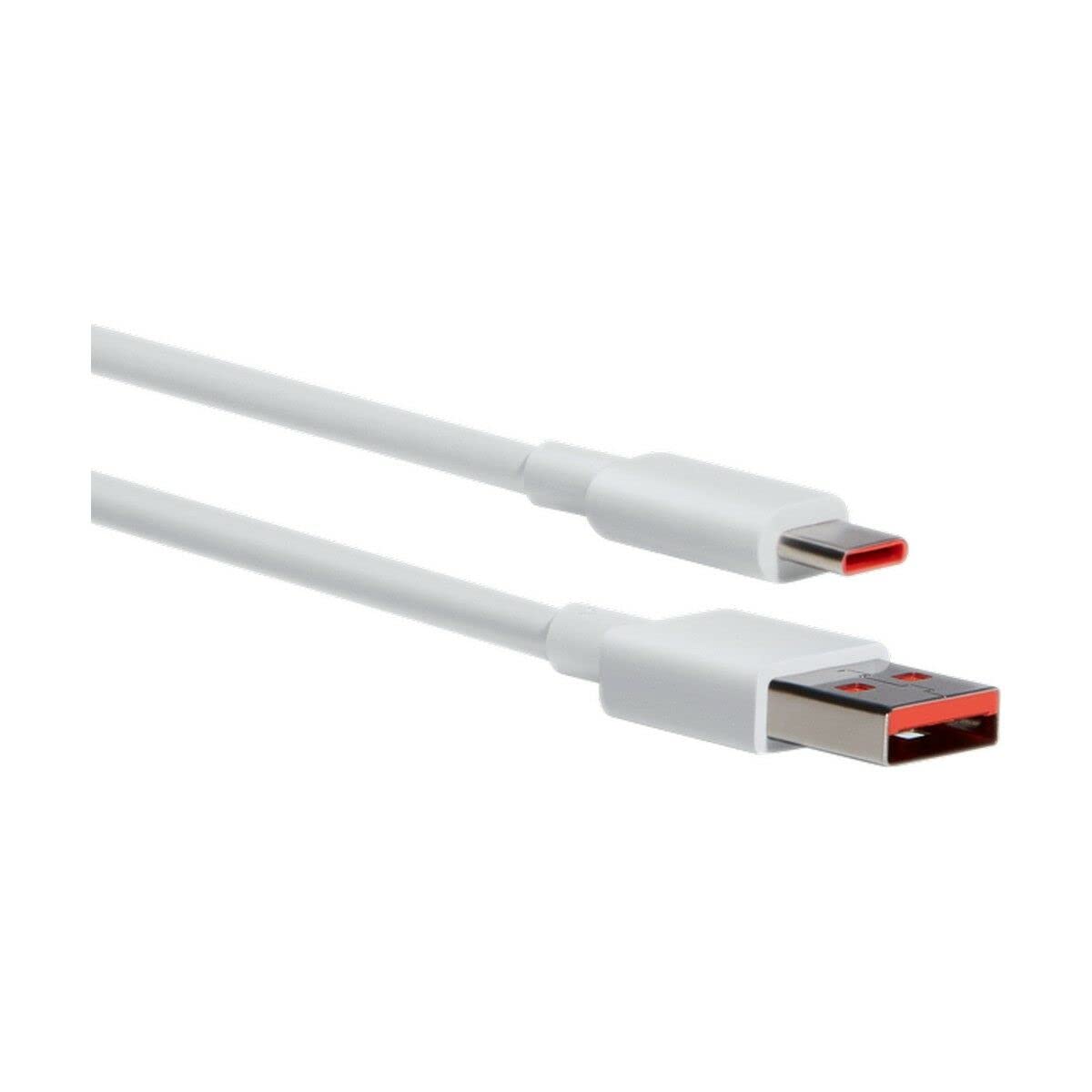
Figure 1: Xiaomi Mi USB-A to Type-C Cable (Model BHR6032GL). This image displays the cable's white color and its two distinct connectors: a standard USB-A plug and a reversible USB Type-C plug.
The Xiaomi Mi USB-A to Type-C Cable is a versatile accessory for your electronic devices. It features a USB-A connector for power sources or host devices and a USB Type-C connector for modern smartphones, tablets, laptops, and other compatible devices. The cable supports up to 6 Amps of current, enabling fast charging capabilities.
Impostazione e connessione
- Identificare i connettori: Locate the USB-A connector (rectangular) and the USB Type-C connector (oval, reversible) on your cable.
- Connect to Power Source/Host: Insert the USB-A connector into a compatible power adapter (e.g., wall charger, power bank) or a computer's USB-A port.
- Connetti al dispositivo: Insert the USB Type-C connector into the charging/data port of your smartphone, tablet, laptop, or other Type-C enabled device.
- Verifica connessione: Ensure both ends are securely inserted. For charging, your device should indicate that it is receiving power. For data transfer, your computer should recognize the connected device.
Istruzioni per l'uso
Ricarica
- This cable supports fast charging with compatible power adapters and devices, delivering up to 6 Amps of current and 30 Watts of power at 5 Volts.
- For optimal fast charging, use a Xiaomi-compatible fast charger.
- The charging speed may vary depending on the power adapter, device, and environmental conditions.
Trasferimento dati
- Connect your Type-C device to a computer using this cable.
- Once connected, your device should appear as a removable drive or media device on your computer.
- Follow your device's instructions for transferring files (e.g., photos, videos, documents).
Manutenzione e cura
- Pulizia: Wipe the cable and connectors with a soft, dry cloth. Avoid using harsh chemicals or abrasive materials.
- Magazzinaggio: Store the cable in a cool, dry place away from direct sunlight and extreme temperatures. The cable features a tangle-free design for easy storage.
- Gestione: Evitare di piegare bruscamente il cavo o di tirarlo per il filo. Afferrare sempre il connettore quando si collega o si scollega.
- Durata: This cable is designed to be durable and hard-wearing for everyday use.
Risoluzione dei problemi
| Problema | Possibile soluzione |
|---|---|
| Il dispositivo non si carica. |
|
| Velocità di ricarica lenta. |
|
| Il trasferimento dei dati non funziona. |
|
Specifiche
- Nome modello: Mi USB-A to Type-C Cable
- Numero modello: Modello BHR6032GL
- Marca: XiaomiMi
- Connector Type (Source): USB-A
- Connector Type (Device): USB di tipo C
- Lunghezza del cavo: 1 metri
- Corrente massima: 6 Amps
- Volume massimotage: 5 Volt
- Cosatage: 30 Watt
- Caratteristica speciale: Senza grovigli
- Colore: Bianco
- Materiale: Plastica
- Utilizzi consigliati: Electronic device charging, data transfer
- Dispositivi compatibili: Smartphone, Tablet, Laptop, Charging adapter, Personal computer, Printer, Projector, Speaker, SSD, Power bank
Garanzia e supporto
This Xiaomi Mi USB-A to Type-C Cable (Model BHR6032GL) comes with a Garanzia del produttore di 2 anniLa presente garanzia copre i difetti di materiali e di fabbricazione in normali condizioni di utilizzo.
For warranty claims, technical support, or further assistance, please contact your local Xiaomi customer service or the retailer from whom you purchased the product. Please retain your proof of purchase for warranty validation.
Durata della disponibilità dei pezzi di ricambio nell'UE: 3 anni.
Ask a question about this manual
Ask about setup, troubleshooting, compatibility, parts, safety, or missing instructions. Manuals+ will review the question and use this page’s manual context to help answer it.