
Teslong Single Lens
Teslong Wireless Endoscope User Manual
Modello: Lente singola
1. Introduzione
Thank you for choosing the Teslong Wireless Endoscope. This 1080P HD WiFi Inspection Camera is designed to provide clear visual inspection in hard-to-reach areas. Featuring a 7mm borescope camera with a detachable semi-rigid cable and IP67 waterproof rating, it is ideal for various applications including automotive repair, industrial mechanical inspection, drain checking, and pipeline inspection. This manual provides detailed instructions for setup, operation, maintenance, and troubleshooting to ensure optimal performance and longevity of your device.

Figure 1.1: Teslong Wireless Endoscope with smartphone holder.
2. Informazioni sulla sicurezza
Please read all safety warnings and instructions before using this product to prevent electric shock, fire, or serious injury.
- Non utilizzare il dispositivo in atmosfere esplosive, ad esempio in presenza di liquidi, gas o polveri infiammabili.
- Keep the camera probe and cable away from heat sources and sharp objects.
- Assicurarsi che il dispositivo sia completamente carico prima dell'uso per evitare interruzioni durante l'ispezione.
- The camera probe is IP67 waterproof, but the main unit (handle) is not. Do not submerge the main unit in water.
- Non tentare di smontare o modificare il dispositivo. Le riparazioni devono essere eseguite solo da personale qualificato.
- Tenere fuori dalla portata dei bambini.
3. Contenuto della confezione
Verifica che tutti gli articoli siano presenti nel tuo pacco:
- Teslong Wireless Endoscope Main Unit (WF200L5S7MM)
- Semi-rigid Inspection Cable with 7mm Camera Probe
- Cavo di ricarica USB di tipo C.
- Manuale dell'utente (questo documento)
- Accessori (gancio, magnete, specchio)
4. Prodotto finitoview
The Teslong Wireless Endoscope features an ergonomic design for comfortable single-handed operation. It includes a detachable semi-rigid cable for easy storage and interchangeability.

Figure 4.1: Ergonomic design of the Teslong WF200 Wireless Endoscope.
Componenti chiave:
- Unità principale: Handheld device with power button, brightness adjustment dial, and phone holder.
- Sonda della fotocamera: 7mm diameter, 2.0 Megapixels HD CMOS sensor with 8 adjustable LED lights.
- Cavo semirigido: Flexible yet firm cable for navigating tight spaces.
- Torcia incorporata: Provides additional illumination on the main unit.
- Porta USB-C: Per caricare la batteria interna.

Figure 4.2: The built-in LED flashlight on the main unit provides additional illumination.
5. Guida all'installazione
5.1 Ricarica del dispositivo
Before first use, fully charge the endoscope. The built-in 2000mAh rechargeable battery provides up to 4 hours of continuous working time.
- Connect the provided USB Type-C charging cable to the charging port on the main unit.
- Collegare l'altra estremità del cavo a un adattatore di alimentazione USB standard (non incluso) o a una porta USB del computer.
- The charging indicator light will show the charging status. Once fully charged, the light will change (refer to device indicators for specific behavior).
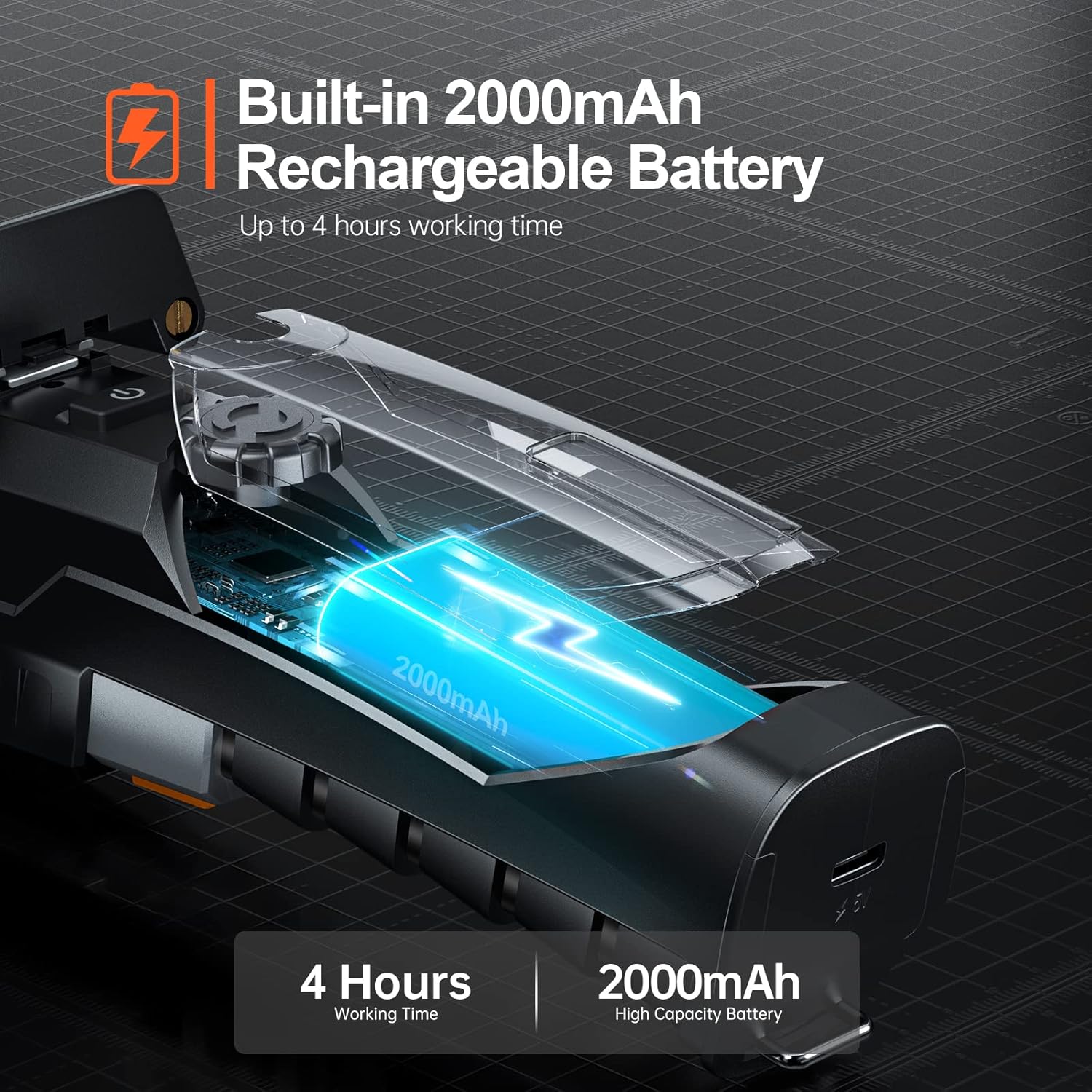
Figure 5.1: The endoscope features a 2000mAh high-capacity battery for extended use.
5.2 Installing the "Smart Endoscope" App
The Teslong Wireless Endoscope requires the "Smart Endoscope" app for operation. It is compatible with Android (7.0+) and iOS (10.0+) devices.
- Scan the QR code provided in the quick start guide or search for "Smart Endoscope" on the App Store (for iOS) or Google Play Store (for Android).
- Scarica e installa l'app sul tuo smartphone o tablet.
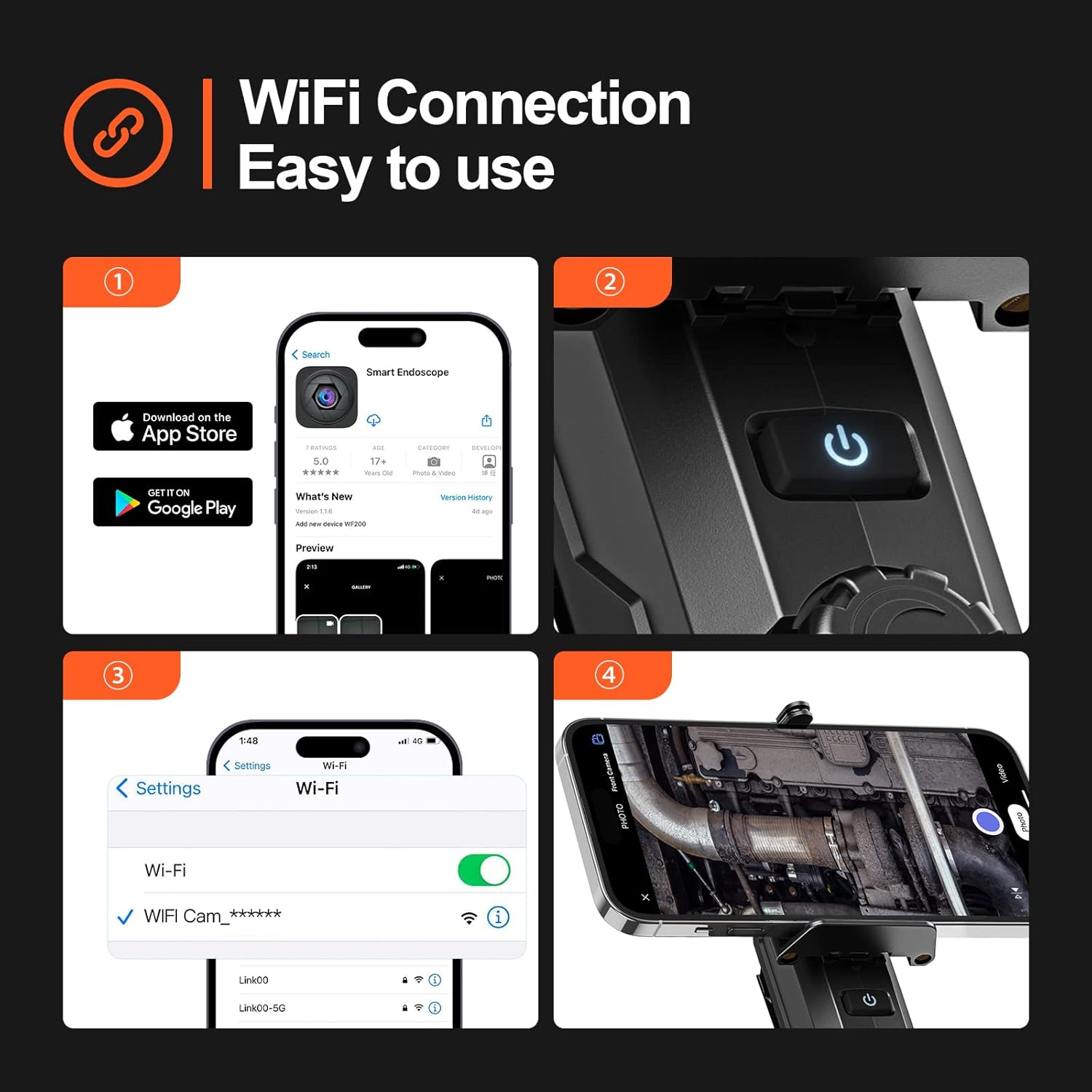
Figure 5.2: Step-by-step guide for app installation and WiFi connection.
5.3 Connessione tramite Wi-Fi
Once the app is installed, connect your device to the endoscope's Wi-Fi network.
- Power on the Teslong Wireless Endoscope by pressing and holding the power button on the main unit.
- Sul tuo smartphone o tablet, vai alle impostazioni Wi-Fi.
- Locate and select the Wi-Fi network named "WF_Cam_******" (the asterisks will be replaced by a unique device ID).
- Once connected, open the "Smart Endoscope" app. The camera feed should now be visible.
5.4 Attaching the Inspection Cable
The semi-rigid inspection cable is detachable for convenience and versatility.
- Align the connector of the inspection cable with the port on the main unit.
- Gently push and twist the connector clockwise until it clicks securely into place.
- To detach, twist counter-clockwise and pull.
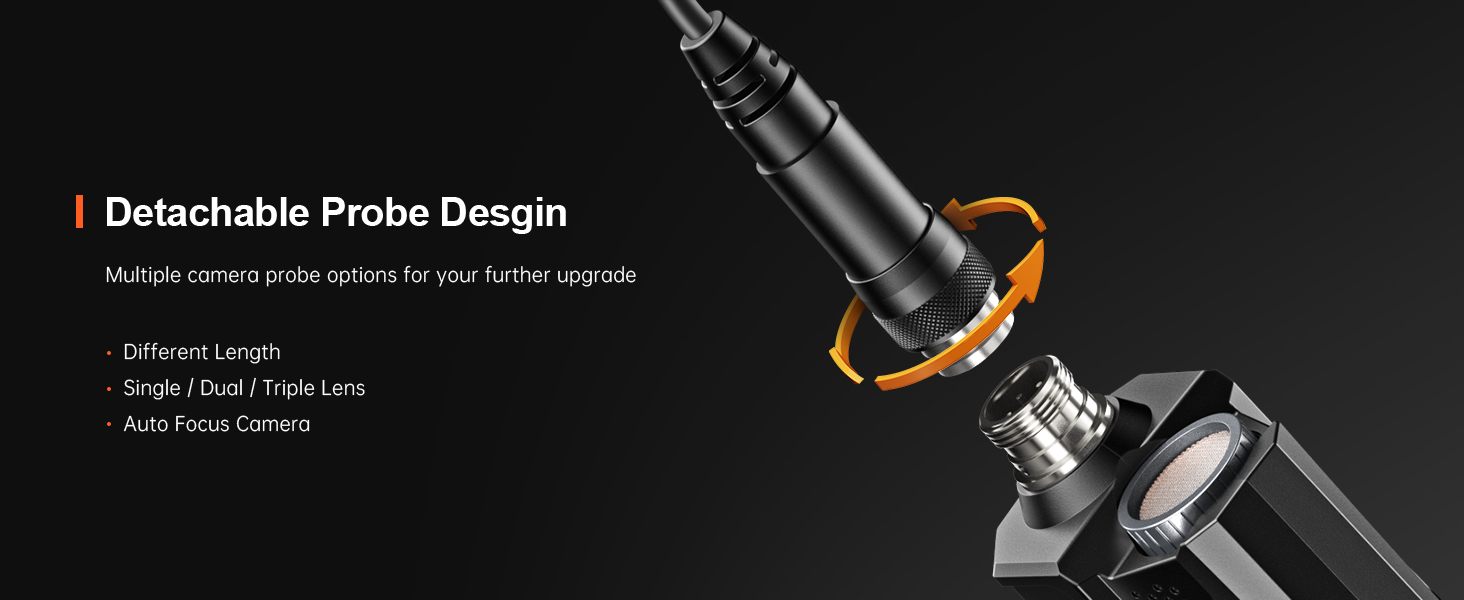
Figure 5.3: The detachable probe design allows for easy storage and future upgrades.
6. Istruzioni per l'uso
6.1 Accensione/Spegnimento
- Accensione: Press and hold the power button on the main unit until the indicator light illuminates.
- Spegni: Premere e tenere premuto nuovamente il pulsante di accensione finché la spia non si spegne.
6.2 Regolazione delle luci LED
La sonda della telecamera è dotata di 8 luci LED regolabili per illuminare le aree di ispezione buie.
- Rotate the brightness adjustment dial on the main unit to increase or decrease the intensity of the LED lights. There are three adjustable brightness levels.
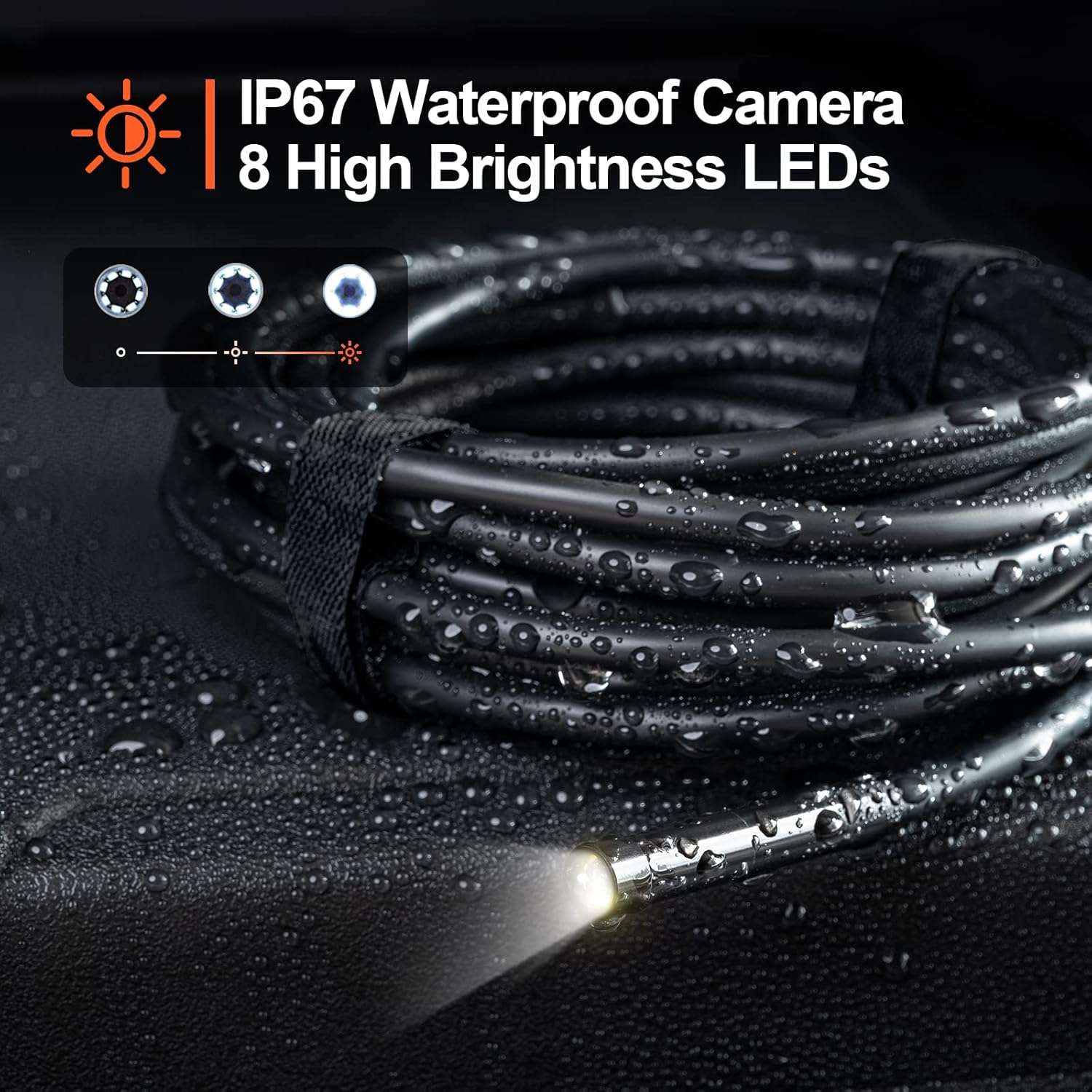
Figure 6.1: The camera probe features 8 high-brightness LEDs and is IP67 waterproof.
6.3 Acquisizione di immagini e video
Use the "Smart Endoscope" app to capture high-resolution images and videos.
- Scattare foto: In the app interface, tap the camera icon to capture a still image. Images are saved in JPEG format.
- Registrazione di video: Tap the video camera icon to start recording. Tap it again to stop. Videos are saved in MP4 format.
- Captured media will be stored directly on your connected smartphone or tablet.

Figura 6.2: View the inspection feed on your iPhone, iPad, or Android smartphone/tablet.
6.4 Using Accessories (Hook, Magnet, Mirror)
The endoscope comes with useful accessories that can be attached to the camera probe for enhanced functionality.
- Gancio: Useful for retrieving small objects from hard-to-reach places.
- Magnete: Ideal for picking up metallic items like screws or keys.
- Specchio: Fornisce un lato view for inspecting areas that are not directly in front of the camera.
To attach an accessory, carefully slide it onto the tip of the camera probe until it is secure.

Figure 6.3: Included accessories: Hook, Magnet, and Mirror for versatile inspections.
7. Manutenzione
7.1 Pulizia
- After each use, especially in dirty or wet environments, clean the camera probe and cable with a soft, damp stoffa.
- For stubborn dirt, a mild detergent can be used, but ensure no liquid enters the main unit.
- Non utilizzare detergenti abrasivi o solventi.
- Ensure the camera lens is clean for clear images. Use a lens cleaning cloth if necessary.
7.2 Conservazione
- Conservare l'endoscopio in un luogo fresco e asciutto, lontano dalla luce solare diretta e da temperature estreme.
- Detach the inspection cable from the main unit for compact storage.
- Conservare il dispositivo e gli accessori nella confezione originale o in una custodia protettiva per evitare danni.
8. Risoluzione Dei Problemi
| Problema | Possibile causa | Soluzione |
|---|---|---|
| Il dispositivo non si accende. | Batteria scarica. | Caricare completamente il dispositivo utilizzando il cavo USB-C in dotazione. |
| Nessuna immagine sull'app. | Wi-Fi not connected or incorrect network selected. | Ensure your phone is connected to the "WF_Cam_******" Wi-Fi network. Restart the app and the endoscope. |
| L'immagine è sfocata o scura. | Camera lens is dirty; insufficient lighting. | Clean the camera lens. Adjust the LED brightness using the dial on the main unit. |
| Wi-Fi connection is unstable. | Interference from other Wi-Fi networks; too far from the device. | Move closer to the endoscope. Try to minimize other Wi-Fi devices nearby. |
| L'app si blocca o si arresta in modo anomalo. | App version outdated; phone operating system issues. | Update the "Smart Endoscope" app to the latest version. Restart your smartphone/tablet. |
9. Specifiche
| Caratteristica | Dettaglio |
|---|---|
| Modello | Single Lens (WF200D7L5) |
| Risoluzione della fotocamera | 2.0 Megapixels (1920x1080p) |
| Diametro della sonda | 7mm / 0.28 pollici |
| Lunghezza del cavo | 16.5ft (approx. 5 meters) |
| Grado di impermeabilità | IP67 (solo sonda della telecamera) |
| Luci LED | 8 LED regolabili |
| Capacità della batteria | Polimero di litio da 2000 mAh |
| Orario di lavoro | Fino a 4 ore |
| Porta di ricarica | USB di tipo C |
| Connettività | Wifi |
| Sistema operativo compatibile | Android 7.0+ / iOS 10.0+ |
| Formato immagine | Formato JPEG |
| Formato video | MP4 |
| Dimensioni del pacco | Dimensioni: 22 x 21.1 x 4.9 cm |
| Peso del pacco | 0.58 chilogrammi |
10. Garanzia e supporto
Teslong provides a Garanzia di 12 mesi per questo prodotto, coprendo i difetti di fabbricazione a partire dalla data di acquisto.
Esclusioni di garanzia:
- Damage caused by improper use, accident, abuse, neglect, or unauthorized modification.
- Normale usura.
- Danni causati da calamità naturali o calamità naturali.
Assistenza clienti:
If you encounter any issues or have questions regarding your Teslong Wireless Endoscope, please contact our customer support team. Refer to the contact information provided on the Teslong official websito o la documentazione di acquisto.
For more information and product updates, visit the official Teslong store: Negozio Teslong su Amazon
Ask a question about this manual
Ask about setup, troubleshooting, compatibility, parts, safety, or missing instructions. Manuals+ will review the question and use this page’s manual context to help answer it.