
1. Introduzione
The SIIG Thunderbolt 4 Docking Station (Model: JU-DK0U11-S1) is designed to expand the connectivity of your laptop, providing a comprehensive workstation solution. This docking station offers 15 ports, enabling connections for multiple displays, peripherals, network, and power through a single Thunderbolt 4 cable. It supports high-speed data transfer and versatile display configurations for both Mac and Windows systems.

Image 1.1: SIIG Thunderbolt 4 Docking Station (JU-DK0U11-S1) overview.
2. Contenuto della confezione
Verifica che tutti gli articoli siano presenti nel tuo pacco:
- SIIG Thunderbolt 4 Docking Station (JU-DK0U11-S1)
- 150W Adattatore di alimentazione
- Cavo Thunderbolt 4
- Manuale d'uso

Image 2.1: Contents included in the SIIG Thunderbolt 4 Docking Station package.
3. Prodotto finitoview
3.1 Porte del pannello frontale
- 3.5mm Stereo Out: Per cuffie o altoparlanti esterni.
- Slot per scheda SD 3.0: Supports SD 3.0 UHS-1 memory cards up to 2TB.
- USB-A 3.2 Gen 1 (5Gbps) Ports (x2): For connecting USB-A peripherals, supporting 5V/0.9A charging.
- Porta Thunderbolt 4: For connecting Thunderbolt 4 devices or displays.
- Pulsante di accensione: Per accendere o spegnere la docking station.

Immagine 3.1: Dettagliata view of the front panel ports.
3.2 Porte del pannello posteriore
- DC Power Jack (20V/7.5A): Si collega all'adattatore di alimentazione da 150 W incluso.
- Thunderbolt 4 Port (Host PD 60W): Connects to your laptop via the Thunderbolt 4 cable, providing up to 60W power delivery.
- 3.5mm Mic In: Per collegare un microfono esterno.
- Micro SD (TF) 3.0 Card Slot: Supports Micro SD (TF) 3.0 UHS-1 memory cards up to 2TB.
- USB-A 2.0 (480Mbps) Ports (x2): For connecting USB-A peripherals, supporting 5V/1.5A charging.
- Porta Gigabit: Per la connettività di rete cablata.
- Uscita DisplayPort: Per collegare un display esterno.
- Uscita HDMI: Per collegare un display esterno.
- Thunderbolt 4 Ports (x2): For connecting additional Thunderbolt 4 devices or displays, providing 45W power delivery.

Immagine 3.2: Dettagliata view of the rear panel ports.
4. Istruzioni per l'installazione
- Connetti alimentazione: Plug the included 150W power adapter into the DC Power Jack on the rear of the docking station, then connect it to a power outlet.
- Connetti al laptop host: Use the provided Thunderbolt 4 cable to connect the Thunderbolt 4 Host port (60W PD) on the rear of the docking station to your laptop's Thunderbolt 4 or USB-C port.
- Accensione: Press the power button on the front panel of the docking station. The power indicator LED should illuminate.
- Connetti i display: Connect your monitors to the available DisplayPort, HDMI, and Thunderbolt 4 output ports on the docking station. Refer to the 'Display Configuration' section for supported setups.
- Connetti le periferiche: Connect your USB devices, Ethernet cable, and audio devices to the corresponding ports on the docking station.
5. Istruzioni per l'uso
5.1 Configurazione del display
The docking station supports various display setups, including single 8K or quad 4K displays, utilizing Thunderbolt 4 and DisplayLink technology. Ensure DisplayLink drivers are installed for optimal performance, especially for additional displays beyond native Thunderbolt outputs.
- Uscita display singolo: Supports up to 8K resolution.
- Uscita doppio display: Supports up to 2x 4K resolution via two Thunderbolt 4 ports.
- Quad Display Output: Achieved by combining two Thunderbolt 4 ports with the DisplayPort and HDMI ports, enabling four 4K displays.

Immagine 5.1: Es.ample of a quad display setup using the docking station.

Image 5.2: Display compatibility and resolution matrix for Windows and Mac M1/M2 systems.
5.2 Erogazione di potenza
The docking station provides power to your connected devices:
- Ricarica del portatile: Up to 60W Power Delivery (PD) to the host laptop via the Thunderbolt 4 host port.
- Porte Thunderbolt 4: Each of the three downstream Thunderbolt 4 ports provides up to 45W of power.
- Ricarica rapida USB-A: Two USB-A 5Gbps ports support 5V/0.9A charging, and two USB-A 2.0 ports support 5V/1.5A charging.

Image 5.3: Power delivery capabilities of the docking station.
5.3 Trasferimento dati
Experience high-speed data transfer for efficient workflow:
- Fulmine 4: Up to 40Gbps data transfer speed, 8 times faster than USB 3.0.
- USB-A 3.2 Gen 1: Up to 5Gbps data transfer speed.
- Lettore di schede di memoria: Supports SD 3.0 UHS-1 and Micro SD (TF) 3.0 UHS-1 with data transfer rates up to 104MB/s.
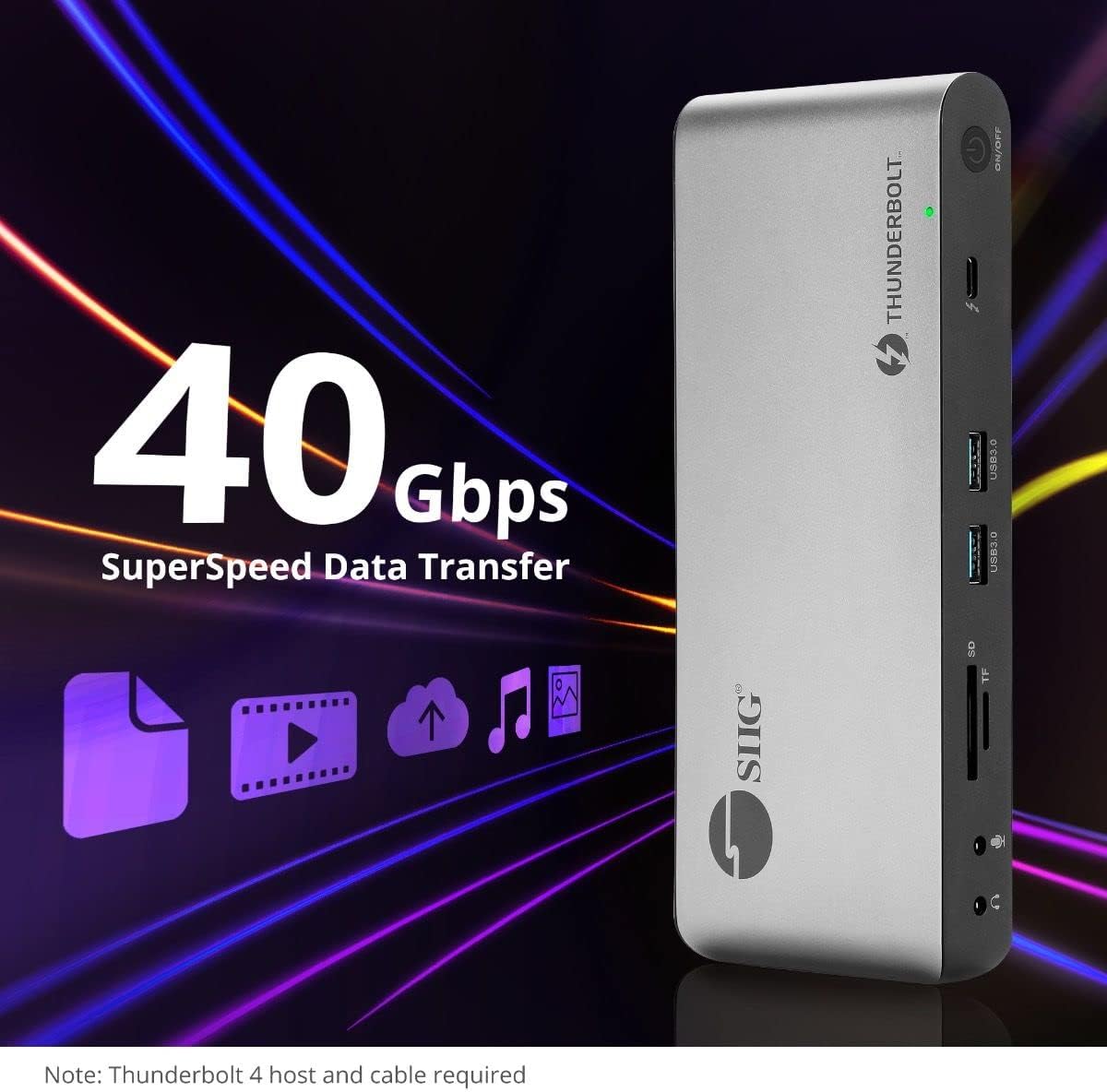
Immagine 5.4: Capacità di trasferimento dati ad alta velocità.
6. Compatibilità
The SIIG Thunderbolt 4 Docking Station is broadly compatible with various systems:
- Sistemi operativi: Mac M1/M2/M3 Pro & Max, Intel chip Macs, Windows PCs (Intel/AMD/Snapdragon), and Chromebooks.
- Compatibilità con le versioni precedenti: Fully compatible with Thunderbolt 3, USB4, and USB-C equipped computers.
7. Manutenzione
Per garantire la longevità e le prestazioni ottimali della tua docking station, segui queste linee guida per la manutenzione:
- Pulizia: Utilizzare un panno morbido e asciutto per pulire l'esterno del dispositivo. Evitare detergenti liquidi o solventi.
- Ventilazione: Assicurarsi che la docking station sia posizionata in un'area ben ventilata per evitare il surriscaldamento. Non ostruire le aperture di ventilazione.
- Magazzinaggio: Conservare il dispositivo in un luogo fresco e asciutto, lontano dalla luce solare diretta e da temperature estreme.
- Gestione: Evitare di far cadere o sottoporre il dispositivo a forti impatti.
8. Risoluzione Dei Problemi
If you encounter issues with your SIIG Thunderbolt 4 Docking Station, refer to the following common problems and solutions:
- Nessun potere:
- Assicurarsi che l'adattatore di alimentazione sia collegato saldamente sia alla docking station sia a una presa di corrente funzionante.
- Verify the power button on the docking station is pressed and the power indicator LED is on.
- Display Issues (No Signal/Incorrect Resolution):
- Check all display cables (HDMI, DisplayPort, Thunderbolt) are securely connected to both the docking station and the monitors.
- Ensure your laptop's display settings are configured correctly to detect and extend/mirror displays.
- For multi-display setups, especially beyond two monitors, ensure DisplayLink drivers are installed and up to date on your operating system.
- Verify your monitors support the selected resolution and refresh rate.
- Periferiche non rilevate:
- Ensure USB devices are properly connected to the docking station's USB ports.
- Prova a collegare la periferica direttamente al tuo laptop per verificare che funzioni.
- Riavviare la docking station e il laptop.
- Surriscaldamento:
- Ensure the docking station is placed in an area with adequate airflow and not covered.
- Reduce the number of high-power devices connected if possible, or consider using a cooling pad if persistent.
- Trasferimento dati lento:
- Ensure you are using Thunderbolt 4 certified cables for Thunderbolt connections.
- Verify the connected device supports the expected transfer speeds.
9. Specifiche
| Caratteristica | Dettaglio |
|---|---|
| Numero di modello | JU-DK0U11-S1 |
| Dimensioni del prodotto | 3.27 x 7.8 x 1.14 pollici |
| Peso dell'articolo | 15.4 once (0.96 libbre) |
| Totale porte | 15 (including 7 USB ports) |
| Connessione host | Thunderbolt 4 (USB-C) |
| Uscite video | 1x HDMI, 1x DisplayPort, 3x Thunderbolt 4 (USB-C) |
| Risoluzione massima dello schermo | Single 8K@30Hz, Quad 4K@60Hz |
| Erogazione di potenza (host) | Fino a 60W |
| Power Delivery (Downstream TB4) | Fino a 45 W per porta |
| Velocità di trasferimento dati | Thunderbolt 4: 40Gbps, USB-A 5Gbps: 5Gbps |
| Etereo | Ethernet Gigabit |
| Lettore di schede | SD 3.0 UHS-1, Micro SD (TF) 3.0 UHS-1 (up to 2TB) |
| Porte audio | 3.5mm Stereo Out, 3.5mm Mic In |
| Sistema operativo compatibile | Mac M1/M2/M3 Pro & Max, Intel Macs, Windows, Chromebooks |
| Colore | Nero |
| Codice UPC | 662774045689 |
10. Garanzia e supporto
SIIG products are designed for reliability and performance. For warranty information and technical support, please refer to the documentation included with your product or visit the official SIIG webluogo. Conserva la ricevuta di acquisto per eventuali richieste di garanzia.