
XREXS W0088B
Manuale utente dell'orologio da parete digitale grande XREXS
Modello: W0088B
1. Introduzione
The XREXS Large Digital Wall Clock (Model W0088B) is a versatile timepiece designed for both home and office environments. Featuring a large 16.5-inch LED display, it offers clear visibility of time, date, day, and temperature. This clock is equipped with WiFi synchronization for automatic time adjustment, including Daylight Saving Time, and comes with a remote control for convenient operation. Its auto-dimming feature ensures optimal brightness day and night, providing a comfortable viewing experience without disturbing sleep.
2. Contenuto della confezione
Si prega di verificare che tutti gli articoli siano presenti nel pacco:
- XREXS Large Digital Wall Clock (Model W0088B)
- Telecomando
- Adattatore di alimentazione
- Modello foro di montaggio
- Manuale d'uso
- 1 batterie AAA (per il telecomando)

Image: The XREXS Large Digital Wall Clock, its remote control, and an icon representing WiFi connectivity.
3. Caratteristiche del prodotto
- Extra Large LED Display: 16.5-inch screen with high-contrast, clear jumbo digits for easy viewing da lontano.
- WiFi Sync: Automatically adjusts time via WiFi connection, eliminating the need for manual time setting.
- Oscuramento automatico: Features 171 LED lights with an automatic dimmer that adjusts brightness according to ambient light, ensuring comfortable viewgiorno e notte.
- Display multifunzionale: Shows time (12/24 hour format), date, day of the week, and temperature (℉/℃).
- Daylight Saving Time (DST) Auto-Adjustment: Automatically adjusts for DST changes.
- Sveglia: Includes multiple alarm modes (Everyday, Mon-Fri, Weekend).
- Funzioni del timer: Stopwatch and countdown timer capabilities.
- Posizionamento flessibile: Can be wall-mounted using integrated holes or placed on a desk/nightstand using the built-in kickstand.
- Telecomando: Full control over settings and functions from a distance.

Immagine: dettagliata view of the clock's extra-large LED screen displaying various information and its dimensions.
4. Impostazione
4.1 Collegamento di alimentazione
- Insert the included AAA battery into the remote control.
- Connect the power adapter to the clock's power input port.
- Collegare l'adattatore di alimentazione a una presa elettrica standard. Il display dell'orologio si illuminerà.

Image: The digital wall clock connected to a power outlet, illustrating its plug-in operation.
4.2 WiFi Time Synchronization (Recommended)
For automatic and accurate time setting, connect the clock to your WiFi network:
- On the back of the clock, simultaneously press and hold the Allarme impostato pulsante e il Timer button until the display changes.
- On your smartphone, go to your WiFi settings and connect to the network named "HQX2128" (this is the clock's temporary setup network).
- Aprire un web browser on your smartphone and enter the IP address: 192.168.88.1
- Sul webpage, click on "Web Config".
- Enter your home WiFi network's SSID (name), password, and select your correct timezone.
- Click "Submit". The clock will attempt to connect to your WiFi.
- Once successfully connected, "Success..." will appear on your phone screen, and a WiFi signal icon will appear on the top right of the clock's display. The clock will then automatically synchronize its time.
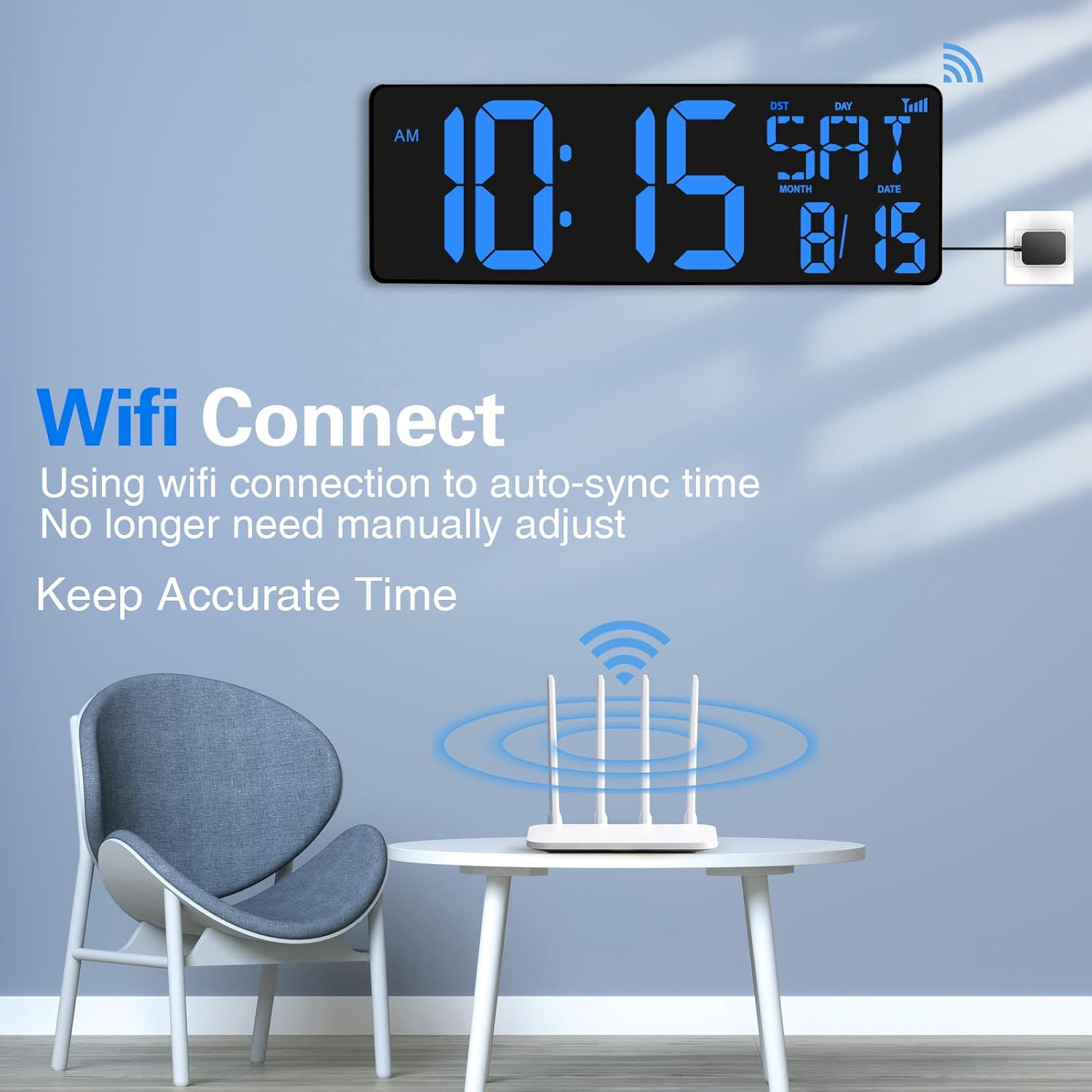
Image: The digital clock displaying time and date, with a WiFi signal icon indicating successful connection and automatic time synchronization.
4.3 Manual Time Setting (Alternative)
If WiFi is not available or preferred, you can set the time manually using the buttons on the back of the clock or the remote control.
- Refer to the "Operating Instructions" section for detailed steps on manual time, date, and alarm settings.

Image: The rear of the clock, highlighting the manual control buttons and the foldable kickstand for desk placement.
5. Istruzioni per l'uso
5.1 Modalità di visualizzazione
The clock cycles through different display modes automatically. You can also manually switch or configure display preferences using the remote control.
- Visualizzazione dell'ora: Shows current time in AM/PM or 24-hour format.
- Date/Day/Temperature Display: Cycles through month/date, day of the week, and temperature (℉/℃).

Image: The clock displaying time in both 12-hour (AM/PM) and 24-hour formats.
5.2 Regolazione della luminosità
The clock offers automatic dimming and manual brightness control:
- Oscuramento automatico: The clock automatically adjusts its brightness based on ambient light conditions. This is the default and recommended setting.
- Controllo manuale: Use the brightness adjustment switch on the back of the clock (High/Low) or the light bulb buttons on the remote control to set a fixed brightness level.

Image: The clock demonstrating its auto-dimming capability, showing a brighter display during the day and a softer glow at night.
5.3 Impostazioni di allarme
Set up to three alarms with different modes:
- Premere il tasto SET ALLARME button on the remote or the back of the clock.
- Utilizzare il HR E MINIMO pulsanti per impostare l'orario desiderato per la sveglia.
- Premere SET ALLARME again to cycle through alarm modes:
- 1E: Work Everyday (Monday-Sunday)
- 2E: Work on MON to FRI
- 3E: Work on Weekend (Saturday-Sunday)
- Premere IMPOSTATO per confermare e uscire.

Image: The clock displaying its three distinct alarm modes for different schedules.
5.4 Timer Functions (Stopwatch & Countdown)
The clock supports both stopwatch and countdown timer functions:
- Premere il tasto TIMER button on the remote or the back of the clock to switch to timer mode.
- Cronometro: In modalità timer, premere Timer ST/SP to start/pause the stopwatch. Press Ripristino del timer per cancellare.
- Conto alla rovescia: In timer mode, use HR, MINIMO, SEC buttons to set the countdown duration. Press Timer ST/SP to start/pause. Press Ripristino del timer per cancellare.

Image: The clock showcasing its stopwatch and countdown timer capabilities, along with its three main modes: Timer, Clock, and Alarm Clock.
6. Manutenzione
- Clean the clock display and body with a soft, dry cloth. Do not use abrasive cleaners or solvents.
- Evitare di esporre l'orologio a temperature estreme, alla luce solare diretta o a elevata umidità.
- Ensure the power adapter is securely connected and the cable is not pinched or damaged.
- Replace the remote control battery (AAA) when its functionality diminishes.
7. Risoluzione Dei Problemi
| Problema | Possibile causa | Soluzione |
|---|---|---|
| L'orologio non si accende. | Adattatore di alimentazione non collegato o presa difettosa. | Ensure power adapter is securely plugged into the clock and a working electrical outlet. Try a different outlet. |
| La connessione WiFi non funziona o è instabile. | Incorrect WiFi SSID/password, weak signal, or router compatibility. |
|
| Telecomando non funzionante. | Battery depleted or incorrect orientation. | Replace the AAA battery in the remote control, ensuring correct polarity. Point the remote directly at the clock. |
| Il display è troppo luminoso o troppo scuro. | Brightness setting is not optimal. | Adjust the brightness using the switch on the back of the clock (High/Low/Auto) or the light buttons on the remote control. |
| L'ora è errata dopo lo spegnimentotage (without WiFi). | No memory function without WiFi connection. | Reconnect to WiFi or manually set the time. The clock has memory function only when successfully connected to WiFi. |
8. Specifiche
| Marca | XREX |
| Numero di modello | W0088B |
| Dimensioni del prodotto | 16.5"L x 4.84"A |
| Fonte di alimentazione | Elettrico con cavo |
| Uso interno/esterno | Al chiuso |
| Materiale del telaio | Acrilonitrile-butadiene-stirene |
| Peso dell'articolo | 15 once |
| Batteria remota | È necessaria 1 batteria AAA (inclusa) |
| Tipo di montaggio | Montaggio a parete |
| Movimento dell'orologio | Automatico |
9. Garanzia e supporto
The XREXS Large Digital Wall Clock comes with a manufacturer's warranty. For specific warranty details, claims, or technical support, please refer to the contact information provided in the product packaging or visit the official XREXS websito.
For additional assistance, you may also contact Amazon customer support or visit the XREXS Store on Amazon.
Ask a question about this manual
Ask about setup, troubleshooting, compatibility, parts, safety, or missing instructions. Manuals+ will review the question and use this page’s manual context to help answer it.