
1. Introduzione
Thank you for choosing the fojep Wireless Earbuds BX28. These earbuds are designed to provide a high-quality audio experience with advanced features for daily use and sports activities. This manual will guide you through the setup, operation, and maintenance of your new earbuds.

Figure 1.1: fojep Wireless Earbuds BX28 with charging case. The earbuds feature an ergonomic design with earhooks for a secure fit, and the charging case has an LED digital display.
2. Contenuto della confezione
Si prega di verificare che tutti gli articoli siano presenti nel pacco:
- fojep Wireless Earbuds (Left and Right)
- Custodia di ricarica con display digitale a LED
- Cavo di ricarica USB di tipo C.
- Punte auricolari (3 misure: S, M, L)
- Manuale d'uso
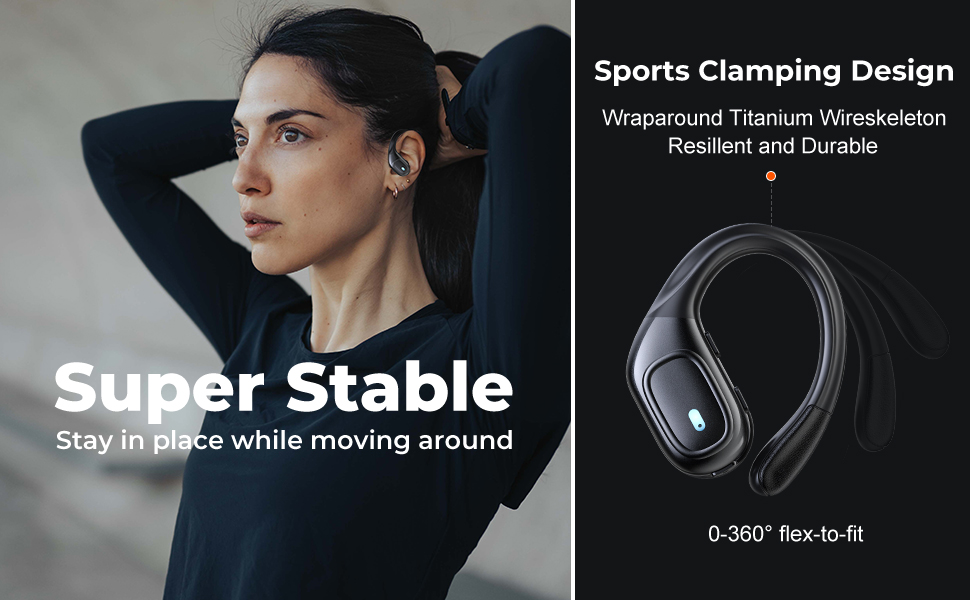
Figure 2.1: Illustration of the items included in the fojep BX28 earbud package, showing the earbuds, charging case, charging cable, and various eartip sizes.
3. Impostazione
3.1 Ricarica degli auricolari e della custodia
Before first use, fully charge the earbuds and the charging case. The charging case features an LED digital display that shows the battery percentage of the case and individual battery status bars for each earbud.
- Place both earbuds into the charging case. Ensure they are correctly seated; the indicator lights on the earbuds will illuminate.
- Collegare il cavo di ricarica USB Type-C alla porta di ricarica sulla custodia e l'altra estremità a una fonte di alimentazione USB (ad esempio, un adattatore da parete, una porta USB del computer).
- The LED display on the charging case will show the charging progress. A full charge typically takes approximately 1.5-2 hours.

Figure 3.1: The charging case displays the battery percentage for the case and individual charge levels for the left and right earbuds. The earbuds offer up to 7 hours of playtime, extended to 75 hours with the charging case.
3.2 Associazione con un dispositivo Bluetooth
The fojep BX28 earbuds feature one-step auto pairing for convenience.
- Aprire la custodia di ricarica. Gli auricolari si accenderanno automaticamente ed entreranno in modalità di associazione.
- On your device (smartphone, tablet, laptop), activate Bluetooth.
- Cercare available Bluetooth devices. Select "BX28" dall'elenco.
- Una volta effettuata la connessione, sentirai un tono di conferma e gli auricolari saranno pronti per l'uso.
Una volta rimossi dalla custodia, gli auricolari si riconnetteranno automaticamente all'ultimo dispositivo associato, a condizione che il Bluetooth sia abilitato sul dispositivo.
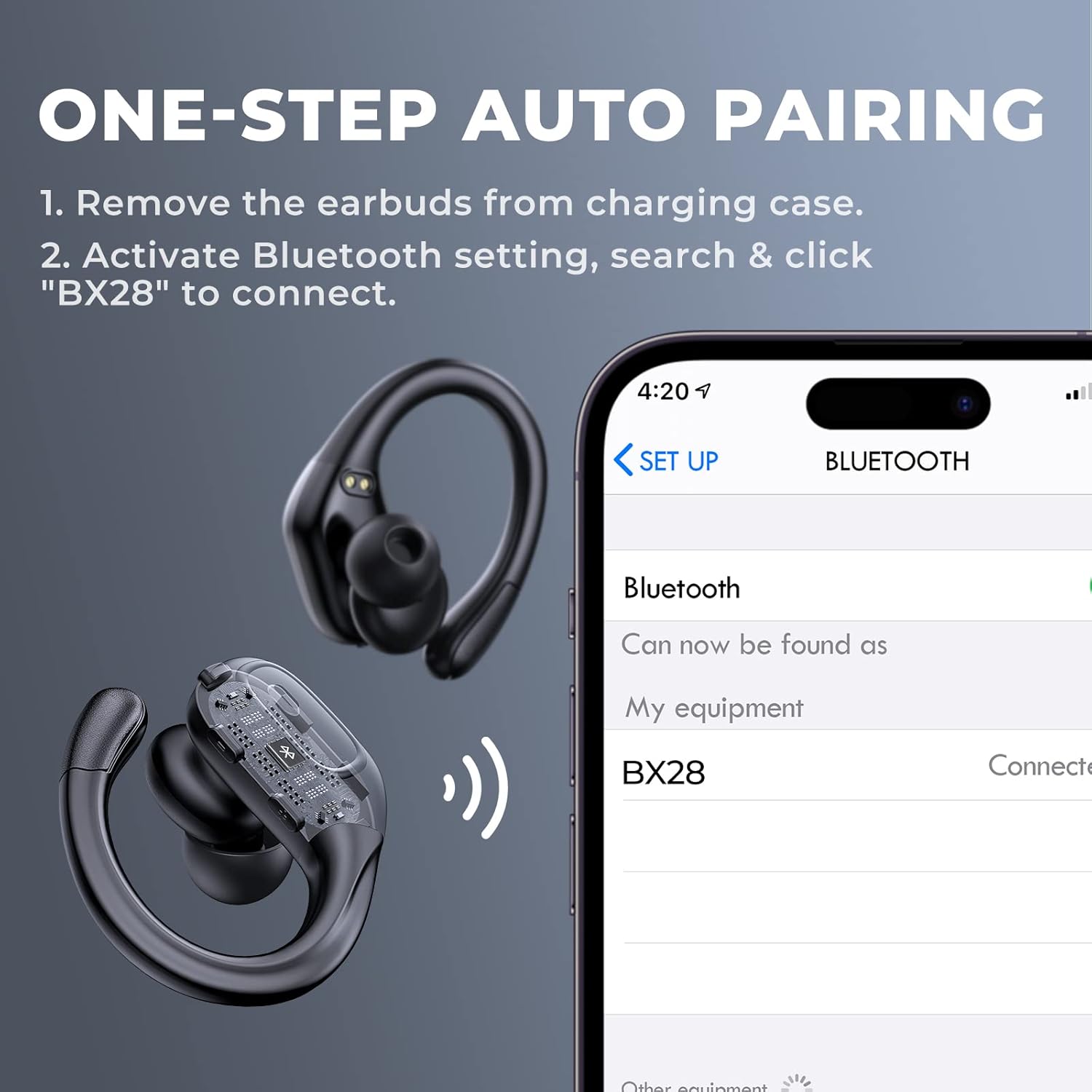
Figure 3.2: Visual guide for the one-step auto pairing process. Simply remove the earbuds from the charging case, and they will appear as "BX28" in your device's Bluetooth settings for connection.
3.3 Indossare gli auricolari
For optimal sound quality and comfort, choose the correct size eartips and adjust the earhooks.
- Select the eartips (S, M, L) that provide a snug and comfortable fit in your ear canal. A good seal enhances bass response and noise isolation.
- Gently place the earbud into your ear, ensuring the earhook wraps securely around the back of your ear. The earhooks are flexible for a customized fit.

Figure 3.3: The ergonomic design of the fojep BX28 earbuds, featuring flexible earhooks and multiple eartip sizes (S/M/L) to ensure a comfortable and secure fit, especially during sports activities.
4. Istruzioni per l'uso
The fojep BX28 earbuds feature intuitive touch controls on each earbud. The controls are mirrored on both earbuds, allowing for single-earbud use.
4.1 Controlli di riproduzione musicale
| Azione | Auricolare sinistro | Auricolare destro |
|---|---|---|
| Riproduci/Pausa | Singolo tocco | Singolo tocco |
| Prossima canzone | N / A | Doppio tocco |
| Canzone precedente | Doppio tocco | N / A |
| Alza il volume | N / A | Triplo tocco |
| Abbassa il volume | Triplo tocco | N / A |
4.2 Controlli di gestione delle chiamate
| Azione | Auricolare sinistro | Auricolare destro |
|---|---|---|
| Rispondi alla chiamata | Singolo tocco | Singolo tocco |
| Termina chiamata | Singolo tocco | Singolo tocco |
| Rifiuta chiamata | Pressione lunga (2 secondi) | Pressione lunga (2 secondi) |
4.3 Assistente vocale
Activate your device's voice assistant (Siri, Google Assistant, etc.) by performing a specific tap gesture.
| Azione | Auricolare sinistro | Auricolare destro |
|---|---|---|
| Attiva l'Assistente Vocale | Pressione lunga (2 secondi) | Pressione lunga (2 secondi) |
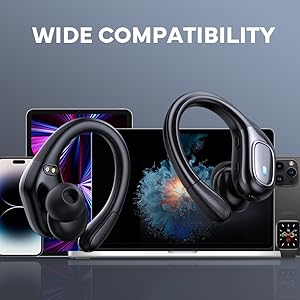
Figure 4.1: Detailed diagram of the touch controls for both left and right fojep BX28 earbuds, illustrating functions for music playback, call management, and voice assistant activation.
5. Manutenzione
Proper maintenance ensures the longevity and optimal performance of your fojep Wireless Earbuds BX28.
5.1 Pulizia
- Pulisci regolarmente gli auricolari, in particolare i gommini e i contatti di ricarica, con un panno morbido, asciutto e privo di lanugine.
- Per sporco ostinato, leggermente dampPulire il panno con acqua o con un detergente delicato e non abrasivo. Evitare l'eccessiva umidità.
- Non utilizzare prodotti chimici aggressivi, alcol o materiali abrasivi.
- Assicurarsi che gli auricolari siano completamente asciutti prima di riporli nella custodia di ricarica.
5.2 Conservazione
- Quando non li usi, riponi gli auricolari nella custodia di ricarica per proteggerli e mantenerli carichi.
- Conservare in un luogo fresco e asciutto, lontano da temperature estreme e dalla luce solare diretta.
5.3 Resistenza all'acqua (IPX7)
The earbuds are rated IPX7 waterproof, meaning they can withstand submersion in up to 1 meter of water for 30 minutes. This makes them suitable for sweat resistance, rain, and splashes.
- Nota: La custodia di ricarica è NON waterproof. Do not expose the charging case to water.
- Dopo l'esposizione all'acqua o al sudore, assicurarsi che gli auricolari siano completamente asciutti prima di riporli nella custodia di ricarica, per evitare di danneggiare i contatti di ricarica.

Figure 5.1: The fojep BX28 earbuds are IPX7 rated, providing protection against rain, sweat, and splashes, making them suitable for various activities.
6. Risoluzione Dei Problemi
If you encounter issues with your fojep Wireless Earbuds BX28, refer to the following common solutions:
| Problema | Possibile causa | Soluzione |
|---|---|---|
| Gli auricolari non si associano/connettono | Bluetooth disattivato, auricolari non in modalità di associazione, interferenza, dispositivo precedentemente associato. |
|
| Un solo auricolare funzionante | Low battery, not properly paired, earbud not connected to each other. |
|
| Volume basso o scarsa qualità del suono | Incorrect eartip size, earwax buildup, low device volume, poor connection. |
|
| La custodia di ricarica non si ricarica | Cavo difettoso, problema con la fonte di alimentazione, porta di ricarica sporca. |
|
7. Specifiche
| Caratteristica | Dettaglio |
|---|---|
| Numero di modello | Modello BX28 |
| Versione Bluetooth | V5.3 |
| Tempo di riproduzione degli auricolari | Fino a 7 ore (carica singola) |
| Tempo di riproduzione totale (con custodia di ricarica) | Fino a 75 ore |
| Grado di impermeabilità | IPX7 (solo auricolari) |
| Metodo di controllo | Controllo touch |
| Microfono | Built-in, CVC Noise Cancelling |
| Porta di ricarica | USB di tipo C |
| Materiale | Plastica |
| Colore | Nero profondo |

Figure 7.1: The fojep BX28 earbuds utilize advanced Bluetooth 5.3 technology, offering improved connection stability and efficiency compared to older versions.

Figure 7.2: The fojep BX28 earbuds are widely compatible with various Bluetooth-enabled devices, including smartphones, tablets, laptops, and smartwatches.
8. Garanzia e supporto
fojep products are designed with quality and reliability in mind. For warranty information and customer support, please refer to the following:
- Garanzia: Specific warranty terms and duration may vary by region and retailer. Please retain your proof of purchase for warranty claims.
- Assistenza clienti: If you experience any issues or have questions not covered in this manual, please contact fojep customer support through the platform where you purchased the product (e.g., Amazon Message Center).
- Risorse online: For the latest information, FAQs, and additional support, visit the official fojep store page on Amazon: fojep Amazon Store.
Your satisfaction is important to us. We are committed to providing excellent service and support.