
Introduzione
This manual provides detailed instructions for the setup, operation, and maintenance of your Muddy MTC100X 14.0 MP Trail Camera. Please read this manual thoroughly before using the camera to ensure optimal performance and longevity.
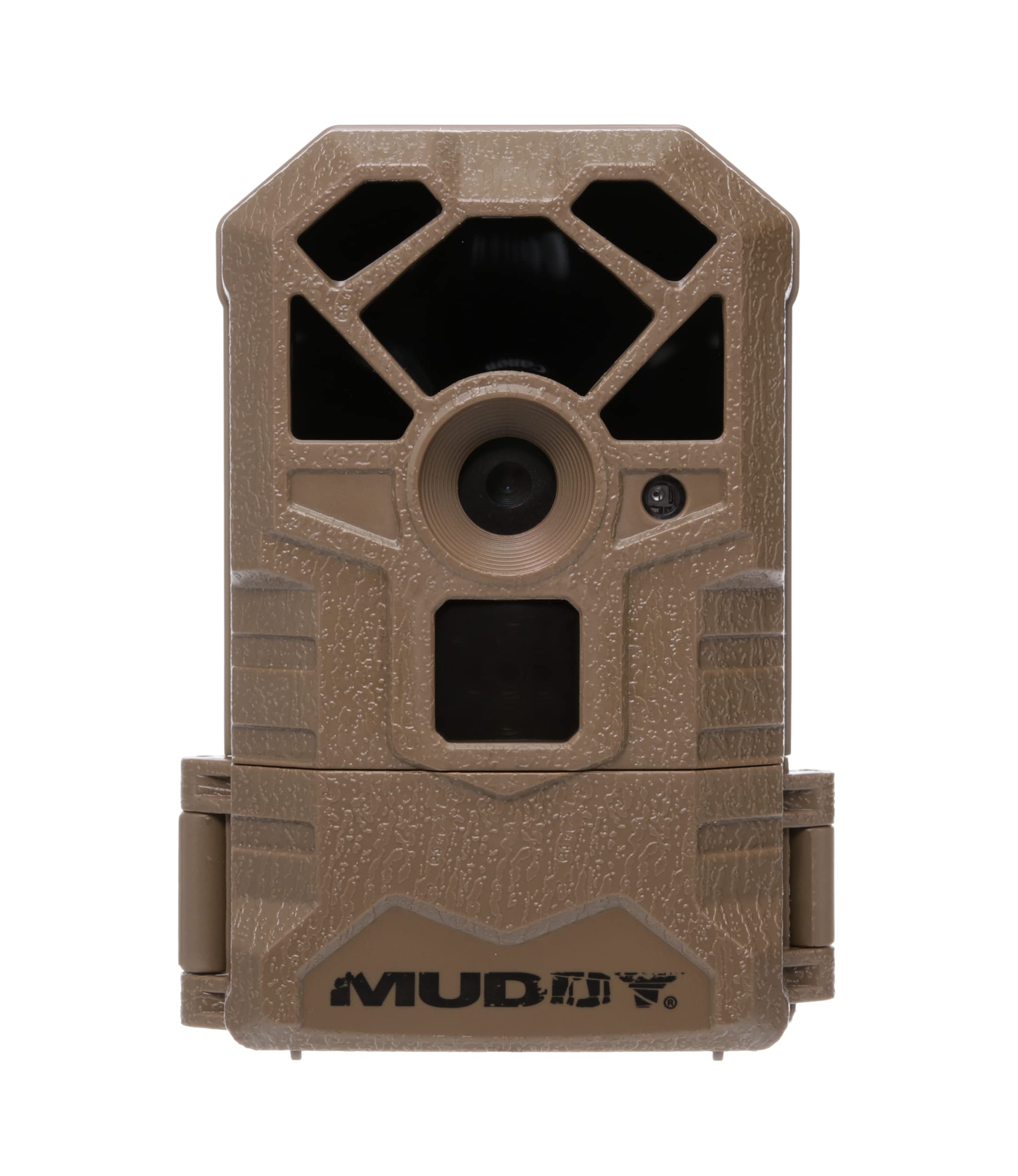
Immagine: Frontale view of the Muddy MTC100X Trail Camera, showing the lens and infrared sensors.
Contenuto della confezione
Verifica che tutti gli articoli siano presenti nel tuo pacco:
- Muddy MTC100X 14.0 MP Trail Camera
- Cinghia di montaggio
- Manuale di istruzioni (questo documento)
Nota: le batterie e la scheda SD non sono incluse e devono essere acquistate separatamente.
Impostare
1. Installazione della batteria
- Aprire il fermo dell'alloggiamento della fotocamera.
- Locate the battery compartment. The camera requires 6 AA batteries (not included).
- Inserire le 6 batterie AA, assicurandosi che la polarità (+/-) sia corretta, come indicato all'interno del vano.
- Chiudere bene il vano batterie.
2. Installazione della scheda SD
- Con l'alloggiamento della fotocamera aperto, individuare lo slot per la scheda SD.
- Insert a compatible SD card (up to 32GB, not included) into the slot with the metal contacts facing down, until it clicks into place.
- Per rimuovere la scheda SD, spingerla delicatamente finché non scatta, quindi rilasciarla e verrà espulsa.

Image: The Muddy MTC100X Trail Camera with its housing open, revealing the control panel, LCD screen, and battery compartment.
3. Montaggio della fotocamera
- Select a suitable tree or post for mounting. Ensure the camera has a clear view della zona desiderata.
- Infilare la cinghia di montaggio fornita nelle fessure sul retro della telecamera.
- Securely fasten the strap around the tree or post. Adjust the camera angle as needed.
- Assicurarsi che la telecamera sia stabile e non si muova a causa del vento o dell'attività degli animali.
Istruzioni per l'uso
1. Accensione e impostazioni di base
- After installing batteries and an SD card, open the camera housing.
- Locate the power switch (OFF/ON/SETUP). Slide it to the "SETUP" position.
- The backlit LCD screen will illuminate, displaying the current settings.
- Use the "MENU" and "ENTER" buttons, along with the directional buttons, to navigate through the settings.
- Set the current date and time. This is crucial for accurate photo and video timestamps.
- Configure desired settings such as photo resolution (14.0 MP), video resolution (720p at 32 FPS), trigger delay, and operating mode (photo, video, or both).
- Once settings are configured, slide the power switch to the "ON" position. The camera will enter monitoring mode.
2. Cattura di immagini e video
- The camera features a 1.5-second trigger speed, capturing images or videos quickly when motion is detected.
- The infrared sensor detects targets up to 60 feet away.
- For nighttime captures, the camera utilizes LED technology for illumination, providing clear images even in low light conditions.

Image: A nighttime capture by the Muddy MTC100X Trail Camera, featuring two deer in a field, demonstrating its low-light capabilities.
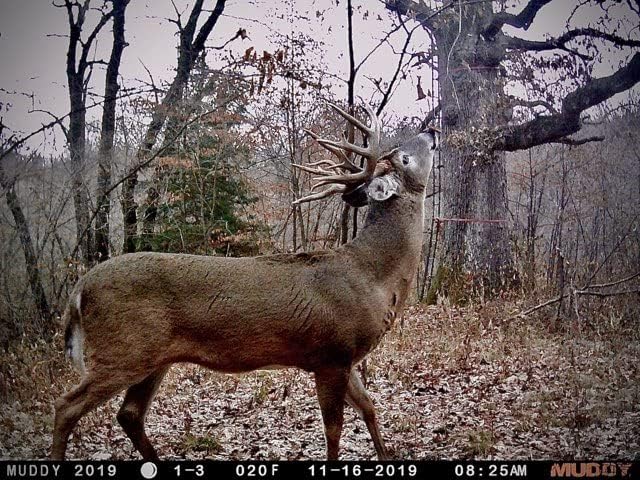
Image: A daytime capture by the Muddy MTC100X Trail Camera, showing a deer in a wooded area, highlighting its image clarity.
3. Viewing Media catturati
A view images and videos, remove the SD card from the camera and insert it into a compatible device (e.g., computer, card reader). The camera does not have an internal playback function on its LCD screen.
Manutenzione
- Sostituzione della batteria: Replace all 6 AA batteries when the low battery indicator appears on the LCD screen or when performance degrades. Always use fresh, high-quality batteries.
- Gestione della scheda SD: Controllare regolarmente la capacità della scheda SD. Formattare periodicamente la scheda SD per mantenere prestazioni ottimali e prevenire il danneggiamento dei dati. Eseguire il backup dei dati importanti. files prima della formattazione.
- Pulizia: Use a soft, dry cloth to clean the camera lens and infrared sensors. Do not use abrasive cleaners or solvents. Keep the camera housing free of dirt and debris.
- Magazzinaggio: When not in use for extended periods, remove batteries and the SD card. Store the camera in a cool, dry place away from direct sunlight.
Risoluzione dei problemi
| Problema | Possibile causa | Soluzione |
|---|---|---|
| La fotocamera non si accende. | Batterie scariche o installate in modo errato. | Sostituire le batterie con altre nuove, assicurandosi che la polarità sia corretta. |
| Nessuna immagine/video catturato. | SD card full, corrupted, or not inserted correctly; camera in OFF mode; trigger sensitivity too low; no motion detected. | Check SD card, format if necessary. Ensure camera is in "ON" mode. Adjust trigger sensitivity. Verify camera placement. |
| Scarsa qualità delle immagini/video. | Dirty lens; incorrect resolution settings; insufficient light (for night shots). | Clean the lens. Check resolution settings. Ensure camera is positioned to capture adequate light or within infrared range at night. |
| Excessive blank images/videos. | Trigger sensitivity too high; camera detecting swaying branches or tall grass. | Reduce trigger sensitivity. Clear vegetation in front of the camera. |
| Data/ora errateamp. | Date/time not set or reset due to battery removal. | Enter "SETUP" mode and reset the date and time. |
Specifiche
| Nome del modello | MTC100X |
| Risoluzione fissa efficace | 14 MP |
| Risoluzione di acquisizione video | 720p at 32 FPS |
| Trigger Speed | 1.5 secondi |
| Gamma del sensore a infrarossi | Fino a 60 piedi |
| Fonte di alimentazione | 6 batterie AA (non incluse) |
| Protocollo di connettività | Scheda SD |
| Tecnologia di comunicazione wireless | Wi-Fi (for data transfer, not remote control) |
| Tipo di controllore | Premere il pulsante |
| Tipo di montaggio | Monte albero |
| Tecnologia a bassa luminosità | Colore notturno |
| Tipo di sorgente luminosa | GUIDATO |
| Valutazione internazionale di protezione | Grado di protezione IP54 |
| Dimensioni (L x P x A) | 4 x 2 x 6 pollici |
| Peso dell'articolo | 12.1 once |
Informazioni sulla garanzia
The Muddy MTC100X Trail Camera comes with a Garanzia limitata di 1 anno from the date of purchase. This warranty covers defects in materials and workmanship under normal use. It does not cover damage caused by misuse, accident, unauthorized modification, or neglect. Please retain your proof of purchase for warranty claims.
Supporto
For technical assistance, troubleshooting beyond this manual, or warranty inquiries, please contact Muddy Outdoors customer support. Refer to the official Muddy Outdoors websito per le informazioni di contatto più aggiornate.
Ufficiale Websito: www.gomuddy.com