
1. Introduzione e oltreview
This manual provides essential instructions for setting up, operating, and maintaining your Brinno TLC300 Time Lapse Camera. The TLC300 is designed for capturing time-lapse videos in various environments, including construction sites, outdoor projects, and general-purpose applications. It features Full HD 1080P resolution with HDR, a 118° field of view, and an intuitive user interface.

Figura 1: Frontale e laterale view of the Brinno TLC300 Time Lapse Camera.
Video 1: Un overview of the Brinno TLC300 Time Lapse Camera's features and capabilities.
2. Cosa c'è nella scatola
Upon unboxing your Brinno TLC300, please ensure all the following items are present:
- Brinno Time Lapse Camera TLC300
- Batterie AA x 4
- Copriobiettivo
- Scheda SD
- Manuale di guida rapida
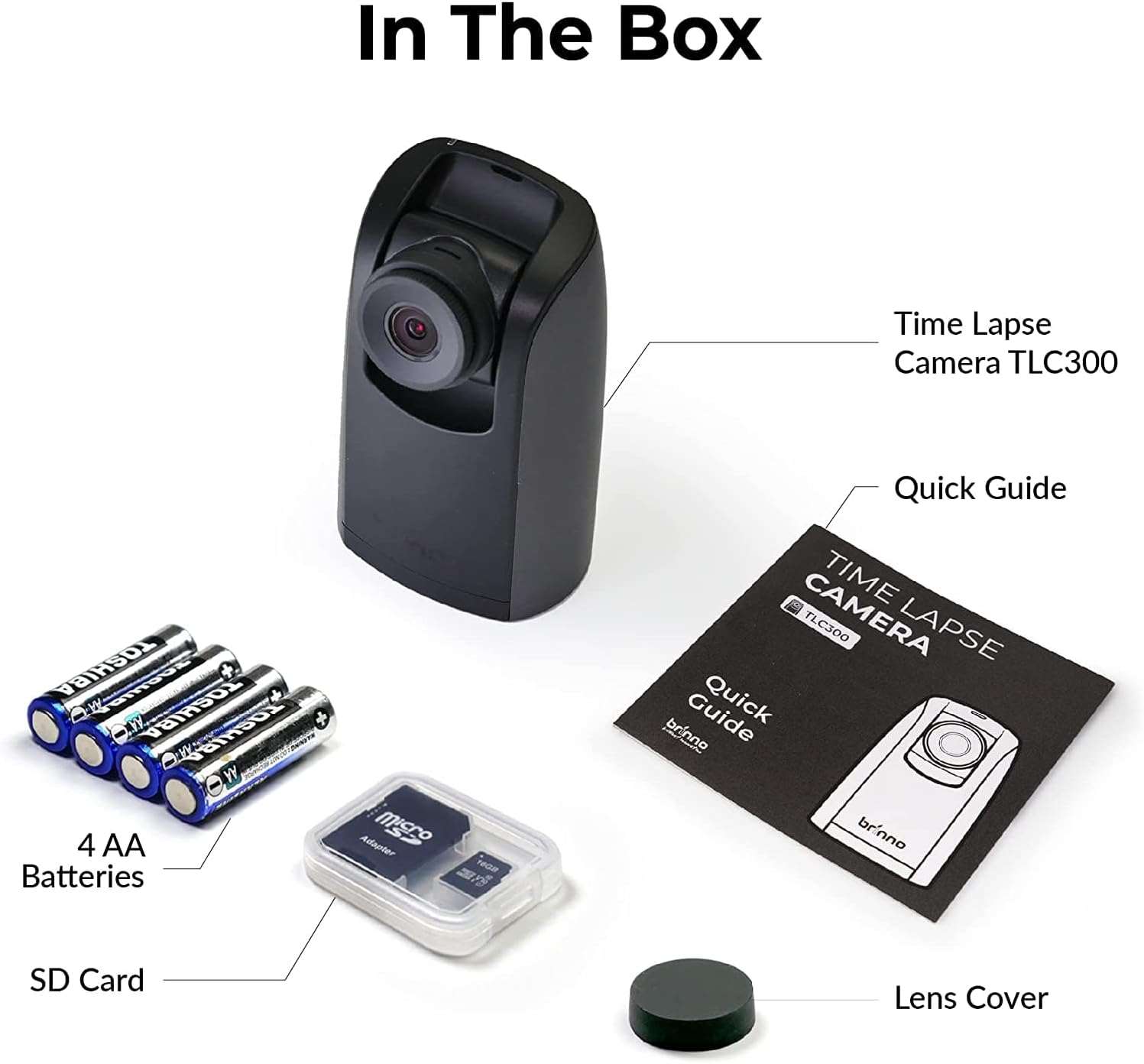
Figure 2: All items included in the Brinno TLC300 package.
3. Impostazione
3.1 Installazione della batteria e della scheda SD
- Aprire il coperchio del vano batteria situato nella parte inferiore della fotocamera.
- Inserire 4 batterie AA, assicurandosi della corretta polarità (+/-).
- Insert the provided Micro SD card into the SD card slot until it clicks into place. The camera supports up to 128GB.
- Chiudere saldamente il coperchio del vano batterie.

Figure 3: Proper installation of AA batteries into the camera.
3.2 Accensione iniziale e impostazioni di base
- Tenere premuto il pulsante di accensione per accendere la fotocamera.
- The 1.44" IPS LCD screen will display the live view.
- Navigate the menu using the directional buttons and the OK button.
- Set the current date and time for accurate time-lapse recording.
- Select your preferred language from the multilingual user interface.

Figure 4: The camera's menu for adjusting settings.
4. Utilizzo della fotocamera
4.1 Impostazione dei parametri di registrazione
The TLC300 offers straightforward operation. You primarily need to set the 'interval' and 'schedule' before starting a recording.
- Intervallo: This defines how often the camera captures an image. Adjust this setting based on the duration of your project and the desired speed of the final time-lapse video.
- Programma: Use the schedule function to specify filming days and times. This ensures the camera only records during active periods, conserving battery life and storage.
- Risoluzione: The camera records in Full HD 1080P. Ensure HDR is enabled for optimal image quality, especially for day-to-night transitions.

Figure 5: Visual comparison of HDR and Night Mode performance.
4.2 Avvio e arresto della registrazione
After configuring your settings, press the OK button to begin recording. The camera will automatically start capturing images according to your set interval and schedule. To stop recording, press the Power button again.
5. Manutenzione
- Pulizia: Utilizzare un panno morbido e asciutto per pulire il corpo macchina e l'obiettivo. Evitare materiali abrasivi o sostanze chimiche aggressive.
- Durata della batteria: The TLC300 offers up to 100 days of battery life with a 5-minute capture interval using 4 AA batteries. Monitor battery levels regularly, especially for long-term projects.
- Magazzinaggio: Periodically transfer your time-lapse videos from the SD card to a computer or external storage device to free up space and prevent data loss. The camera supports Micro SD cards up to 128GB.
- Copriobiettivo: Always use the provided lens cover when the camera is not in use to protect the lens from dust and scratches.
6. Risoluzione Dei Problemi
- La fotocamera non si accende: Ensure batteries are correctly inserted and fully charged. Try replacing with new batteries.
- Scarsa qualità dell'immagine: Check lens for smudges or dirt. Ensure HDR is enabled for challenging lighting conditions. Verify the lens cover is removed.
- La registrazione non si avvia: Confirm that the interval and schedule settings are correctly configured. Ensure the SD card has sufficient free space.
- Errore della scheda SD: Reformat the SD card using the camera's menu (this will erase all data). If the issue persists, try a different SD card.
7. Specifiche
| Caratteristica | Specificazione |
|---|---|
| Numero di modello | TLC300 |
| Dimensioni | 2.05 x 2.52 x 4.21 pollici |
| Peso dell'articolo | 4.9 once |
| Fonte di alimentazione | 4 batterie AA |
| Risoluzione di acquisizione video | 1080p Full HD |
| Tecnologia del sensore fotografico | CMOS |
| Lunghezza focale massima | 15 millimetri |
| Apertura massima | 2 anni |
| Tipo di memoria flash | Micro SD (fino a 128 GB) |
| Formato di acquisizione video | MP4, MOV, AVI |
| Formato audio supportato | Formato MP3, AAC |
| Dimensioni dello schermo | 1.44 pollici |
| Tecnologia di connettività | Bluetooth |
8. Garanzia e supporto
Brinno products are designed for durability and performance. For any technical assistance, warranty claims, or product inquiries, please refer to the contact information provided in your Quick Guide Manual or visit the official Brinno support websito. Conservare la ricevuta d'acquisto come prova d'acquisto per i servizi di garanzia.