
Introduzione
Thank you for choosing the AODSK AA-05 Digital Guitar Amplifier. This compact and portable 5W amplifier is designed for electric guitar practice and features Bluetooth connectivity for audio playback. This manual provides essential information for safe and effective use of your amppiù vivace.
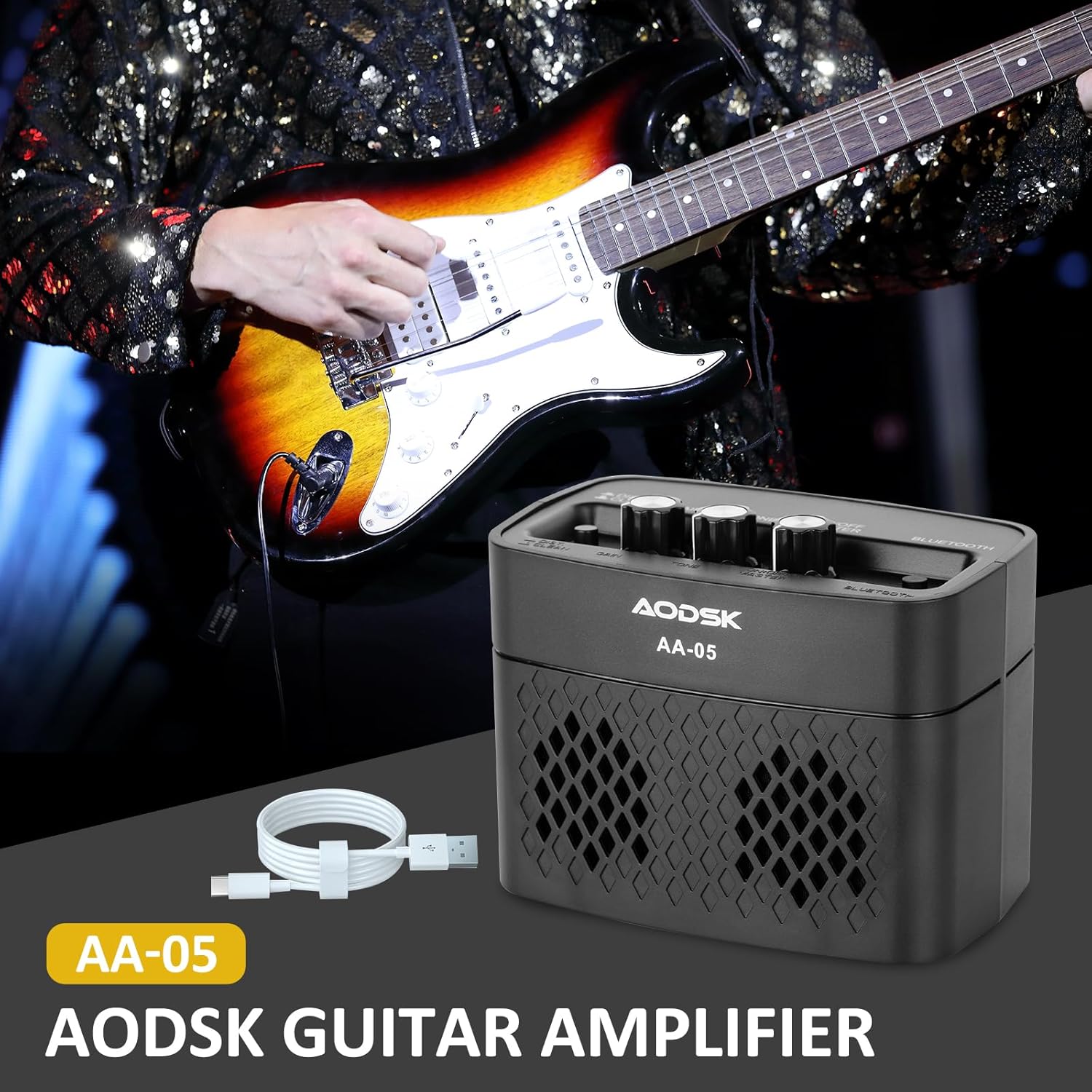
Image: The AODSK AA-05 Digital Guitar Amplifier, a compact black unit, shown with a Type-C charging cable. A guitar player is visible in the background, demonstrating its use.
Informazioni sulla sicurezza
- Non esporre il amplificatore all'acqua o all'umidità eccessiva.
- Evitare di posizionare il amplificatore vicino a fonti di calore o alla luce diretta del sole.
- Per la ricarica utilizzare solo il cavo di ricarica fornito o un cavo Type-C certificato.
- Non tentare di smontare o modificare il amplifier. This will void the warranty and may cause damage.
- Tenere fuori dalla portata dei bambini.
Contenuto della confezione
Verificare che tutti gli articoli siano presenti nel pacco:
- AODSK AA-05 Digital Guitar Amppiù vivace
- Cavo di ricarica USB di tipo C.
- Manuale d'uso
Prodotto finitoview
Familiarize yourself with the controls and ports of your AA-05 amplificatore:

Image: A detailed diagram showing the top and rear panels of the AODSK AA-05 amplifier, labeling each button, knob, and port with corresponding numbers and descriptions.
- Effect Switch: Toggles between Clean and Distortion channels.
- Manopola di guadagno: Adjusts the input signal level, affecting the amount of overdrive/distortion.
- Manopola del tono: Controls the tonal characteristics, from darker to brighter sounds.
- Manopola accensione/volume: Gira il amplifier on/off and adjusts the overall output volume.
- Indicatore di alimentazione: Si accende quando il ampil lificatore è acceso.
- Pulsante Bluetooth: Attiva la modalità di associazione Bluetooth.
- Jack di uscita per auricolari: Per collegare le cuffie per esercitarsi in silenzio.
- Jack di ingresso per chitarra: Collega qui la tua chitarra elettrica.
- Indicatore di carica: Mostra lo stato di carica.
- Jack di carica: Porta di tipo C per la ricarica amppiù vivace.
Impostare
1. Caricare il Amppiù vivace
Prima del primo utilizzo, caricare completamente il amplifier. Connect the supplied Type-C USB cable to the amplifier's Charge Jack (10) and the other end to a USB power adapter (not included) or a computer USB port. The Charge Indicator (9) will show the charging status.

Image: An illustration of the AODSK AA-05 amplifier highlighting its battery life, indicating up to 8 hours of use on a full charge.
2. Connessione iniziale
- Assicurare il amplifier viene addebitato.
- Turn the Power/Volume knob (4) clockwise to power on the amplificatore. L'indicatore di alimentazione (5) si accenderà.
- Connect your electric guitar to the Guitar Input Jack (8) using a standard 1/4-inch instrument cable.
Istruzioni per l'uso
1. Adjusting Guitar Sound
- Volume: Use the Power/Volume knob (4) to adjust the overall output volume.
- Canali: Press the Effect Switch (1) to toggle between Pulito E Distorsione canali.
- Guadagno: In Distorsione mode, rotate the Gain knob (2) to control the amount of distortion.
- Tono: Adjust the Tone knob (3) to shape the frequency response of your guitar sound.

Image: The AODSK AA-05 amplifier with visual cues indicating its two channels: Clean and Distortion, which can be switched with a single button. The image also mentions using all-analog audio processing.
2. Using Bluetooth Function
The AA-05 amplifier features integrated Bluetooth 5.0 for playing music from external devices.
- Accendi il amplifier using the Power/Volume knob (4).
- Press the Bluetooth Button (6). The Bluetooth indicator will flash, indicating it's in pairing mode.
- On your Bluetooth-enabled device (phone, tablet, PC), search for "AODSK AA-05" in the Bluetooth settings.
- Select "AODSK AA-05" to pair. Once connected, the Bluetooth indicator will stop flashing and remain solid.
- You can now play music through the amplificatore. Il amplifier can play both music and electric guitar sounds simultaneously.
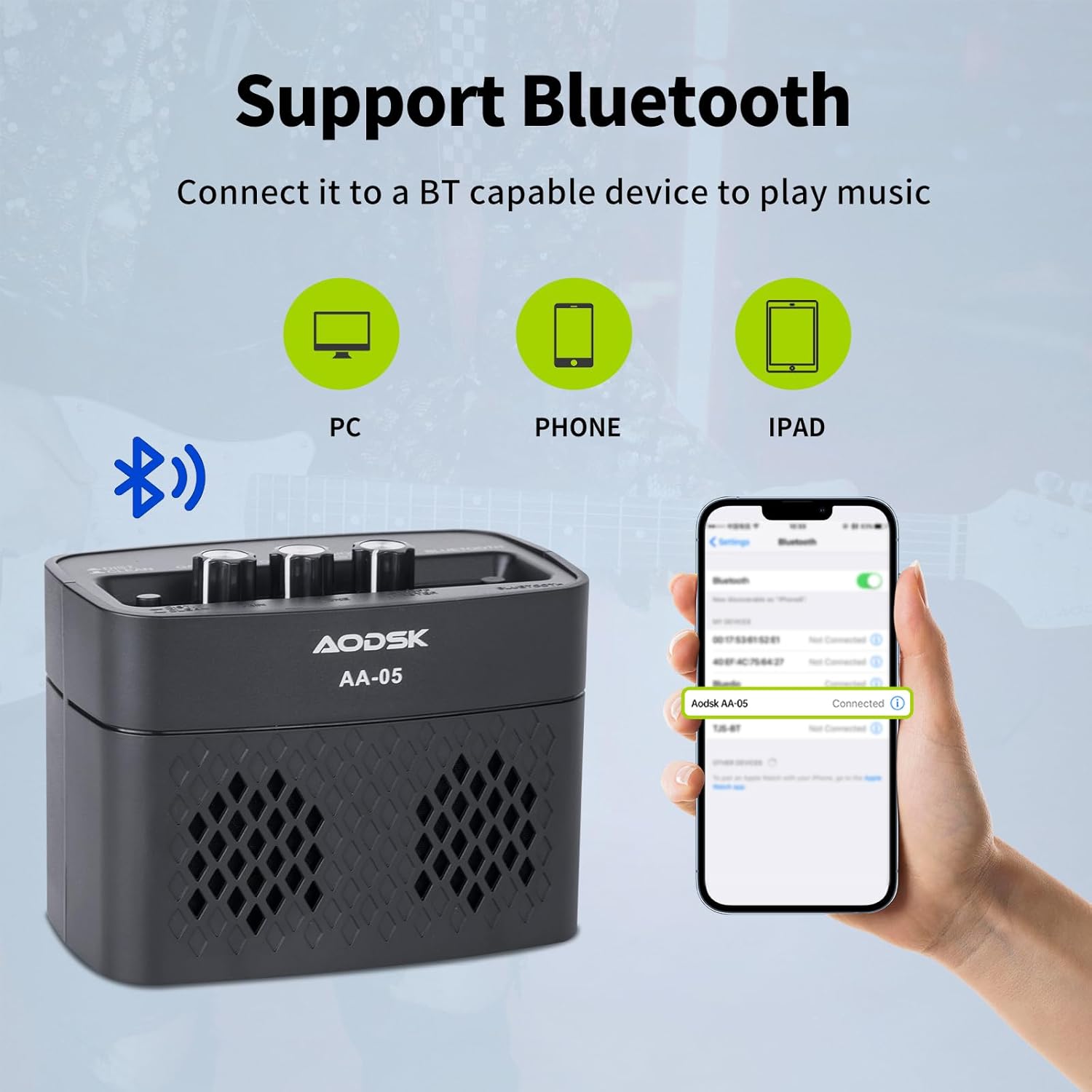
Image: An illustration demonstrating the AODSK AA-05 amplifier's Bluetooth connectivity, showing it can connect to PCs, phones, and iPads to play music.
3. Uso delle cuffie
For private practice, connect standard 3.5mm headphones to the Earphone Output Jack (7). This will mute the main speaker output.
Manutenzione
- Pulizia: Pulisci il amplificatore con un panno morbido e asciutto. Non utilizzare detergenti liquidi o materiali abrasivi.
- Magazzinaggio: Conservare il amplifier in un luogo fresco e asciutto, lontano dalla luce solare diretta e da temperature estreme.
- Cura della batteria: For optimal battery life, avoid fully discharging the battery frequently. Charge the amplifier regularly, even if not in use for extended periods.
Risoluzione dei problemi
| Problema | Possibile causa | Soluzione |
|---|---|---|
| Nessun suono dalla chitarra | Amplifier not powered on; Volume too low; Guitar cable faulty; Guitar volume off. | Accendere amplifier and increase volume; Check guitar cable and guitar volume. |
| Nessun suono dal Bluetooth | Bluetooth not paired; Device volume too low; Ampvolume del filtro troppo basso. | Ensure Bluetooth is paired (solid indicator); Increase volume on both device and amppiù vivace. |
| Suono distorto (inaspettato) | Gain too high; Effect switch in Distortion mode; Faulty cable. | Reduce Gain; Switch to Clean channel; Try a different guitar cable. |
| Amplifier non carica | Charging cable faulty; Power adapter faulty; Charge port damaged. | Try a different Type-C cable and power adapter. If issue persists, contact support. |
Specifiche
| Caratteristica | Dettaglio |
|---|---|
| Nome del modello | Codice articolo: AA-05 |
| Marca | AODSK |
| Potenza in uscita | 5 Watt |
| Canali di uscita | 2 (Clean, Distortion) |
| Fonte di alimentazione | Alimentato a batteria (batteria al litio ricaricabile) |
| Durata della batteria | Fino a 8 ore (a carica completa) |
| Versione Bluetooth | 5.0 |
| Dispositivi compatibili | Guitar, Bluetooth-enabled audio devices |
| Materiale | Plastic, Metal, Battery |
| Colore | Nero |
| Dimensioni del prodotto | 20.32 x 10.16 x 11.94 cm (8 x 4 x 4.7 pollici) |
| Peso dell'articolo | 567 grammi (1.25 libbre) |
Garanzia e supporto
AODSK is committed to customer satisfaction. We offer an unconditional refund for quality issues. You can purchase our products with confidence.
For any questions, concerns, or support needs, please refer to your purchase platform or contact AODSK customer service directly. Please have your model number (AA-05) and purchase details ready when contacting support.