
1. Introduzione
Grazie per l'acquistoasing the SYLVOX Elf S2 Soundbar. This 60W Bluetooth soundbar is designed to enhance your audio experience with 3D surround sound and multiple EQ modes (Movie, Music, News). Its IP65 waterproof rating ensures durability for various environments. This manual provides essential information for safe and optimal use, including setup, operation, maintenance, and troubleshooting.
2. Informazioni sulla sicurezza
Leggere attentamente tutte le istruzioni di sicurezza prima di utilizzare il prodotto. Conservare il presente manuale per riferimento futuro.
- Do not expose the soundbar to extreme temperatures or direct sunlight for prolonged periods.
- Garantire un'adeguata ventilazione attorno all'unità.
- Utilizzare solo l'alimentatore fornito con il dispositivo.
- Do not attempt to disassemble or modify the soundbar. Refer all servicing to qualified personnel.
- Tenere la soundbar lontana da forti campi magnetici.
- Despite its IP65 rating, avoid submerging the soundbar in water.
3. Contenuto della confezione
Verifica che tutti gli articoli elencati di seguito siano inclusi nel tuo pacchetto:

- Barra audio x1
- Remote Control (AAA Batteries x2) x1
- Cavo HDMI x1
- Cavo ottico x1
- Cavo coassiale x1
- Cavo di alimentazione CA x1
- USB Transfer Cable x1
- Kit di montaggio a parete x1
- Manuale utente x1
- Scheda di garanzia x1
Image: The SYLVOX Elf S2 Soundbar and its accessories, including various cables, remote control, and wall mounting hardware.
4. Prodotto finitoview
4.1 Front View

Image: The front of the SYLVOX Elf S2 Soundbar, featuring a minimalist design with the brand logo.
4.2 Collegamenti del pannello posteriore

Image: The rear panel of the soundbar, detailing the various input ports for connectivity.
- COASSIALE: Ingresso audio digitale coassiale.
- OTTICO: Ingresso audio digitale ottico.
- HDMI ARCO: Ingresso HDMI Audio Return Channel per il collegamento alla TV.
- USB (5V=500mA): Porta USB per la riproduzione multimediale.
- INGRESSO CA: Ingresso alimentazione.
4.3 telecomando

Image: The remote control for the soundbar, showing buttons for power, volume, input selection, and dedicated sound modes.
- Pulsante di accensione: Attiva o disattiva la soundbar.
- Selezione input: Cycles through available input sources (HDMI ARC, Optical, Coaxial, Bluetooth, USB).
- Volume su/giù: Regola il volume principale.
- Disattiva audio: Disattiva o riattiva l'audio.
- Sound Mode Buttons (SPORT, MUSIC, NEWS, MOVIE): Selects preset equalizer modes.
5. Impostazione
5.1 Posizionamento
Place the soundbar on a stable, flat surface in front of your TV, or mount it on the wall below your TV. Ensure there are no obstructions blocking the soundbar's speakers.
5.2 Collegamento alla TV
Scegli uno dei seguenti metodi di connessione:
- HDMI ARC (consigliato): Connect one end of the HDMI cable to the HDMI ARC port on the soundbar and the other end to the HDMI ARC port on your TV. This allows for audio return and control via your TV remote.
- Ottico: Connect one end of the optical cable to the OPTICAL port on the soundbar and the other end to the optical output port on your TV.
- Coassiale: Connect one end of the coaxial cable to the COAXIAL port on the soundbar and the other end to the coaxial output port on your TV.
5.3 Collegamento di alimentazione
Connect the AC power cord to the AC IN port on the soundbar, then plug the other end into a power outlet.
6. Istruzioni per l'uso
6.1 Accensione/spegnimento
Premere il tasto Energia button on the remote control or on the side panel of the soundbar to turn the unit on or off.
6.2 Controllo del volume
Utilizzare il Volume su (+) E Volume basso (-) pulsanti sul telecomando per regolare il livello del suono.
6.3 Selezione dell'ingresso
Premere il tasto Ingresso button on the remote control to cycle through the available input sources (HDMI ARC, Optical, Coaxial, Bluetooth, USB).
6.4 modalità audio
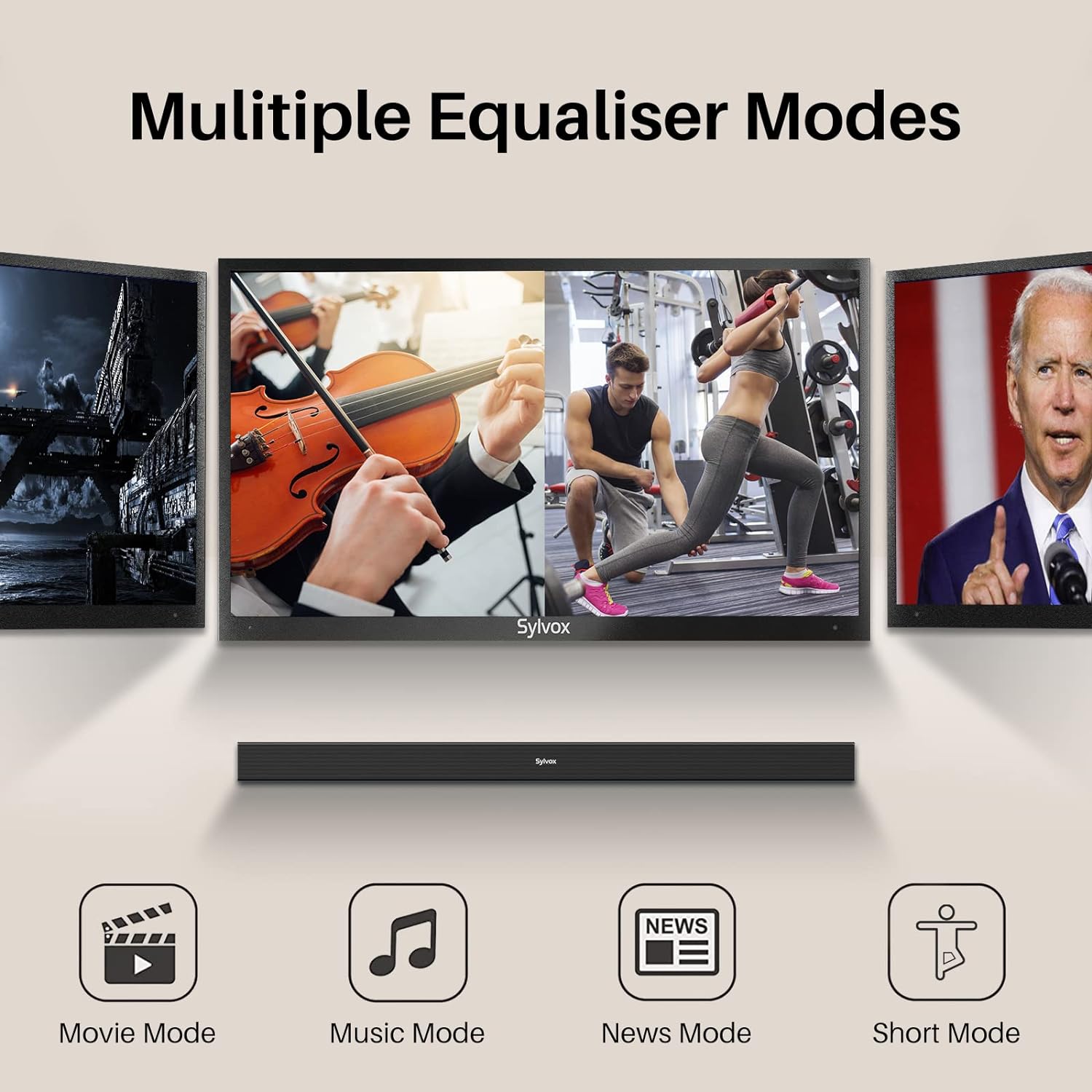
Image: Visual representation of the soundbar's multiple equalizer modes.
The soundbar features three preset equalizer modes to optimize your audio experience:
- Modalità film: Migliora la chiarezza del dialogo e fornisce suoni più ampitage per contenuti cinematografici.
- Modalità Musica: Optimizes audio for music playback, offering balanced highs, mids, and lows.
- Modalità notizie: Si concentra sulla chiarezza vocale, rendendo il contenuto parlato più facile da comprendere.
Premere il corrispondente FILM, MUSICA, O NOTIZIA button on the remote control to select your desired mode.
7. Connettività
7.1 Associazione Bluetooth

Image: Illustration of devices wirelessly connecting to the soundbar via Bluetooth for music streaming.
Per connettere il tuo dispositivo Bluetooth:
- Turn on the soundbar and select Bluetooth input mode. The Bluetooth indicator will flash.
- Abilita il Bluetooth sul tuo dispositivo (smartphone, tablet, ecc.) e cerca i dispositivi disponibili.
- Select "SYLVOX Elf S2" from the list. Once connected, the Bluetooth indicator will stop flashing and remain solid.
- Ora puoi trasmettere in streaming l'audio dal tuo dispositivo alla soundbar.
7.2 Riproduzione USB
Insert a USB drive into the USB port on the rear panel. The soundbar will automatically switch to USB input mode and begin playing compatible audio files.
8. Montaggio a parete
The SYLVOX Elf S2 Soundbar can be wall-mounted using the included wall mount kit. Follow these steps for secure installation:
- Determine the desired mounting location below your TV. Ensure the wall can support the weight of the soundbar.
- Use the provided template (if applicable) or measure the distance between the mounting holes on the soundbar.
- Segnare i punti di foratura sulla parete.
- Drill pilot holes at the marked points. Insert wall anchors if necessary (for drywall).
- Secure the wall brackets to the wall using screws.
- Carefully attach the soundbar to the installed wall brackets. Ensure it is securely fastened before releasing.
9. Manutenzione
9.1 Pulizia
Pulisci la soundbar con un panno morbido e asciutto. Non utilizzare detergenti liquidi o materiali abrasivi, poiché potrebbero danneggiarne la finitura.
9.2 Grado di impermeabilità IP65

Image: The soundbar shown outdoors in the rain, highlighting its IP65 waterproof capability.
The SYLVOX Elf S2 Soundbar has an IP65 waterproof rating, meaning it is protected against dust ingress and low-pressure water jets from any direction. This makes it suitable for outdoor use and environments where it may be exposed to splashes or light rain. However, it is not designed for submersion in water.
10. Risoluzione Dei Problemi
Se riscontri problemi con la soundbar, fai riferimento ai seguenti problemi comuni e alle relative soluzioni:
| Problema | Possibile causa | Soluzione |
|---|---|---|
| Nessun potere | Cavo di alimentazione non collegato; presa di corrente non attiva. | Assicurarsi che il cavo di alimentazione sia collegato saldamente. Testare la presa con un altro dispositivo. |
| Nessun suono | Incorrect input selected; Volume too low; Cable not connected properly. | Selezionare la sorgente di ingresso corretta. Aumentare il volume. Controllare tutti i collegamenti dei cavi audio. |
| Associazione Bluetooth non riuscita | Soundbar non in modalità di associazione; Dispositivo troppo lontano; Interferenza. | Ensure soundbar is in Bluetooth mode and indicator is flashing. Move device closer. Avoid other wireless devices. |
| Il telecomando non funziona | Batteries are dead; Obstruction between remote and soundbar. | Replace batteries (2x AAA). Ensure clear line of sight to the soundbar's sensor. |
11. Specifiche
| Caratteristica | Dettaglio |
|---|---|
| Marca | SILVOX |
| Numero di modello | OTA1ELFS2 |
| Potenza massima in uscita dell'altoparlante | 60 Watt |
| Risposta in frequenza | 20KHz |
| Tecnologia di connettività | Bluetooth |
| Modalità di uscita audio | Circondare |
| Tipo di montaggio | Montaggio a parete |
| Materiale di recinzione | Plastica |
| Caratteristiche aggiuntive | Impermeabile |
| È impermeabile | TRUE (IP65) |
| Metodo di controllo | Remoto |
| Dimensioni dell'altoparlante | 76 millimetri |
| Portata Bluetooth | 10 metri |
| Numero di canali audio | 2.0 |
| Impedenza | 8 Ohm |
| Fonte di alimentazione | Elettrico con cavo |
| Ingresso volumetage | 240 Volt |
| Dimensioni dell'articolo (P x L x A) | 3.62"P x 38.38"L x 2.44"A |
| Peso dell'articolo | 2000 grammi |
| Dispositivi compatibili | Televisione |
12. Garanzia e supporto
12.1 Garanzia del prodotto
The SYLVOX Elf S2 Soundbar comes with a hassle-free Garanzia di 12 mesiQuesta garanzia copre i difetti di fabbricazione e assicura la qualità del prodotto.
12.2 Politica di restituzione
An easy return policy is available, including Resi senza problemi entro 30 giorni for quality issues. Original packaging is typically required for returns.
12.3 Servizio Clienti
For any questions, technical assistance, or warranty claims, please contact SYLVOX customer service. Friendly 7x24 customer service is available to assist you.