
1. Introduzione
Thank you for choosing the KLIM Tandem Wireless Keyboard and Mouse Set. This product is designed to provide a seamless and responsive wireless experience for both gaming and office use. This manual will guide you through the installation, operation, and maintenance of your new device.

Image 1: The KLIM Tandem wireless keyboard and mouse set, featuring RGB backlighting and a compact USB receiver.
2. Contenuto della confezione
Assicurati che tutti gli articoli siano presenti nel pacco:
- KLIM Tandem Wireless Keyboard
- KLIM Tandem Wireless Mouse
- USB Wireless Receiver (located in the mouse battery compartment)
- USB Charging Cable (for both keyboard and mouse)
- Manuale d'uso
3. Istruzioni per l'installazione
3.1 Collegamento dei dispositivi
- Individua il ricevitore wireless USB. Di solito è riposto in uno scomparto sul lato inferiore del mouse.
- Collegare il ricevitore wireless USB a una porta USB disponibile sul computer.
- Turn on the keyboard using the power switch, usually located on the top edge.
- Accendere il mouse tramite l'interruttore di alimentazione, solitamente situato nella parte inferiore.
- Il computer dovrebbe rilevare e installare automaticamente i driver necessari. Una volta rilevati, i dispositivi saranno pronti all'uso.

Image 2: Close-up of the KLIM Tandem mouse and its USB receiver, ready for connection.
3.2 Addebito iniziale
For optimal performance, it is recommended to fully charge both the keyboard and mouse before first use. Use the provided USB charging cable to connect the devices to your computer or a USB wall adapter. An indicator light will typically show charging status and turn off or change color when fully charged.
4. Istruzioni per l'uso
4.1 Funzioni della tastiera
- Controllo della retroilluminazione: The keyboard features RGB backlighting. Use the dedicated backlight key (often labeled with a lightbulb icon or combined with Fn key) to cycle through brightness levels or turn the backlight on/off. Note that the keyboard's colors are fixed in a rainbow pattern.
- Tasti funzione (Fn): The keyboard includes a special Function (Fn) key. Press and hold the Fn key, then press the corresponding F1-F12 keys to access multimedia controls and other shortcuts (e.g., volume control, media playback).
- Modalità di sospensione automatica: To conserve battery, the keyboard backlight will automatically turn off after a period of inactivity. Press any key to reactivate it.
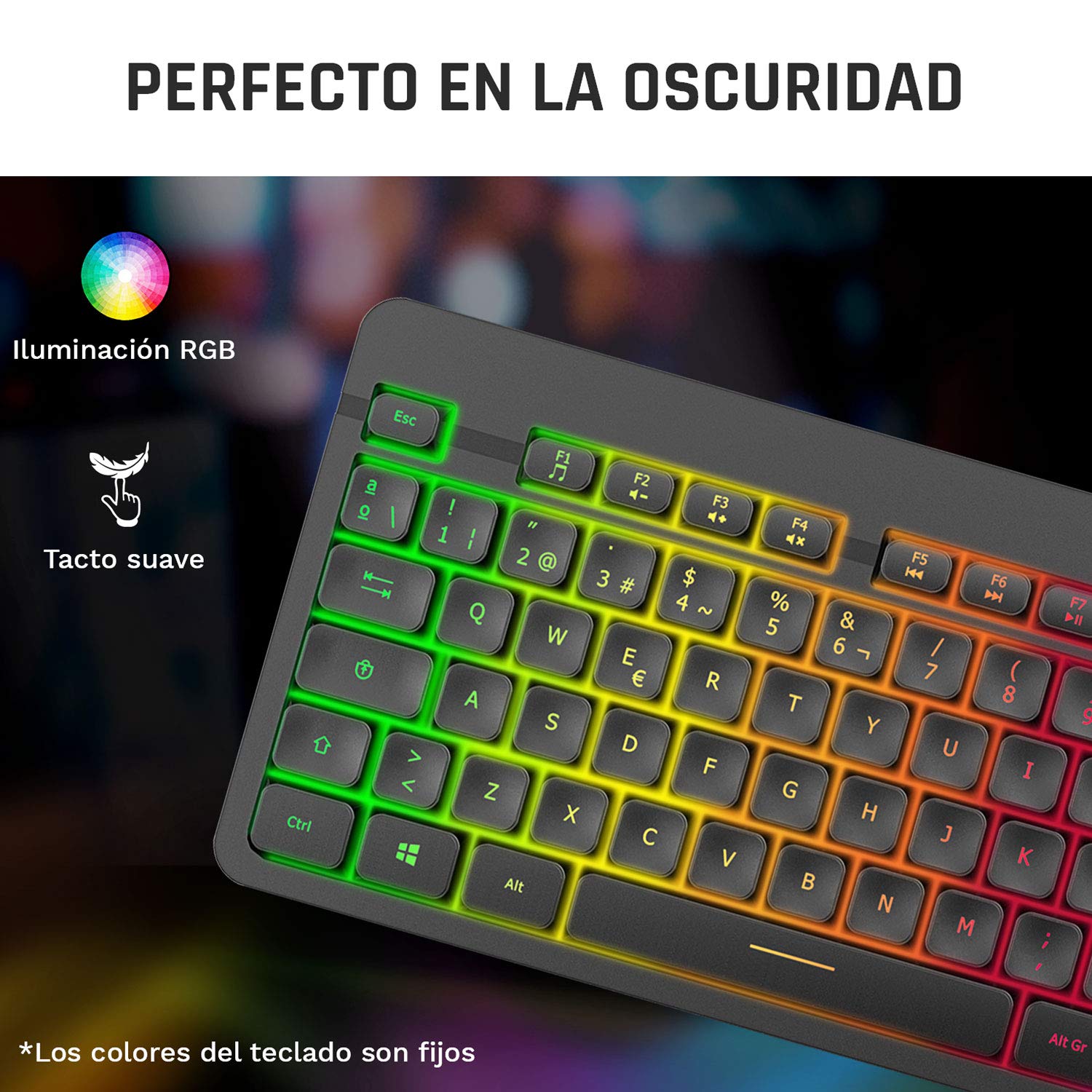
Image 3: Close-up of the KLIM Tandem keyboard showcasing its RGB illumination and soft-touch keys.
4.2 Funzioni del mouse
- Regolazione DPI: The mouse features adjustable DPI (Dots Per Inch) settings, allowing you to change cursor sensitivity. Use the dedicated DPI button (usually located behind the scroll wheel) to cycle through different sensitivity levels.
- Pulsanti laterali: The mouse includes side buttons, typically used for forward and backward navigation in web browsers or customizable for gaming.
- Illuminated Logo: The mouse features an illuminated KLIM logo. This lighting can usually be toggled on or off via a switch on the underside of the mouse, separate from the main power switch.
- Design ergonomico: The mouse is designed for an ergonomic grip, recommended for right-hand users.
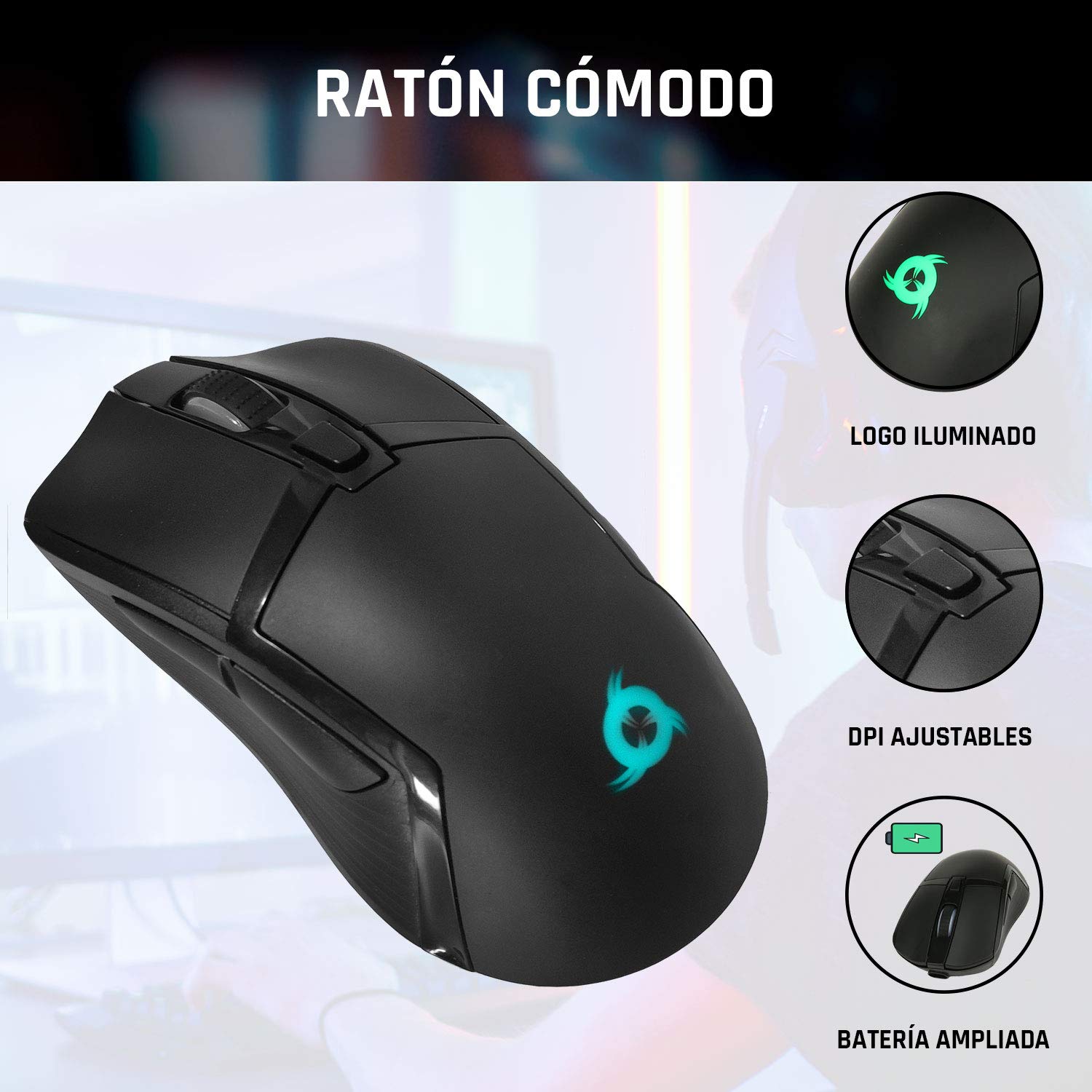
Image 4: The KLIM Tandem mouse highlighting its illuminated logo, adjustable DPI settings, and extended battery capacity.
5. Ricarica e durata della batteria
Both the KLIM Tandem keyboard and mouse are equipped with built-in rechargeable batteries. Use the provided USB cable to charge them. You can continue to use the devices while they are charging.
- Indicatore di carica: A small LED light on each device will indicate charging status. Refer to the device for specific light behavior (e.g., red for charging, off for full).
- Ottimizzazione della durata della batteria: Lowering the keyboard's backlight brightness or turning it off will significantly extend battery life. The mouse's illuminated logo can also be toggled off to save power.
- Avviso di batteria scarica: Devices will typically provide a visual cue (e.g., flashing indicator light) when the battery is low, signaling that charging is required.
6. Manutenzione
To ensure the longevity and optimal performance of your KLIM Tandem set, follow these maintenance guidelines:
- Pulizia: Utilizzare un panno morbido e asciutto per pulire la tastiera e il mouse. Per lo sporco ostinato, utilizzare un panno leggermenteamp È possibile utilizzare un panno imbevuto di sapone neutro, assicurandosi che nessun liquido penetri nel dispositivo. Evitare prodotti chimici aggressivi.
- Magazzinaggio: Conservare i dispositivi in un luogo fresco e asciutto, lontano dalla luce solare diretta e da temperature estreme.
- Evitare fuoriuscite: While the keyboard is designed to be resistant to minor spills, it is best to avoid liquid contact to prevent damage.
- Ricevitore USB: When not in use, the USB receiver can be stored in the mouse's dedicated compartment to prevent loss.
7. Risoluzione Dei Problemi
If you encounter any issues with your KLIM Tandem set, please refer to the following table:
| Problema | Possibile causa | Soluzione |
|---|---|---|
| Tastiera/mouse non rispondono | Low battery; Devices turned off; USB receiver disconnected; Driver issue. | Charge devices; Ensure power switches are ON; Re-plug USB receiver; Restart computer. |
| Retroilluminazione non funzionante | Backlight turned off; Low battery; Brightness set to minimum. | Press backlight key; Charge keyboard; Adjust brightness. |
| Mouse cursor erratic or slow | Dirty sensor; Incompatible surface; Low DPI setting. | Clean mouse sensor; Use a mouse pad; Adjust DPI setting. |
| Durata breve della batteria | High backlight brightness; Frequent use. | Reduce backlight brightness; Ensure full charge before use. |
8. Specifiche
Key technical specifications for the KLIM Tandem Wireless Keyboard and Mouse Set:
- Connettività: 2.4 GHz Wireless (single USB receiver)
- Portata wireless: Fino a 10 metri
- Keyboard Key Type: Membrana
- Retroilluminazione della tastiera: Fixed RGB (rainbow pattern)
- Durata della tastiera: Oltre 10 milioni di clic
- DPI del mouse: Adjustable (multiple levels)
- Mouse Lifetime: Oltre 10 milioni di clic
- Batteria: Built-in rechargeable (long-lasting)
- Materiale: ABS resistente
- Compatibilità: PC, Mac, PS4, Xbox One (check specific game/system compatibility)

Image 5: Multilingual specifications sheet for the KLIM Tandem wireless keyboard and mouse set.
9. Garanzia e supporto
KLIM Technologies offers a Garanzia di 5 anno on the KLIM Tandem Wireless Keyboard and Mouse Set, demonstrating confidence in product quality. For any questions, technical assistance, or warranty claims, please contact KLIM Customer Service. Our team is available to assist you and aims to respond within 24 hours.
For further support, please visit the official KLIM websito o fare riferimento alle informazioni di contatto fornite sulla confezione del prodotto.