
Informazioni importanti sulla sicurezza
Please read and understand all instructions before using this product. Keep this manual for future reference. Adult supervision is recommended during use.
- Sicurezza della batteria: Requires 4 AA batteries. Batteries are included for demo purposes only; new batteries are recommended for regular use. Ensure batteries are inserted with correct polarity. Do not mix old and new batteries. Do not mix alkaline, standard (carbon-zinc), or rechargeable (nickel-cadmium) batteries. Remove exhausted batteries from the product. Remove batteries if the product is not to be used for an extended period.
- Rischio di soffocamento: Questo prodotto contiene piccole parti e non è adatto a bambini di età inferiore a 3 anni.
- Sicurezza elettrica: Use only the power adapter specified by the manufacturer. Do not operate the product if the cord or plug is damaged.
- Cura generale: Keep the product away from water and moisture. Clean with a soft, dry cloth.
Cosa è incluso
The VTech Kidi Superstar Jr. Karaoke Machine package includes:
- Kidi Superstar Jr. Karaoke Unit
- 2 Wheel Brackets
- Microfono cablato
- Guida rapida

Image: Packaging of the VTech Kidi Superstar Jr. Karaoke Machine, illustrating the main unit, microphone, and other components.
Impostare
1. Installazione della batteria
Locate the battery compartment on the underside of the main unit. Use a screwdriver to open the compartment. Insert 4 new AA batteries, ensuring correct polarity (+/-). Close the compartment securely.
2. Assembling the Stand and Wheels
- Attach the two wheel brackets to the bottom of the main karaoke unit.
- Insert the microphone stand into the designated slot on the main unit.
- Adjust the height of the microphone stand by loosening the clamp, extending the pole, and then tightening the clamp.
- Attach the wired microphone to the microphone holder on the stand.

Image: The VTech Kidi Superstar Jr. Karaoke Machine with its adjustable microphone stand fully extended.
3. Collegamento del microfono
Plug the wired microphone's jack into the microphone input port on the main unit. Ensure it is securely connected.
Istruzioni per l'uso
1. Accensione/spegnimento
Premere il tasto Pulsante di accensione (usually marked with a circle and a vertical line) on the main unit to turn the machine on. Press it again to turn it off.
2. Utilizzo del microfono
Speak or sing directly into the microphone. Use the Manopola del volume del microfono on the control panel to adjust the microphone's output level. The microphone also has an on/off switch directly on its body.

Immagine: Un dettaglio view of the control panel, showing the various buttons and knobs for operation.
3. Riproduzione di musica
The unit comes with 10 built-in lyrical songs and popular melodies. Use the numbered buttons (1-10) on the control panel to select a song. Use the Precedente, Riproduci/Pausa, E Prossimo buttons to control playback. Adjust the overall music volume using the Manopola del volume sul pannello di controllo.
4. Connettività Bluetooth
To play your favorite music from an external device, activate Bluetooth mode on the karaoke machine. On your external device (e.g., smartphone, tablet), search for and connect to the VTech Kidi Superstar Jr. Karaoke. Once connected, you can stream music through the machine's speaker.
5. Effetti vocali
Experiment with various voice effects to change your singing voice. These effects may include robot voice, high-pitched, low-pitched, and echo. Refer to the Quick Start Guide for specific button functions related to voice effects.
6. Luci per feste
Activate the colorful party lights by pressing the Pulsante luce. The lights will project onto the surrounding area, enhancing the performance atmosphere. Press the button again to cycle through different light modes or turn them off.

Image: The karaoke machine in action, projecting vibrant, colorful lights onto the floor and wall, creating a party ambiance.
7. Adjustable Handle and Portability
The unit features an adjustable handle and easy-to-roll wheels for portability. Extend the handle to easily move the karaoke machine from one location to another.
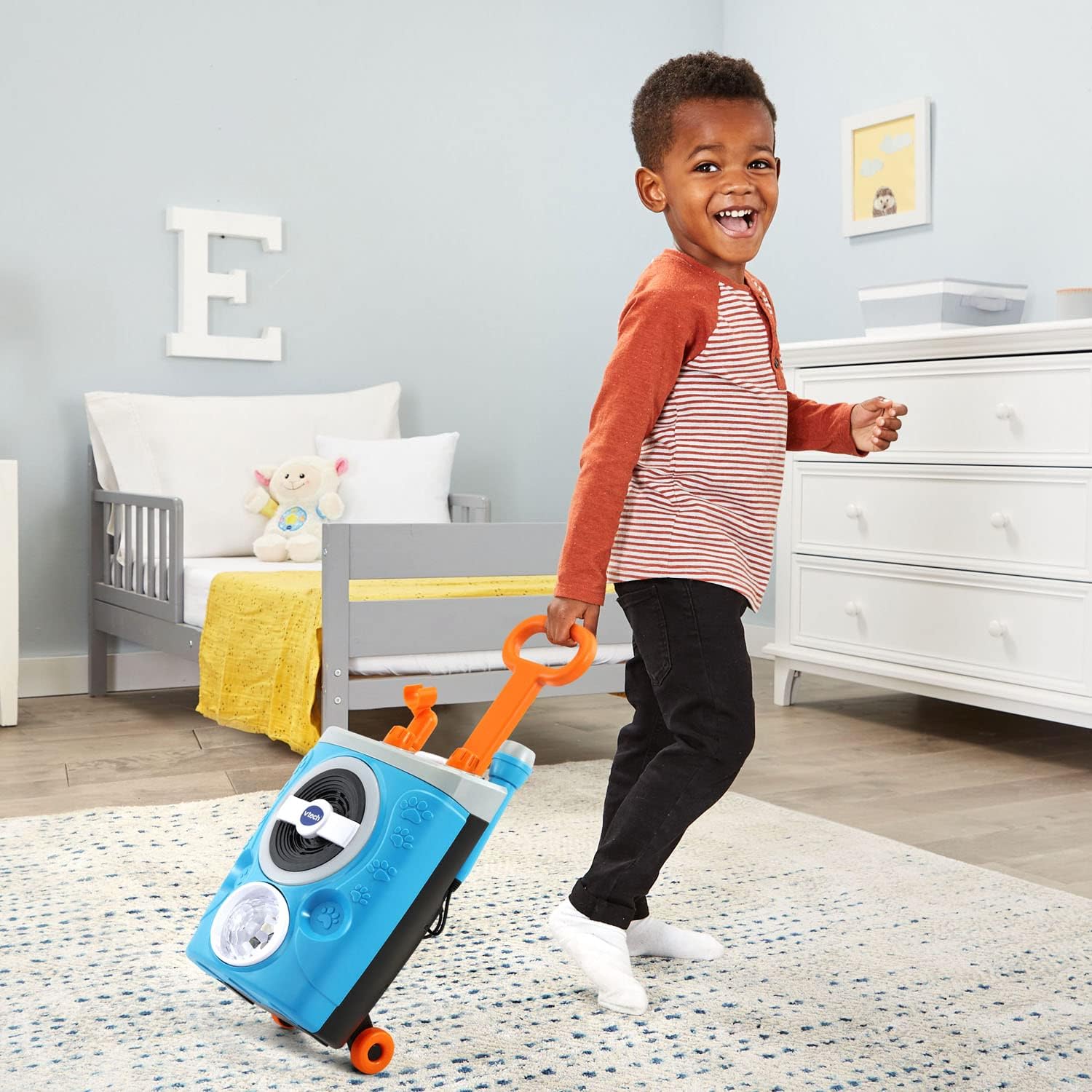
Image: A child demonstrating the portability of the karaoke machine by pulling it with its extended handle and wheels.
Video ufficiale del prodotto
Video: An official VTech product video showcasing the features and fun of the Kidi Superstar Jr. Karaoke Machine, including music, lights, and portability.
Manutenzione
- Pulizia: Wipe the surface of the karaoke machine with a slightly damp stoffa. Non utilizzare prodotti chimici aggressivi o detergenti abrasivi.
- Magazzinaggio: Store the unit in a cool, dry place away from direct sunlight when not in use. If storing for an extended period, remove the batteries.
Risoluzione dei problemi
| Problema | Soluzione |
|---|---|
| Nessuna alimentazione/L'unità non si accende. | Check battery installation and replace with new AA batteries if necessary. Ensure the power button is fully pressed. |
| Nessun suono dal microfono. | Ensure the microphone is securely plugged into the input jack. Check the microphone's on/off switch. Adjust the microphone volume knob. |
| Nessuna riproduzione musicale. | Check the main volume knob. Ensure a song is selected or a Bluetooth device is properly connected and playing music. |
| Il Bluetooth non si connette. | Ensure Bluetooth mode is active on the karaoke machine and your external device. Make sure the device is within range and not connected to another Bluetooth device. |
| Party lights not working. | Press the Light Button to activate. Check battery levels. |
Specifiche
- Dimensioni del prodotto: 7.48 x 9.06 x 14.96 pollici
- Peso dell'articolo: 3.37 libbre
- Numero modello articolo: 80-552400
- Età consigliata dal produttore: 36 mesi - 5 anni
- Batterie: Sono necessarie 4 batterie AA (incluse a scopo dimostrativo)
- Marca: VTech
- Caratteristica speciale: Built-In Song Track, Bluetooth Connectivity, Voice Effects, Party Lights, Adjustable Mic Stand
- Colore: Blu
Garanzia e supporto
For warranty information, product support, or to purchase replacement parts, please visit the official VTech website or contact VTech customer service directly. Keep your purchase receipt as proof of purchase for warranty claims.
Servizio clienti VTech: Refer to the contact information provided in your Quick Start Guide or on the VTech official websito.