
Tecno SC01 - Black
Manuale utente degli auricolari Tecno Sonic 1 TWS
Model: SC01 - Black | Brand: Tecno
Introduzione
The Tecno Sonic 1 TWS Earbuds are designed to provide a superior audio experience with extended battery life and versatile wearing options. Featuring advanced call noise cancellation and a durable, water-resistant design, these earbuds are perfect for on-the-go use.
Caratteristiche principali:
- Up to 50 hours ultra-long battery life (with charging case)
- Free switching between in-ear and half in-ear wearing styles
- Effective call noise cancellation for clear communication
- Design compatto e leggero per un facile trasporto
- Dual connection and synchronous fast pairing
- IPX5 water resistance for worry-free use
Guida all'installazione
1. Ricarica iniziale
Before first use, fully charge the Tecno Sonic 1 earbuds and their charging case. Place both earbuds into the charging case and connect the case to a power source using the provided USB cable. The indicator lights on the case will show charging status.
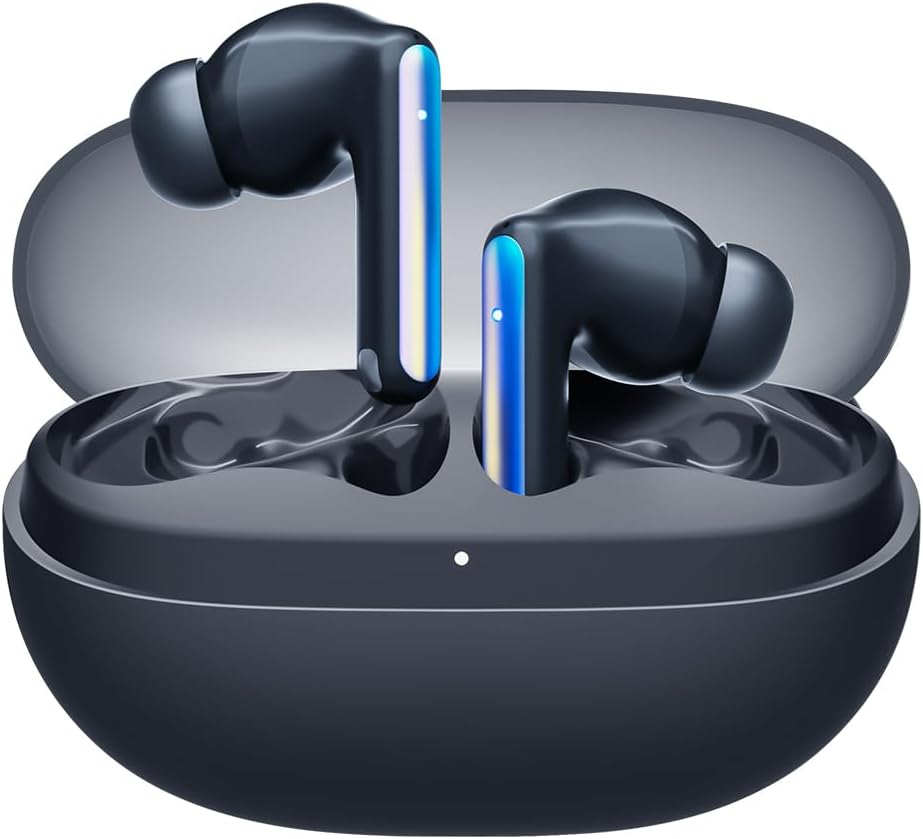
Image: Tecno Sonic 1 TWS Earbuds resting inside their charging case, indicating readiness for charging or storage.
2. Associazione con un dispositivo
- Assicurati che gli auricolari siano nella custodia di ricarica e che il coperchio della custodia sia aperto.
- Sul tuo dispositivo (smartphone, tablet, ecc.), attiva il Bluetooth.
- Select "Tecno Sonic 1" from the list of available Bluetooth devices.
- Una volta effettuata la connessione, un messaggio vocale confermerà l'avvenuta associazione.
Note: The earbuds support dual connection, allowing them to be paired with two devices simultaneously.
Istruzioni per l'uso
Indossare gli auricolari
The Tecno Sonic 1 earbuds offer flexible wearing options: in-ear and half in-ear. Choose the ear tips that provide the most comfortable and secure fit for optimal sound quality and noise cancellation.
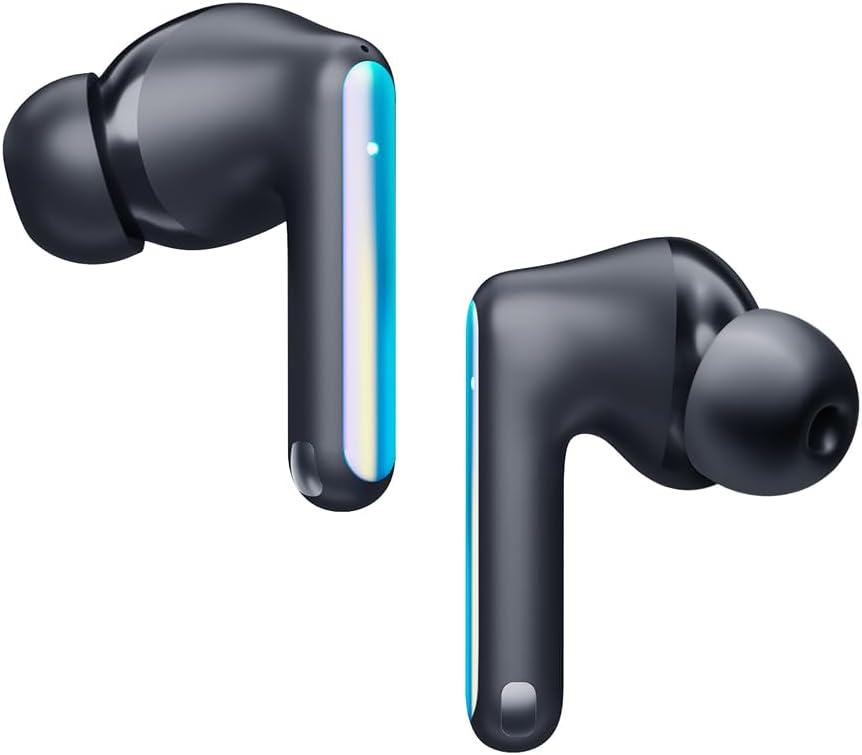
Image: Individual Tecno Sonic 1 TWS Earbuds, highlighting their sleek design and showing the different ear tip options for in-ear and half in-ear fit.
Controlli touch
| Azione | Funzione |
|---|---|
| Tocco singolo (sinistra/destra) | Riproduci/Metti in pausa la musica, Rispondi/Termina chiamata |
| Doppio tocco (a destra) | Traccia successiva |
| Doppio tocco (sinistra) | Traccia precedente |
| Triplo tocco (sinistra/destra) | Attiva l'Assistente Vocale |
| Long Press (2s, Left/Right) | Rifiuta chiamata |
Manutenzione
Pulizia
- Pulisci regolarmente gli auricolari e la custodia di ricarica con un panno morbido, asciutto e privo di lanugine.
- Rimuovere i gommini auricolari e pulirli con acqua e sapone neutro, quindi asciugarli accuratamente prima di riapplicarli.
- Non utilizzare detergenti abrasivi o solventi.
Magazzinaggio
When not in use, store the earbuds in their charging case to protect them from dust and damage, and to ensure they remain charged.
Risoluzione dei problemi
Problemi comuni e soluzioni:
- Gli auricolari non si associano o non si connettono:
- Assicurarsi che gli auricolari siano carichi.
- Disattiva e attiva il Bluetooth sul tuo dispositivo.
- Forget "Tecno Sonic 1" from your device's Bluetooth list and try pairing again.
- Place earbuds back in the case, close the lid for 5 seconds, then open to reset.
- Nessun suono o volume basso:
- Controlla i livelli del volume su entrambi gli auricolari e sul dispositivo connesso.
- Assicurati che gli auricolari siano posizionati correttamente nelle orecchie.
- Pulisci eventuali detriti dalle griglie degli auricolari.
- Problemi di ricarica:
- Verificare che il cavo di ricarica e l'adattatore funzionino correttamente.
- Assicurarsi che i contatti di ricarica degli auricolari e della custodia siano puliti e asciutti.
Specifiche
| Caratteristica | Dettaglio |
|---|---|
| Marca | Tecno |
| Nome del modello | Sonic - 1 |
| Numero modello articolo | SC01 - Black |
| Tecnologia di connettività | Wireless (Bluetooth) |
| Posizionamento dell'orecchio | Nell'orecchio |
| Fattore di forma delle cuffie | Nell'orecchio |
| Controllo del rumore | Sound Isolation (Call Noise Cancellation) |
| Impedenza | 3 Ohm |
| Presa per cuffie | Nessun Jack |
| Colore | Nero |
| Dimensioni del prodotto | Dimensioni: 7.5 x 5.2 x 2.7 cm |
| Peso dell'articolo | 52 grammi |
| Batterie | 1 batteria agli ioni di litio (inclusa) |
| Resistenza all'acqua | Grado di protezione IPX5 |
Garanzia e supporto
For warranty information and technical support, please refer to the documentation included with your purchase or visit the official Tecno websito. Conservare la prova d'acquisto per eventuali reclami in garanzia.
Puoi visitare il Tecno Store su Amazon per maggiori informazioni sul prodotto e risorse di supporto.
Ask a question about this manual
Ask about setup, troubleshooting, compatibility, parts, safety, or missing instructions. Manuals+ will review the question and use this page’s manual context to help answer it.