
1. Introduzione
Thank you for choosing the 4Patriots 40-Watt Portable Solar Panel. This device is designed to provide a compact and reliable power source for your electronic devices using solar energy. It is ideal for outdoor activities such as camping, hiking, and RV trips, offering an eco-friendly way to keep your essential gadgets charged.
2. Informazioni sulla sicurezza
- Non tentare di smontare o modificare il pannello solare.
- Avoid exposing the panel to extreme temperatures, fire, or corrosive materials.
- Keep the panel dry. Do not immerse it in water.
- Maneggiare il pannello con cura per evitare di danneggiare le celle solari.
- Assicurare una ventilazione adeguata quando si opera in spazi chiusi.
- Tenere fuori dalla portata dei bambini.
3. Contenuto della confezione
Verifica che tutti gli articoli siano presenti nel tuo pacco:
- 4Patriots 40-Watt Portable Solar Panel
- Integrated carrying case
4. Prodotto finitoview
The 4Patriots 40-Watt Portable Solar Panel is designed for convenience and efficiency. It features multiple foldable panels that collapse into a compact, laptop-sized carrying case. The panel includes a USB port for direct charging of compatible devices.

Image: The 4Patriots 40-Watt Portable Solar Panel shown both unfolded, revealing the solar cells, and folded into its compact carrying case with the 4Patriots logo.
5. Configurazione e funzionamento
5.1 Apertura del pannello solare
- Place the folded solar panel on a flat, stable surface.
- Unfold the panels completely, ensuring all solar cells are exposed to direct sunlight.
- Angle the panel towards the sun for optimal charging efficiency.
5.2 Collegamento dei dispositivi

Immagine: un primo piano view of a hand plugging a USB charging cable into the integrated USB port located within the solar panel's carrying case flap.
- Locate the USB charging port on the solar panel (typically found within the storage flap).
- Connect your device's USB charging cable to the solar panel's USB port.
- Collega l'altra estremità del cavo al tuo dispositivo elettronico.
- Ensure the solar panel is in direct sunlight. Charging will begin automatically.
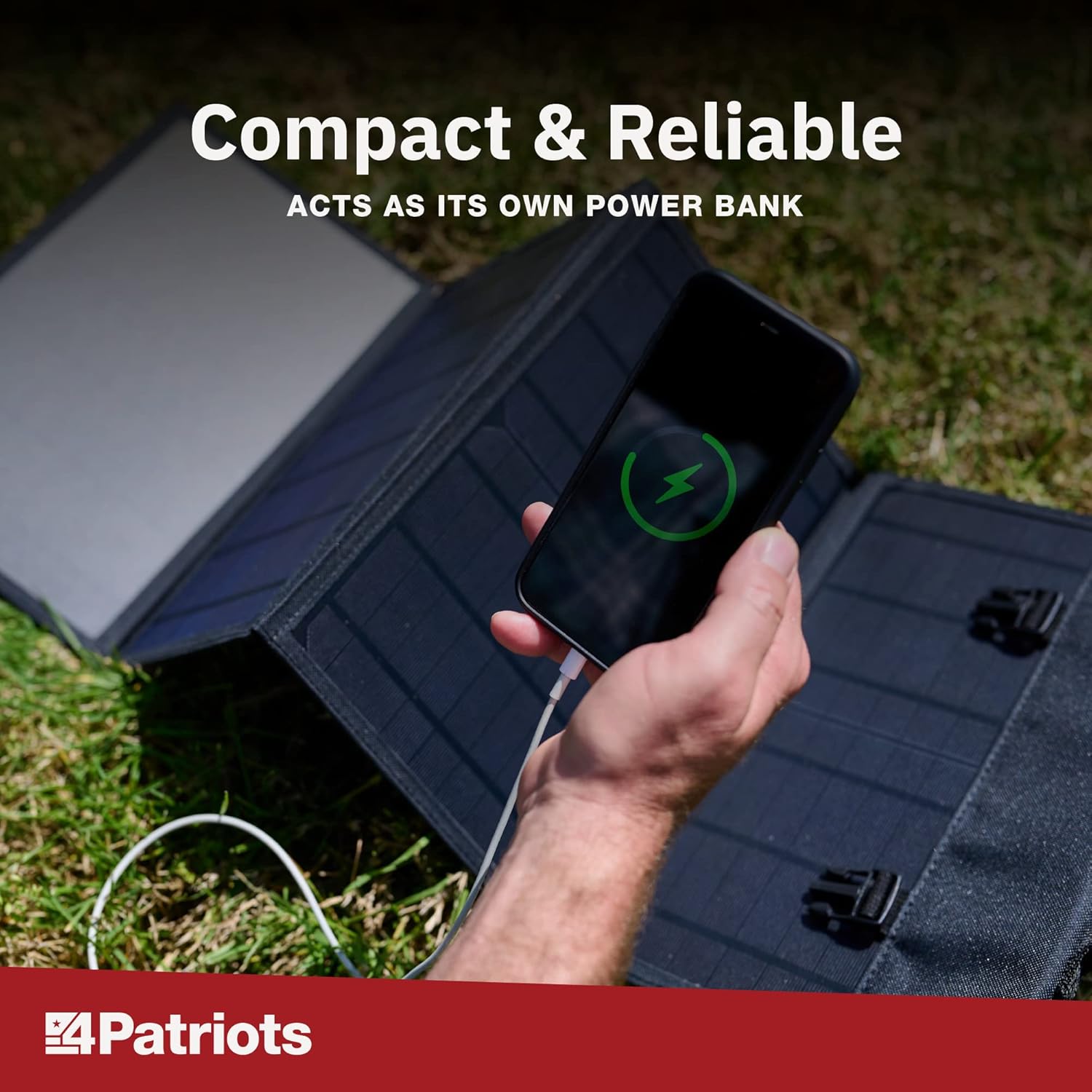
Image: A smartphone is shown charging, with a green lightning bolt icon on its screen, while connected to the unfolded 4Patriots solar panel on a grassy surface.
5.3 Compatibilità del dispositivo
The 4Patriots 40-Watt Solar Panel is compatible with a wide range of USB-powered devices, including:
- Smartphone
- compresse
- Dispositivi GPS
- Radio
- Torce elettriche
- Laptops (depending on power requirements and specific charging cables)

Image: A graphic titled 'Charge Devices' showing icons for a mobile phone, laptop, CPAP machine, tablet, mini-fridge, and television, indicating the versatility of the solar panel for various electronics.
It can also be used in conjunction with the Patriot Power Sidekick mini solar generator for enhanced portable power solutions.

Image: The 4Patriots 40-Watt solar panel is shown unfolded on the ground, next to a Patriot Power Sidekick portable power station, demonstrating compatibility.
6. Manutenzione
- Pulizia: Regularly wipe the solar panels with a soft, damp panno per rimuovere polvere, sporco o detriti che potrebbero ridurne l'efficienza. Non utilizzare prodotti chimici aggressivi o materiali abrasivi.
- Magazzinaggio: Quando non lo si utilizza, ripiegare il pannello solare e conservarlo in un luogo fresco e asciutto, lontano dalla luce solare diretta e da temperature estreme.
- Ispezione: Ispezionare periodicamente il pannello e i cavi per verificare la presenza di eventuali segni di danneggiamento o usura.
7. Risoluzione Dei Problemi
- Dispositivo non in carica:
- Ensure the solar panel is in direct, unobstructed sunlight. Shading can significantly reduce power output.
- Verificare che il cavo USB sia collegato saldamente sia al pannello solare sia al dispositivo.
- Prova con un cavo USB o un dispositivo diverso per escludere problemi relativi al cavo o al dispositivo.
- Check if the device requires more power than the 40-watt panel can provide.
- Ricarica lenta:
- Regolare l'angolazione del pannello in modo che sia rivolto direttamente verso il sole.
- Clean the surface of the solar cells to remove any dirt or dust.
- Charging speed can be affected by cloud cover, time of day, and geographical location.
- Panel appears damaged:
- Interrompere l'uso immediatamente.
- Contattare l'assistenza clienti per ricevere assistenza.
8. Specifiche
| Caratteristica | Specificazione |
|---|---|
| Marca | 4Patrioti |
| Nome del modello | 40W |
| Cosatage | 40 Watt |
| Voltage | 18 Volt |
| Fonte di alimentazione | Alimentato ad energia solare |
| Peso dell'articolo | 4 libbre |
| Dimensioni del prodotto (piegato) | Approximately 43.1 x 1.1 x 12.9 inches (unfolded dimensions not specified, but implied by folded size) |
| Componenti inclusi | Caso |
| Uscita Wattage | 40 Watt |
| Totale prese di corrente | 1 (USB Port) |
9. Garanzia e supporto
4Patriots offers a 365-day money-back promise for this portable solar power source. If you are not satisfied with your purchase within 365 days, you may contact 4Patriots for a refund of your purchase price, no questions asked.
For further assistance, technical support, or warranty claims, please refer to the contact information provided with your product packaging or visit the official 4Patriots websito.


