
Introduzione
This manual provides comprehensive instructions for the Aigoss Bluetooth Car Handsfree Kit. This device is designed to enhance your driving experience by offering hands-free communication, music playback, and voice assistant integration. It features noise cancellation technology for clear calls and supports simultaneous connection of two mobile phones.
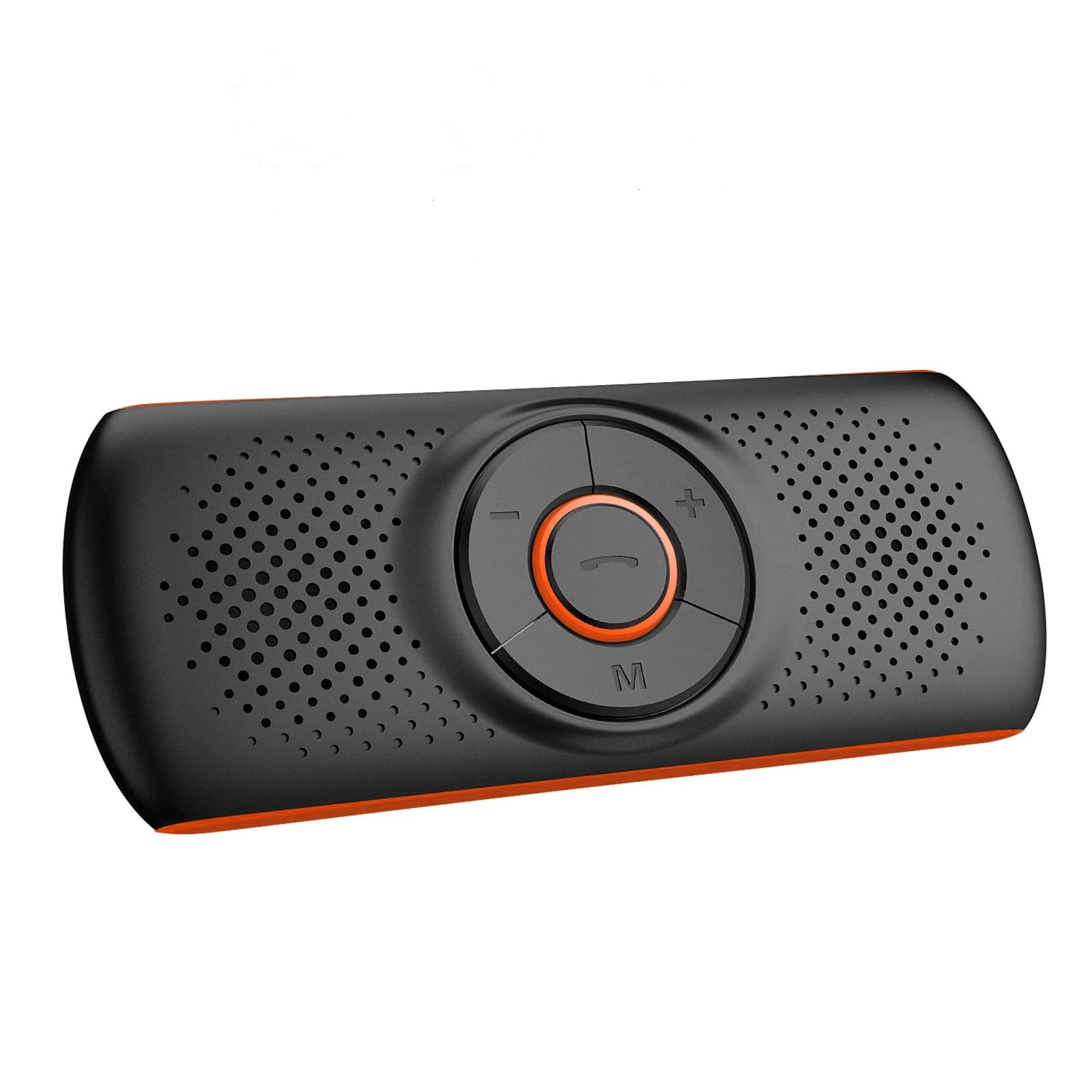
Figure 1: Aigoss Bluetooth Car Handsfree Kit
This image displays the Aigoss Bluetooth Car Handsfree Kit, showcasing its compact design and central control buttons.
Contenuto della confezione
Si prega di controllare la confezione per verificare la presenza dei seguenti elementi:
- 1 x Aigoss Bluetooth Car Handsfree Kit
- 1 x Clip magnetica
- 1 cavo di ricarica USB
- 1 x cordino
- 1 x Manuale utente (questo documento)
Prodotto finitoview
The Aigoss Car Handsfree Kit features intuitive controls and essential ports for ease of use.
- Pulsante di controllo principale: Typically used for answering/ending calls, play/pause music.
- Pulsanti del volume (+/-): Regola il volume.
- Pulsante "M": Multi-function button, used for activating voice assistants.
- Slot per schede TF: Per riprodurre musica direttamente da una scheda TF (MicroSD).
- Porta di ricarica: Porta micro USB per caricare il dispositivo.
- Altoparlante: Integrated 3W 4Ω loudspeaker for clear audio output.
- Microfono: Built-in for hands-free communication.

Figura 2: Slot per scheda TF e porta di ricarica
This image highlights the TF card slot and indicates the device's long playing time for music and hands-free calls.

Figure 3: Powerful Audio Output
This image illustrates the device's 3W 4Ω loudspeaker, emphasizing its powerful and clear audio quality with echo reduction and noise cancellation.
Impostare
1. Carica del dispositivo
Before first use, fully charge the device using the provided USB cable. Connect the USB cable to the charging port on the device and to a standard USB power source (e.g., car charger, computer USB port).
2. Montaggio del dispositivo
The device comes with a strong magnetic clip for easy installation.
- Attach the magnetic clip to the back of the handsfree kit.
- Clip the device onto your car's sun visor or any suitable metallic surface.
- Alternatively, use the provided lanyard to hang the device.

Figure 4: Visor Mounting
This image demonstrates how to clip the handsfree kit to the car's sun visor using its magnetic attachment.
3. Accoppiamento Bluetooth
- Ensure the handsfree kit is charged and powered on.
- Attiva il Bluetooth sul tuo cellulare.
- Cercare available Bluetooth devices and select "Aigoss Handsfree" (or similar name).
- Once paired, the device will automatically connect to your phone when powered on and within range.
Nota: If Bluetooth is disconnected for 5 minutes, the device will automatically power off to conserve battery.
Istruzioni per l'uso
Accensione/spegnimento
- Accensione: Press and hold the main control button until the indicator light turns on.
- Spegni: Press and hold the main control button until the indicator light turns off.
Effettuare e ricevere chiamate
- Rispondi alla chiamata: Press the main control button once.
- Termina chiamata: Press the main control button once during a call.
- Rifiuta chiamata: Press and hold the main control button for 2 seconds.
- Ricomponi l'ultimo numero: Premere due volte il pulsante di controllo principale.
- Regola volume: Utilizzare i pulsanti '+' e '-'.
Riproduzione musicale
- Riproduci/Pausa: Press the main control button once.
- Traccia successiva: Premere il pulsante '+' per 2 secondi.
- Traccia precedente: Premere il pulsante '-' per 2 secondi.
- Riproduzione della scheda TF: Inserire una scheda TF con audio MP3 files into the TF card slot. The device will automatically switch to TF card playback.
Assistente vocale (Siri/Assistente Google)
Attiva l'assistente vocale del tuo telefono per comandi a mani libere.
- Attivazione: Double-click the "M" button to activate Siri or Google Assistant on your connected phone.
- You can then use voice commands for calls, messages, or navigation (e.g., "Call John", "Tell Jack I'll be right there", "Show me directions to restaurant").

Figure 5: Voice Command Functionality
This image illustrates the voice command feature, showing examples of how to use Siri or Google Assistant for phone calls, messages, and navigation.
Collegare due telefoni contemporaneamente
The device supports connecting two mobile phones at the same time.
- Connect the first phone via Bluetooth as described in the "Bluetooth Pairing" section.
- Disconnect Bluetooth on the first phone.
- Turn off the handsfree kit.
- Connect the second phone to the handsfree kit via Bluetooth.
- Turn off the handsfree kit again.
- Turn on the handsfree kit and enable Bluetooth on both phones. The device should now connect to both phones simultaneously.
GPS Voice Prompts
Once connected via Bluetooth, the device will transmit GPS instructions from your phone, ensuring you receive navigation prompts clearly.
Manutenzione
- Mantenere il dispositivo asciutto. Evitare l'esposizione a umidità o liquidi.
- Pulisci il dispositivo con un panno morbido e asciutto. Non utilizzare prodotti chimici aggressivi o detergenti abrasivi.
- Conservare il dispositivo in un luogo fresco e asciutto quando non viene utilizzato.
- Avoid extreme temperatures, as this can shorten the lifespan of electronic components.
Risoluzione dei problemi
| Problema | Soluzione |
|---|---|
| Il dispositivo non si accende. | Assicurati che il dispositivo sia completamente carico. Collegalo a una fonte di alimentazione tramite il cavo USB. |
| Impossibile effettuare l'associazione con il telefono. |
|
| Qualità audio scadente. |
|
| Il dispositivo si spegne automaticamente. | This is normal behavior if Bluetooth is disconnected for 5 minutes to save power. Reconnect Bluetooth or power on the device manually. |
Specifiche
| Caratteristica | Dettaglio |
|---|---|
| Marca | Aigoss |
| Modello | B0BTSHCJLP |
| Colore | Arancia |
| Tecnologia di connettività | Scheda Bluetooth / TF |
| Standard di comunicazione wireless | Bluetooth |
| Interfaccia Hardware | Bluetooth |
| Fonte di alimentazione | Alimentato a batteria |
| Batteria ricaricabile | SÌ |
| Caratteristiche speciali | Noise Cancellation Technology, Siri/Google Assistant Activation, Magnetic Clip, GPS Instruction Transmission |
| Dispositivi compatibili | Apple iPhone, Google Nexus, HTC, OnePlus, Samsung Galaxy, ZTE |
| Tipo di supporto | MP3 |
| Altoparlante Uscita | 3W 4Ω |
| Tempo di riproduzione della musica | Fino a 10 ore |
| Hands-Free Working Time | Fino a 16 ore |
Garanzia e supporto
Information regarding product warranty, spare parts availability, and software updates is not provided in the product details. For further support or inquiries, please refer to the manufacturer's official websito o contattare il loro servizio clienti.