
1. Introduzione
Thank you for choosing the Toputure TP-TM01W Under Desk Treadmill. This manual provides essential information for the safe and effective use of your new fitness equipment. Please read it thoroughly before operation and retain it for future reference.
The Toputure TP-TM01W is a versatile treadmill designed for home and office use, offering both walking and jogging modes. It features a powerful yet quiet motor, a spacious running belt, and smart connectivity options for an enhanced exercise experience.

Image: The Toputure TP-TM01W treadmill in use, demonstrating its compact design and suitability for under-desk use.
2. Istruzioni di sicurezza
Per garantire un funzionamento sicuro ed evitare lesioni, attenersi alle seguenti linee guida di sicurezza:
- Consultare sempre un medico prima di iniziare un nuovo programma di esercizi.
- Posizionare il tapis roulant su una superficie piana e stabile, assicurandosi che vi sia spazio sufficiente attorno all'unità.
- Tenere i bambini e gli animali domestici lontani dal tapis roulant durante il funzionamento.
- Indossare calzature sportive adeguate. Non utilizzare il tapis roulant a piedi nudi o con i calzini.
- Ensure the safety key is properly attached to your clothing before starting. In case of emergency, pulling the safety key will immediately stop the treadmill.
- Non salire o scendere dal tapis roulant mentre il nastro è in movimento.
- Se ti senti debole, stordito o provi dolore, interrompi immediatamente l'esercizio.
- Scollegare il tapis roulant dalla presa di corrente quando non è in uso o prima di pulirlo o sottoporlo a manutenzione.
- Do not use the treadmill if it is damaged or malfunctioning. Contact customer support.
- La capacità massima di peso dell'utente per questo tapis roulant è di 130 kg (286 libbre).
3. Contenuto della confezione
Verificare che tutti i componenti siano presenti nella confezione:
- Toputure TP-TM01W Under Desk Treadmill
- Chiave di sicurezza
- Cavo di alimentazione
- Manuale dell'utente (questo documento)
- Kit di strumenti
- Telecomando
4. Impostazione
The Toputure TP-TM01W treadmill requires no assembly. It is ready for use directly out of the box.
- Estrarre con cautela il tapis roulant dalla confezione.
- Place the treadmill on a level, hard surface. Ensure there is sufficient space around the unit for safe operation.
- Collegare il cavo di alimentazione a una presa elettrica dotata di messa a terra.
- Attach the safety key to the designated slot on the treadmill and clip the other end to your clothing.

Image: The treadmill features transport wheels for easy movement and an oil filling hole for maintenance.
5. Istruzioni per l'uso
5.1 Accensione/spegnimento
- To power on, ensure the power cord is connected and the safety key is in place. The LED display will illuminate.
- To power off, press the stop button on the remote control or remove the safety key. Unplug the unit from the wall for complete power disconnection.
5.2 Modalità di funzionamento
Il tapis roulant supporta due modalità principali:
- Modalità di camminata: Speed range of 1-4 km/h. Ideal for light activity or under-desk use.
- Modalità jogging: Speed range of 5-10 km/h. Suitable for more intense cardio workouts.

Image: The treadmill offers distinct walking and jogging speed ranges to accommodate various fitness levels.
5.3 Display a LED
Il display LED integrato fornisce un feedback in tempo reale sul tuo allenamento:
- Velocità: Current belt speed (km/h).
- Tempo: Durata del tuo allenamento.
- Distanza: Distanza totale percorsa.
- Calorie: Calorie bruciate stimate.

Image: The LED display clearly shows key workout metrics such as speed, time, distance, and calories.
5.4 telecomando
The wireless remote control allows for convenient adjustment of settings during your workout:
- Acceso/Spento: Avviare e arrestare il tapis roulant.
- Velocità +/-: Increase or decrease the belt speed.
- Selezione del programma: Cycle through the 12 predefined workout programs (P01-P12).
5.5 FITSHOW App and Bluetooth Connectivity
Enhance your workout experience by connecting the treadmill to the FITSHOW app via Bluetooth:
- Download the FITSHOW app from your device's app store (available on Google Play and the App Store).
- Abilita il Bluetooth sul tuo smartphone o tablet.
- Open the FITSHOW app and follow the on-screen instructions to pair with your Toputure treadmill.
- The app allows for real-time recording of exercise data, access to professional fitness courses, and data sharing.

Image: Control your treadmill and track progress using the FITSHOW app and the included remote control.
5.6 Programmi predefiniti
The treadmill includes 12 predefined programs (P01-P12) designed to simulate various exercise scenarios. Select a program that aligns with your fitness level and goals using the remote control.
6. Manutenzione
Una manutenzione regolare garantisce la longevità e le prestazioni ottimali del tuo tapis roulant.
6.1 Pulizia
- Before cleaning, always unplug the treadmill.
- Pulisci il display e le superfici esterne con un panno morbido eamp panno. Evitare detergenti abrasivi o solventi.
- Regularly vacuum underneath the treadmill to prevent dust and debris buildup.
6.2 Lubrificazione della cinghia
Il tappeto da corsa richiede una lubrificazione periodica per ridurre l'attrito e prolungarne la durata. La frequenza dipende dall'utilizzo:
- Light use (less than 3 hours/week): Lubricate every 5-6 months.
- Moderate use (3-5 hours/week): Lubricate every 3-4 months.
- Heavy use (more than 5 hours/week): Lubricate every 1-2 months.
Per lubrificare:
- Scollegare il tapis roulant.
- Locate the oil filling hole (as shown in the 'Easy to move' image in Section 4).
- Apply a small amount of silicone lubricant (not included, typically) into the hole.
- Collegare il tapis roulant e farlo funzionare a bassa velocità (ad esempio 2 km/h) per 5 minuti per distribuire uniformemente il lubrificante.
6.3 Regolazione della cinghia
If the running belt becomes misaligned or feels loose, refer to the detailed instructions in the full user manual for adjustment procedures. Incorrect adjustment can damage the belt or motor.
7. Risoluzione Dei Problemi
Se riscontri problemi con il tuo tapis roulant, prova a seguire i seguenti semplici passaggi per la risoluzione dei problemi:
- Il tapis roulant non si accende: Ensure the power cord is securely plugged into both the treadmill and the wall outlet. Check if the safety key is correctly inserted. Verify the wall outlet is functional.
- La cinghia si ferma inaspettatamente: Controllare che la chiave di sicurezza non sia fuoriuscita. Reinserirla saldamente.
- Telecomando non funzionante: Ensure the remote's battery is functional and correctly inserted. Point the remote directly at the treadmill's sensor.
- Rumore insolito: Arrestare immediatamente il tapis roulant. Verificare che non vi siano corpi estranei incastrati nel nastro o nella zona del motore. Se il rumore persiste, contattare l'assistenza clienti.
- Slittamento della cinghia: The belt may require tension adjustment or lubrication. Refer to Section 6.2 for lubrication. For tension adjustment, consult the full manual or customer support.
For issues not resolved by these steps, please contact Toputure customer support.
8. Specifiche
| Caratteristica | Specificazione |
|---|---|
| Numero di modello | TP-TM01W |
| Marca | Toputure |
| Potenza motore | 2.25 CV |
| Gamma di velocità | 1 - 10 km/h |
| Dimensioni della cintura da corsa (L x P) | Dimensioni: 100 cm x 40 cm |
| Capacità massima di peso dell'utente | 130 kg |
| Dimensioni del prodotto (L x P x A) | Dimensioni: 120 x 52 x 12 cm |
| Peso del prodotto | 22 kg |
| Materiale | Acciaio al carbonio |
| Programmi | 12 Programmi predefiniti |
| Connettività | Bluetooth (FITSHOW App) |
| Display | LED (velocità, tempo, distanza, calorie) |
| Assemblaggio richiesto | NO |

Image: The spacious running belt measures 100 cm in length and 40 cm in width.
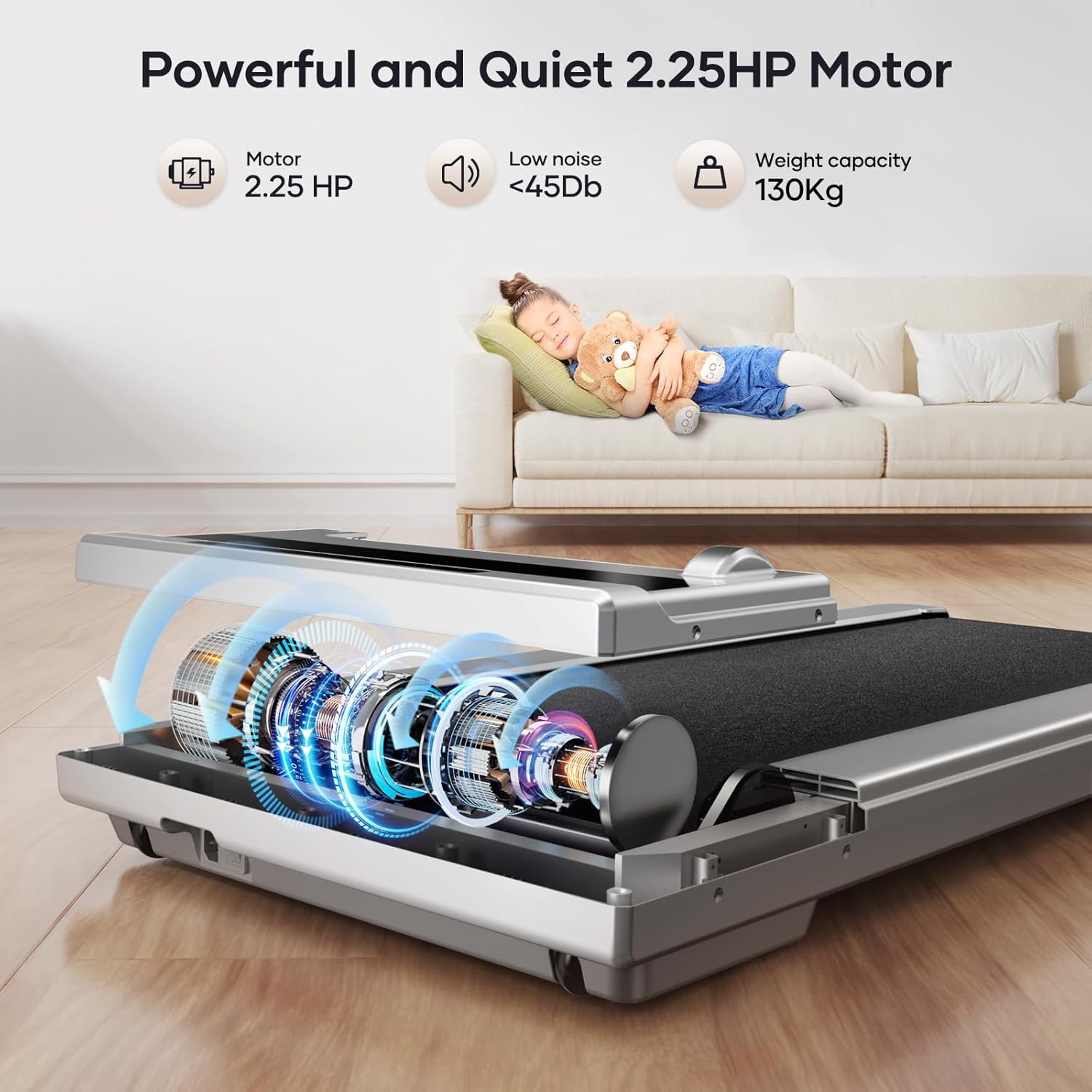
Image: The treadmill is equipped with a 2.25 HP motor, operating quietly at less than 45dB, and supports users up to 130 kg.

Image: The running belt features a 5-layer design for enhanced shock absorption and durability.
9. Garanzia e supporto
Toputure provides a 2-year warranty for the TP-TM01W Under Desk Treadmill. This warranty covers manufacturing defects and ensures professional customer service for the lifetime of the product.
For warranty claims, technical assistance, or any questions regarding your treadmill, please contact Toputure customer support through the retailer where you purchased the product or visit the official Toputure websito per le informazioni di contatto.