
1. Introduzione
This manual provides instructions for the Unitek USB-C to USB-C Cable, Model C14091ABK. This cable is designed for high-speed data transfer, 4K video output, and efficient power delivery between compatible USB-C devices. Please read this manual carefully before using the product.
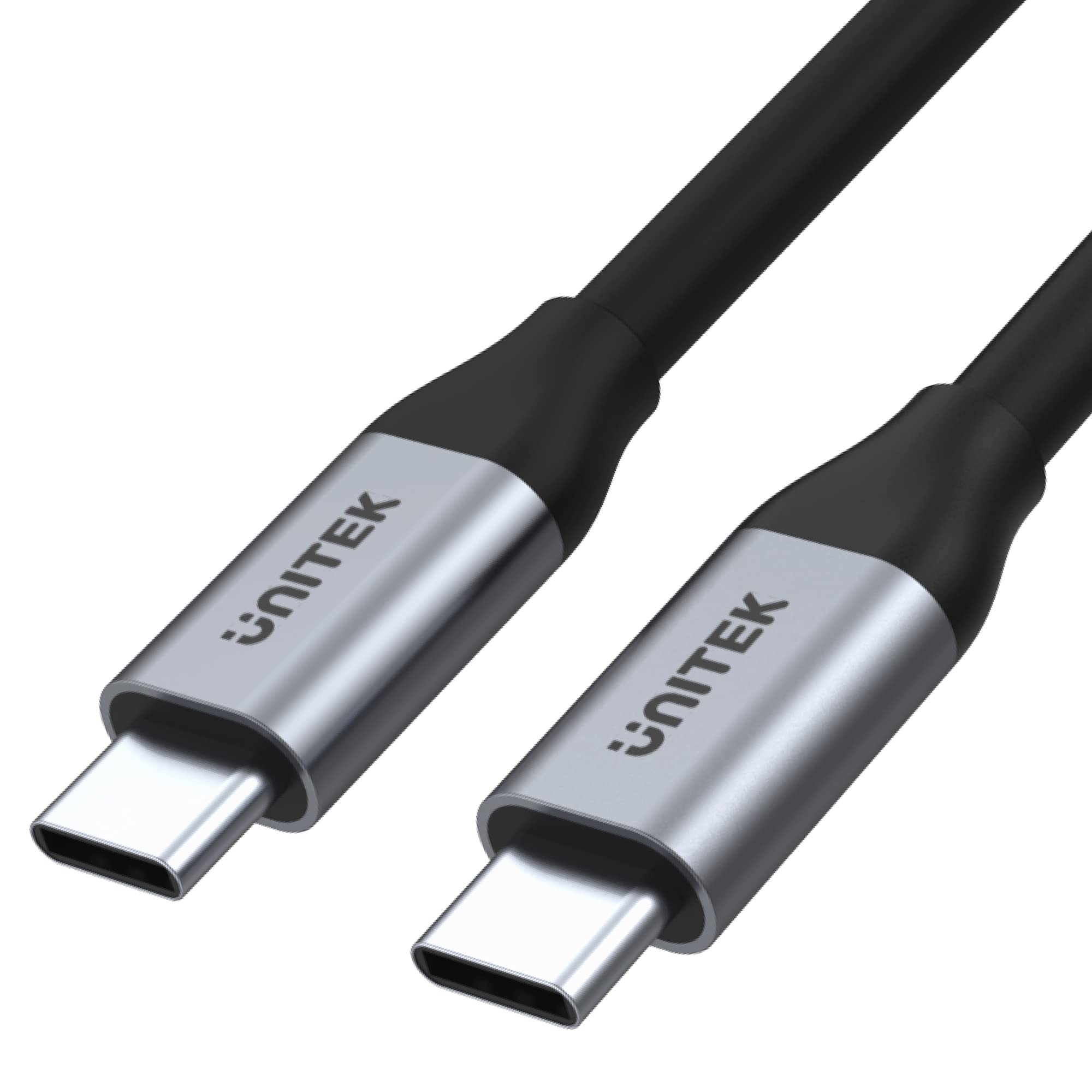
Figura 1: Unitek USB-C to USB-C Cable (Model C14091ABK). This image shows the cable with its two USB-C connectors, highlighting its sleek design and robust construction.
2. Caratteristiche del prodotto
The Unitek USB-C to USB-C Cable (C14091ABK) offers the following key features:
- Trasferimento dati ad alta velocità: Supports ultra-fast data transfer rates up to 5 Gbps, compliant with USB SuperSpeed 3.1 Gen 1 specification.
- Uscita video 4K: Capable of transmitting 4K or 2K resolution video at 60Hz, suitable for connecting to compatible monitors or displays.
- Erogazione di potenza da 100 W: Provides up to 100 watts (20V/5A) of power, supporting fast charging for laptops, tablets, and smartphones that utilize USB Power Delivery (PD) protocols, including Quick Charge 3.0 and above.
- Costruzione durevole: Features robust aluminum housings for the connectors, ensuring longevity and reliable performance.
- Integrated E-MARK Chip: An internal E-MARK chip manages power parameters for safe and efficient power delivery, especially crucial for high-wattage ricarica.

Figura 2: Visual representation of the cable's key features, including 100W USB PD, USB-C connectivity, aluminum construction, 5Gbps USB 3.1 Gen 1 data transfer, 4K 60Hz video support, and E-Mark Chip for safe charging.
3. Impostazione
This USB-C cable is designed for plug-and-play functionality. No software installation or drivers are typically required.
- Identificare le porte: Ensure both your source device (e.g., laptop, charger) and target device (e.g., monitor, smartphone, external drive) have compatible USB-C ports.
- Collegare il cavo: Inserisci un'estremità del cavo USB-C nella porta USB-C del dispositivo sorgente.
- Connettiti al target: Inserisci l'altra estremità del cavo USB-C nella porta USB-C del dispositivo di destinazione.
- Verifica connessione: The devices should automatically detect the connection and begin data transfer, video output, or charging as applicable.
4. Istruzioni per l'uso
The Unitek USB-C to USB-C Cable supports multiple functions:
- Trasferimento dati: Connect two USB-C devices to transfer files at speeds up to 5 Gbps. Ensure both devices support USB 3.1 Gen 1 or higher for optimal performance.
- Uscita video: Connect a USB-C enabled laptop or tablet to a USB-C monitor or display for video output up to 4K at 60Hz. The source device's USB-C port must support DisplayPort Alternate Mode (Alt Mode).
- Power Delivery (Charging): Use the cable with a compatible USB-C power adapter and device to charge at up to 100W. The charging speed depends on the capabilities of both the charger and the device being charged.
5. Manutenzione
To ensure the longevity and optimal performance of your Unitek USB-C to USB-C Cable, follow these maintenance guidelines:
- Magazzinaggio: Conservare il cavo in un luogo fresco e asciutto, lontano dalla luce solare diretta e da temperature estreme. Evitare di arrotolare il cavo troppo stretto o di piegarlo ad angoli acuti.
- Pulizia: Utilizzare un panno morbido e asciutto per pulire il cavo e i connettori. Non utilizzare detergenti liquidi o solventi.
- Gestione: Afferrare sempre l'alloggiamento del connettore quando si collega o si scollega il cavo. Evitare di tirare direttamente il cavo stesso, poiché ciò potrebbe danneggiare i fili interni.
- Ispezione: Periodically inspect the cable for any signs of damage, such as frayed insulation, bent pins, or cracked connectors. Discontinue use if damage is observed.
6. Risoluzione Dei Problemi
If you encounter issues with your Unitek USB-C to USB-C Cable, consider the following troubleshooting steps:
- No Connection/Detection:
- Ensure both devices are powered on and their USB-C ports are clean and free of debris.
- Try unplugging and re-plugging the cable firmly into both devices.
- Test the cable with different USB-C ports on your devices, if available.
- Test the cable with other known working USB-C devices to isolate if the issue is with the cable or the connected devices.
- Trasferimento dati lento:
- Verify that both connected devices support USB 3.1 Gen 1 (5 Gbps) or higher. Older USB 2.0 ports will limit speeds.
- Assicurarsi che non siano in esecuzione contemporaneamente altre operazioni che richiedono un'ampia larghezza di banda.
- Nessuna uscita video:
- Confirm that your source device's USB-C port supports DisplayPort Alt Mode. Not all USB-C ports support video output.
- Check the display settings on your source device to ensure the external monitor is detected and configured correctly.
- Ensure the monitor's input is set to the correct USB-C input.
- Nessuna ricarica/Ricarica lenta:
- Verify that both your power adapter and the device being charged support USB Power Delivery (PD) and the desired wattage (fino a 100 W).
- Ensure the power adapter is connected to a working power outlet.
- Alcuni dispositivi potrebbero richiedere protocolli di ricarica specifici; verificarne la compatibilità.
7. Specifiche
| Specificazione | Dettaglio |
|---|---|
| Marca | Unitek |
| Numero di modello | C14091ABK |
| Produttore | UNITEK |
| Tipo di connettore | USB tipo C |
| Tipo di cavo | USB |
| Connector Gender | da maschio a maschio |
| Velocità di trasferimento dati | Fino a 5 Gbps (USB 3.1 Gen 1) |
| Supporto per la risoluzione video | 4K a 60Hz |
| Erogazione di potenza | Fino a 100 W (20 V / 5 A) |
| Caratteristiche speciali | E-MARK Chip, Aluminium Connectors |
| Dispositivi compatibili | Devices with USB-C Port |
| Colore | Nero |
| Dimensioni del prodotto | 11.5 x 6.83 x 4.04 cm; 200 g (Packaging/Cable) |
8. Garanzia e supporto
For warranty information and technical support, please refer to the documentation provided with your purchase or visit the official Unitek websito. Conservare la prova d'acquisto per eventuali reclami in garanzia.