
1. Introduzione
The FOXWELL NT710 is an advanced OE-level diagnostic scanner designed for BMW, MINI, and Rolls-Royce vehicles. It features a 5.5-inch TFT touch screen, runs on Android 9.0, and offers comprehensive system diagnostics, bi-directional control, and a wide range of maintenance services. This manual provides essential information for setting up, operating, and maintaining your NT710 device.

Figure 1: FOXWELL NT710 Diagnostic Scanner Overview
2. Impostazione
Follow these steps for the initial setup and connection of your FOXWELL NT710 diagnostic scanner:
- Collegare alla porta OBD2: Locate your vehicle's OBD2 (16-pin) port, typically found under the dashboard on the driver's side. Connect the NT710's diagnostic cable to this port.
- Accendere l'accensione: Turn your vehicle's ignition to the 'ON' position (engine off). Power on the NT710 tablet.
- Avviare la diagnosi: The device will automatically detect the vehicle's VIN (Vehicle Identification Number) and prompt you to begin diagnosis. Follow the on-screen instructions to proceed.

Figure 2: Connecting the NT710 to the OBD2 port

Figure 3: Turning on vehicle ignition
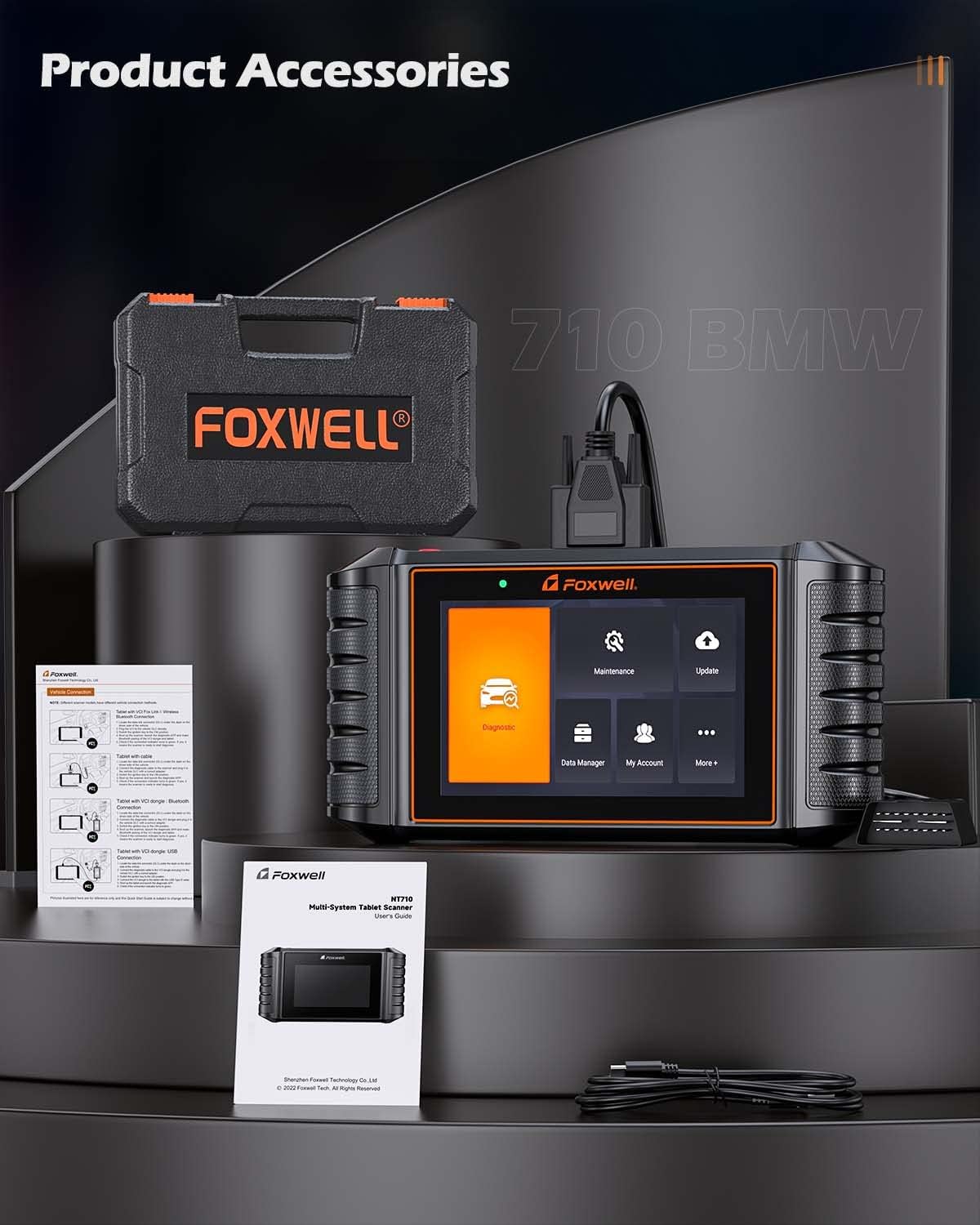
Figure 4: NT710 ready for diagnosis
3. Operating the NT710
3.1 Diagnostica completa del sistema
The NT710 provides OE-level access to all available electronic control modules in BMW, MINI, and Rolls-Royce vehicles. This allows for comprehensive scanning to quickly locate faults. You can read and clear fault codes, turn off warning lights, and view live sensor data in text and graph formats.
- Leggi i codici: Recupera i codici di errore diagnostici (DTC) da vari sistemi del veicolo.
- Codici chiari: Erase DTCs after repairs have been made, turning off warning indicators.
- Dati in tempo reale: View real-time sensor data, such as engine RPM, coolant temperature, and vehicle speed, in both text and graphical displays.

Figura 5: Capacità di diagnostica completa del sistema
3.2 Controllo bidirezionale / Test attivo
The bi-directional control feature allows the NT710 to send commands directly to your vehicle's Electronic Control Unit (ECU) to perform specific active tests. This helps in verifying component functionality and identifying potential issues without manual intervention. Examples include testing doors, windows, mirrors, locks, lights, wipers, and sunroofs.
Video 1: Demonstrating Bi-Directional Control with FOXWELL NT710
Video 2: FOXWELL NT710 All System Diagnostic Tool in action

Figure 6: Bi-Directional Control Functionality
3.3 Maintenance Service Resets
The NT710 offers a wide array of maintenance and service reset functions, including:
- Ripristino luce olio
- Ripristino del freno di stazionamento elettronico (EPB)
- Calibrazione del sensore dell'angolo di sterzata (SAS).
- Ripristino del sistema di monitoraggio della pressione dei pneumatici (TPMS)
- Riapprendimento dell'acceleratore
- ABS sanguinamento
- Rigenerazione del filtro antiparticolato diesel (DPF)
- Codifica dell'iniettore
- Registrazione della batteria
- Codifica ECU
- Ripristino dell'airbag
- Inizializzazione del tettuccio
- Test EVAP
- CVT Reset
- Ripristino delle sospensioni pneumatiche
- A/T Reset
- Calibrazione del sedile
- AC System Reset
- Riapprendimento dell'albero motore
- Apprendimento degli attrezzi
Note: Specific functions available may vary depending on your vehicle's model and year. Always confirm compatibility via VIN before performing services.

Figure 7: Available Maintenance Services
3.4 Funzioni OBD2 complete
The NT710 is compatible with all OBD2-compliant vehicles and performs standard OBD2 tests, including:
- Lettura e cancellazione dei codici di errore
- I/M Readiness Status Check
- Viewacquisizione dei dati del fermo immagine
- Test di sistema EVAP
- Test sensore O2
- Test del monitor di bordo
- Reading Vehicle Information (VIN, CID, CVN)
- Ricerca DTC

Figura 8: Interfaccia completa delle funzioni OBD2
4. Manutenzione
4.1 Aggiornamenti software
The NT710 offers lifetime free one-click WiFi updates. Simply connect the device to a WiFi network and navigate to the 'Update' menu to download and install the latest software versions and vehicle data.

Figura 9: Interfaccia di aggiornamento software
4.2 Gestione dei dati
The device allows for efficient data management, including:
- Registrazione e riproduzione dei dati: Record live sensor data during diagnosis for later review e analisi.
- Data Print & Share: Generate diagnostic reports that can be printed or shared electronically for record-keeping or consultation.

Figure 10: Data Management and Utility Functions
5. Risoluzione Dei Problemi
If you encounter issues with your FOXWELL NT710, consider the following general troubleshooting steps:
- Ensure the device is securely connected to the vehicle's OBD2 port.
- Verificare che l'accensione del veicolo sia in posizione "ON".
- Check for sufficient battery charge on the NT710.
- Perform a software update to ensure you have the latest fixes and vehicle data.
- If the device fails to power on, ensure the OBD2 connection is stable, as the device draws power from the vehicle.
For persistent issues, utilize the online feedback feature or remote assistance options available on the device.
6. Specifiche
| Caratteristica | Specificazione |
|---|---|
| Modello | FOXWELL NT710 |
| Sistema operativo | Androide 9.0 |
| Dimensioni dello schermo | 5.5 Inches TFT Touch Screen |
| Risoluzione dello schermo | 1280*720 pixel |
| Processore | Quad-core 1.3GHz |
| Memoria | 1 GB di RAM + 32 GB di spazio di archiviazione |
| Capacità della batteria | 4000mAh |
| Metodo di aggiornamento | One-Click WiFi Update (Lifetime Free) |
| Compatibilità del veicolo | BMW, MINI, Rolls-Royce (OE-level) |
| Funzioni chiave | Full System Diagnosis, Bi-directional Control, All Maintenance Services Reset, Full OBD2 Functions |
7. Informazioni sulla garanzia
For detailed warranty information regarding your FOXWELL NT710 diagnostic scanner, please refer to the official FOXWELL website or contact their customer support directly. Warranty terms and conditions may vary by region and purchase date.
8. Supporto
FOXWELL provides several support options for users of the NT710:
- Feedback online: Submit feedback or report issues directly through the device's interface.
- Assistenza remota: Access remote technical support for guided troubleshooting and problem resolution.
- Ufficiale Websito: Visit the FOXWELL official websito per FAQ, download di software e risorse aggiuntive.