
VETEK HDV01-8K
Manuale di istruzioni della videocamera VETEK 8K HDV01-8K
Model: HDV01-8K
Introduzione
This manual provides detailed instructions for the VETEK 8K Camcorder, a versatile digital video camera designed for enthusiasts and beginners. It supports high-resolution video recording up to 8K (7680x4320) at 15fps, 5K at 30fps, and 4K at 60fps, along with 48.0MP image capture. Key features include an 18X digital zoom, a 3.0-inch rotatable touch screen, IR night vision, WiFi connectivity, and webcam functionality. Please read this manual thoroughly to ensure proper operation and to maximize your recording experience.
Cosa c'è nella scatola
- Videocamera 8K
- Scheda SD 32G
- Paraluce
- Stabilizzatore
- Microfono esterno
- Two-color Fill Light
- 2 Batterie
- Telecomando
- Cavo dati USB
- Manuale in inglese
- Doppio Caricabatterie
- Caricabatterie

Figure 1: All components included with the VETEK 8K Camcorder.
Impostare
Installazione della batteria
Insert the included Lithium Polymer batteries into the battery compartment, ensuring correct polarity. The camera requires two batteries for operation.
Preparazione della scheda SD
Insert the 32GB SD card (or your own Class 10 or higher SD card up to 256GB) into the designated slot. For first-time use, it is recommended to format the SD card directly through the camera's menu to ensure compatibility and optimal performance.
Fissaggio degli accessori
The camcorder features a hot shoe mount for attaching the external microphone and the two-color fill light. The foldable handheld stabilizer can be attached to the bottom of the camera for improved stability during recording.

Figure 2: VETEK 8K Camcorder with microphone, fill light, and stabilizer attached.

Figure 3: The external fill light offers white, white glow, and warm light modes.

Figure 4: The foldable handheld stabilizer provides enhanced grip and stability.
Istruzioni per l'uso
Accensione/spegnimento
Per accendere la videocamera, aprire lo schermo LCD. Per spegnerla, chiudere lo schermo LCD o tenere premuto il pulsante di accensione.
Controlli di base
Navigate through the camera's functions using the Mode, Menu, Up, Down, and OK buttons located on the side of the camcorder. The 3.0-inch touch screen also allows for intuitive navigation.
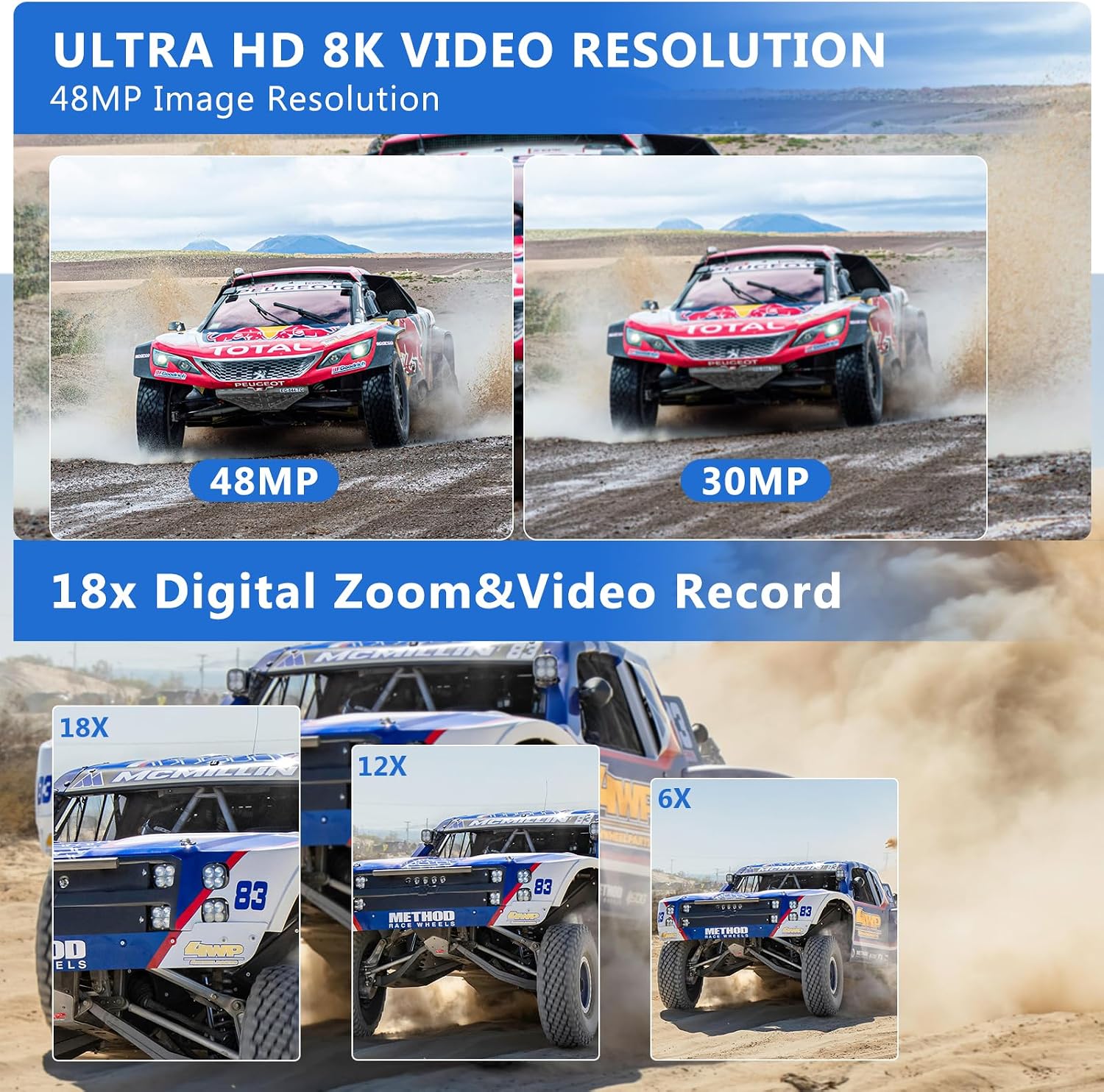
Figure 5: The VETEK 8K Camcorder supports 8K video and 48MP image resolution.
Registrazione video
Press the Record button to start and stop video recording. The camcorder supports 8K (15fps), 5K (30fps), and 4K (60fps) video resolutions. Adjust video quality and other settings via the menu.
Video 1: A basic function introduction to the VETEK 8K camcorder, demonstrating various settings and features.
Video 2: A demonstration of the VETEK Vlog Camera, highlighting its digital video capabilities.
Figure 6: Visual comparison illustrating the clarity of 8K and 5K video resolutions.
Acquisizione di foto
Switch to Photo Mode using the Mode button. Press the Shutter button to capture 48.0MP still images. The camera offers various photo settings and filters.
Figure 7: Image quality comparison between 48MP and 30MP settings.
Digital Zoom
Utilize the 18X digital zoom to bring distant subjects closer. The zoom function can be controlled via the camera's buttons or the remote control.

Figure 8: Demonstration of the 18X digital zoom capability.
Visione notturna a infrarossi
Activate the IR Night Vision mode for clear black and white recordings in low-light or dark environments. This feature enhances visibility for capturing content where traditional lighting is insufficient.

Figure 9: The camcorder's IR Night Vision captures clear images in dark conditions.
Video 3: This video demonstrates the camcorder's night vision capabilities, showing how it captures clear footage in ambienti scarsamente illuminati.
Connettività WiFi e controllo app
Connect the camcorder to your smartphone or tablet via WiFi using the 'HelloCam' app. This allows for remote viewing, image capture, video shooting, and easy transfer and sharing of media files. Scan the QR code in the manual or on the camera screen to download the app.

Figure 10: Remote control and file sharing are enabled through WiFi connectivity.
Download the 'HelloCam' app: https://qr04.cn/B9lhOx
WebFunzione camma
Connect the camcorder to your computer using the USB cable and select 'PC CAM' mode to use it as a webcam per videochiamate e streaming live.
Uscita TV HDMI
Connect the camcorder to a TV using an HDMI cable (not included) to view i tuoi video e le tue foto registrati su uno schermo più grande.
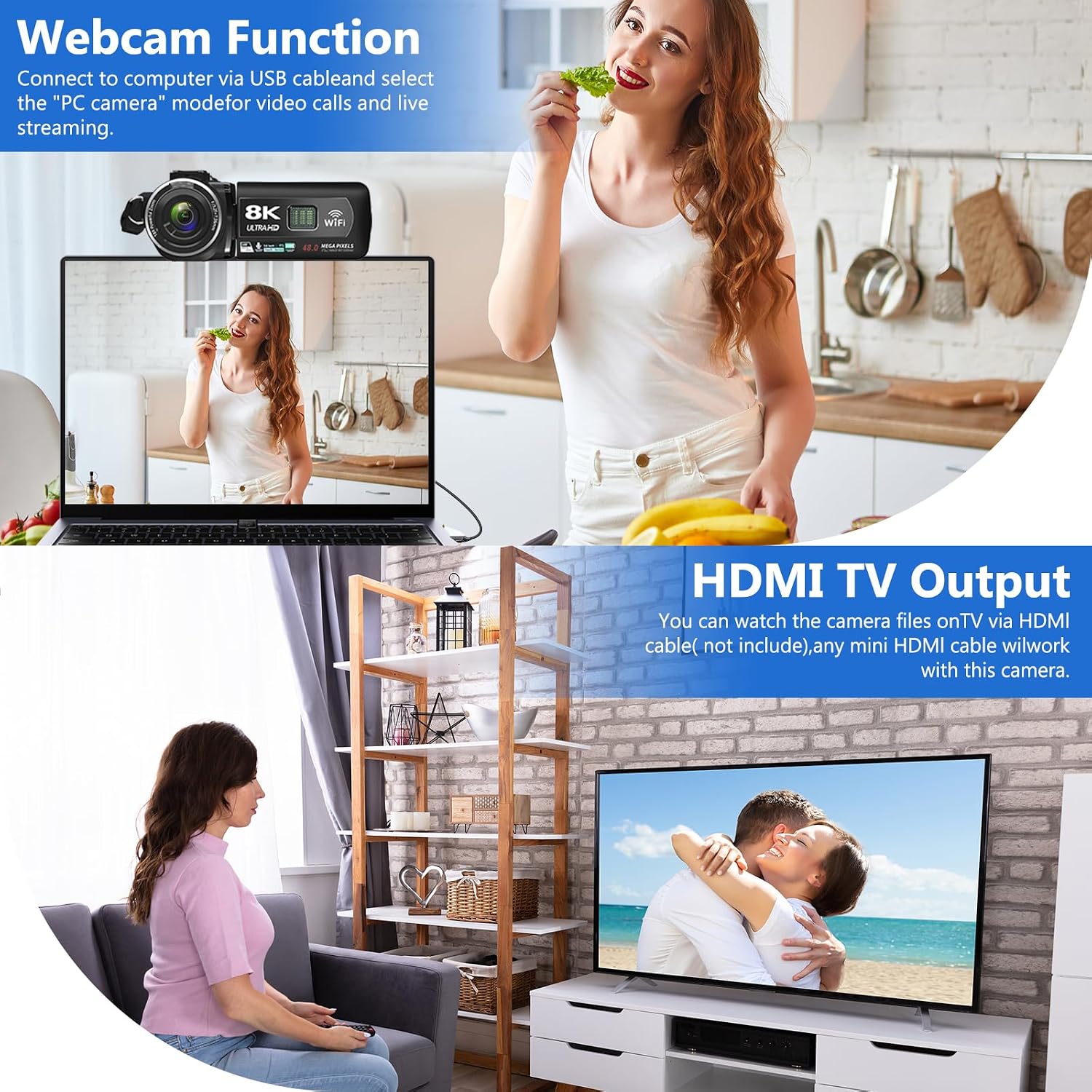
Figure 11: The camcorder can function as a webcam or connect to a TV via HDMI.
File Trasferisci al computer
Connect the camera to your computer via the USB cable. Select 'Mass Storage Mode' on the camera to access and transfer your video and photo filedirettamente sul tuo computer.

Figure 12: Simple steps to transfer your recorded content to a computer.
Riduzione del rumore
The camcorder features a built-in noise reduction function. When recording video, activate this function to automatically minimize external noise, enhancing the clarity of your audio. The external microphone also aids in noise reduction.
Manutenzione
- Mantenere pulita la fotocamera pulendola con un panno morbido e asciutto.
- Evitare di esporre la fotocamera a temperature estreme, umidità o polvere.
- Store the camera and accessories in the provided camera bag when not in use.
- Regularly format the SD card through the camera's menu to maintain optimal performance and prevent data corruption.
- Ensure batteries are fully charged before use and stored properly when not in use.
Risoluzione dei problemi
Suggerimenti importanti
- Please carefully read the user manual before using the video camera.
- The camcorder is designed for amateurs, not professionals. Autofocus and optical zoom are not supported.
- This camera has a fixed focus. The shooting distance should be more than 4 meters for clear pictures or videos.
- After recording, check the video effect on a computer, as checking it on the camera reduces the resolution.
- Format the memory card through this camera for the first time use. Supports 4-128GB SD card Class 10 or higher.

Figure 13: Key tips for optimal camcorder usage.
Specifiche
| Caratteristica | Descrizione |
|---|---|
| Marca | VETEK |
| Numero di modello | HDV01-8K |
| Risoluzione di acquisizione video | 8K (15fps), 5K (30fps), 4K (60fps) |
| Risoluzione dell'immagine | 48.0MP |
| Digital Zoom | 18X |
| Dimensioni dello schermo | 3.0-inch LCD Touch Screen (270-degree rotatable) |
| Tecnologia di connettività | USB, WiFi, HDMI |
| Caratteristiche speciali | Portable, IR Night Vision, Webcam Function, Noise Reduction, Pause Function, Time-lapse, Slow Motion, Continuous Shooting, Beauty Function, Image Stabilization |
| Peso dell'articolo | 9.9 once |
| Dimensioni del prodotto | 5.12 x 2.36 x 2.17 pollici |
| Batterie | 2 batterie ai polimeri di litio (incluse) |
| Tipo di memoria flash | SD (fino a 256 GB) |
Garanzia e supporto
VETEK is committed to providing cost-effective entry cameras and superior quality. All products are eligible for a free return within 30 days of purchase. For any concerns or assistance, please contact VETEK customer service via the email address provided in your product manual. We are dedicated to addressing your concerns and improving product quality based on customer feedback.

Figure 14: VETEK offers dedicated customer support.
Ask a question about this manual
Ask about setup, troubleshooting, compatibility, parts, safety, or missing instructions. Manuals+ will review the question and use this page’s manual context to help answer it.