
ENDORFY EY5A080
Manuale utente della tastiera wireless ENDORFY Thock TKL
Modello: EY5A080
1. Introduzione
Thank you for choosing the ENDORFY Thock TKL Wireless Keyboard. This manual provides detailed instructions for setting up, operating, maintaining, and troubleshooting your new keyboard. Please read this manual carefully before use to ensure optimal performance and longevity of your device.
2. Contenuto della confezione
Si prega di verificare che tutti gli articoli siano presenti nel pacco:
- ENDORFY Thock TKL Wireless Keyboard
- Cavo da USB-C a USB-A
- 2.4 GHz USB Wireless Receiver
- Strumento per estrarre tasti/interruttori
- Manuale dell'utente (questo documento)
3. Impostazione
3.1 Configurazione iniziale e ricarica
Before first use, it is recommended to fully charge the keyboard. Connect the provided USB-C cable to the keyboard's USB-C port and the USB-A end to a powered USB port on your computer or a wall adapter. The keyboard's indicator light will show charging status.
3.2 Modalità di connessione
The ENDORFY Thock TKL Wireless Keyboard supports three connection modes: 2.4 GHz Wireless, Bluetooth, and Wired (USB-C).
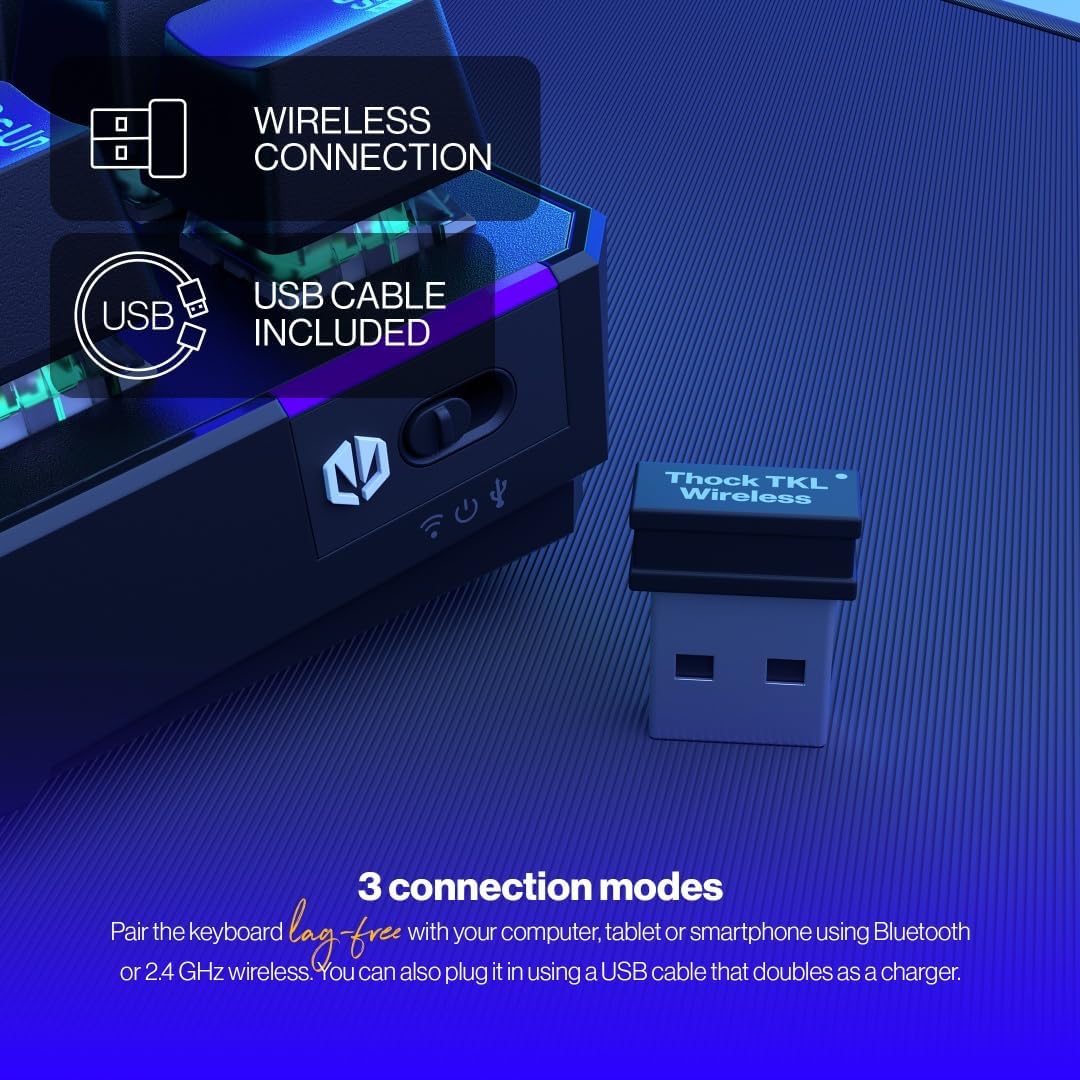
The keyboard offers versatile connectivity options including 2.4 GHz wireless, Bluetooth, and a wired USB connection.
3.2.1 Connessione wireless a 2.4 GHz
- Locate the 2.4 GHz USB wireless receiver in your package.
- Collega il ricevitore USB a una porta USB disponibile sul tuo computer.
- On the keyboard, locate the mode switch (usually on the side or back) and set it to the '2.4G' or wireless icon position.
- La tastiera dovrebbe connettersi automaticamente al computer.
3.2.2 Connessione Bluetooth
- On the keyboard, set the mode switch to the 'BT' or Bluetooth icon position.
- La tastiera entrerà in modalità di associazione (la spia potrebbe lampeggiare).
- Sul tuo computer o dispositivo, apri le impostazioni Bluetooth e cerca nuovi dispositivi.
- Select 'ENDORFY Thock TKL' (or similar name) from the list of available devices to pair.
3.2.3 Connessione cablata
- Collegare l'estremità USB-C del cavo in dotazione alla porta USB-C sulla tastiera.
- Collegare l'estremità USB-A del cavo a una porta USB disponibile sul computer.
- The keyboard will function as a wired keyboard and will also charge its internal battery.

The USB-C port on the side of the keyboard allows for wired connection and charging.
4. Istruzioni per l'uso
4.1 Funzioni chiave
The Thock TKL keyboard features a standard 87-key US layout. Many keys have secondary functions accessible via the 'Fn' key. Refer to the keycaps for specific Fn combinations (e.g., Fn + F1-F12 for media controls, volume, etc.).
4.2 Personalizzazione della retroilluminazione RGB
The keyboard features programmable ARGB backlighting. You can cycle through various lighting effects and colors directly on the keyboard using specific Fn key combinations, or through the dedicated software for more advanced customization.
The keyboard features excellent ARGB backlighting, allowing for various color and effect customizations.
4.3 Utilizzo del software
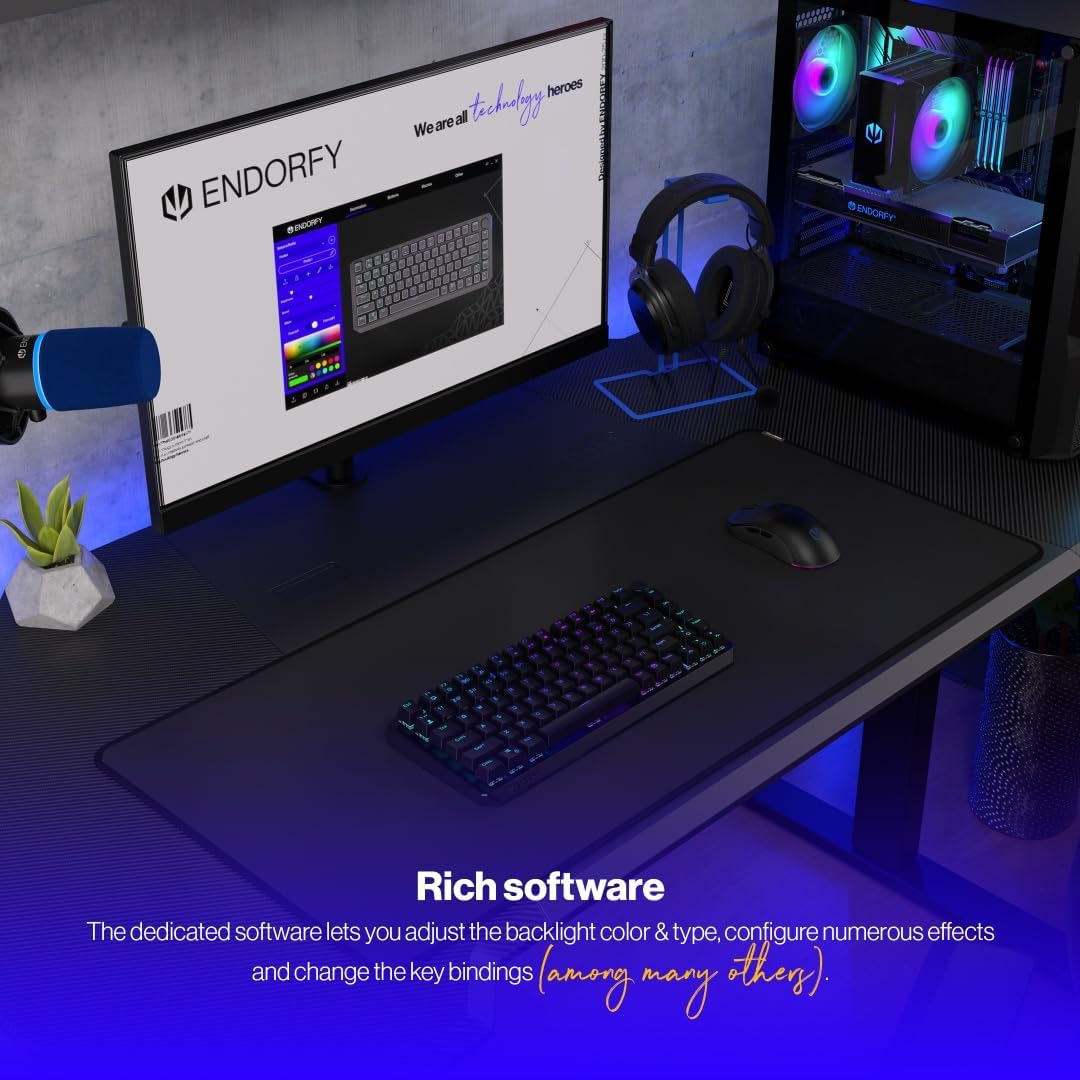
For advanced customization of key bindings, macros, and RGB lighting effects, download and install the dedicated ENDORFY software from the official website. The software provides a graphical interface to fine-tune your keyboard settings.

The dedicated software allows for comprehensive adjustment of backlight color, type, effects, and key bindings.
5. Manutenzione
5.1 Pulizia
To clean your keyboard, first disconnect it from your computer. Use a soft, dry cloth to wipe down the keycaps and chassis. For deeper cleaning, you may use a can of compressed air to remove dust and debris from between the keys. Avoid using harsh chemicals or abrasive materials.
5.2 Switch hot-swap
The ENDORFY Thock TKL keyboard features hot-swappable switches, allowing you to easily change them without soldering. Use the provided switch puller tool to carefully remove switches. Align the new switch with the pins and gently press it into place until it clicks.

The hot-swap feature allows for easy replacement of switches using the included tool.

The keyboard comes equipped with Kailh Box Red switches, known for their smooth and linear actuation.
5.3 Sostituzione dei tasti
The keyboard uses durable PBT Double Shot keycaps. To remove a keycap, use the keycap puller tool (often combined with the switch puller) to gently pull it upwards. To install a new keycap, align it with the switch stem and press down firmly until it is seated.

The durable PBT Double Shot keycaps are resistant to wear and maintain their appearance over time.
6. Risoluzione Dei Problemi
6.1 La tastiera non risponde
- Assicurarsi che la tastiera sia carica.
- Check the connection mode switch (2.4G, BT, Wired) is set correctly.
- For wireless connections, ensure the USB receiver is properly plugged in or Bluetooth is paired. Try a different USB port.
- For wired connection, try a different USB cable or port.
- Riavvia il computer.
6.2 Retroilluminazione non funzionante o errata
- Ensure the backlight is enabled via Fn key combinations.
- Check the brightness level.
- Se si utilizza il software, assicurarsi che le impostazioni siano applicate correttamente.
- Perform a factory reset if available (refer to software or advanced Fn commands).
6.3 Chiavi non registrate
- Assicurarsi che la tastiera sia pulita e priva di detriti sotto i tasti.
- If a specific key is not working, try hot-swapping the switch with a known working one to diagnose if the issue is with the switch or the keyboard PCB.
- Update keyboard firmware if available.
7. Specifiche
| Numero di modello | EY5A080 |
| Tipo di tastiera | Mechanical, TKL (Tenkeyless) |
| Interruttori | Kailh Box Red (Hot-Swappable) |
| keycaps | Doppio colpo PBT |
| Disposizione | US Layout, 87 Keys |
| Connettività | 2.4 GHz Wireless, Bluetooth, USB-C Wired |
| Retroilluminazione | ARGB Programmable |
| Batteria | 1 batteria agli ioni di litio (inclusa) |
| Dimensioni del prodotto | 14.23 x 5.51 x 1.67 pollici (361.50 x 140 x 42.50 mm) |
| Peso dell'articolo | 1.74 libbre |
| Dispositivi compatibili | PC, Gaming Consoles, Tablets, Smartphones |

Superiore view dimensions of the ENDORFY Thock TKL Wireless Keyboard.

Lato view dimensions illustrating the adjustable height options of the keyboard.
8. Garanzia e supporto
The ENDORFY Thock TKL Wireless Keyboard comes with a Garanzia di 2 anno dalla data di acquisto. Conservare la prova d'acquisto per eventuali reclami in garanzia.
For technical support, driver downloads, firmware updates, or further information, please visit the official ENDORFY websito:
http://endorfy.com/kb/EY5A-THOCK-TKL-WIRELESS
You may also contact ENDORFY customer support directly through the contact information provided on their websito.
Ask a question about this manual
Ask about setup, troubleshooting, compatibility, parts, safety, or missing instructions. Manuals+ will review the question and use this page’s manual context to help answer it.