
1. Introduzione
Thank you for choosing the Havit MS1038 Programmable RGB Gaming Mouse. This manual provides essential information for setting up, operating, maintaining, and troubleshooting your new gaming mouse. Please read this guide thoroughly to ensure optimal performance and longevity of your device.
2. Prodotto finitoview
The Havit MS1038 is a high-performance wired gaming mouse designed for precision and customization. It features a high-precision optical sensor, adjustable DPI settings up to 8000, 7 programmable buttons, and dynamic RGB backlighting to enhance your gaming experience.
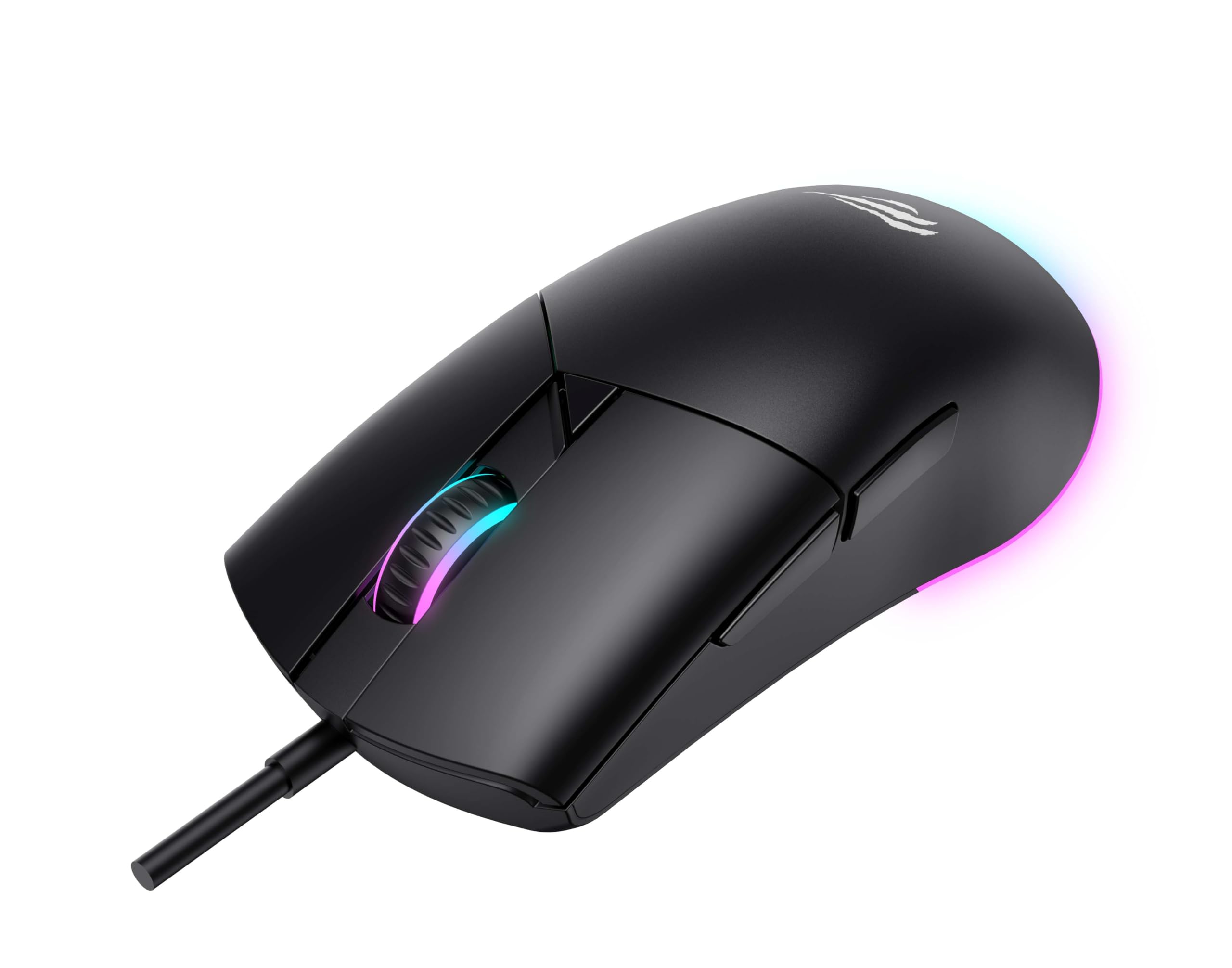
Figura 1: Fronte view of the Havit MS1038 Gaming Mouse, showcasingrazie al suo design ergonomico e all'illuminazione RGB.
3. Specifiche
| Caratteristica | Dettaglio |
|---|---|
| Marca | avere |
| Modello | MS1038 |
| Colore | Nero |
| Connettività | USB (cablato) |
| Caratteristiche speciali | RGB Backlight, Programmable Buttons, High-Precision Optical Sensor |
| Dispositivi compatibili | PC, laptop, tablet |
| Rilevamento del movimento | Ottico |
| Impostazioni DPI | 1200-2400-3200-4800-6400-8000 DPI |
| Numero di pulsanti | 7 |
| Durata della vita della chiave | 3,000,000 clic |
| Lunghezza del cavo | 1.6 metri |
| Volume di eserciziotage | 5V |
| Corrente di esercizio | 150mA |
| Chip | SPCP199C |
| Dimensioni (L*W*H) | Dimensioni: 121 x 64 x 42 mm |
| Peso del prodotto | 82g |
| Batterie richieste | NO |
| Fonte di alimentazione | filo |
| Sistema operativo compatibile | Windows, Mac, Linux |
| Paese di origine | Cina |
4. Guida all'installazione
- Disimballare il mouse: Carefully remove the Havit MS1038 mouse from its packaging.
- Connessione al computer: Collega il connettore USB del mouse a una porta USB disponibile sul tuo computer.
- Installazione del driver: The mouse is typically plug-and-play. Your operating system (Windows, Mac, Linux) should automatically detect and install the necessary drivers. Allow a few moments for the installation to complete.
- Installazione del software (opzionale): For advanced customization of programmable buttons and RGB lighting, download the official Havit MS1038 software from the manufacturer's websito. Seguire le istruzioni sullo schermo per l'installazione.
5. Istruzioni per l'uso
5.1 Funzioni di base
- Clic sinistro: Azione primaria.
- Clic destro: Azione secondaria, in genere apre i menu contestuali.
- Rotella di scorrimento: Scrolls content up or down. Pressing the scroll wheel often acts as a middle click.
5.2 Regolazione DPI
The Havit MS1038 features a dedicated DPI button (usually located behind the scroll wheel) to cycle through different sensitivity settings. Each press will switch to the next DPI level, indicated by a change in the RGB lighting color or pattern.
- Available DPI settings: 1200, 2400, 3200, 4800, 6400, 8000.
- Select the DPI that best suits your preference for gaming or general use.
5.3 pulsanti programmabili
The mouse has 7 buttons, including the standard left/right click, scroll wheel, DPI button, and additional side buttons. These additional buttons can be customized using the Havit MS1038 software.

Figura 2: lato view of the Havit MS1038 Gaming Mouse, highlighting the additional programmable buttons.
6 Personalizzazione
To unlock the full potential of your Havit MS1038 mouse, utilize the dedicated software (available for download from the Havit official websito). Questo software ti consente di:
- Pulsanti di rimappatura: Assign custom functions, macros, or keyboard shortcuts to any of the 7 programmable buttons.
- Adjust DPI Stages: Fine-tune the DPI levels and assign specific values to each stage.
- Controllo dell'illuminazione RGB: Choose from various lighting effects, colors, and brightness levels to personalize your mouse's appearance.
- Crea Profiles: Save different configurations for various games or applications.
7. Manutenzione
Proper care ensures the longevity and performance of your mouse.
- Pulizia: Utilizzare un panno morbido e asciutto per pulire la superficie del mouse. Per lo sporco ostinato, leggermente dampPulisci il panno con acqua o una soluzione detergente delicata. Evita prodotti chimici aggressivi.
- Cura del sensore: Keep the optical sensor on the underside of the mouse clean and free from dust or debris. Use a cotton swab if necessary.
- Gestione dei cavi: Per evitare danni, evitare di piegare bruscamente o tirare eccessivamente il cavo USB.
- Magazzinaggio: Quando non lo si utilizza, conservare il mouse in un ambiente pulito e asciutto, lontano da temperature estreme.
8. Risoluzione Dei Problemi
If you encounter issues with your Havit MS1038 mouse, refer to the following common solutions:
- Il mouse non risponde:
- Assicurarsi che il cavo USB sia collegato saldamente a una porta USB funzionante.
- Prova a collegare il mouse a una porta USB diversa.
- Riavvia il computer.
- Movimento irregolare del cursore:
- Pulisci il sensore ottico nella parte inferiore del mouse.
- Assicurarsi di utilizzare il mouse su una superficie pulita e non riflettente oppure su un tappetino per mouse.
- Verificare la presenza di eventuali conflitti software o driver obsoleti.
- Illuminazione RGB non funzionante:
- Verify that the mouse is properly connected.
- If using customization software, ensure lighting effects are enabled and configured correctly.
- Pulsanti non funzionanti:
- If programmable buttons are not working as expected, check the settings in the Havit MS1038 software.
- Ensure no other software is interfering with mouse button assignments.
9. Garanzia e supporto
The Havit MS1038 Programmable RGB Gaming Mouse comes with a Garanzia di 1 anno dalla data di acquisto. La presente garanzia copre i difetti di fabbricazione in condizioni di normale utilizzo.
For technical support, warranty claims, or further assistance, please contact Havit customer service through their official website or your local retailer. Please have your proof of purchase ready when contacting support.