
1. Introduzione
This manual provides detailed instructions for the safe and efficient operation of your Zebronics Zeb-Buddy 100 Portable Bluetooth Speaker. Please read this manual thoroughly before using the device and retain it for future reference.
2. Prodotto finitoview e Caratteristiche
The Zebronics Zeb-Buddy 100 is a portable Bluetooth v5.0 speaker designed for versatile audio playback. It features a compact design with an integrated handle for easy transport and a mobile holder for hands-free use. Key features include:
- Connettività Bluetooth v5.0: Per lo streaming audio wireless.
- Funzione TWS: Allows pairing of two Zeb-Buddy 100 speakers for stereo audio.
- Microfono cablato: Includes a 6.3mm wired microphone for karaoke.
- Molteplici opzioni di riproduzione: Supports AUX, micro SD card, and USB input.
- Radio FM integrata: For listening to radio stations.
- Controlli multimediali: Integrated buttons for easy control of playback.
- Batteria ricaricabile: Offre fino a 5 ore di riproduzione.
- Modalità di luce RGB: Multiple light modes for enhanced ambiance.
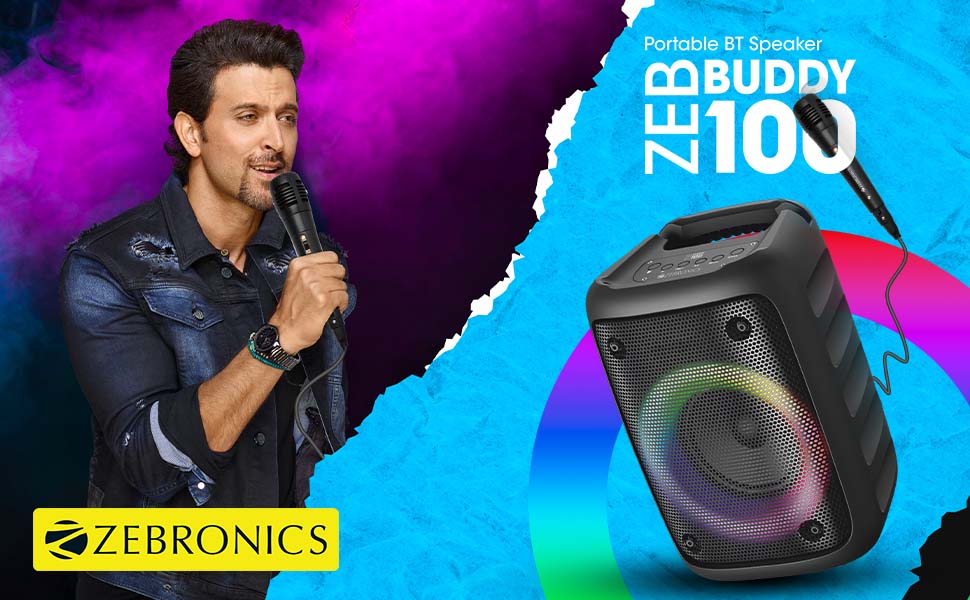
Image: The Zeb-Buddy 100 speaker shown with its included wired microphone, highlighting its portable design and control panel.
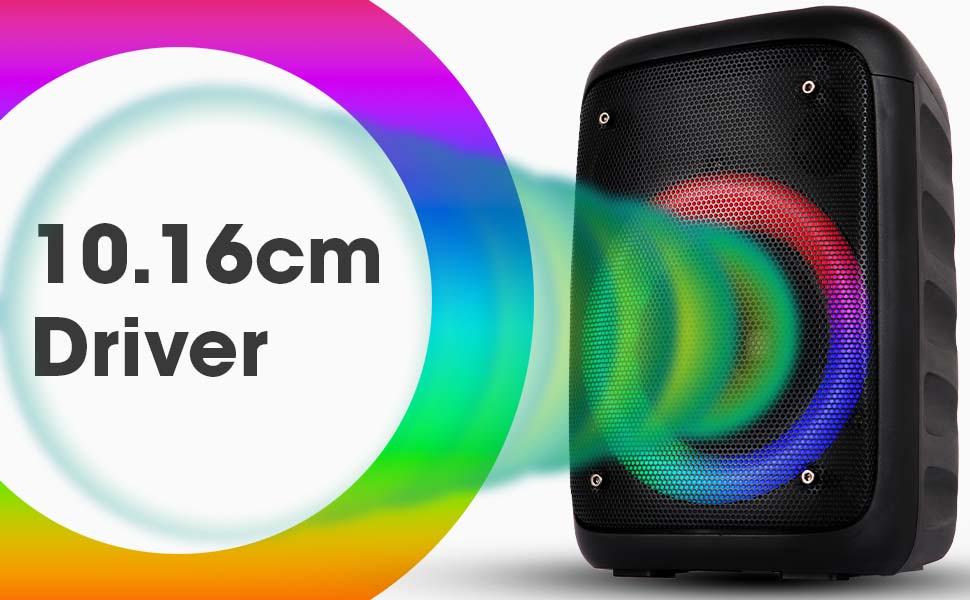
Immagine: Un angolo view of the Zeb-Buddy 100 speaker, showcasing its compact form factor and side details.
3. Impostazione
3.1 Ricarica dell'altoparlante
- Collegare il cavo di ricarica alla porta di ricarica dell'altoparlante.
- Collegare l'altra estremità del cavo a un adattatore di alimentazione USB adatto (non incluso).
- L'indicatore di carica si illuminerà. Una carica completa richiede circa 4 ore.
3.2 Associazione Bluetooth
- Accendi l'altoparlante tenendo premuto il pulsante di accensione.
- The speaker will enter Bluetooth pairing mode, indicated by a flashing LED.
- Sul tuo dispositivo mobile, attiva il Bluetooth e cerca i dispositivi disponibili.
- Select "Zeb-Buddy 100" from the list to pair.
- Once paired, the speaker will confirm the connection, and the LED will stop flashing.
3.3 Accoppiamento TWS (True Wireless Stereo)
To experience stereo audio, you can pair two Zeb-Buddy 100 speakers together:
- Ensure both Zeb-Buddy 100 speakers are powered on and not connected to any Bluetooth device.
- Su un altoparlante (che sarà quello principale), tieni premuto il pulsante TWS.
- L'oratore principale cercherà l'oratore secondario.
- Once connected, both speakers will indicate a successful TWS pairing.
- Ora collega il tuo dispositivo mobile all'altoparlante principale tramite Bluetooth come descritto nella sezione 3.2. L'audio verrà riprodotto in stereo da entrambi gli altoparlanti.

Image: Three Zeb-Buddy 100 speakers demonstrating their multiple RGB light modes, illustrating the TWS capability.
4. Istruzioni per l'uso
4.1 Selezione della modalità
Press the 'M' (Mode) button on the speaker to switch between Bluetooth, AUX, Micro SD, USB, and FM Radio modes.
4.2 Riproduzione audio
- Riproduci/Pausa: Premi il pulsante Riproduci/Pausa.
- Traccia successiva: Premere il pulsante 'Avanti'.
- Traccia precedente: Premere il pulsante "Precedente".
- Aumenta volume: Press and hold the 'Next' button.
- Volume basso: Press and hold the 'Previous' button.
4.3 Funzione Karaoke
- Connect the wired microphone to the 6.3mm microphone input port on the speaker.
- Adjust the microphone volume using the dedicated knob on the speaker (if available) or through the main volume controls.
- Ensure music is playing from your chosen source (Bluetooth, AUX, etc.) for background audio.
4.4 Funzionamento della radio FM
- Passare alla modalità Radio FM utilizzando il pulsante 'M'.
- Press the Play/Pause button once to auto-scan and save available FM channels.
- Use the 'Next' and 'Previous' buttons to navigate between saved channels.
5. Manutenzione
To ensure the longevity and optimal performance of your Zeb-Buddy 100 speaker:
- Tenere l'altoparlante lontano da acqua, umidità e luce solare diretta.
- Pulisci l'altoparlante con un panno morbido e asciutto. Non utilizzare prodotti chimici aggressivi o detergenti abrasivi.
- Evitare di far cadere o di sottoporre l'altoparlante a forti urti.
- Conservare in luogo fresco e asciutto quando non si utilizza per lunghi periodi.
6. Risoluzione Dei Problemi
| Problema | Possibile causa | Soluzione |
|---|---|---|
| L'altoparlante non si accende. | Batteria scarica o scarica. | Caricare completamente l'altoparlante. |
| Impossibile effettuare l'associazione tramite Bluetooth. | Altoparlante non in modalità di associazione; Bluetooth del dispositivo disattivato; troppo lontano dall'altoparlante. | Ensure speaker is in pairing mode. Turn Bluetooth on/off on your device. Move device closer to speaker. |
| Nessun suono. | Volume too low; incorrect mode selected; faulty cable (AUX/USB). | Increase volume. Select correct input mode. Check/replace cables. |
| L'associazione TWS non riesce. | Altoparlanti già collegati a un altro dispositivo; troppo distanti. | Disconnect speakers from other devices. Ensure speakers are close to each other. |
| Il microfono non funziona. | Microphone not fully plugged in; volume too low. | Ensure microphone is securely connected. Adjust microphone volume. |
7. Specifiche
- Marca: ZEBRONICI
- Nome modello: Zeb Buddy 100
- Tecnologia di connettività: Ausiliario, Bluetooth, USB, Wireless
- Versione Bluetooth: versione 5.0
- Potenza massima in uscita dell'altoparlante: 15 Watt
- Risposta in frequenza: 100 Hz - 20 kHz
- Modalità di uscita audio: Stereo (con TWS)
- Dimensioni altoparlante: 52 Millimetres (Driver)
- Fonte di energia: Alimentato a batteria
- Tempo di carica della batteria: 4 ore
- Tempo di riproduzione: 5 ore
- Metodo di controllo: Controllo touch
- Dispositivi compatibili: Smartphone, Tablet
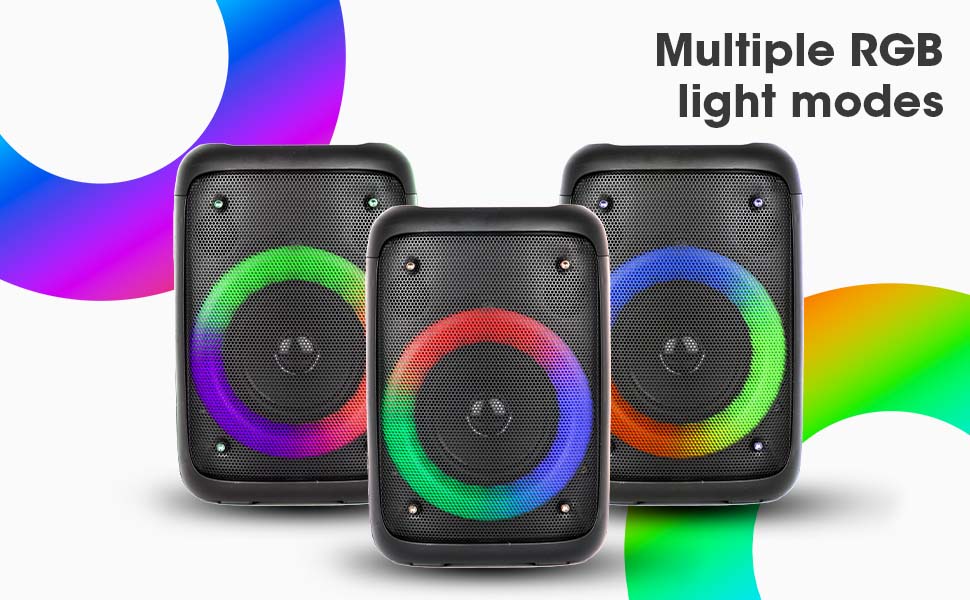
Image: The Zeb-Buddy 100 speaker with an overlay indicating its 10.16cm (4-inch) driver size.
8. Garanzia e supporto
The Zebronics Zeb-Buddy 100 comes with a 1-year carry-in warranty to the service center. For any support, service, or warranty claims, please contact Zebronics customer support or visit their official website for service center locations and contact information.
Conservare la ricevuta d'acquisto per la convalida della garanzia.


