
1. Introduzione
Thank you for choosing the Headwolf HPad3 Ultra 11-inch Android Tablet. This manual provides essential information for setting up, operating, maintaining, and troubleshooting your device. Please read this manual thoroughly before using your tablet to ensure optimal performance and longevity.

Immagine: Frontale view of the Headwolf HPad3 Ultra tablet.
2. Contenuto della confezione
Si prega di selezionare la casella per i seguenti elementi:
- Headwolf HPad3 Ultra Tablet
- Adattatore di ricarica da 30 W
- Cavo di ricarica di tipo C.
- Japanese Instruction Manual (for detailed local information)
- PIN della scheda SIM

Image: All items included in the package: tablet, charger, cable, manual, and SIM pin.
3. Prodotto finitoview
Familiarize yourself with the physical features and ports of your Headwolf HPad3 Ultra tablet.
3.1 Caratteristiche fisiche
- Display: 11-inch 2K FHD IPS In-cell display with blue light protection.
- Telecamere: 8MP AI front camera, 20MP telephoto + 5MP wide-angle dual rear cameras.
- Corpo: Thin (7.3mm) and light (470g) aluminum alloy metal body.
3.2 Porte e pulsanti
The tablet features various ports and buttons for connectivity and control:
- Pulsante di accensione: Utilizzato per accendere/spegnere il dispositivo o per riattivare/sospendere lo schermo.
- Pulsanti del volume: Regola il volume dell'audio.
- Porta di ricarica di tipo C: Per caricare il dispositivo e trasferire i dati.
- Slot per schede: Supports dual SIM cards and microSD card expansion up to 2TB.
- Pulsante di reset: A small pinhole button for resetting the device if unresponsive.
- Jack audio da 3.5 mm: Per collegare le cuffie.

Immagine: Lato view of the tablet highlighting the power button, volume buttons, and Type-C port.
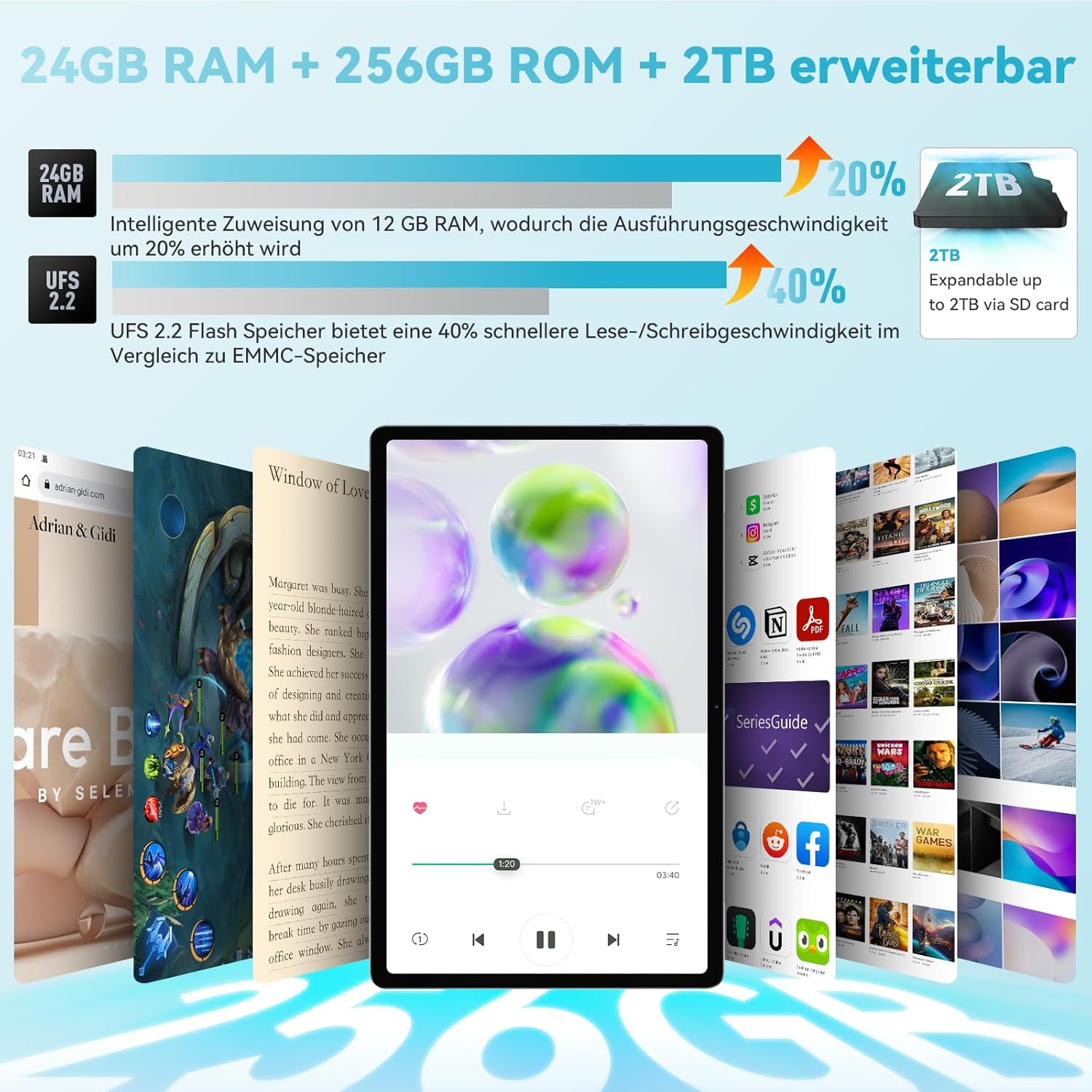
Immagine: Indietro view of the tablet, showing the dual camera setup.
4. Impostazione
4.1 Accensione iniziale
- Before first use, ensure the tablet is fully charged using the provided 30W charging adapter and Type-C cable.
- Press and hold the Power Button until the Headwolf logo appears on the screen.
- Seguire le istruzioni sullo schermo per completare la configurazione iniziale, inclusa la selezione della lingua, la connessione Wi-Fi e la configurazione dell'account Google.
4.2 Inserimento delle schede SIM e MicroSD
Il tablet supporta due schede SIM e una scheda microSD per espandere la capacità di archiviazione.
- Individua lo slot per schede sul lato del tablet.
- Use the provided SIM card pin to gently push into the small hole next to the card slot to eject the tray.
- Place your SIM card(s) and/or microSD card into the designated slots on the tray. Ensure they are correctly oriented.
- Reinserire con cautela il vassoio nel tablet.
4.3 Memory Expansion Activation
The tablet features intelligent memory expansion, allowing you to allocate 12GB from storage to RAM for improved performance.
- Vai a Impostazioni.
- Vai a Espansione della memoria.
- Abilitare Espansione della memoria.
- Selezionare il desiderato Memory expansion size (e.g., 12GB).
- Restart the tablet for the changes to take effect.

Image: Visual representation of RAM and ROM expansion capabilities.
5. Istruzioni per l'uso
5.1 Funzionalità di visualizzazione
The 11-inch 2K FHD IPS display offers a vibrant visual experience with eye protection features.
- Risoluzione: 2000x1200 pixels for clear and sharp images.
- Protezione dalla luce blu: TÜV certified to filter blue light, reducing eye strain.
- Luminosità: 360 Nits for good visibility in various lighting conditions.
- In-cell Full Fit Technology: Enhances touch response and display clarity.
- Proporzioni: 16:10 golden display ratio for an immersive viewesperienza di acquisizione.
- Viewangolo di ing: 178° di larghezza viewangolo di ing.

Image: Features of the 2K FHD 11-inch display, including blue light protection.

Image: TÜV Rheinland certification for eye protection, demonstrating blue light filtering.
5.2 Prestazioni
The HPad3 Ultra is powered by a robust processor and ampmemoria per un funzionamento regolare.
- Processore: MTK G99 Octa-Core CPU (2x A76 large cores + 6x A55 small cores) with a main frequency up to 2.2GHz.
- Sistema operativo: Android 12, offering enhanced privacy, security, and user interface.
- Memoria RAM: 12GB physical RAM, expandable to 24GB (12GB + 12GB virtual RAM).
- Magazzinaggio: 256GB UFS 2.2 flash memory, expandable up to 2TB via microSD card.

Image: Details on the MTK G99 CPU and Android 12 operating system.
5.3 Cameras and Face Recognition
Capture moments with the tablet's versatile camera system and unlock securely with face recognition.
- Telecamere posteriori: 20MP telephoto lens + 5MP wide-angle lens, supporting 13 shooting modes (e.g., portrait, landscape, night, snow).
- Fotocamera frontale: 8MP AI selfie camera.
- Riconoscimento facciale: Supports facial recognition for convenient and secure device unlocking.

Immagine: Oltreview of the tablet's 8MP front and 20MP+5MP rear AI cameras.

Image: Illustration of the face recognition function for enhanced security.
5.4 Connettività
Stay connected with various wireless and cellular options.
- 4G LTE: Supports stable call and SMS communication, ideal for travel and business trips.
- Wifi: Dual-band 2.4G/5G Wi-Fi (802.11ac) for fast internet access.
- Bluetooth: Bluetooth 5.0 per collegare accessori wireless.

Image: Connectivity options including 4G LTE, dual-band WiFi, and Bluetooth 5.0.
5.5 Navigazione (GPS)
The tablet includes a comprehensive navigation system.
- Navigazione 4 in 1: Integrated GPS, GLONASS, Beidou, and Galileo systems provide accurate positioning, allowing the tablet to be used as an in-car navigation system.

Image: Tablet displaying a map, illustrating its GPS navigation capabilities.
5.6 Google Kids Space
For families, the tablet offers Google Kids Space with parental controls.
- Contenuto didattico: Provides rich educational materials for children, supporting automatic language switching and real-time updates across multiple fields.
- Controllo genitori: Parents can control the time children spend using the tablet to prevent excessive use.

Image: Google Kids Space interface on the tablet, highlighting educational apps and parental controls.
5.7 Proiezione senza fili
Mirror your tablet's screen to a larger display.
- Clonazione schermo: Wirelessly project the tablet's screen to a TV or other compatible display for a more impactful visual experience.

Image: Tablet screen being wirelessly projected onto a television.
5.8 Screen Splitting
Enhance productivity with the screen splitting feature.
- Multi-tasking: Supports displaying two applications simultaneously without switching, making operation more convenient.

Image: Tablet screen split into two, showing different applications running side-by-side.
6. Ricarica e batteria
The Headwolf HPad3 Ultra is equipped with a high-capacity battery and fast charging capabilities.
- Capacità della batteria: 8500mAh cobalt acid lithium battery, offering long usage times.
- Ricarica rapida: Supports 30W PD/PE dual high-speed charging protocol via USB Type-C. Achieves 80% charge in approximately 1 hour.
- Durata dell'utilizzo: Up to 45 hours of music playback, 12 hours of local video playback, or 7 hours of gaming.

Image: Information on the 8500mAh battery, 30W fast charging, and estimated usage times.
7. Manutenzione
Per garantire la longevità e le prestazioni ottimali del tuo tablet, segui queste linee guida per la manutenzione:
- Tenere la compressa lontana da temperature estreme, luce solare diretta e umidità elevata.
- Evitare di far cadere il tablet o di sottoporlo a forti urti.
- Pulisci lo schermo con un panno morbido e privo di lanugine. Non utilizzare prodotti chimici aggressivi.
- Esegui regolarmente il backup dei tuoi dati per evitare perdite.
- Mantenere il software aggiornato all'ultima versione per migliorare la sicurezza e le prestazioni.
8. Risoluzione Dei Problemi
Se riscontri problemi con il tuo tablet, fai riferimento alle seguenti soluzioni comuni:
8.1 Il tablet non si accende
- Ensure the tablet is sufficiently charged. Connect the original 30W charger and cable, and charge for at least 3 hours before attempting to power on.
- If unresponsive, try pressing and holding the power button for 10-15 seconds to force a restart.
8.2 SD Card Not Readable
- If the SD card is not recognized, try formatting it on a computer. Recommended formats are exFAT or FAT32.
- Ensure the SD card is correctly inserted into the card slot.
8.3 Altri problemi
For other issues, please refer to the warranty and support section for contact information.

Image: Customer support illustration with common troubleshooting advice.
9. Specifiche
Detailed technical specifications for the Headwolf HPad3 Ultra tablet:
| Caratteristica | Specificazione |
|---|---|
| Marca | Testa di lupo |
| Nome del modello | HPad3 Ultra |
| Capacità di archiviazione della memoria | 256 GB |
| Dimensioni dello schermo | 11 pollici |
| Risoluzione massima dello schermo | 1200*2000 |
| Release Year / Model Year | 2023 |
| Contenuto della garanzia | 12 mesi |
| Utilizzo del prodotto | Divertimento |
| Capacità della batteria | 8500 mAh |
| Tipo di cella della batteria | Ioni di litio |
| Computer CPU Speed | 2.2 GHz |
| Descrizione del processore | G99 |
| OS | Androide 12 |
| Peso del prodotto | 0.47 Grams (470g) |
| Dimensioni articolo (L x P x A) | Dimensioni: 25.8 x 16.2 x 0.7 cm |
| Touchscreen, Voice Recognition, Other Features | Schermo tattile |
| Descrizione grafica | Mali-G57 |
| Tipo di visualizzazione | IPS incell |
| Risoluzione nativa | 2000x1200 pixel |
| Proporzioni | 16:10 |
| Capacità di memoria interna | 12 GB |
| Interfaccia Hardware | 3.5mm Audio, 802.11 ac/b/g/n, Bluetooth |
| Tipo senza fili | Wifi |
| Mobile Phone Technology | 4G |
| Numero di porte USB | 1 |
| Communication & Connectivity Interface | Bluetooth, USB, Wi-Fi |
| Standard di comunicazione wireless | 802.11ac |
| Descrizione della fotocamera | Posteriore |
| Risoluzione del sensore fotografico | 8 MP (anteriore) |
10. Garanzia e supporto
Your Headwolf HPad3 Ultra tablet comes with comprehensive support and warranty.
- Garanzia: A 12-month quality warranty is provided from the date of purchase. In case of product defects, free repair or exchange services are available.
- Resi: A 30-day return and refund policy is in effect.
- Dedicated Repair Center: Headwolf operates a dedicated repair center in Tokyo for prompt after-sales service.
- Contatta l'assistenza: If you have any questions or issues, please contact us through one of the following methods:
- On the product page, click on the store name "Headwolf official store" and then click "Ask a question" to send an email.
- Via your Amazon account: Go to "Your Orders" -> Select the relevant order -> Click "Contact Seller."