
Introduzione
This manual provides essential information for the safe and effective use of your Paladone Green Xbox Icons Light. Please read these instructions carefully before use and retain them for future reference.

The Paladone Green Xbox Icons Light, featuring the iconic Xbox logo and sphere, illuminated in a vibrant green hue.
Informazioni sulla sicurezza
- Tenere fuori dalla portata dei bambini: Questo prodotto non è un giocattolo.
- Solo per uso interno: Non esporre alla pioggia o all'umidità.
- Fonte di energia: Use only the provided USB cable or 3x AAA batteries. Do not mix old and new batteries, or different types of batteries.
- Evitare temperature estreme: Do not operate in excessively hot or cold environments.
- Pulizia: Scollegare l'alimentazione prima di pulire. Utilizzare un panno morbido e asciutto. Non utilizzare detergenti liquidi.
- Disposizione: Smaltire le batterie e il prodotto in modo responsabile, nel rispetto delle normative locali.
Contenuto della confezione
Disimballare con attenzione la scatola e assicurarsi che siano presenti tutti gli articoli:
- 1 x Paladone Green Xbox Icons Light Unit
- 1 x cavo di alimentazione USB

The product packaging, indicating the Xbox Icons Light and its features.
Impostare
Your Xbox Icons Light can be powered by either the included USB cable or 3x AAA batteries (not included).
Powering via USB:
- Insert the small end of the USB cable into the USB port on the back of the light unit.
- Insert the large end of the USB cable into a powered USB port (e.g., computer, USB wall adapter, game console).
Powering via Batteries:
- Locate the battery compartment on the underside of the light unit.
- Aprire il coperchio del vano batterie.
- Inserire 3 batterie AAA, assicurandosi della corretta polarità (+/-).
- Chiudere saldamente il coperchio del vano batterie.

The Xbox Icons Light can be powered using the included USB cable or 3x AAA batteries (not included).
Istruzioni per l'uso
The Xbox Icons Light features a power button, typically located on the base or side of the unit. Press this button to cycle through the available lighting modes.
Per accendere/spegnere:
- Premere una volta il pulsante di accensione per accendere la luce.
- Continue pressing the power button to cycle through the lighting modes.
- Press the power button after the last lighting mode to turn the light off.

The Xbox Icons Light offers dynamic phasing and pulsing light modes for varied visual effects.
Modalità di illuminazione
The Paladone Green Xbox Icons Light offers three distinct lighting modes:
- Modalità standard: The light remains steadily illuminated.
- Shifting Mode: The light transitions between different brightness levels or sections.
- Modalità pulsante: The light gently pulses, creating a dynamic effect.
Press the power button repeatedly to switch between these modes.
Manutenzione
Pulizia:
- Ensure the light is turned off and disconnected from any power source before cleaning.
- Pulire la superficie con un panno morbido, asciutto e privo di lanugine.
- Non utilizzare detergenti abrasivi, solventi o prodotti chimici aggressivi, poiché potrebbero danneggiare la finitura.
Sostituzione della batteria:
- If using batteries, replace all three AAA batteries when the light dims or stops functioning.
- Follow the instructions in the 'Powering via Batteries' section under 'Setup' for safe battery replacement.
- Always dispose of used batteries according to local environmental guidelines.
Risoluzione dei problemi
| Problema | Possibile causa | Soluzione |
|---|---|---|
| La luce non si accende. | Nessuna alimentazione o batterie scariche. | Check USB cable connection or replace AAA batteries. |
| La luce è fioca o tremolante. | Batteria scarica. | Sostituisci le batterie AAA o usa l'alimentazione USB. |
| Non è possibile modificare le modalità di illuminazione. | Power issue or button malfunction. | Ensure stable power. If problem persists, contact support. |
Specifiche
| Caratteristica | Dettaglio |
|---|---|
| Numero di modello | PP8961XB |
| Dimensioni (L x P x A) | 12.45 x 4.92 x 2.91 pollici (31.8 cm x 12.5 cm x 7.4 cm) |
| Peso dell'articolo | 16 once (circa 453 grammi) |
| Materiale | Plastica |
| Fonte di alimentazione | USB Cable (included) or 3x AAA Batteries (not included) |
| Tipo di lampadina | GUIDATO |
| Numero di luci | 1 |
| Voltage | Operates on low voltage DC (5V via USB, 4.5V via AAA batteries). Listed specification: 230 Volts (AC) for power adapter compatibility (adapter not included). |
| Caratteristiche speciali | Dynamic Phasing and Pulsing Light Modes |
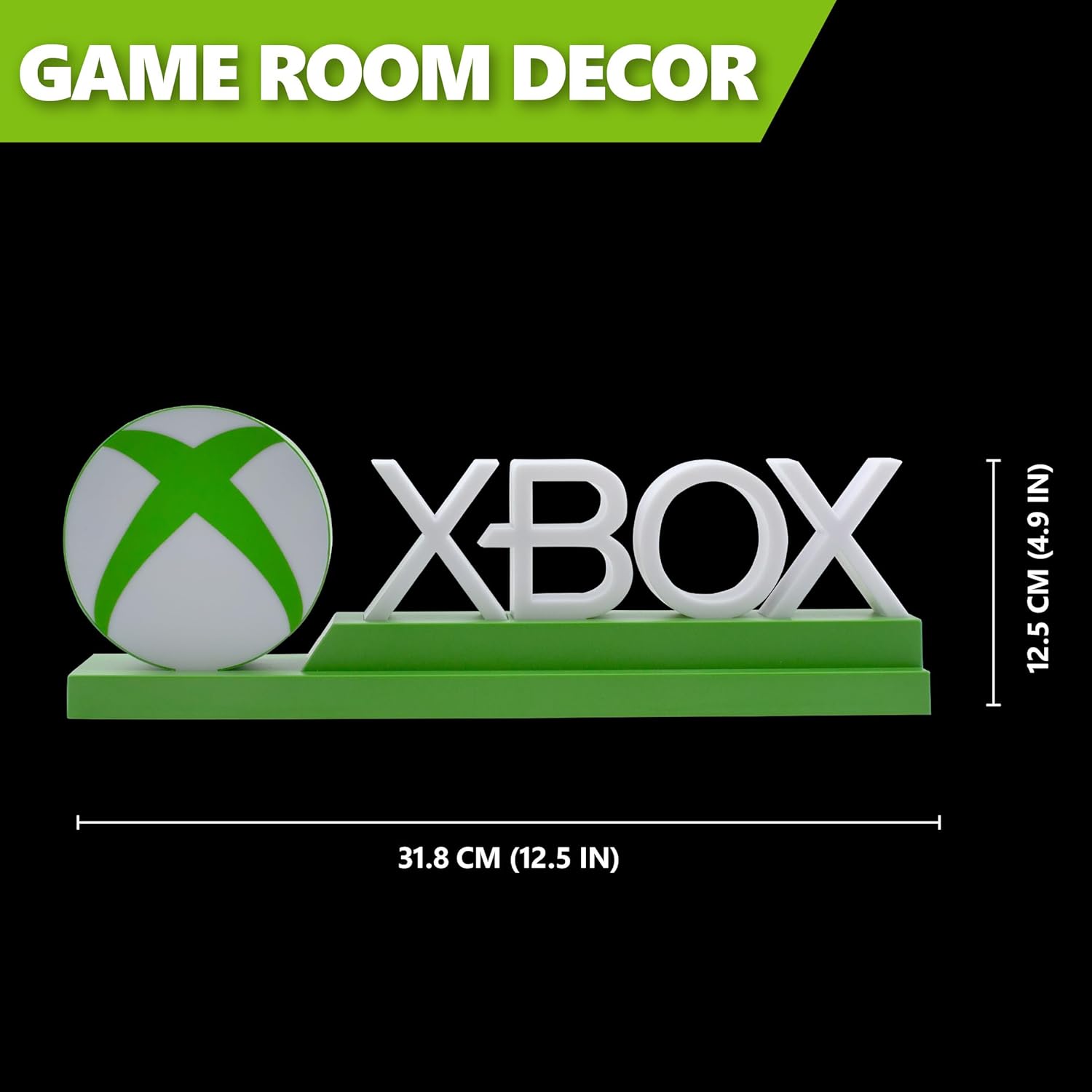
Detailed dimensions of the Xbox Icons Light, measuring 31.8 cm (12.5 inches) in width and 12.5 cm (4.9 inches) in height.
Garanzia e supporto
For warranty information, product support, or to inquire about replacement parts, please refer to the retailer where the product was purchased or visit the official Paladone websito. Conservare la prova d'acquisto per eventuali reclami in garanzia.
Paladone Official Websito: www.paladone.com