
1. Introduzione
Thank you for choosing the RecorCam Mini301 Trail Camera. This manual provides detailed instructions for the proper setup, operation, and maintenance of your device. Designed for capturing high-quality images and videos of wildlife, for surveillance, or for general outdoor monitoring, this camera features 20MP photo resolution, 1080P HD video, and advanced night vision capabilities.
2. Informazioni sulla sicurezza
- Non esporre la fotocamera a temperature estreme o alla luce solare diretta per periodi prolungati.
- Use only specified batteries (4x AA 1.5V) and external power supply (6V). Using higher voltage than 6V will damage the camera's motherboard.
- Tenere la fotocamera lontana da forti campi magnetici.
- Non tentare di smontare o modificare la fotocamera. Ciò invaliderà la garanzia.
- Assicurarsi che il vano batteria sia ben chiuso per garantire la resistenza all'acqua.
3. Contenuto della confezione
Verifica che tutti gli articoli siano presenti nel tuo pacco:
- RecorCam Mini301 Trail Camera
- Scheda Micro SD da 32 GB
- USB 2.0 Micro SD Card Reader
- Cinghia di montaggio
- Mounting Bracket with Screws and Wall Anchors
- Manuale d'uso

Immagine 3.1: RecorCam Mini301 Trail Camera with included accessories: 32GB Micro SD card, USB reader, mounting hardware, and strap.
4. Prodotto finitoview
The RecorCam Mini301 is designed for ease of use and durability. Its compact size (70x108x45mm) makes it highly portable and discreet.
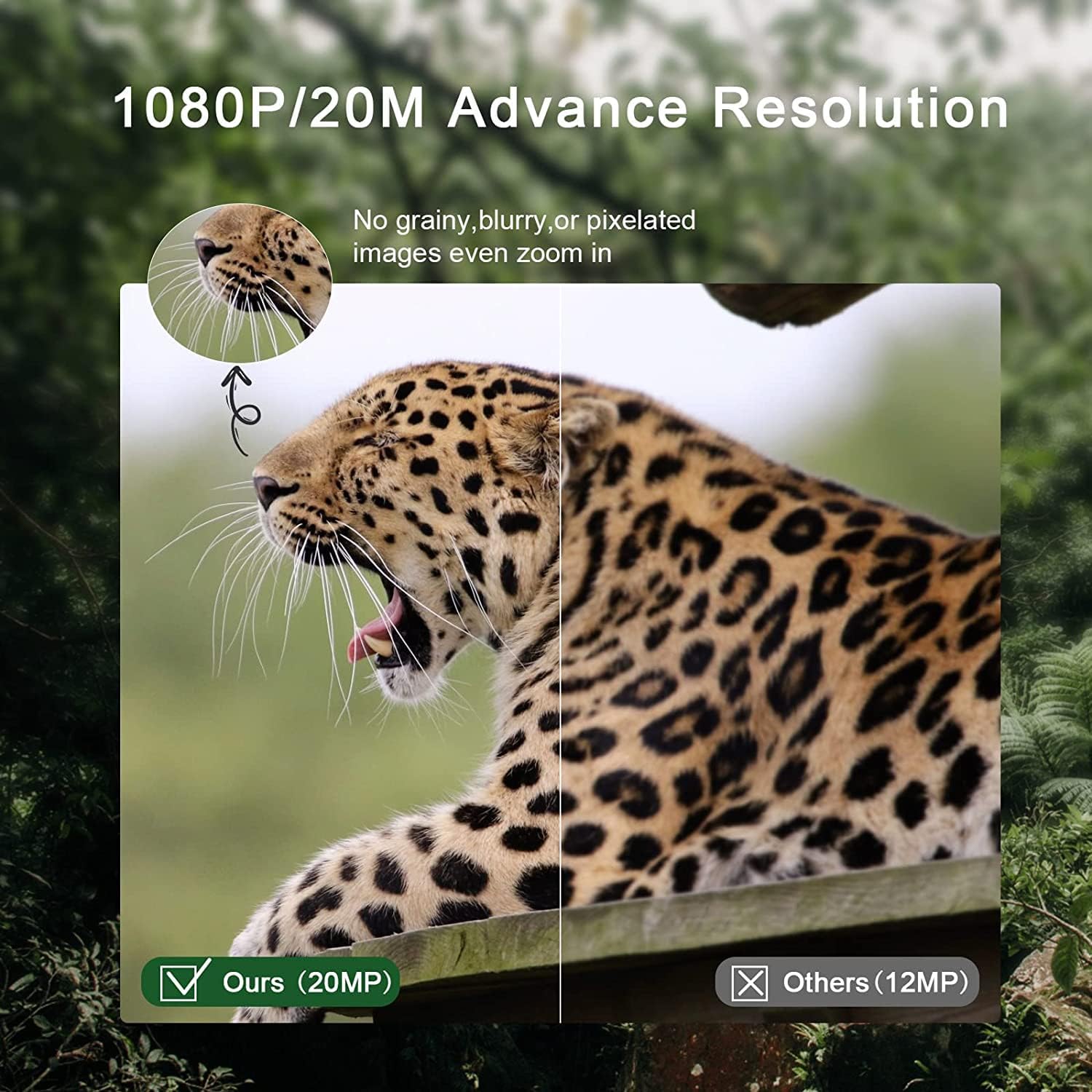
Immagine 4.1: Dimensions of the RecorCam Mini301 trail camera (70x108x45mm) compared to a smartphone, highlighting its compact size.
I componenti chiave includono:
- Lente: Cattura immagini e video.
- Sensori PIR: Passive Infrared sensors detect motion.
- LED IR: LED a infrarossi per la visione notturna.
- Schermo LCD da 2.0 pollici: Per la navigazione del menu e viewing dei media catturati.
- Pulsanti di controllo: MENU, PLAY, OK, and navigation buttons.
- Interruttore di modalità: OFF, TEST, ON.
5. Impostazione
5.1 Installazione della batteria
- Open the camera's latch and battery compartment.
- Insert 4 AA 1.5V batteries (not included) according to the polarity markings (+/-).
- Chiudere il vano batteria e fissare il fermo.
5.2 SD Card Installation and Formatting
- Ensure the camera is in the SPENTO posizione.
- Insert the provided 32GB Micro SD card (Class 6 or higher recommended, up to 32GB capacity) into the SD card slot until it clicks.
- It is crucial to format the SD card before first use and periodically thereafter to ensure optimal performance. To format, switch the camera to TEST mode, navigate to the 'Format' option in the menu, and confirm.
5.3 External Power Supply (Optional)
The camera supports an external 6V power supply. Connect the power adapter (not included) to the DC IN port. Do not use a power supply exceeding 6V, as this will damage the camera.
6. Modalità operative
The camera features a 3-position mode switch:
- OFF: The camera is completely powered off. Use this mode for installing batteries or the SD card.
- TEST: In this mode, you can access the menu to change settings, preview recorded videos and photos, and manually capture media. The camera will not automatically take photos or videos in TEST mode.
- SOPRA: The camera enters working mode. The screen will turn off after 10 seconds, and button operations will be disabled. The camera will automatically capture photos or videos based on your settings when motion is detected.
7. Funzionamento di base
7.1 Acquisizione di foto e video
The camera captures 20MP still images and 1080P HD videos. The 0.3-second trigger speed ensures quick capture of detected motion within a 20-meter range.

Immagine 7.1: Comparison of 20MP image quality (left) versus 12MP (right), demonstrating enhanced detail.
7.2 Visione notturna
Equipped with 2 ultra-high intensity 850NM infrared LEDs, the camera provides clear night vision up to 65 feet (20 meters) without producing a strong flash, ensuring discreet operation.

Immagine 7.2: The RecorCam Mini301 trail camera with an owl in the background, demonstrating its 850nm infrared LEDs for clear night vision up to 65 feet.
7.3 Impostazioni del menu
In TEST modalità, premere il tasto MENU button to access settings. Use the navigation buttons to scroll and OK to select. Adjustable settings include:
- Risoluzione foto/video
- Sensibilità di rilevamento
- Data e ora
- Lingua
- Protezione tramite password
- And more, as detailed in the camera's on-screen menu.
8. Funzionalità avanzate
The Mini301 offers a range of functions for versatile monitoring:
- Long Video Recording: Configure the duration of video clips.
- Scatto continuo: Scatta più foto in rapida successione.
- Lasso di tempo: Record images at set intervals to observe slow changes.
- Target Recording Duration: Imposta orari specifici in cui la telecamera deve essere attiva.
- Tiro a intervalli: Define the delay between consecutive captures.
- Unlimited Capture: Allows continuous recording until the SD card is full.
- Protezione tramite password: Secure your camera settings and data.
- Data Imprint: Stamp photos/videos with time, date, serial number, and temperature.
9. Montaggio e posizionamento
The camera's IP65 waterproof and dustproof rating allows it to operate reliably in various weather conditions, including rain, ice, and snow, across a temperature range of -4°F to 150°F.

Immagine 9.1: The camera mounted on a tree in rainy conditions, illustrating its IP65 waterproof and dustproof design.
Per un posizionamento ottimale, tenere presente quanto segue:
- Angolo di rilevamento: The camera features a 90° detection angle. Position it to cover the desired area effectively.
- Altezza: Mount the camera at a height appropriate for the subjects you wish to capture (e.g., animal eye level for wildlife).
- Orientamento: Avoid pointing the camera directly at the sun to prevent overexposure.
- Stabilità: Use the provided strap or mounting bracket to secure the camera firmly to a tree or other stable surface.

Immagine 9.2: The camera positioned to capture wildlife, illustrating its 90-degree detection angle and PIR sensors.
The camera is suitable for various applications:

Immagine 9.3: Collage showing various applications for the trail camera: hunting, farm security, wildlife monitoring, and home security.
10. Manutenzione
- Pulizia: Utilizzare un panno morbido e asciutto per pulire l'obiettivo e il corpo della fotocamera. Evitare detergenti abrasivi.
- Sostituzione della batteria: Sostituire le batterie quando compare l'indicatore di batteria scarica o quando le prestazioni diminuiscono.
- Gestione della scheda SD: Regularly format the SD card to prevent data corruption and ensure sufficient storage space.
- Magazzinaggio: Quando non si utilizza la fotocamera per lunghi periodi, rimuovere le batterie e conservarla in un luogo fresco e asciutto.
11. Risoluzione Dei Problemi
If you encounter issues with your RecorCam Mini301, consider the following:
- La fotocamera non si accende: Check battery installation and ensure batteries have sufficient charge. Verify the mode switch is not in the OFF position.
- Nessuna foto/video catturato: Ensure the camera is in ON mode. Check SD card installation and ensure it is formatted. Verify motion detection settings.
- Scarsa qualità dell'immagine/video: Clean the camera lens. Check resolution settings. Ensure adequate lighting for night vision (within 65ft range).
- Breve durata della batteria: Use high-quality AA batteries. Reduce detection sensitivity or frequency of captures if possible.
For further assistance, please contact RecorCam customer support.
12. Specifiche
| Caratteristica | Specificazione |
|---|---|
| Modello | Mini301 |
| Risoluzione della foto | 20MP |
| Risoluzione video | 1080P |
| Angolo di rilevamento | 90° |
| Trigger Speed | Anni 0.3 |
| Distanza di rilevamento | Fino a 20 m (65 piedi) |
| Gamma di visione notturna | Fino a 20 m (65 piedi) |
| LED IR | 2 x 850NM High Power Infrared LEDs |
| Schermo di visualizzazione | LCD da 2.0 pollici |
| Magazzinaggio | Micro SD card, up to 32GB (Class 6 or higher) |
| Alimentazione elettrica | 4x AA 1.5V batteries or external 6V DC |
| Grado di impermeabilità | Grado di protezione IP65 |
| Temperatura di esercizio | Da -4°C a 150°C (da -20°F a 65°F) |
| Dimensioni | Dimensioni: 70 x 108 x 45 mm |
| Materiale | Plastica |
13. Garanzia e supporto
RecorCam products are designed for reliability and performance. For warranty information, please refer to the product packaging or contact RecorCam customer service directly. If you have any questions or require technical assistance, please visit the official RecorCam websito o contattare il team di supporto.