
Kobo N605-AC-BK-S-PN
Kobo Stylus 2 Instruction Manual
Model: N605-AC-BK-S-PN
1. Introduzione
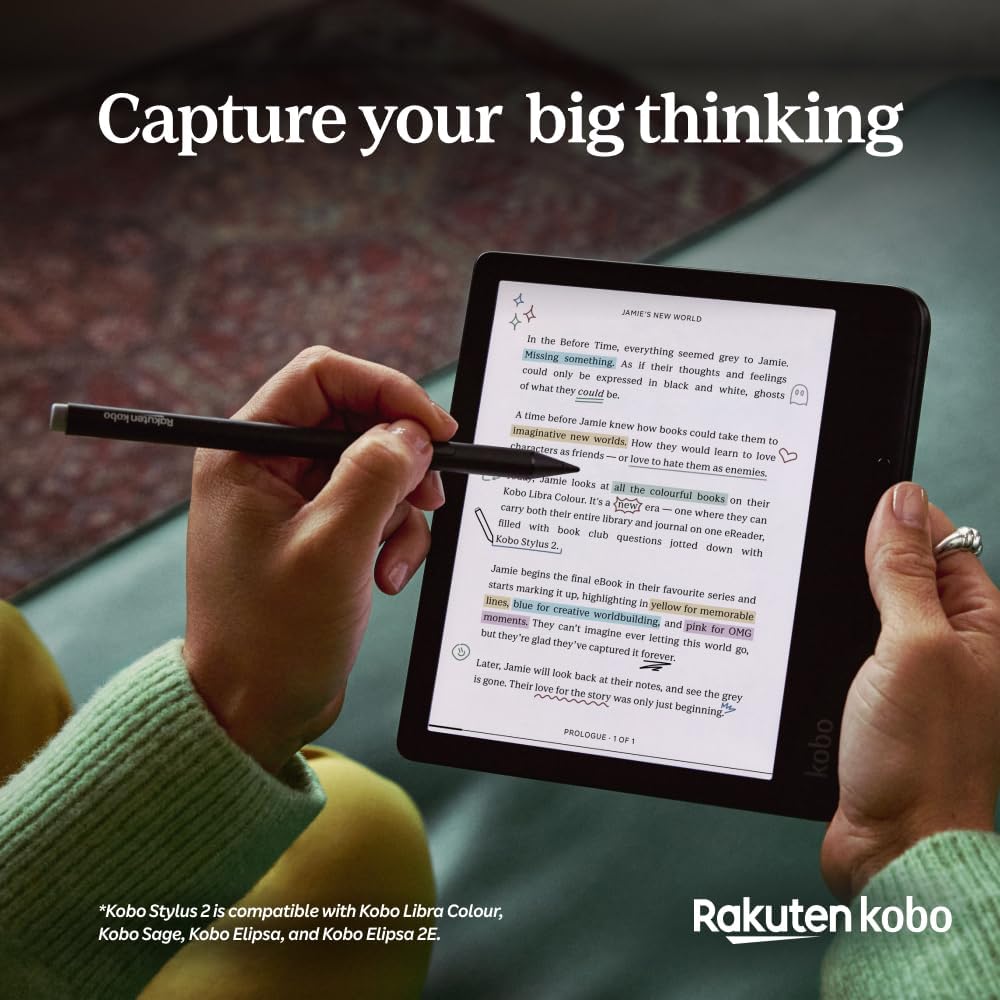
The Kobo Stylus 2 is designed to enhance your eReading experience by allowing you to write, annotate, and draw directly on your compatible Kobo eReader. Its lightweight and ergonomic design, combined with a redesigned tip, offers a natural and comfortable writing experience.
Caratteristiche principali:
- Esperienza di scrittura naturale: Write thoughts and ideas on your Kobo eReader as if on paper.
- Enhanced Annotation: Easily underline, circle, or highlight text in eBooks and PDFs.
- Integrated Notebook Function: Take notes and annotate documents with dedicated notebook features.
- Comodi controlli: Features a dedicated button for highlighting and an eraser on the back for corrections.
- USB-C ricaricabile: Simple and fast charging via a USB-C power adapter.
- Replacement Tips Included: Comes with 2 replacement tips for extended use.
Compatibilità:
The Kobo Stylus 2 is compatible only with the following Kobo eReaders: Kobo Libra Colour, Kobo Sage, Kobo Elipsa, and Kobo Elipsa 2E.

2. Impostazione
2.1 Attivazione iniziale e addebito
- For first use, connect the Kobo Stylus 2 to a USB-C power source (e.g., a computer USB port or a wall adapter) using a USB-C cable (not included) to activate it.
- Allow approximately 3 hours for a full charge. The stylus can be charged via any standard USB-C power adapter.
2.2 Pairing with your Kobo eReader
The Kobo Stylus 2 should automatically pair with a compatible Kobo eReader when brought into close proximity. Ensure your eReader's software is up to date for optimal performance.

3. Istruzioni per l'uso
3.1 Scrittura e disegno
- To write or draw, simply touch the stylus tip to the eReader screen. The redesigned tip provides a smooth, pen-on-paper feel.
- Utilize the integrated notebook function on your compatible Kobo eReader to create freehand notes, sketches, and diagrams.
3.2 Highlighting and Annotating
- In evidenza: Press and hold the dedicated button on the side of the stylus while dragging the tip over the text you wish to highlight.
- Marginal Notes: Write directly in the margins of your eBooks and PDFs to add personal notes or comments.
- Circling/Underlining: Use the stylus to circle or underline important words or phrases.
3.3 Erasing
- To erase mistakes, simply flip the stylus and use the eraser on the back end to rub out unwanted marks on the screen.

4. Manutenzione
4.1 Ricarica
To charge your Kobo Stylus 2, connect it to a USB-C power source using a compatible USB-C cable. A full charge takes approximately 3 hours.
4.2 Replacing Stylus Tips
The Kobo Stylus 2 comes with 2 replacement tips. If the tip becomes worn or damaged, it can be easily replaced. Additional tips are sold separately.
- Estrarre delicatamente la vecchia punta dal corpo dello stilo.
- Insert a new tip firmly into the stylus until it clicks into place.
5. Risoluzione Dei Problemi
5.1 Lo stilo non risponde
- Ensure the stylus is charged. Connect it to a USB-C power source for at least 15-30 minutes.
- Verify that your Kobo eReader is compatible with the Kobo Stylus 2 (Libra Colour, Sage, Elipsa, Elipsa 2E).
- Restart your Kobo eReader.
- Check if the stylus tip is securely installed and not damaged. Replace if necessary.
5.2 Problemi di addebito
- Ensure the USB-C cable and power adapter are functioning correctly. Try a different cable or adapter.
- Verify the USB-C port on the stylus is clean and free of debris.
6. Specifiche
| Caratteristica | Dettaglio |
|---|---|
| Marca | Kobo |
| Numero di modello | N605-AC-BK-S-PN |
| Colore | Nero |
| Materiale | Materiale conduttivo |
| Peso dell'articolo | 13 grammi |
| Dimensioni (LxWxH) | Dimensioni: 8 x 9 x 155 mm |
| Tipo di batteria | Ioni di litio |
| Numero di batterie | 1 (incluso) |
| Tempo di ricarica | 3 ore |
| Dispositivi compatibili | Kobo Elipsa 2E, Kobo Libra Colour, Kobo Sage |
| Codice UPC | 681495008636 |
7. Garanzia e supporto
7.1 Garanzia del prodotto
The Kobo Stylus 2 comes with a Garanzia del prodotto di 2 anni dalla data di acquisto. Conservare la prova d'acquisto per eventuali reclami in garanzia.
7.2 Assistenza clienti
For further assistance, technical support, or to purchase additional accessories such as replacement tips, please visit the official Kobo website or contact Kobo customer service. You can also refer to the support section of your Kobo eReader for device-specific help.
Official Kobo Store: Kobo Store on Amazon
Ask a question about this manual
Ask about setup, troubleshooting, compatibility, parts, safety, or missing instructions. Manuals+ will review the question and use this page’s manual context to help answer it.