
1. Introduzione
The XTUGA SEM100 is a professional wireless in-ear monitor system designed for stage performers, studio musicians, and lecturers. It provides crystal-clear, low-latency audio monitoring through UHF digital transmission, offering freedom of movement and reliable performance. This system features a rechargeable bodypack receiver, multiple frequency options, and versatile connectivity including Bluetooth and USB playback.
2. Contenuto della confezione
Si prega di verificare che tutti gli articoli elencati di seguito siano inclusi nel pacco. Se alcuni articoli risultano mancanti o danneggiati, contattare l'assistenza clienti.
- Trasmettitore × 1
- Bodypack Receiver × 1
- Antenna × 1
- Auricolare × 2
- Cable Line × 4
- Adattatore di alimentazione × 1
- Manuale dell'utente × 1
3. Prodotto finitoview
Familiarize yourself with the components of your XTUGA SEM100 system.

Figure 3.1: XTUGA SEM100 Wireless In-Ear Monitor System, showing the transmitter, bodypack receiver, and earphones.
3.1 Ricevitore Bodypack

Figura 3.2: dettagliata view of the bodypack receiver, highlighting the power light, charging connector, and earphone jack.
- Luce di alimentazione: Indica lo stato di alimentazione e la connessione.
- Connettore di ricarica: Porta Type-C per ricaricare la batteria interna.
- Spinotto degli auricolari: 3.5mm output for connecting in-ear monitors.
- Schermo LCD: Displays channel, group, stereo mode, and lock status.
- Pulsanti di controllo: For navigation, volume adjustment, and frequency selection.
3.2 Trasmettitore

Figura 3.3: Anteriore e posteriore view of the transmitter, showing input/output connectors, volume knobs, USB socket, and control buttons.
- Pulsante di impostazione della funzione: Used to access and adjust system settings.
- Up/Down Selection Buttons: Per navigare nei menu e regolare i valori.
- Schermo LCD: Displays frequency, group, channel, and other operational information.
- Indicatore Bluetooth: Si illumina quando il Bluetooth è connesso.
- Interruttore di alimentazione: Accende o spegne il trasmettitore.
- Last/Next Song Buttons: For controlling media playback via USB or Bluetooth.
- Pulsante Play/Pausa: Per controllare la riproduzione multimediale.
- Presa USB: Per la riproduzione da unità USB.
- Manopola del volume: Regola il volume di uscita.
- Earphone Monitoring Socket: 3.5mm jack for direct monitoring from the transmitter.
- 6.35mm Output Connector: Uscita audio.
- Connettori di ingresso: For audio input sources.
- Presa di alimentazione: Per collegare l'adattatore di alimentazione.
- Antenna: Per la trasmissione del segnale wireless.
4. Guida all'installazione
4.1 Carica iniziale
Before first use, ensure the bodypack receiver is fully charged. Connect the Type-C charging cable to the bodypack and a suitable USB power source. A full charge takes approximately 2.5 hours and provides up to 6 hours of operation.
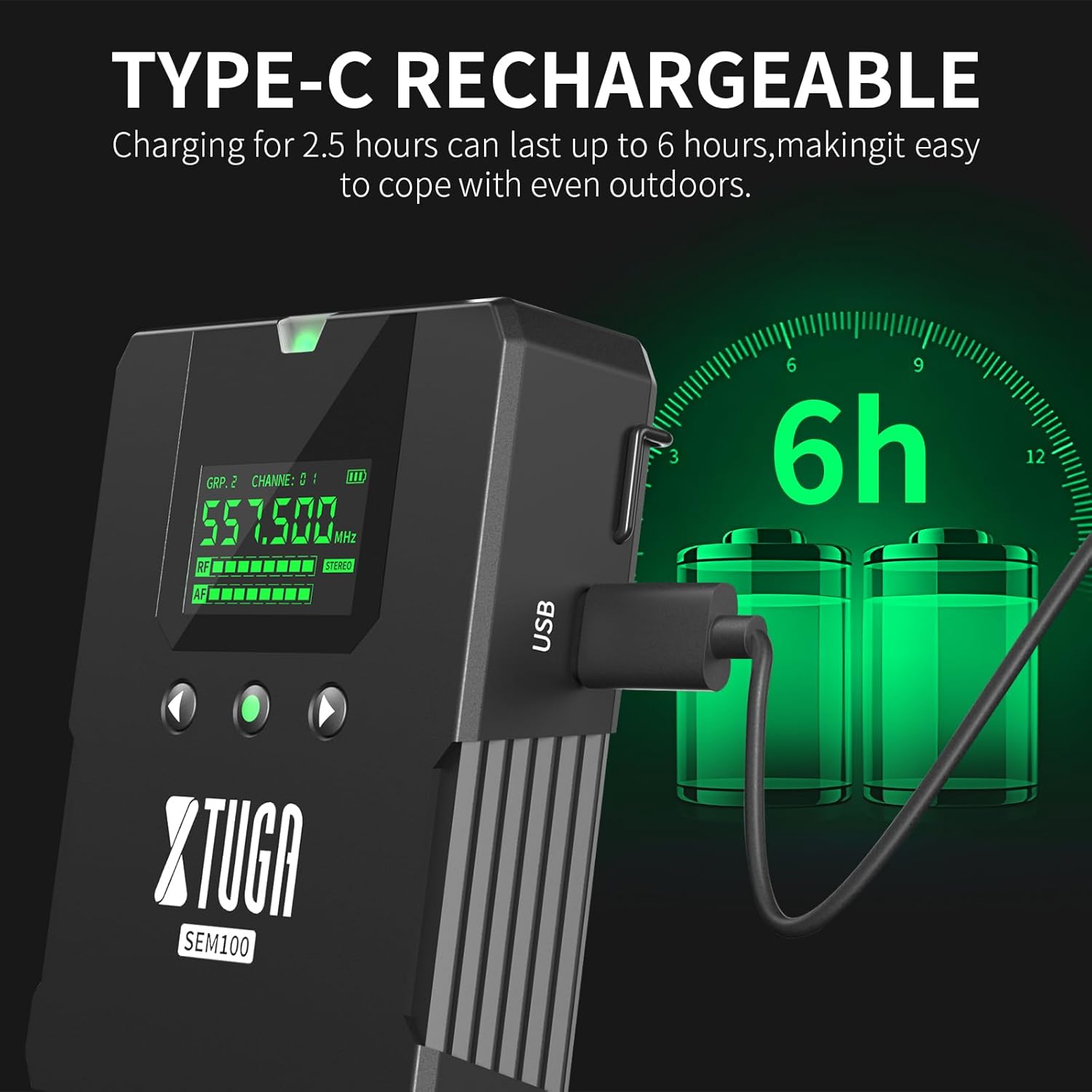
Figure 4.1: The bodypack receiver charging via its Type-C port, indicating a 2.5-hour charge time for 6 hours of use.
4.2 Collegamento del trasmettitore
- Connect the provided antenna to the ANT connector on the rear of the transmitter.
- Connect the power adapter to the Power Socket on the transmitter and plug it into an electrical outlet.
- Connect your audio source (e.g., mixing console, instrument) to the Input Connectors on the transmitter.
4.3 Connecting the Bodypack Receiver
- Connect your in-ear monitors to the 3.5mm Earphone Jack on the bodypack receiver.
4.4 Frequency Synchronization
The system supports 40 frequency options, organized into 4 groups with 10 frequencies each. To ensure proper operation, the bodypack receiver must be synchronized with the transmitter's frequency.

Figure 4.2: The transmitter and two bodypack receivers displaying synchronized frequencies.
- Power on both the transmitter and the bodypack receiver.
- On the transmitter, use the Up/Down selection buttons to choose your desired frequency group and channel.
- On the bodypack receiver, long-press the middle button (often labeled 'SET' or similar) to initiate synchronization. The bodypack will automatically scan and lock onto the transmitter's frequency. The indicator light on the bodypack will remain on after successful connection.
5. Funzionamento
Video 5.1: Demonstrates the setup, frequency selection, Bluetooth connection, and monitoring features of the XTUGA SEM100 system.
5.1 Accensione/spegnimento
- Trasmettitore: Press the Power Switch button on the front panel.
- Ricevitore Bodypack: Long-press the power button on the top of the bodypack.
5.2 Regolazione del volume
- Ricevitore Bodypack: Use the left and right navigation buttons on the bodypack to adjust the volume. The bodypack offers twelve levels of volume adjustment.
- Trasmettitore: Use the Volume Knob on the front panel to adjust the overall output volume.
Interruttore mono/stereo 5.3
The bodypack receiver allows switching between mono and stereo monitoring modes.

Figure 5.1: The bodypack receiver's screen showing the option to switch between mono and stereo modes.
- On the bodypack receiver, press the appropriate button (refer to the bodypack's screen for indication) to toggle between mono and stereo modes.
5.4 Bluetooth/USB Playback
The transmitter supports playing accompaniment directly via Bluetooth or a USB drive.
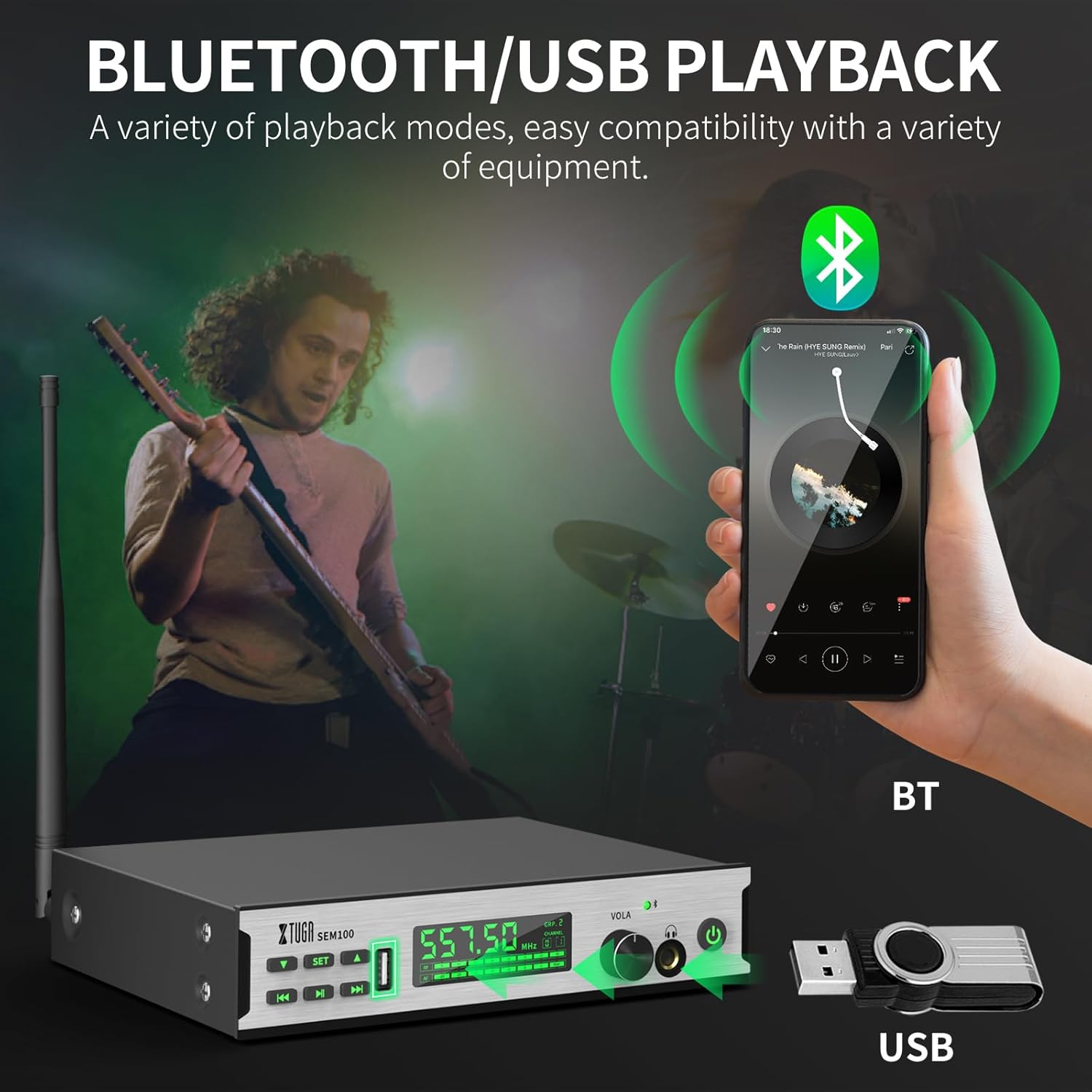
Figure 5.2: The transmitter connected to a smartphone via Bluetooth and a USB drive for accompaniment playback.
- Bluetooth: Enable Bluetooth on your smartphone or other device and pair with "XTUGA-SEM". The Bluetooth indicator on the transmitter will light up upon successful connection. Use the Play/Pause and Last/Next Song buttons on the transmitter to control playback.
- Riproduzione USB: Inserisci un'unità USB contenente audio files into the USB Socket on the transmitter. Use the Play/Pause and Last/Next Song buttons to control playback.
5.5 Funzione schermata di blocco
To prevent accidental changes during performance, the bodypack receiver features a lock screen function.

Figure 5.3: The bodypack receiver displaying a lock icon on its screen, indicating the lock function is active.
- Long-press the middle button on the bodypack receiver to activate or deactivate the lock screen function. When locked, a locking pattern or icon will appear on the screen, and controls will be unresponsive to prevent unintended adjustments.
6. Manutenzione
Proper maintenance ensures the longevity and optimal performance of your XTUGA SEM100 system.
- Pulizia: Use a soft, dry cloth to clean the surfaces of the transmitter and bodypack receiver. Avoid using liquid cleaners or solvents.
- Magazzinaggio: Store the system in a cool, dry place away from direct sunlight and extreme temperatures. When not in use for extended periods, ensure the bodypack receiver is charged periodically to maintain battery health.
- Cura della batteria: Avoid fully discharging the bodypack's battery frequently. Recharge it regularly to prolong its lifespan.
7. Risoluzione Dei Problemi
If you encounter issues with your XTUGA SEM100 system, refer to the following common troubleshooting steps:
- Nessun suono:
- Assicurarsi che sia il trasmettitore sia il ricevitore bodypack siano accesi.
- Verify that the frequencies of the transmitter and bodypack are synchronized.
- Check all cable connections (audio input to transmitter, earphones to bodypack).
- Adjust volume levels on both the transmitter and bodypack.
- Ensure the bodypack is not in lock screen mode.
- Interferenza/statica:
- Change the frequency channel on the transmitter and re-synchronize the bodypack. The system offers 40 frequency options to avoid clashes.
- Ensure the transmitter and receiver are within the operating range (up to 213ft/65m).
- Ridurre al minimo gli ostacoli tra il trasmettitore e il ricevitore.
- Check for other wireless devices operating on similar frequencies nearby.
- Durata breve della batteria:
- Ensure the bodypack is fully charged (2.5 hours for 6 hours of use).
- Le prestazioni della batteria potrebbero peggiorare nel tempo a causa di un uso prolungato.
8. Specifiche
Key technical specifications for the XTUGA SEM100 Wireless In-Ear Monitor System:
| Caratteristica | Specificazione |
|---|---|
| Marca | XTUGA |
| Numero di modello | Modello SEM100 |
| Colore | Nero |
| Posizionamento dell'orecchio | Nell'orecchio |
| Fattore di forma | Nell'orecchio |
| Impedenza | 4 Ohm |
| Presa per cuffie | 3.5 mm Jack |
| Tecnologia di connettività | Senza fili |
| Tecnologia senza fili | Bluetooth |
| Portata Bluetooth | 65 metri (213 piedi) |
| Versione Bluetooth | 4.0 |
| Tipo di controllo | Controllo del volume, pulsante |
| Controllo del rumore | Nessuno |
| Gamma di frequenza | 550MHz-580MHz |
| Tipo di driver audio | Driver con armatura bilanciata |
| Materiale di recinzione | Metallo |
| Peso dell'articolo | 3.25 chilogrammi (peso totale del pacco) |
9. Garanzia e supporto
XTUGA products are designed for reliability and performance. For warranty information, technical support, or service inquiries, please refer to the contact details provided in your product packaging or visit the official XTUGA websito. Conservare la ricevuta d'acquisto come prova d'acquisto per eventuali reclami in garanzia.
For additional support, you may visit the XTUGA Store on Amazon: XTUGA Store