
Introduzione
Thank you for choosing JVC Marshmallow True Wireless Bluetooth 5.3 Earbuds. These earbuds are designed for comfort and convenience, featuring soft memory foam earpieces, Bluetooth 5.3 connectivity, and IPX4 water resistance. This manual provides essential information for setting up, operating, and maintaining your earbuds.
Cosa c'è nella scatola
- JVC Marshmallow True Wireless Earbuds
- Custodia di ricarica wireless
- Cavo di ricarica USB
- Memory Foam Earpieces (multiple sizes)
- Silicone Earpieces (multiple sizes)
Impostare
1. Ricarica degli auricolari e della custodia
Before first use, fully charge the earbuds and charging case. Connect the provided USB charging cable to the charging port on the back of the case and to a power source. The indicator lights on the case will show the charging status. Once fully charged, the lights will remain solid or turn off.

Image: JVC Marshmallow Earbuds in their charging case, illustrating the charging process.
2. Earpiece Selection and Fit
The earbuds come with both memory foam and silicone earpieces in various sizes. Choose the size that provides a snug, comfortable fit and optimal sound isolation. Gently insert the earbud into your ear canal and twist slightly to secure it.

Immagine: Primo piano view of JVC Marshmallow earbuds highlighting the soft and elastic ear tips for a comfortable fit.

Image: A selection of memory foam and silicone earpieces in different sizes, included with the earbuds for personalized comfort.
3. Accoppiamento Bluetooth
- Aprire la custodia di ricarica. Gli auricolari entreranno automaticamente in modalità di associazione.
- Sul tuo dispositivo (smartphone, tablet, ecc.), attiva il Bluetooth e cerca i dispositivi disponibili.
- Select "JVC HAA18TB" from the list to connect.
- Una volta associati, gli auricolari si connetteranno automaticamente al tuo dispositivo quando li rimuoverai dalla custodia.
Istruzioni per l'uso
1. Touch Sensor Controls
The earbuds feature intuitive touch sensor controls for various functions:
- Riproduci/Pausa: Un solo tocco su uno degli auricolari.
- Traccia successiva: Tocca due volte l'auricolare destro.
- Traccia precedente: Tocca due volte l'auricolare sinistro.
- Aumenta volume: Tocca tre volte l'auricolare destro.
- Volume basso: Tocca tre volte l'auricolare sinistro.
- Rispondi/Termina chiamata: Un solo tocco su uno degli auricolari.
- Rifiuta chiamata: Tieni premuto uno dei due auricolari.
- Attiva l'assistente vocale: Tenere premuto uno dei due auricolari (quando non si è impegnati in una chiamata).

Image: An earbud with a glowing circle on its surface, demonstrating the convenient touch sensor controls.
2. Modalità audio
The earbuds offer three distinct sound modes to customize your listening experience:
- Normale: Audio bilanciato per l'ascolto quotidiano.
- Chiaro: Enhanced vocals and treble for podcasts and spoken content.
- Basso: Amplified low frequencies for a richer, deeper sound.
To switch between sound modes, press and hold the touch sensor on the left earbud for approximately 1 second.

Image: Visual representation of the three sound modes (Normal, Clear, Bass) available on the JVC Marshmallow earbuds.
3. Modalità a bassa latenza
Activate Low Latency Mode for a delay-free audio experience, ideal for gaming and video playback. This mode minimizes audio lag, ensuring synchronization between visuals and sound.

Image: JVC Marshmallow earbuds demonstrating Low Latency Mode, suitable for gaming and video content.
Manutenzione
1. Pulizia
Regularly clean your earbuds and charging case to ensure optimal performance and hygiene. Use a soft, dry cloth to wipe the surfaces. For earpieces, remove them and gently clean with a damp panno, assicurandosi che siano completamente asciutti prima di riattaccarli.
2. Resistenza all'acqua (IPX4)
The earbuds are IPX4 water-resistant, meaning they are protected against splashing water from any direction. This makes them suitable for workouts and light rain. However, they are not designed for submersion in water. Ensure the earbuds are dry before placing them back in the charging case.
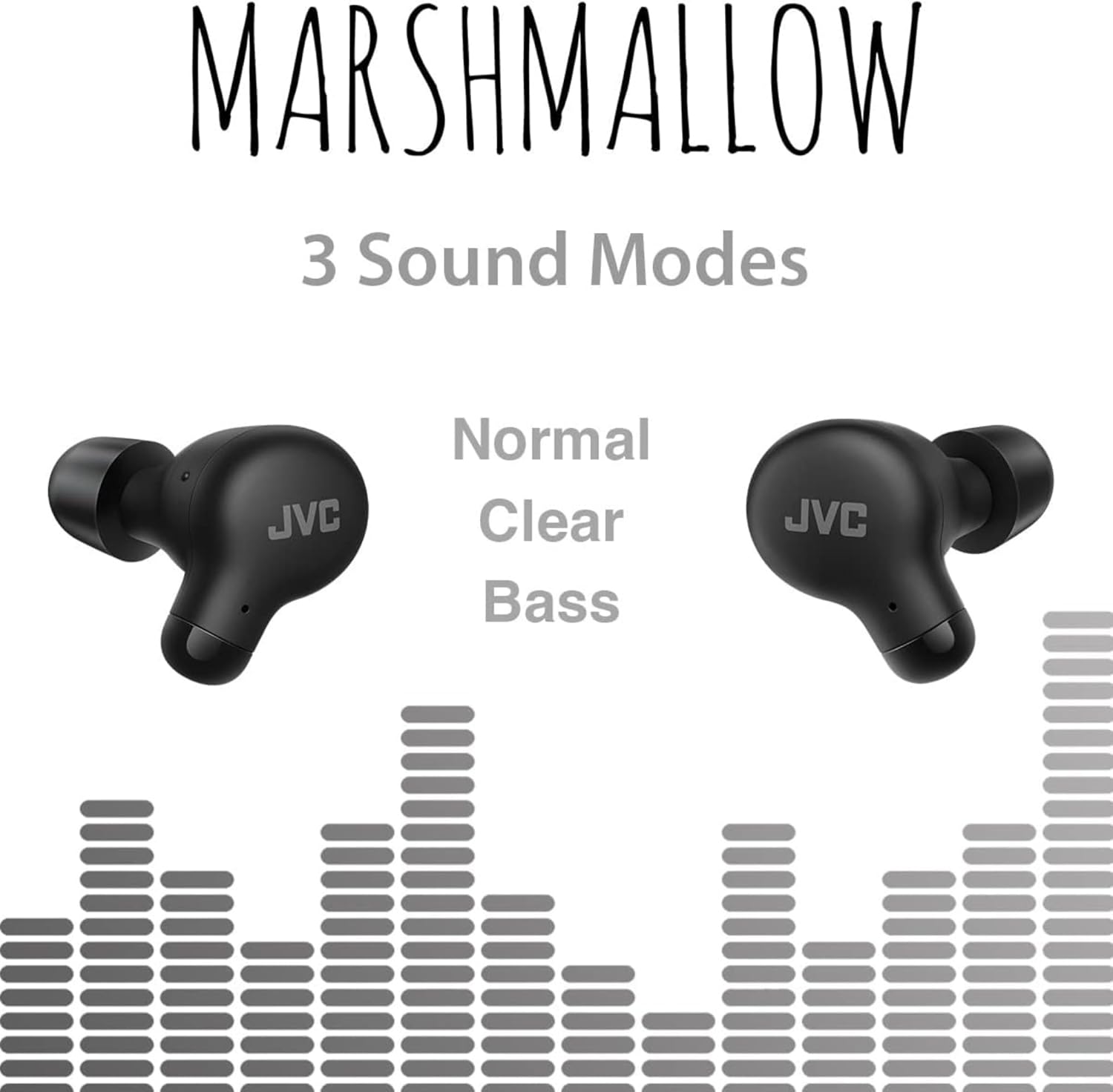
Image: A person wearing JVC Marshmallow earbuds during a workout, highlighting their IPX4 water-resistant design.
Risoluzione dei problemi
- Gli auricolari non si associano: Assicurati che entrambi gli auricolari siano nella custodia di ricarica, quindi apri il coperchio per avviare la modalità di associazione. Controlla le impostazioni Bluetooth del tuo dispositivo e prova a riconnetterti.
- Nessun suono da un auricolare: Place both earbuds back in the case, close the lid, and then reopen. This often resets the connection.
- Volume basso o scarsa qualità del suono: Ensure earpieces are clean and properly fitted. Adjust sound modes (Normal, Clear, Bass) to your preference.
- Problemi di ricarica: Verificare che il cavo di ricarica sia saldamente collegato sia alla custodia che alla fonte di alimentazione. Pulire i contatti di ricarica sugli auricolari e all'interno della custodia.
Specifiche
| Marca | JVC |
| Numero di modello | HAA18TB |
| Tecnologia di connettività | Bluetooth 5.3 |
| Posizionamento dell'orecchio | Nell'orecchio |
| Livello di resistenza all'acqua | IPX4 (resistente all'acqua) |
| Durata media della batteria | 28 ore (con custodia di ricarica) |
| Tempo di carica della batteria | 2 ore |
| Metodo di controllo | Tocco, Voce |
| Peso dell'articolo | 1.44 once |
| Codice UPC | 046838501890 |
Garanzia e supporto
Your JVC Marshmallow True Wireless Earbuds come with a 1-year warranty covering parts and labor. For technical support, warranty claims, or further assistance, please visit the official JVC websito o contattare il servizio clienti JVC.
Video: Official JVC Marshmallow True Wireless Earbuds (HAA18T) product overview, che ne illustra le caratteristiche principali e il relativo utilizzo.


