Importanti istruzioni di sicurezza
Si prega di leggere attentamente tutte le istruzioni di sicurezza prima di utilizzare questo prodotto. Conservare il presente manuale per riferimento futuro.
- Sicurezza elettrica: Garantire l'alimentazione voltage matches the rating label on the soundbar. Do not expose the unit to rain or moisture to prevent fire or electric shock.
- Ventilazione: Non ostruire le aperture di ventilazione. Installare secondo le istruzioni del produttore.
- Calore: Non installare vicino a fonti di calore come radiatori, bocchette di riscaldamento, stufe o altri apparecchi (inclusi amplificatori) che producono calore.
- Acqua e umidità: Non utilizzare questo apparecchio vicino all'acqua.
- Pulizia: Pulire solo con un panno asciutto.
- Manutenzione: Affidare tutti gli interventi di assistenza a personale di assistenza qualificato. L'assistenza è richiesta quando l'apparecchio è stato danneggiato in qualsiasi modo, ad esempio se il cavo di alimentazione o la spina sono danneggiati, se è stato versato del liquido o sono caduti degli oggetti nell'apparecchio, se l'apparecchio è stato esposto a pioggia o umidità, se non funziona normalmente o se è caduto.
Contenuto della confezione
Carefully unpack your soundbar system and ensure all items are present and in good condition. If any item is missing or damaged, contact your retailer.
- Barra audio
- Subwoofer
- Telecomando
- Cavo di alimentazione
- Cavo Aux
- Manuale dell'utente (questo documento)
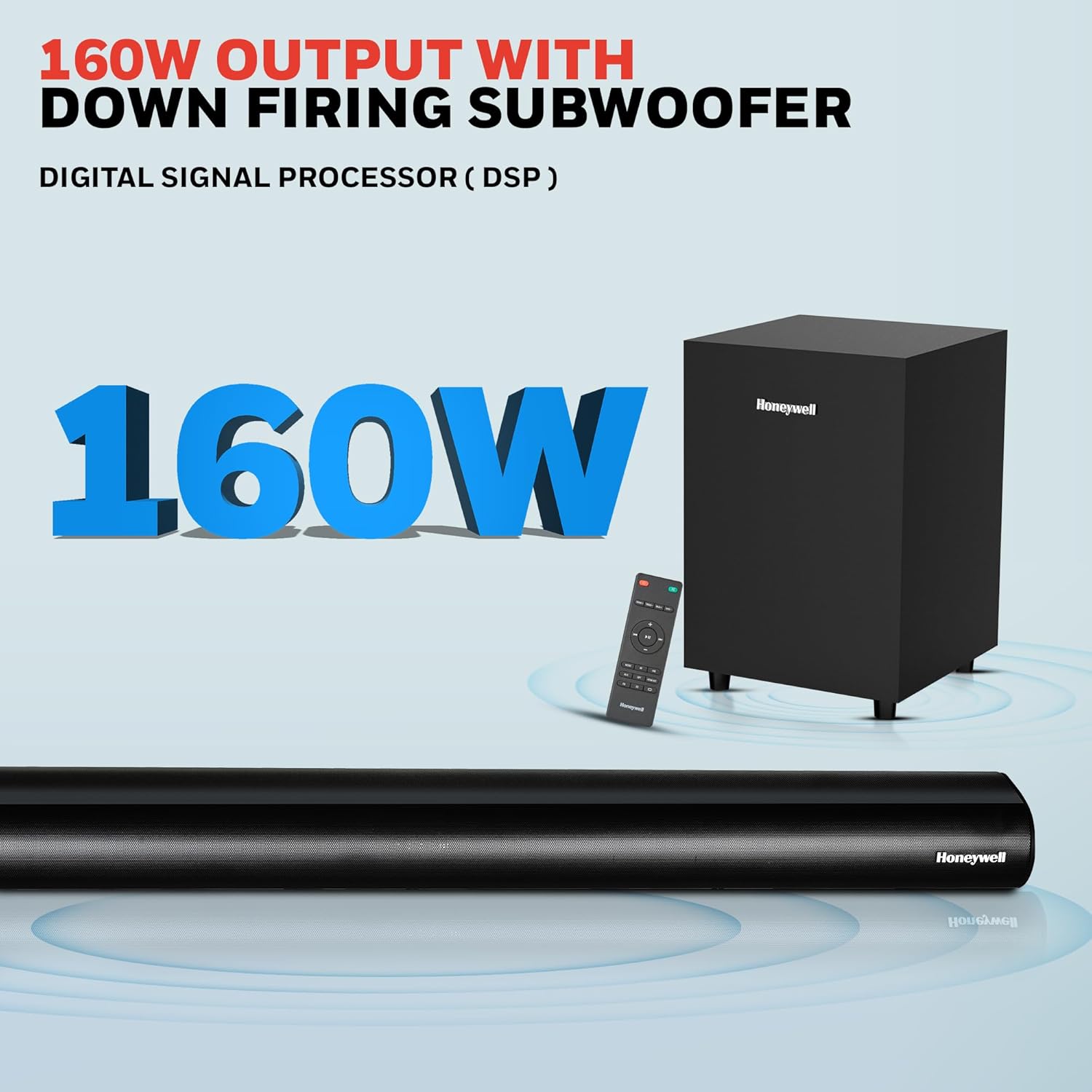
Image: Contents of the Honeywell Trueno U2000 package, including the soundbar, subwoofer, remote control, and cables.
Prodotto finitoview
The Honeywell Trueno U2000 is a 2.1 channel soundbar system designed to enhance your audio experience. It features a soundbar with four 57mm drivers and a wired subwoofer with a 165mm (6-inch) driver, delivering 160W of total output. Multiple connectivity options and EQ modes allow for versatile use.
Caratteristiche principali:
- Potenza di uscita totale 160 W
- 2.1 Channel Configuration with Wired Subwoofer
- Connettività Bluetooth V5.3
- Multiple Input Options: HDMI ARC, Optical, AUX, USB
- 3 Equalizer (EQ) Modes: News, Movie, Music
- Schermo LED
- Design montabile a parete

Image: Visual representation of the soundbar's features, including its drivers, connectivity, and EQ modes.
Impostare
1. Posizionamento
- Barra audio: Posiziona la soundbar su una superficie stabile e piana direttamente di fronte al televisore, oppure montala sulla parete sotto il televisore. Assicurati che non ci siano ostacoli davanti alla soundbar.
- Subwoofer: Position the subwoofer on the floor near the soundbar. The wired connection requires it to be within cable reach of the soundbar.
2. Connessioni
Connect your audio sources to the soundbar using the appropriate cables. The soundbar supports HDMI ARC, Optical, AUX, and USB inputs.

Image: Rear panel of the soundbar displaying various input ports for connectivity.
- HDMI ARCO: Connect an HDMI cable from the HDMI ARC port on the soundbar to the HDMI ARC port on your TV. This allows audio from your TV to play through the soundbar and enables TV remote control of the soundbar volume.
- Ottico: Connect an optical cable from the OPTICAL port on the soundbar to the optical output port on your TV or other audio device.
- AUSILIARI: Use the provided 3.5mm AUX cable to connect the AUX IN port on the soundbar to the audio output (headphone jack) of your device.
- USB: Inserire un'unità USB nella porta USB per la riproduzione audio diretta.
- Subwoofer: Connect the wired subwoofer to the SW OUT port on the soundbar.
3. Collegamento elettrico
Connect the power cord to the soundbar's power input and then plug it into a wall outlet. The soundbar will enter standby mode.
Istruzioni per l'uso
1. Accensione/spegnimento
Premere il pulsante di accensione sulla soundbar o sul telecomando per accendere o spegnere l'unità.
2. Funzioni di controllo remoto
Il telecomando incluso garantisce la piena funzionalità della soundbar.

Image: The remote control for the soundbar, showing its layout and buttons.
- Pulsante di accensione: Attiva o disattiva la soundbar.
- Pulsante Input/Sorgente: Cycles through input modes (HDMI ARC, Optical, AUX, USB, Bluetooth).
- Volume su/giù: Regola il livello del volume principale.
- Tasto muto: Disattiva o riattiva l'audio.
- Pulsanti modalità EQ: Selects between News, Movie, and Music sound modes.
- Riproduci/Pausa, Salta Tracce: Per la riproduzione tramite USB e Bluetooth.
3. Accoppiamento Bluetooth
Per connettere un dispositivo Bluetooth:
- Turn on the soundbar and select Bluetooth mode using the Input/Source button on the remote or soundbar. The LED display will show "BT".
- Abilita il Bluetooth sul tuo dispositivo mobile (smartphone, tablet, ecc.).
- Cercare "Honeywell Trueno U2000" in your device's Bluetooth list and select it to pair.
- Una volta effettuata l'associazione, la soundbar indicherà la connessione avvenuta correttamente e potrai riprodurre l'audio dal tuo dispositivo.

Image: Illustrates the process of connecting a mobile device to the soundbar via Bluetooth.
4. Selezione della sorgente di ingresso
Press the Input/Source button on the remote or the soundbar to cycle through the available input modes: HDMI ARC, OPTICAL, AUX, USB, and Bluetooth. The selected mode will be displayed on the soundbar's LED screen.
5. Modalità EQ
The soundbar offers three preset equalizer modes to optimize audio for different content types:
- Modalità notizie: Enhances vocal clarity for spoken content.
- Modalità film: Fornisce suoni dinamicitage with enhanced bass for cinematic experiences.
- Modalità Musica: Offers balanced audio reproduction suitable for various music genres.
Press the corresponding EQ button on the remote control to switch between these modes.

Image: Demonstrates the three EQ modes (News, Movie, Music) and how they can be selected via the remote.
Manutenzione
Pulizia
- Prima di pulire la soundbar, scollegarla sempre dalla presa di corrente.
- Utilizzare un panno morbido e asciutto per pulire le superfici della soundbar e del subwoofer.
- Non utilizzare detergenti liquidi, spray aerosol o solventi, poiché potrebbero danneggiare la finitura o i componenti interni.
Magazzinaggio
Se si conserva l'unità per un periodo prolungato, scollegarla dalla fonte di alimentazione e conservarla in un luogo fresco e asciutto, lontano dalla luce solare diretta e da temperature estreme.
Risoluzione dei problemi
Se riscontri problemi con la soundbar, consulta la tabella seguente per i problemi più comuni e le relative soluzioni.
| Problema | Possibile causa | Soluzione |
|---|---|---|
| Nessun potere | Cavo di alimentazione non collegato; presa di corrente non attiva | Assicurarsi che il cavo di alimentazione sia collegato saldamente. Verificare che la presa di corrente funzioni collegando un altro dispositivo. |
| Nessun suono | Incorrect input source; Volume too low; Mute function active; Incorrect cable connection | Selezionare la sorgente di ingresso corretta. Aumentare il volume. Disattivare l'audio. Controllare tutti i collegamenti dei cavi audio. |
| L'associazione Bluetooth non riesce | Soundbar non in modalità di associazione; Dispositivo troppo lontano; Interferenza | Ensure soundbar is in Bluetooth mode and ready for pairing. Move device closer to soundbar. Avoid other wireless devices. |
| Il telecomando non funziona | Batterie esaurite; Ostruzione tra telecomando e soundbar | Replace remote control batteries. Remove any obstructions. Ensure remote is pointed at the soundbar's sensor. |
| Suono distorto | Source audio quality is poor; Volume too high; Incorrect EQ mode | Try a different audio source. Reduce volume. Experiment with different EQ modes. |
Se il problema persiste dopo aver provato queste soluzioni, contattare l'assistenza clienti.
Specifiche
Detailed technical specifications for the Honeywell Trueno U2000 Soundbar with Subwoofer.
| Caratteristica | Specificazione |
|---|---|
| Nome del modello | Barra audio Trueno U2000 |
| Numero di modello | HC000258/AUD/SB/U2000/BLK |
| Tipo di altoparlante | Soundbar con subwoofer |
| Configurazione del canale | 2.1 |
| Potenza di uscita totale | 160 Watt (picco) / 120 Watt (RMS) |
| Driver della soundbar | 4 x 57mm Dynamic Drivers |
| Driver del subwoofer | 1 x 165mm (6 Inches) Woofer |
| Tecnologia di connettività | Bluetooth V5.3, HDMI ARC, Optical, AUX, USB |
| Portata Bluetooth | Fino a 10 metri |
| Risposta in frequenza | 20 Hz (minimo) |
| Signal-to-Noise Ratio | 82 dB |
| Metodo di controllo | Telecomando |
| Tipo di montaggio | Montaggio da tavolo, montaggio a parete |
| Dimensioni del prodotto (Soundbar) | 6.5D x 94W x 6H centimetri |
| Peso dell'articolo | 1.6 Kilograms (Soundbar) |
| Ingresso volumetage | 240 Volt (CA) |
| Materiale | Plastica |
| Colore | Nero |
Informazioni sulla garanzia
The Honeywell Trueno U2000 Soundbar with Subwoofer comes with a Garanzia del produttore di 2 anno dalla data di acquisto. La presente garanzia copre difetti di fabbricazione e malfunzionamenti in normali condizioni d'uso.
Please retain your purchase receipt as proof of purchase for warranty claims. The warranty does not cover damage caused by misuse, accidents, unauthorized modifications, or normal wear and tear.
For detailed terms and conditions, please refer to the warranty card included in your package or contact Honeywell customer support.
Assistenza clienti
For any assistance, technical support, or warranty claims, please contact Honeywell customer support.

Image: Honeywell customer support information, including phone number and email address, and a map indicating nationwide service centers.
- Supporto telefonico: 022-238 535 35 (dal lunedì al venerdì, dalle 10:00 alle 19:00)
- Supporto via e-mail: Support@honeywellconnection.com
- Risorse online: Visita il sito ufficiale Honeywell websito per domande frequenti e supporto aggiuntivo.
Video del prodotto
Watch this official product video for a visual guide on the Honeywell Trueno U2000 Soundbar.
Video: An official product video demonstrating the features and usage of the Honeywell Trueno U2000 Soundbar.
Informazioni sullo smaltimento
Do not dispose of this product with household waste. This product contains electronic components that should be recycled according to local regulations. Contact your local authorities or retailer for information on recycling and disposal.