
Luoran M4 Pro
Manuale utente del lettore MP3 Luoran M4 Pro
Modello: M4 Pro
Marca: Luoran
Introduzione
This manual provides comprehensive instructions for the operation and maintenance of your Luoran M4 Pro MP3 Player. Designed for a rich audio-visual experience, this device combines advanced features with a user-friendly interface. Please read this manual thoroughly to ensure proper usage and to maximize the performance of your device.
Cosa c'è nella scatola
Dopo aver disimballato il prodotto, verificare che siano presenti tutti i seguenti elementi:
- Luoran M4 Pro MP3 Player
- Cavo di ricarica USB-C
- Adattatore OTG
- Screensaver Film (2 pieces)
- Cuffia cablata
- Istruzioni (questo manuale)
Prodotto finitoview
Familiarize yourself with the physical components and design of your Luoran M4 Pro MP3 Player.

Figura 1: Fronte view of the Luoran M4 Pro MP3 Player, showcasing its 4.0-inch IPS full touchscreen display with various application icons.

Figure 2: Illustrates the sleek design of the player, highlighting its arc metal frame and tempered glass front and rear covers for durability and aesthetic appeal.

Figure 3: Close-up of the 4.0-inch IPS full touchscreen, emphasizing high color accuracy, large viewing angle, and fast response times for an enhanced visual experience.
The device features a durable arc metal frame with tempered glass on both the front and rear. It includes a USB-C charging port and two 3.5mm headphone jacks, allowing two users to listen simultaneously. A built-in speaker is also integrated for direct audio playback.
Guida all'installazione
1. Carica del dispositivo
Before first use, fully charge your MP3 player. Connect the provided USB-C cable to the device's USB-C port and the other end to a compatible USB power adapter (not included) or a computer's USB port. A full charge takes approximately 2.5 hours.

Figure 4: Depicts the 2000mAh battery capacity, indicating long battery life for extended music playback and standby time.
2. Accensione/spegnimento
- To Power On: Press and hold the Power button located on the side of the device until the screen illuminates.
- To Power Off: Press and hold the Power button until a power-off menu appears. Select "Power Off" to shut down the device.
3. Connessione al Wi-Fi
Per accedere ai servizi di streaming online e trasferire filein modalità wireless, collega il tuo dispositivo a una rete Wi-Fi:
- From the home screen, tap the "Settings" icon.
- Selezionare "Rete e Internet" e poi "Wi-Fi".
- Attiva il Wi-Fi.
- Seleziona la rete Wi-Fi desiderata dall'elenco.
- Enter the network password if prompted and tap "Connect".

Figure 5: Highlights the device's Bluetooth V4.2 and Wi-Fi capabilities, enabling wireless file transfer and connectivity with Bluetooth headphones, speakers, and car stereos.
4. Trasferimento Files
You can transfer music and other files to your device via USB or Wi-Fi:
- Trasferimento USB: Connect the device to your computer using the USB-C cable. The device will appear as a removable storage drive. Drag and drop your files into the appropriate folders (e.g., "Music", "Videos").
- Trasferimento Wi-Fi: Utilize the pre-installed "MiniShare" or similar file transfer application on the device to share or receive files wirelessly from other Wi-Fi enabled devices.
5. Installing and Updating Applications
The Luoran M4 Pro comes with pre-installed applications such as Spotify, Audible, Pandora, Amazon Music, and Apple Music. Due to the Android 8.1 system version, some newer applications may not be compatible or require specific APK files for installation. For app updates or new installations, you may need to download APK files from trusted sources and install them manually.

Figure 6: Displays various pre-installed online streaming applications, including Spotify, Kindle, Audible, Deezer, Kobo books, iHeartRadio, Apple Music, Tidal, Podcasts Tracker, Pandora, and Amazon Music.

Figure 7: Shows the interface for managing installed applications, including options to uninstall them.
6. Inserimento di una scheda Micro SD
The device supports Micro SD cards up to 1TB for expanded storage. Locate the Micro SD card slot on the side of the device. Gently insert the card until it clicks into place. To remove, push the card inward until it springs out.

Figure 8: Illustrates the Micro SD card slot, indicating support for up to 1TB of expandable storage.
Istruzioni per l'uso
1. Navigazione nell'interfaccia
The Luoran M4 Pro features a full touchscreen for intuitive navigation. Swipe left or right to browse through app pages, tap icons to open applications, and use the navigation buttons at the bottom of the screen (Back, Home, Recent Apps) to control your experience.
2. Playing Music and Videos
The device supports a wide range of audio and video formats. Use the pre-installed music and video players to enjoy your media:
- Formati audio: MP3, OGG, APE, FLAC, WAV, AAC, M4A, M4R, MP2, AMR, ACELP.
- Formati video: AVI, MKV, MPG, MPEG, RM, RMVB, VOB, MOV, FLV, ASF, DAT, MP4, 3GP.

Figure 9: Shows the music playback interface, indicating support for various audio formats and controls.

Figure 10: Displays the video playback interface, demonstrating the device's capability to play 720P and 1080P videos.
3. Connettività Bluetooth
The device features Bluetooth V4.2 for connecting to wireless headphones, speakers, or car stereos. To pair a Bluetooth device:
- Vai su "Impostazioni" > "Dispositivi connessi" > "Bluetooth".
- Attivare il Bluetooth.
- Select "Pair new device" and choose your Bluetooth accessory from the list of available devices.
- Se richiesto, confermare l'associazione su entrambi i dispositivi.
4. Using Dual Headphone Jacks
The Luoran M4 Pro is equipped with two 3.5mm headphone jacks, allowing two individuals to listen to audio simultaneously from the same device. Simply plug in two sets of wired headphones into the available ports.
5. Built-in Speaker and Equalizer
For convenient audio playback without headphones, use the built-in speaker. The device also includes an equalizer function to customize your audio experience, allowing adjustments for sweet treble, accurate mid-range, and deep bass.
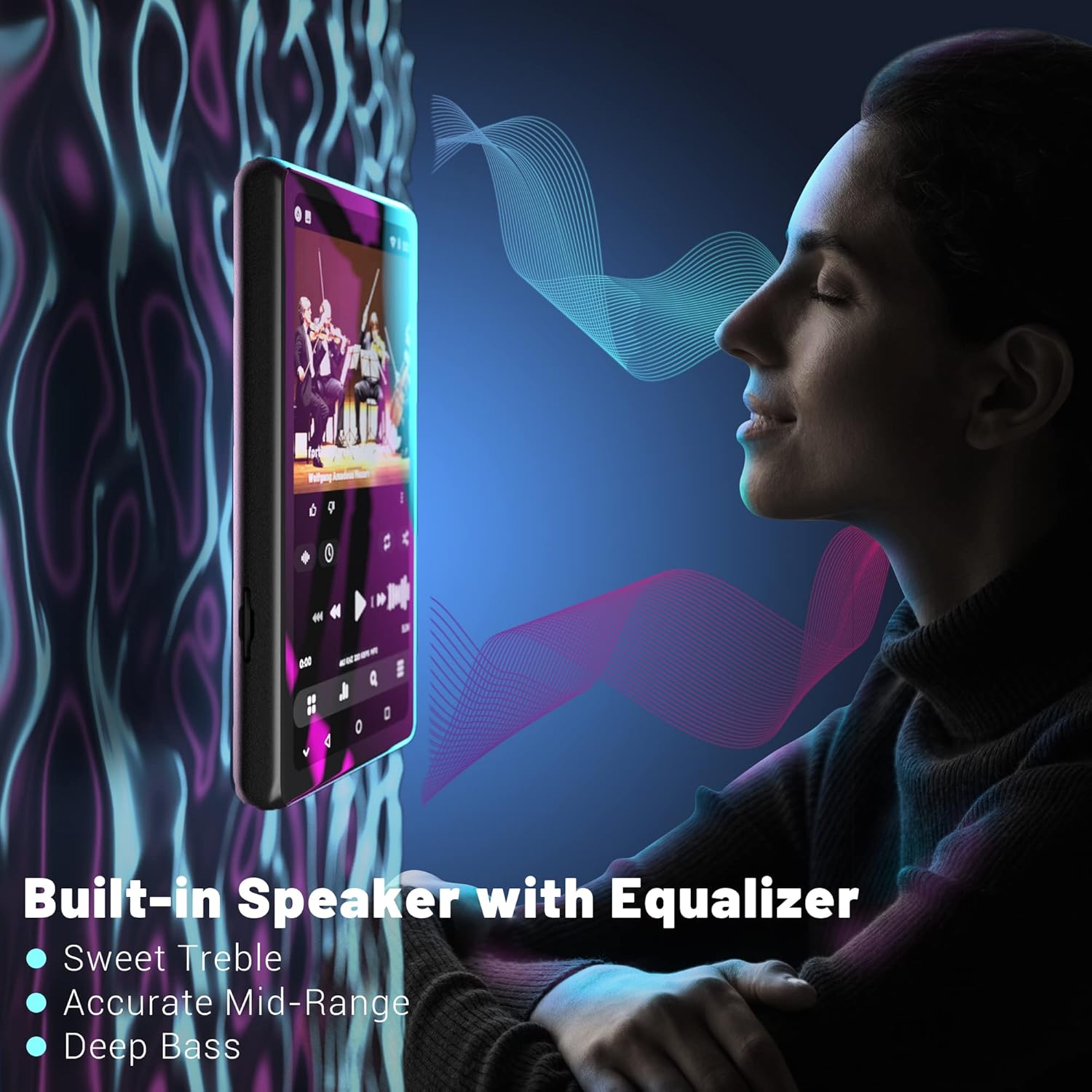
Figure 11: Illustrates the built-in speaker and its equalizer capabilities, offering enhanced audio quality with adjustable treble, mid-range, and bass.
Manutenzione
1. Cura della batteria
To prolong battery life, avoid fully discharging the device frequently. Charge the device regularly, especially if it will be stored for an extended period. The 2000mAh battery provides ampla potenza per l'uso quotidiano.
2. Gestione dell'archiviazione
Regularly manage your device's storage. Delete unnecessary files and applications to free up the 16GB internal memory. Utilize a Micro SD card (up to 1TB) for large media libraries to ensure optimal performance.
3. Pulizia del dispositivo
Use a soft, lint-free cloth to clean the screen and body of the device. Avoid using abrasive cleaners or solvents, as these can damage the screen and finish. Keep the ports free of dust and debris.
Risoluzione dei problemi
| Problema | Possibile causa | Soluzione |
|---|---|---|
| Il dispositivo non si accende. | Batteria scarica o scarica. | Charge the device for at least 30 minutes before attempting to power on again. |
| Impossibile connettersi al Wi-Fi. | Password errata, fuori portata o problema di rete. | Verify password, move closer to the router, or restart the router. |
| Apps not installing/updating. | Android 8.1 compatibility issues, insufficient storage. | Ensure the APK is compatible with Android 8.1. Clear storage or use an SD card. Contact Luoran support for specific app issues. |
| La connessione Bluetooth è instabile. | Interference, distance from paired device. | Reduce distance between devices, avoid obstacles, or try re-pairing. |
| Screen appears pixelated. | Display resolution characteristics. | This is a characteristic of the display and not a defect. It does not affect core functionality. |
Specifiche
| Caratteristica | Dettaglio |
|---|---|
| Dimensioni del prodotto | 3.15 x 1.57 x 0.39 pollici |
| Peso dell'articolo | 10.2 once |
| Sistema operativo | Androide 8.1 |
| Processore | Chip MTK a 8 core |
| Dimensioni dello schermo | 4.0 Inches IPS Full Touchscreen |
| Memoria interna | 16 GB |
| Archiviazione espandibile | Fino a 1 TB tramite scheda Micro SD |
| Capacità della batteria | 2000mAh |
| Porta di ricarica | USB-C |
| Versione Bluetooth | V4.2 |
| Connettività | Bluetooth, USB, Wi-Fi |
| Formati audio | MP3, OGG, APE, FLAC, WAV, AAC, M4A, M4R, MP2, AMR, ACELP |
| Formati video | AVI, MKV, MPG, MPEG, RM, RMVB, VOB, MOV, FLV, ASF, DAT, MP4, 3GP |
| Caratteristiche speciali | FM Radio, Touch Screen, Built-in Speaker, Dual Headphone Jacks |
Garanzia e supporto
Luoran is committed to providing high-quality audio devices and stands behind its products. For any questions, technical assistance, or support inquiries regarding your Luoran M4 Pro MP3 Player, please refer to the contact information provided on the product packaging or the official Luoran websito. Il nostro team del servizio clienti è a tua disposizione per assisterti.
Please retain your proof of purchase for warranty claims. Specific warranty terms and conditions may vary by region and are detailed on the official Luoran support channels.
Ask a question about this manual
Ask about setup, troubleshooting, compatibility, parts, safety, or missing instructions. Manuals+ will review the question and use this page’s manual context to help answer it.