
Introduzione
This manual provides comprehensive instructions for the safe and effective use of your DEWALT 20V MAX Cordless Drill and Impact Driver Combo Kit, model DCK277D2. Please read all instructions carefully before operating the tools to ensure proper function and to prevent injury.
Contenuto del kit
Your DEWALT DCK277D2 combo kit includes the following components:
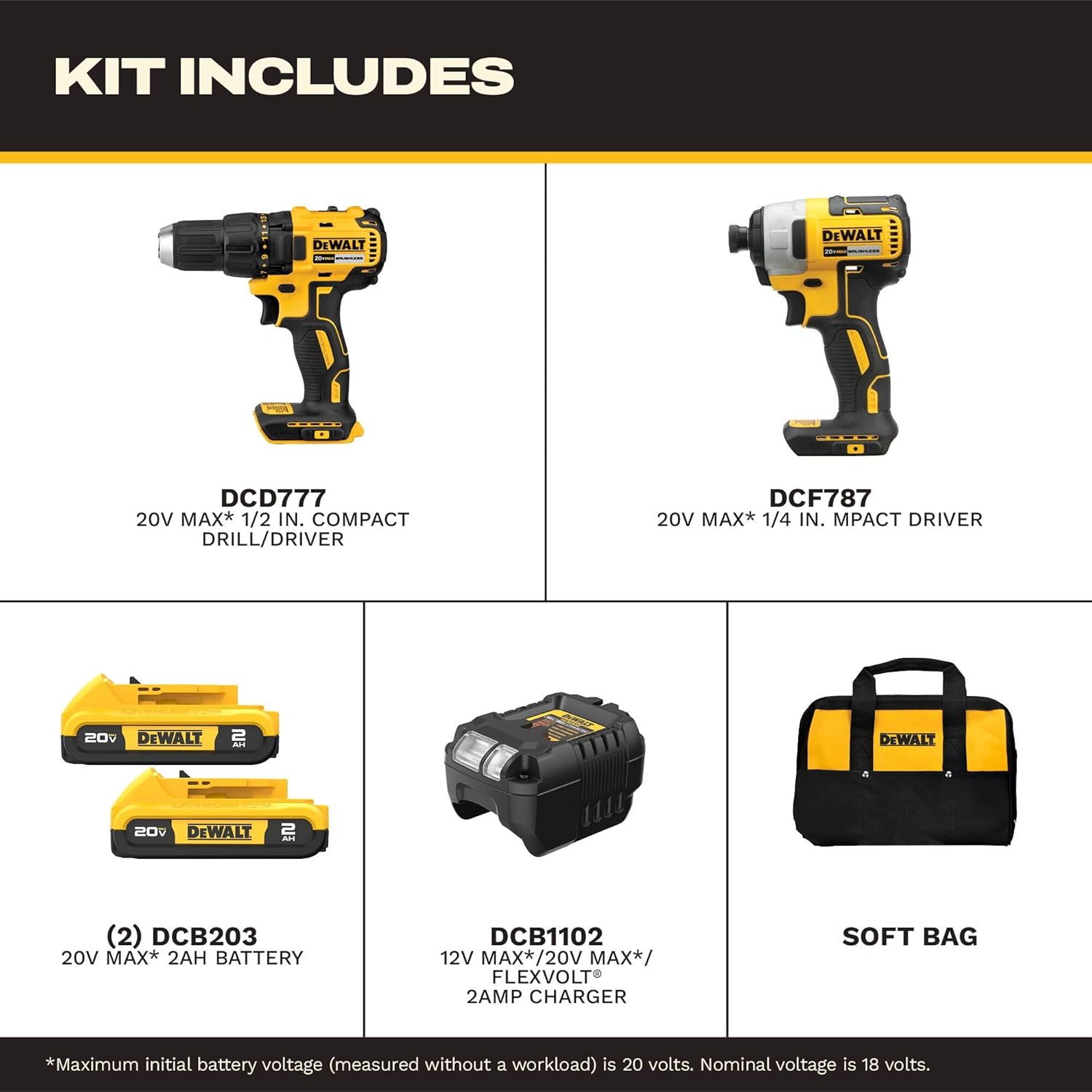
All components included in the DEWALT DCK277D2 combo kit.
- (1) DCD777 20V MAX* Brushless Drill/Driver: A versatile tool for drilling and driving fasteners.
- (1) DCF787 20V MAX* Brushless 1/4 in. Cordless Impact Driver: Designed for driving fasteners with high torque.
- (2) DCB203 20V MAX* Compact Lithium-Ion 2.0Ah Battery Packs: Provides power to both tools.
- (1) DCB1102 Charger: For recharging the 20V MAX* battery packs.
- (1) Contractor Bag: For convenient storage and transport of the kit.
DCD777 Drill/Driver Overview
The DCD777 drill/driver features a compact design and brushless motor for efficient performance. Key features include:

Key features of the DEWALT DCD777 Drill/Driver.
- 1/2 inch (13mm) Single Sleeve Ratcheting Chuck: For secure bit gripping.
- Motore Brushless: Provides extended runtime and durability.
- Maniglia ergonomica: Progettato per una presa e un controllo comodi.
- Luce LED: Illumina l'area di lavoro per una migliore visibilità.

The compact design of the DCD777 allows access to tight areas.
DCF787 Impact Driver Overview
The DCF787 impact driver offers high torque for demanding fastening applications. Its features include:

Key features of the DEWALT DCF787 Impact Driver.
- 1/4 inch (6.35mm) Hex Chuck: Per cambi rapidi di bit.
- Motore Brushless: Ensures efficient power delivery and longer tool life.
- Maniglia ergonomica: Offre comfort durante l'uso prolungato.
- Luce LED: Enhances visibility in dimly lit work environments.
- Elevata coppia in uscita: Delivers up to 1500 in-lbs of torque for tough tasks.

The brushless motor of the DCF787 provides efficient performance.
Informazioni sulla batteria e sul caricabatterie
The kit includes two DCB203 20V MAX* Lithium-Ion battery packs and a DCB1102 charger.
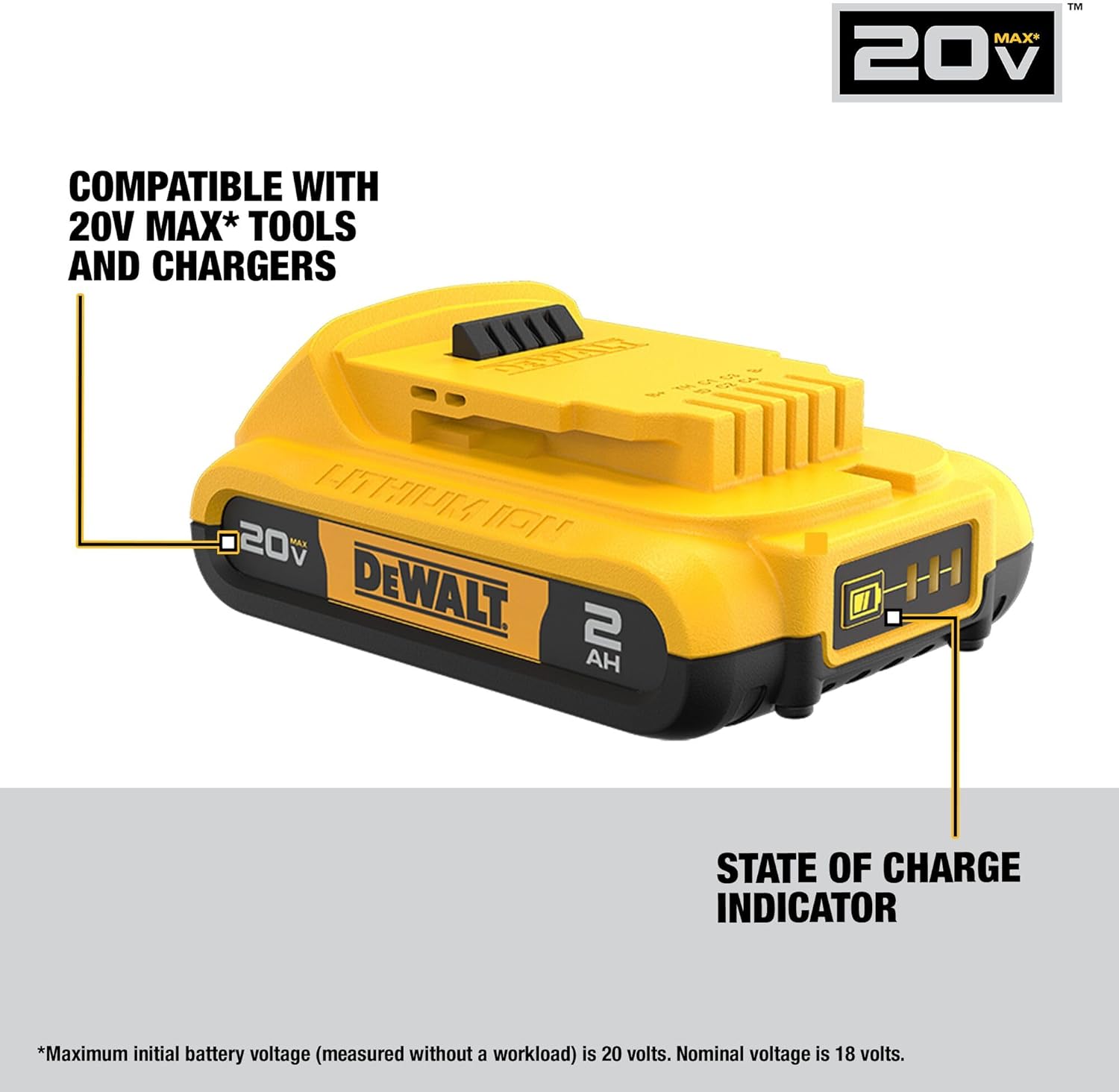
DEWALT DCB203 battery with state of charge indicator.
- Compatibilità della batteria: The DCB203 batteries are compatible with all DEWALT 20V MAX* tools and chargers.
- Indicatore dello stato di carica: Batteries feature an indicator to show remaining charge.
- DCB1102 Charger: Designed to charge 12V, 18V, and 20V MAX* Lithium-Ion battery packs.
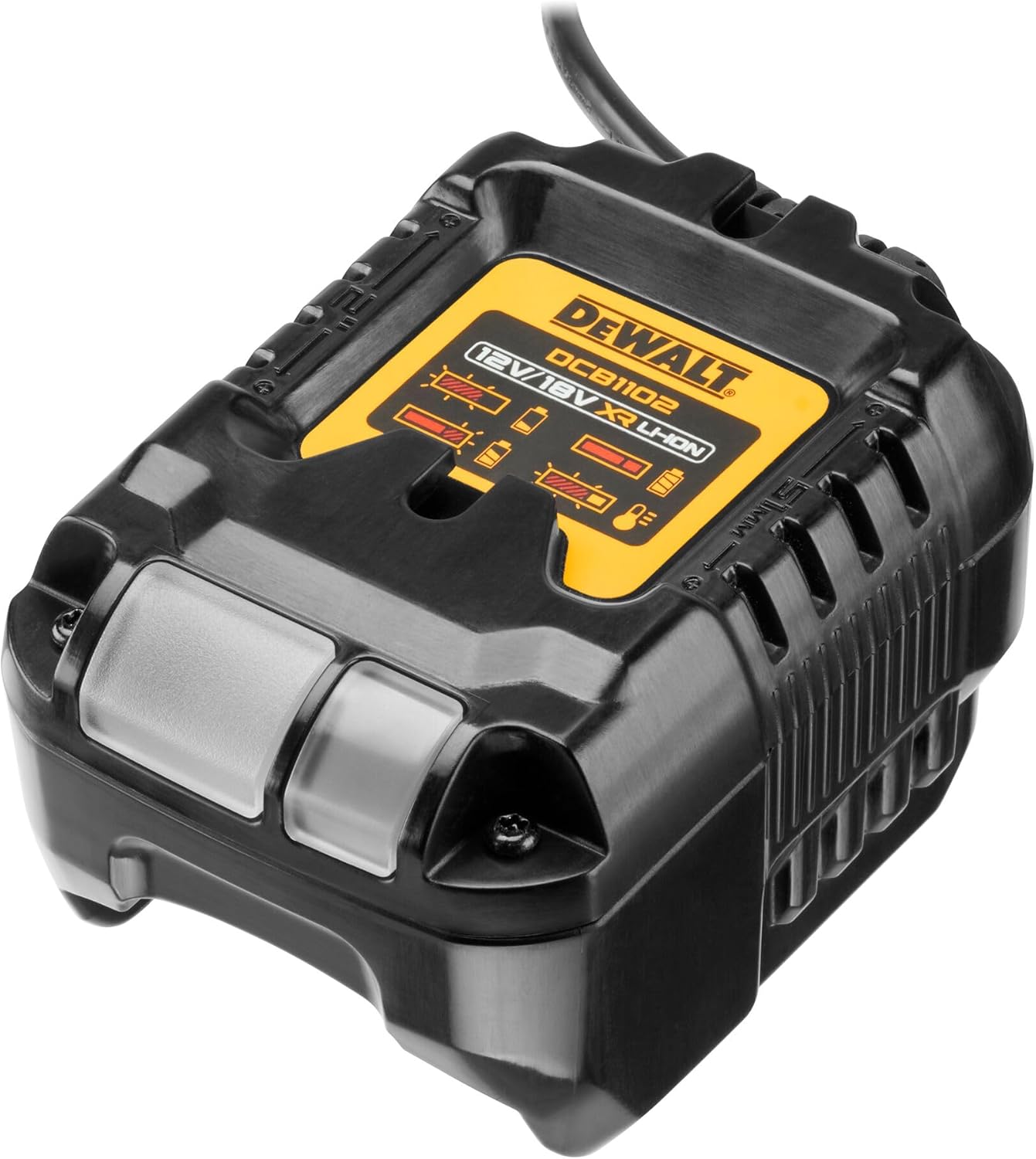
The DCB1102 charger for your DEWALT 20V MAX* batteries.
Impostare
1. Carica iniziale della batteria
- Connect the DCB1102 charger to a standard electrical outlet.
- Slide a DCB203 battery pack onto the charger until it clicks into place.
- Allow the battery to charge fully. The indicator light on the charger will show the charging status. Refer to the charger manual for specific light patterns.
2. Installazione e rimozione della batteria
- Per installare: Allineare il pacco batteria con la porta della batteria dell'utensile e farlo scorrere finché non si blocca saldamente.
- Per rimuovere: Premere il pulsante di rilascio della batteria ed estrarre la batteria dall'utensile.
3. Bit Installation (DCD777 Drill/Driver)
- Ruotare il mandrino in senso antiorario per aprire le ganasce.
- Insert the drill bit or driver bit into the chuck.
- Ruotare il mandrino in senso orario per serrare saldamente le ganasce attorno alla punta. Assicurarsi che la punta sia centrata e saldamente fissata.
4. Bit Installation (DCF787 Impact Driver)
- Pull the collar of the 1/4 inch hex chuck forward.
- Insert the 1/4 inch hex shank bit into the chuck.
- Release the collar. The bit will lock into place. Pull on the bit to ensure it is securely fastened.
Istruzioni per l'uso
1. Funzionamento generale
- Interruttore a grilletto: Squeeze the trigger to turn the tool on. Release to turn off.
- Velocità variabile: L'interruttore a grilletto consente il controllo variabile della velocità. Premendo il grilletto, la velocità aumenta ulteriormente.
- Pulsante avanti/indietro: Located above the trigger, this button controls the direction of rotation. Push left for forward, right for reverse. Center position locks the trigger.
- Luce da lavoro a LED: The integrated LED light activates when the trigger is pressed, illuminating the work surface. It remains on for approximately 20 seconds after the trigger is released.
2. DCD777 Drill/Driver Specifics
- Impostazioni della frizione: The adjustable clutch ring allows you to select the desired torque setting for driving screws. Higher numbers provide more torque. Use the drill symbol setting for drilling applications.
- Selettore di velocità: A switch on top of the tool allows selection between two speed ranges: Low (for high torque applications) and High (for faster drilling).
3. DCF787 Impact Driver Specifics
- The impact driver delivers high rotational force and rapid impacts to drive fasteners quickly and efficiently. No clutch adjustment is typically needed as the impact mechanism handles varying resistance.
Manutenzione
1. Pulizia
- Keep the tool's ventilation slots clean to prevent overheating.
- Utilizzare un morbido, damp cloth to clean the exterior of the tools and batteries. Do not use harsh chemicals or abrasive cleaners.
- Never immerse the tools or batteries in liquid.
2. Conservazione
- Store tools and batteries in a cool, dry place, away from direct sunlight and extreme temperatures.
- Ensure batteries are partially charged before storing for extended periods.
- Store tools in the provided contractor bag to protect them from dust and damage.
3. Cura della batteria
- Do not store batteries in a discharged state. Recharge them promptly after use.
- Evitare di esporre le batterie all'acqua o a calore estremo.
- If a battery pack is damaged, do not use it. Contact DEWALT service for replacement.
Risoluzione dei problemi
Per i problemi più comuni e le relative soluzioni, fare riferimento alla tabella sottostante.
| Problema | Possibile causa | Soluzione |
|---|---|---|
| Lo strumento non si avvia. | Batteria non carica o installata in modo errato. | Assicurarsi che la batteria sia completamente carica e inserita correttamente. |
| Potenza o autonomia ridotte. | Battery charge is low or battery is old. | Recharge battery. Consider replacing old batteries. |
| La punta del trapano scivola nel mandrino. | Mandrino non serrato a sufficienza. | Retighten chuck firmly around the bit. Ensure bit shank is clean. |
| Impact driver bit falls out. | Hex chuck collar not fully engaged. | Assicurarsi che la punta sia completamente inserita e che il collare scatti di nuovo in posizione. |
| L'utensile si surriscalda. | Fessure di ventilazione bloccate o uso intenso e prolungato. | Liberare le fessure di ventilazione. Lasciare raffreddare l'utensile. Ridurre il carico. |
Specifiche
Detailed specifications for the DEWALT DCK277D2 combo kit components:
| Caratteristica | Specificazione |
|---|---|
| Marca | DEWALT |
| Numero di modello | DCK277D2 |
| Voltage | 20 V MASSIMO* |
| Peso dell'articolo | 8.8 libbre (kit totale) |
| Tipo di batteria | Lithium Ion (DCB203, 2.0Ah) |
| Numero di batterie | 2 |
| DCD777 Chuck Size | 1/2 di pollice (13 mm) |
| DCF787 Chuck Size | Esagonale da 1/4 pollice |
| DCF787 Max Torque | 1500 pollici-libbra |
| Velocità di rotazione massima | 2800 rpm (DCF787) |
| Fonte di alimentazione | Alimentato a batteria |
| Modello di caricabatterie | DCB1102 |
Garanzia e supporto
Your DEWALT DCK277D2 combo kit is backed by a comprehensive warranty and support program:
- Garanzia limitata di 3 anni: Copre i difetti di materiale o di fabbricazione per tre anni dalla data di acquisto.
- 1-Year Free Service Contract: DEWALT si occuperà della manutenzione dell'utensile e sostituirà gratuitamente le parti usurate a causa del normale utilizzo in qualsiasi momento durante il primo anno dall'acquisto.
- Garanzia di rimborso entro 90 giorni: Se per qualsiasi motivo non sei completamente soddisfatto delle prestazioni del tuo elettroutensile, laser o chiodatrice DEWALT, puoi restituirlo entro 90 giorni dalla data di acquisto per ottenere un rimborso completo.
For warranty claims, service, or technical support, please refer to the official DEWALT webo contattare direttamente il servizio clienti. Conservare la prova d'acquisto per la convalida della garanzia.


