
Introduzione
This manual provides essential information for the proper installation, operation, and maintenance of your KitchenAid KAD2RXD1 Refrigerator Water Filter. This filter is designed to provide clean, fresh-tasting water by reducing various contaminants.
Caratteristiche principali:
- Compatible with specific KitchenAid refrigerator models.
- NSF certified to reduce 28 contaminants, including lead, pesticides, and pharmaceuticals.
- Recommended replacement every 6 months or after filtering 200 gallons of water.
Configurazione e installazione
Follow these steps to install your new KitchenAid KAD2RXD1 Refrigerator Water Filter. Refer to your refrigerator's user manual for specific filter compartment location and access instructions.
- Individuare il vano filtro: The filter is typically located in the upper right corner of the refrigerator compartment or in the base grille.
- Rimuovere il vecchio filtro: Turn the old filter counter-clockwise to unlock it, then pull it out. Some water may drip, so have a towel ready.
- Preparare il nuovo filtro: Remove the new filter from its packaging. Remove the protective cap from the end of the filter.
- Inserisci il nuovo filtro: Align the new filter with the filter housing. Push the filter into the housing until it stops, then turn it clockwise until it locks into place. You may feel a slight resistance as the filter seals.
- Svuotare il sistema: Dispense approximately 3-4 gallons of water through the refrigerator's water dispenser to flush out air and carbon fines from the new filter. This ensures optimal water quality.
- Reimposta indicatore filtro: If your refrigerator has a filter indicator light, consult your refrigerator's manual for instructions on how to reset it. This usually involves pressing and holding a specific button for a few seconds.

Image: KitchenAid KAD2RXD1 Refrigerator Water Filter removed from its packaging, next to the box.
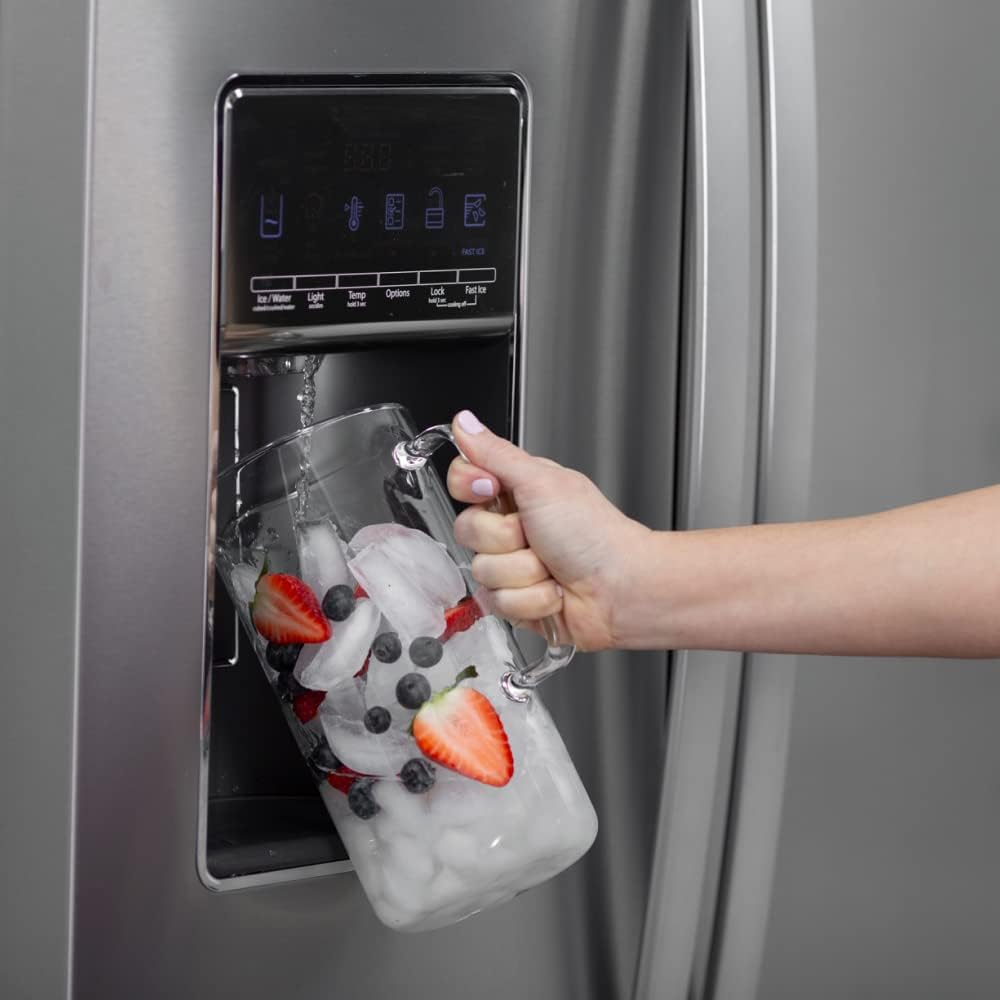
Image: Hand inserting a KitchenAid KAD2RXD1 Refrigerator Water Filter into the refrigerator's filter compartment.
Video: This video demonstrates the step-by-step process for installing the KitchenAid Filter 2 in a compatible refrigerator.
Operazione
Once installed, the filter operates automatically to provide filtered water and ice. No special operational steps are required beyond regular use.
- Distributore d'acqua: Press the dispenser lever to obtain filtered water.
- Ice Maker: The ice maker will automatically produce ice using filtered water.

Image: Hand filling a glass with filtered water from a refrigerator dispenser.
Manutenzione
Regular filter replacement is crucial for maintaining water quality and optimal refrigerator performance.
- Programma di sostituzione: Replace your KitchenAid KAD2RXD1 water filter every 6 months or after 200 gallons of use, whichever comes first. This ensures continuous reduction of contaminants.
- Indicatore del filtro: Pay attention to your refrigerator's filter indicator light. When it changes color (e.g., from green to red) or starts blinking, it's time to replace the filter.

Image: Graphic illustrating the recommendation to replace the water filter every six months.
Risoluzione dei problemi
If you encounter issues with your water filter, refer to the table below for common problems and solutions.
| Problema | Possibile causa | Soluzione |
|---|---|---|
| Basso flusso d'acqua | Clogged filter, air in the system. | Replace the filter if it's old. Flush the system by dispensing several gallons of water to remove trapped air. |
| Perdite d'acqua | Improperly installed filter, damaged O-rings. | Remove and re-install the filter, ensuring it is fully seated and locked. Check O-rings for damage. |
| Cattivo sapore o odore nell'acqua | Expired filter, initial carbon fines. | Replace the filter if it's past its recommended lifespan. Flush the system thoroughly to remove any loose carbon particles. |
| La spia del filtro rimane accesa dopo la sostituzione | Indicatore non reimpostato. | Refer to your refrigerator's user manual for specific instructions on how to reset the filter indicator light. |
Specifiche
- Materiale: Plastica
- Dimensioni del prodotto: 2.5"P x 2.5"L x 8.69"A
- Certificazione di test esterni: NSF 42 - Reduces aesthetic impurities, NSF 53 - Reduces contaminants with health effects
- Vantaggi del prodotto: Removes lead and other harmful contaminants, improving water taste
- Numero modello: KAD2RXD1
- Codice UPC: 883049623337
- Componenti inclusi: Refrigerator water Filter
- Produttore: Mulinello

Image: Diagram explaining the triple filtration technology of the KitchenAid water filter, showing particle, micro, and absorption filtration.
Informazioni sulla garanzia
This KitchenAid KAD2RXD1 Refrigerator Water Filter does not include a manufacturer's warranty. For details regarding your refrigerator's warranty, please consult its specific user manual or contact KitchenAid customer service.
Supporto
For additional assistance, questions, or to purchase replacement filters, please visit the official KitchenAid website or contact their customer support. Always refer to your refrigerator's specific user manual for detailed instructions related to your appliance model.
Note: Using non-genuine or incompatible filters may affect water quality and could potentially void your refrigerator's warranty.