
1. Introduzione
Thank you for choosing AIMA Wireless Earbuds. These earbuds are designed to provide a superior audio experience with advanced Bluetooth 5.2 technology, rich bass, and effective noise reduction. This manual will guide you through the setup, operation, and maintenance of your new earbuds to ensure you get the most out of them.
2. Contenuto della confezione
Si prega di selezionare la casella per i seguenti elementi:
- AIMA Wireless Earbuds (Left and Right)
- Custodia di ricarica
- Cavo di ricarica USB
- Manuale d'uso
3. Prodotto finitoview
Familiarize yourself with the components of your AIMA Wireless Earbuds and charging case.

Image 3.1: AIMA Wireless Earbuds in their orange charging case, displaying a digital battery percentage di 100.

Image 3.2: The orange AIMA Wireless Earbuds are shown both inside and outside their transparent charging case, highlighting their compact design.

Image 3.3: Demonstrates the comfortable and stable fit of the earbuds in a user's ear, showing both orange and black earbud variants.
4. Impostazione
4.1 Ricarica degli auricolari e della custodia
- Inserire gli auricolari nella custodia di ricarica. Assicurarsi che siano posizionati correttamente.
- Collegare il cavo di ricarica USB alla porta di ricarica sulla custodia e a una fonte di alimentazione (ad esempio, un adattatore da parete USB, una porta USB del computer).
- The digital display on the case will indicate the charging status. A full charge for the case and earbuds takes approximately one hour.
4.2 Associazione con il dispositivo
- Assicurati che gli auricolari siano carichi.
- Open the charging case. The earbuds will automatically enter pairing mode, indicated by a flashing light (if applicable, refer to specific light indicators on your model).
- Sul tuo dispositivo (smartphone, tablet, computer), vai alle impostazioni Bluetooth e attiva il Bluetooth.
- Cercare available devices. Select "AIMA Earbuds" (or similar name) from the list.
- Una volta connessi, gli auricolari indicheranno l'avvenuta associazione (ad esempio, tramite un messaggio vocale o una luce fissa).
- Se il Bluetooth è abilitato sul dispositivo, gli auricolari si riconnetteranno automaticamente all'ultimo dispositivo associato quando vengono estratti dalla custodia.
5. Istruzioni per l'uso
5.1 Accensione/spegnimento
- Accensione: Apri la custodia di ricarica e gli auricolari si accenderanno automaticamente.
- Spegni: Riponi gli auricolari nella custodia di ricarica e chiudi il coperchio. Si spegneranno automaticamente e inizieranno a caricarsi.
5.2 Controlli di riproduzione musicale
The earbuds feature touch-sensitive controls. Specific functions may vary slightly; refer to the quick start guide for precise tap sequences.
- Riproduci/Pausa: Un solo tocco su uno degli auricolari.
- Traccia successiva: Tocca due volte l'auricolare destro.
- Traccia precedente: Tocca due volte l'auricolare sinistro.
- Aumenta volume: Tocca tre volte l'auricolare destro.
- Volume basso: Tocca tre volte l'auricolare sinistro.

Image 5.1: Illustrates the 'Deep Rich Bass' capability of the earbuds, showing both orange and black versions with a focus on sound quality.
5.3 Gestione delle chiamate
- Rispondi/Termina chiamata: Un singolo tocco su uno degli auricolari durante una chiamata in arrivo.
- Rifiuta chiamata: Durante una chiamata in arrivo, tenere premuto uno dei due auricolari per 2 secondi.
5.4 Riduzione del rumore
These earbuds feature Active Noise Cancellation (ANC) technology to filter out background noise for crystal clear calls and music.
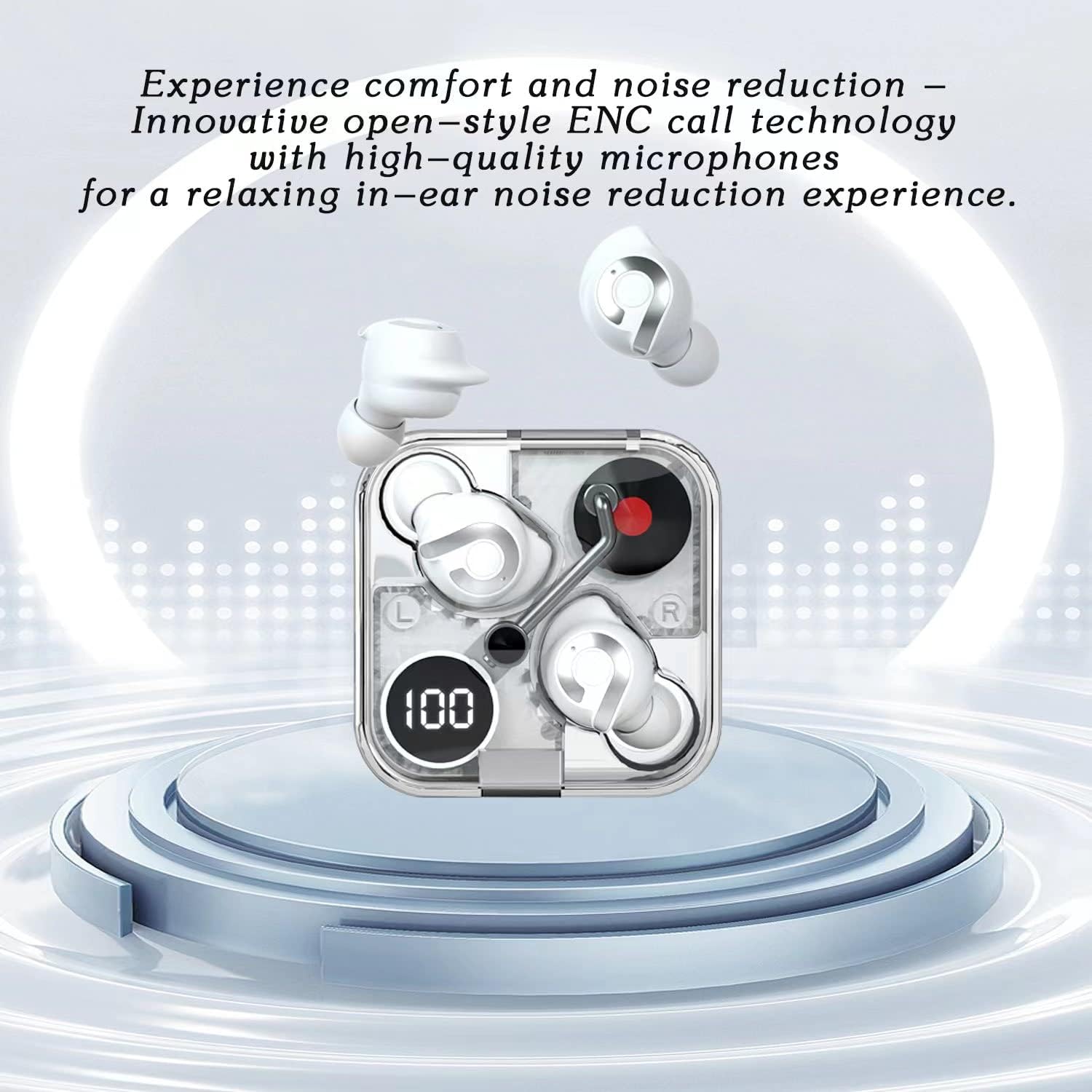
Image 5.2: Highlights the comfort and noise reduction features, showing white earbuds in a transparent case with a focus on ENC call technology.
To activate or deactivate the noise reduction mode, refer to the specific touch control gestures in your quick start guide, typically a long press or specific tap sequence.
6. Manutenzione
6.1 Pulizia
- Per pulire gli auricolari e la custodia di ricarica, utilizzare un panno morbido, asciutto e privo di lanugine.
- Non utilizzare detergenti abrasivi, alcol o solventi chimici.
- Se necessario, pulire delicatamente i contatti di ricarica sugli auricolari e sulla custodia con un batuffolo di cotone asciutto.
6.2 Conservazione
- Quando non li usi, riponi sempre nella custodia di ricarica per proteggerli e mantenerli carichi.
- Conservare in un luogo fresco e asciutto, lontano da temperature estreme e dalla luce solare diretta.
6.3 Cura della batteria
- Per prolungare la durata della batteria, evitare di scaricare completamente gli auricolari e la custodia frequentemente.
- Caricare regolarmente il dispositivo, anche se non lo si utilizza frequentemente.
7. Risoluzione Dei Problemi
If you encounter any issues with your AIMA Wireless Earbuds, please refer to the following common solutions:
| Problema | Possibile causa | Soluzione |
|---|---|---|
| Gli auricolari non si accoppiano | Batteria scarica; Bluetooth disattivato sul dispositivo; Auricolari non in modalità di associazione; Interferenza. | Charge earbuds and case; Ensure device Bluetooth is on; Place earbuds in case, then open lid to re-enter pairing mode; Move closer to device; Restart device. |
| Nessun suono da un auricolare | Earbud not connected; Low battery; Dirty charging contacts. | Place both earbuds back in case, close lid, then reopen; Ensure earbud is charged; Clean charging contacts. |
| Problemi di ricarica | Cable faulty; Power source issue; Dirty charging contacts. | Try a different USB cable and power source; Clean charging contacts on earbuds and case. |
| Scarsa qualità del suono | Distance from device; Interference; Earbuds not properly seated. | Move closer to your device; Avoid strong electromagnetic fields; Adjust earbud position in ear. |
8. Specifiche
- Marca: Generic (Manufactured by AIMA)
- Modello: B0C4BZ7S47
- Versione Bluetooth: 5.2
- Controllo del rumore: Cancellazione attiva del rumore
- Posizionamento dell'orecchio: Nell'orecchio
- Fattore di forma: Nell'orecchio
- Colore: Arancia
- Tempo di conversazione: Fino a 5 ore con una singola carica
- Tempo di riproduzione musicale: Fino a 5.5 ore con una singola carica
- Tempo di ricarica: Circa 1 ora per la carica completa
- Tempo di standby: Exceeds 200 hours

Immagine 8.1: Un esploso view illustrating the internal components of the earbud, highlighting its intricate design and construction for optimal sound.
9. Garanzia e supporto
For warranty information and customer support, please refer to the documentation provided with your purchase or contact the retailer where you purchased the AIMA Wireless Earbuds. Keep your proof of purchase for any warranty claims.